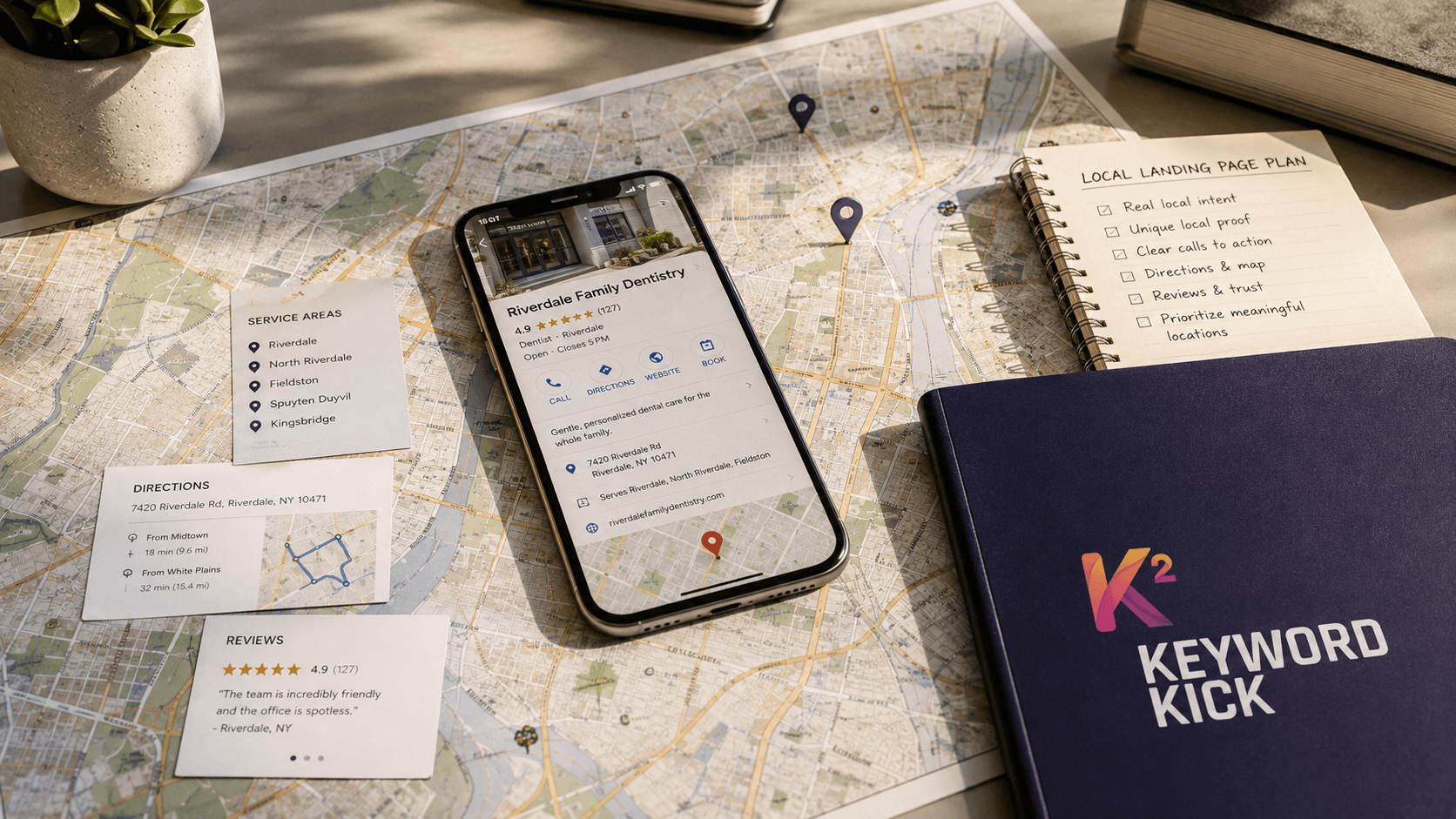
Most advice about a business listing on Yahoo starts with an instruction that no longer matches the platform: visit Yahoo Local, submit your site, and wait for a directory profile to appear. Yahoo's original web directory was retired in 2014, so the classic submit-a-site workflow is history. (Vendasta's overview of Yahoo business listings)
The practical question in 2026 isn't whether you can secure a prized Yahoo directory slot. It's whether your business information is accurate wherever Yahoo receives and displays local data. That makes Yahoo a citation hygiene task, not a standalone traffic campaign. The work still matters for businesses that need consistent name, address, and phone details across search ecosystems, but the payoff comes from clean data and reliable verification, not nostalgia for an old directory.
Why a Yahoo Business Listing Still Matters in 2026
Yahoo is more useful as a data checkpoint than as a traffic channel. Its roots explain why the name still appears in local marketing conversations. Yahoo began as a human-curated web directory in 1994, created by Stanford students Jerry Yang and David Filo as “Jerry and David's Guide to the World Wide Web.” The service became Yahoo in March 1994, registered yahoo.com on January 18, 1995, incorporated in March 1995, and went public on April 12, 1996, raising $33.8 million. (Yahoo's corporate history)
That history also explains the familiarity of Yahoo business listing. Yahoo helped establish structured online discovery by sorting websites and businesses into categories. It later became a broader portal for email, news, sports, and finance, but its early value came from organizing information, not just displaying web pages.
The directory assumption is the problem
The old model suggested a direct process: submit business details to Yahoo, receive approval, and gain a lasting directory page. That workflow no longer describes the platform. Yahoo's original directory was retired, while current visibility depends more on search results and information supplied through connected partners. (Vendasta's explanation of the directory transition)
Yahoo search is largely connected to Bing and partner data. As a result, a business may appear across Yahoo-related search experiences without having one traditional Yahoo local page managed through a single dashboard. The practical task is to verify that the business's details remain accurate wherever that information is pulled, matched, or displayed.
Practical rule: Treat Yahoo as one destination in your citation network, not as the only directory that needs attention.
What the listing can realistically do
Accurate listing data can reinforce a business's identity, location, phone number, categories, hours, and other descriptive details. It can also reduce conflicting information when customers find the company through Yahoo-connected search surfaces.
The likely payoff is data consistency, not a flood of direct visitors. Yahoo traffic may be modest, and it should not take priority over a complete Google Business Profile, legitimate reviews, or synchronized major citations. Still, leaving stale information in Yahoo's connected ecosystem creates another mismatch for search systems and customers to encounter.
The strongest case is operational. Businesses with several locations, a broad service area, or a history of duplicate citations have more reason to include Yahoo in their cleanup work. A small business with limited time should first maintain the profiles that generate the most customer actions, then check Yahoo as part of the same citation-quality process.
That trade-off keeps expectations realistic. Claiming or correcting the listing can support cleaner local data, but it is rarely a standalone acquisition strategy. The work matters because accurate NAP information can travel through Yahoo and Bing's wider ecosystem, not because Yahoo itself is guaranteed to send substantial clicks.
What You Need Before You Start
A smooth Yahoo workflow begins with finalized business data, not with a search box. You'll typically need a Yahoo account, a business name, a phone number, complete NAP details, categories, hours, and enough information to confirm that you represent the business. Older Yahoo local guidance describes a process that required identity and business-detail verification, so preparation reduces avoidable delays. (Historical Yahoo Local submission guidance)

Run a two-minute readiness audit
Before opening a claim flow, compare the information you plan to submit against the business's official records and other live profiles. Pay particular attention to NAP consistency, because small formatting changes can make duplicate detection and matching harder.
Business identity: Use the public-facing business name. Don't add promotional phrases, service lists, or location keywords to force relevance.
Phone access: Use a number customers can answer and that you can access during verification. A local phone number is generally preferable when one represents the location.
Address status: A storefront or office address can support location-based eligibility where the category requires it. A service-area business should not publish an address customers aren't meant to visit.
Core details: Finalize hours, website URL, categories, service descriptions, and contact information before submission.
Ownership evidence: Make sure the account holder can respond to the verification method presented by the platform or its data partner.
Does every business qualify?
Eligibility depends on the current provider's rules, the business category, and whether the location can be verified. Businesses with a public location usually have the clearest path, while service-area businesses may need to follow different address-display requirements. Multi-location brands should prepare a separate, location-specific record for each eligible branch instead of forcing several locations into one profile.
If you can't verify the phone, address, or business identity, don't compensate by stuffing the description with keywords. Resolve the underlying identity issue first. A technically complete form can still fail if the data doesn't match what other sources already show.
Claiming or Creating Your Listing Step by Step
Treat the Yahoo listing as a citation hygiene task first, not a traffic channel. Start by searching Yahoo for the exact business name and location. Check whether an existing result matches the company, then compare its phone number, address, website, category, and hours with the approved record. Stale information usually calls for a claim. A genuine absence calls for an add-new workflow.
Creating a second record can produce a duplicate. Duplicate profiles split information, confuse customers, and make later corrections harder. If a similar result belongs to another business, document the mismatch rather than claiming it.
Follow the decision path
The ownership route can vary because Yahoo business data may be managed through a third-party provider instead of one native Yahoo dashboard. Current guidance may send owners from a Yahoo result to an external verification flow, so confirm the destination before entering credentials or business information. (Local SEO Guide's discussion of Yahoo listing management)
Choose claim or add new, then enter the business name exactly as it appears in the approved citation record. Add the full NAP details, website, primary category, secondary categories where available, operating hours, and relevant attributes. Keep the identity record coherent. A description cannot compensate for missing verification data.
If the workflow permits photos, upload a small, useful starting set. Use an exterior or storefront image when customers need to recognize the location, an interior image when it sets expectations, and accurate service or product imagery. Avoid stock photos that suggest an experience the business does not provide.
Submit the record through the available verification process. Historical Yahoo guidance described a review window of about 3–5 business days, which remains a planning benchmark rather than a promise for every modern partner workflow. (Historical Yahoo Local submission guidance)
Claim versus add new
Scenario | Best path | What happens next |
|---|---|---|
A matching profile already exists | Claim it | Verify ownership, correct the record, and monitor whether changes publish |
The profile exists but has wrong details | Claim, then edit | Preserve the established record while replacing inaccurate NAP, hours, and categories |
No legitimate profile appears | Add new | Submit a complete record and follow the available verification process |
Several matching profiles appear | Investigate before acting | Identify the authoritative record and avoid creating another duplicate |
The profile is controlled by a partner | Use the partner workflow | Update the source that owns or distributes the data |
For businesses managing several directory ecosystems, compare the workflow with this guide to listing a business on MapQuest. Platform names differ, but the operating rule is consistent: identify the authoritative record, verify ownership, and keep location data aligned across the systems that distribute it.
Optimizing the Listing Once It's Live
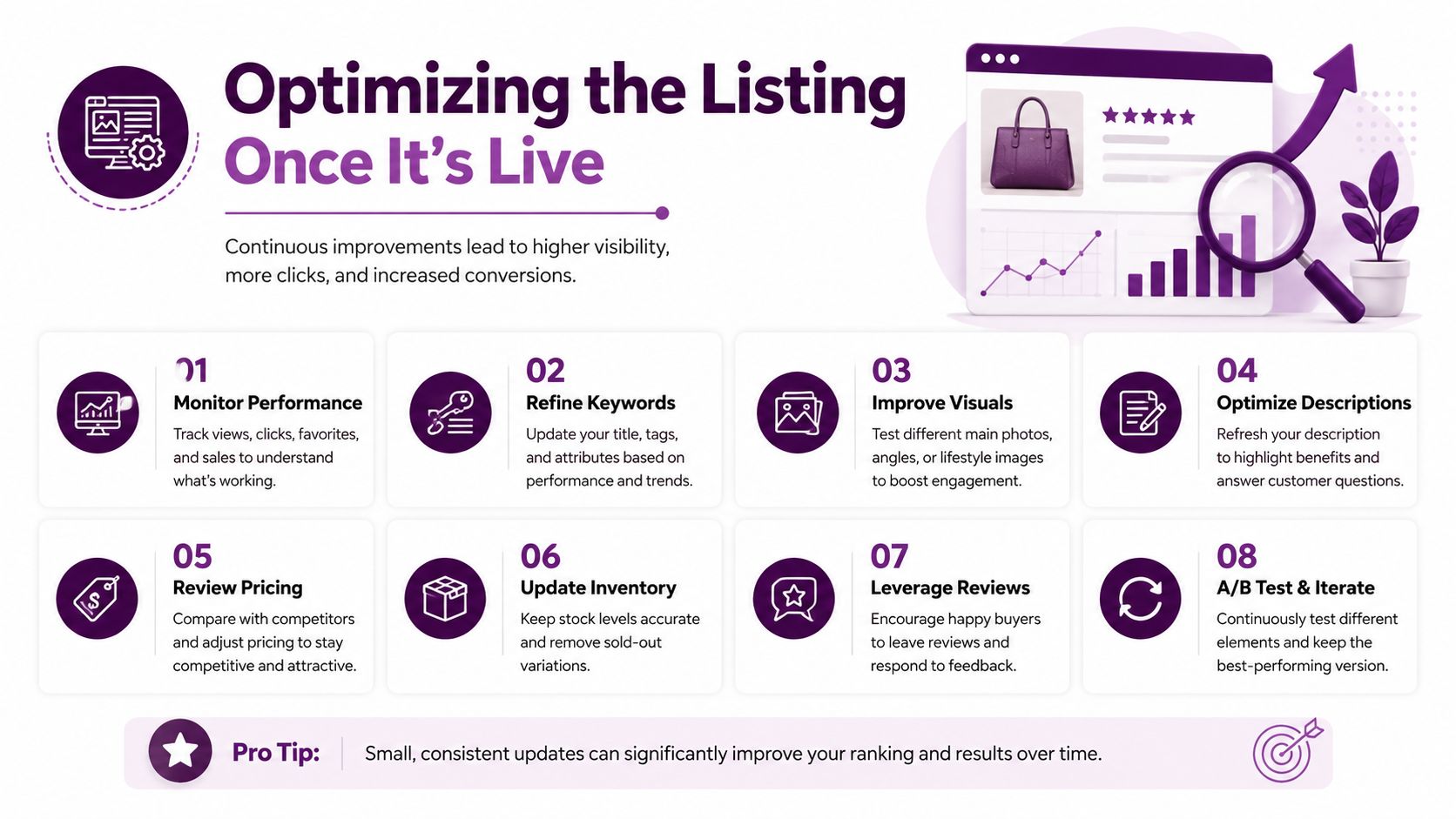
Approval only confirms that a record passed a verification or review process. It doesn't guarantee that the profile is persuasive, complete, or consistent with the information customers see elsewhere. Optimization should focus on four practical levers: NAP accuracy, categories, description quality, and photos.
Data quality deserves priority because inaccurate listings are common and directly affect trust. A study of about 40,000 local listings found roughly 43% had the wrong address, while consumer research found that 66% lose trust when the phone number is wrong and 60% lose trust when the address is wrong or inconsistent. (The Windows Club's coverage of Yahoo Localworks and listing accuracy)
Keep the identity exact
Use the same approved business name, address formatting, and phone number across the listing network. Don't switch between a legal name, a shortened brand name, and a keyword variation unless those versions represent an established public identity.
For example, “Harbor Street Dental” is safer than “Harbor Street Dental, Best Emergency Dentist Downtown.” The first identifies the business. The second adds a marketing claim that can create inconsistency and may look like name manipulation.
Hours are part of the customer promise. Update regular hours, holiday changes, and appointment requirements wherever the profile supports them. A listing that says “open” when the office is closed can create the exact frustration that accurate citations are meant to prevent.
Select categories for meaning, not reach
Choose the most specific primary category that describes the core business. Add secondary categories only when they represent genuine services, departments, or offerings.
A plumbing company should use a plumbing-focused category rather than selecting every home-service option available. A bakery that also serves coffee can add a relevant secondary category if the business operates that way, but it shouldn't present itself as a restaurant, caterer, and grocery store merely to widen exposure.
Categories help systems interpret intent. They also set customer expectations, so an inaccurate category can attract the wrong searches and produce poor engagement even if the listing appears more often.
Write a useful description
A strong description answers three questions quickly: what the business provides, who it serves, and where or how it operates. Mention important services naturally, explain the local service area without repeating the city name mechanically, and include a clear reason customers should contact the business.
Before: “We are the best company in town for all your needs and offer great service.”
After: “Harbor Street Dental provides preventive, restorative, and emergency dental care for families in the downtown area. Patients can contact the office to ask about appointments, treatment options, and accepted services.”
The second version is specific without making unsupported promises. Skip coupon language, keyword strings, exaggerated superlatives, and details that belong in a temporary promotion rather than a permanent business profile.
Use photos to confirm the experience
Photos should help customers recognize the location, understand the service, or evaluate the product. A home-renovation company can show completed work and its team in action. A restaurant can show the dining space and representative dishes. A professional office can show its reception area if visitors need to identify it.
Replace outdated imagery when the storefront, branding, or service offering changes. Photos don't repair incorrect NAP data, but they can make a complete profile more credible and easier to act on.
Troubleshooting Common Yahoo Listing Issues
Yahoo listing problems often originate below the visible page. A result may look like a Yahoo profile while another provider controls the underlying record, so editing the page repeatedly can waste time. Diagnose the symptom before changing any field.
Verification never arrives
Symptom: You request verification but receive nothing.
Diagnosis: The phone, email, or address on the record may be outdated, inaccessible, or mismatched with the information used by the verification provider.
Fix: Recheck the submitted NAP details, confirm that the business can answer the listed phone, and look for an alternate verification method. If the record is partner-managed, correct the source record rather than repeatedly submitting the same request.
The listing disappears after approval
Symptom: The profile appeared, then stopped showing.
Diagnosis: The record may have failed a later data match, conflicted with another source, or been replaced by a duplicate or partner update.
Fix: Search the business name with its location, compare the visible record against authoritative business information, and investigate duplicates. Keep one consistent record instead of creating another profile to replace the missing one.
Edits won't save or revert
Symptom: A change appears briefly, then returns to the previous value.
Diagnosis: A downstream provider may be sending an older version back to Yahoo, or the edit may require additional verification.
Fix: Identify the provider controlling the record and update that source. Capture the exact before-and-after details so you can distinguish a rejected edit from a successful edit overwritten by a feed.
Duplicate profiles or wrong categories
Symptom: Customers see multiple listings, or the category changes back without explanation.
Diagnosis: Duplicate creation and conflicting partner data are common causes. Category fields may also be normalized by the provider.
Fix: Claim the strongest existing record, request duplicate cleanup where available, and use the category that most accurately describes the primary business. Don't keep adding profiles or cycling through categories until one happens to remain.
Tracking Performance and Integrating with Local SEO
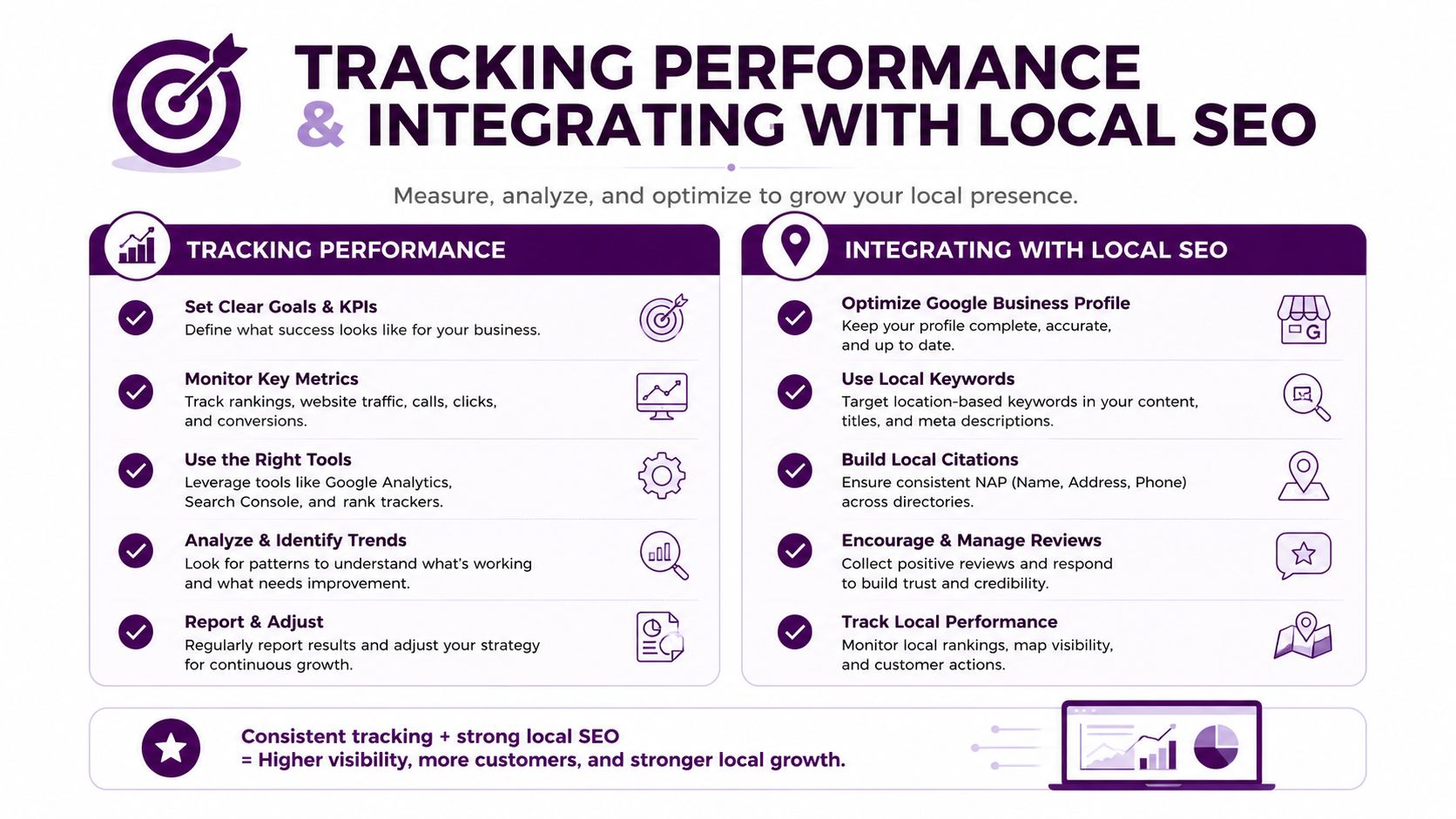
Measure the Yahoo listing as part of local search operations, not as an isolated acquisition funnel. Watch whether the profile appears for branded searches, whether phone calls and direction requests are available as actions, and whether customers encounter consistent information across the citation set.
A useful audit combines listing accuracy with wider local signals. Check the Yahoo-connected record alongside your Google Business Profile, major directories, review platforms, and location pages. The local SEO checklist can help turn those checks into a repeatable process instead of an occasional manual search.
Interpret fluctuations cautiously. A single visibility change doesn't prove that a Yahoo edit caused more or fewer customers, especially when search systems and partner feeds change independently. Look for durable patterns across calls, direction requests, branded search appearance, and citation accuracy.
Yahoo is worth the effort when the business already has a citation cleanup project, operates in a competitive market, or manages multiple locations that need consistent records. A small service-area business with limited time should first secure its primary local profiles and authoritative industry citations, then add Yahoo when the core data is stable. The objective is not to win Yahoo traffic at any cost. It's to make the business identity dependable wherever customers and search systems encounter it.
Keyword Kick offers practical SEO intelligence for auditing citations, tracking local visibility, and prioritizing the fixes that matter most. Use Keyword Kick to connect search data and technical signals in one workspace, then turn inconsistent listing information into a clear action plan.