Most small business owners start SEO the same way. They open a few browser tabs, read three conflicting checklists, watch a video that says backlinks are everything, then another that says content is everything, and end the day with a longer to-do list and no real plan.
That's the problem. SEO for small businesses usually gets presented as a giant pile of tactics instead of a sequence. When your time is split between customers, staff, operations, and cash flow, you don't need fifty ideas. You need to know what to do first, what can wait, and what isn't worth obsessing over yet.
Your Prioritized Small Business SEO Playbook
A practical SEO plan starts by accepting one uncomfortable truth. SEO is not a fast channel. One industry guide says meaningful results usually take 3–6 months of steady work, which is why the right order matters so much. Fix the basics first, then publish and improve content consistently, then judge trends over time instead of reacting every week (small business SEO timeline guidance).
That timeline frustrates people because bills are due now. But it also protects you from wasting effort. A local service business that spends weeks chasing advanced tactics while its Google Business Profile is incomplete, its service pages are thin, and its contact page is hard to use is doing hard work in the wrong order.
What this playbook prioritizes
This article is built around the highest-impact, lowest-cost moves first:
Local visibility assets that can put you in front of nearby buyers quickly.
Search intent research so you stop guessing what customers want.
On-page and technical fixes that help both Google and visitors trust your site.
Content depth that turns your site into a useful resource, not just a brochure.
Measurement and authority so you can keep improving without wasting budget.
Practical rule: If a tactic doesn't improve visibility, trust, or qualified leads, it drops down the priority list.
If you want an outside perspective on local ranking basics, AI Tools for Local SEO's ranking advice is a useful companion read because it stays close to practical actions instead of theory. If you're also sorting through platform options, this roundup of SEO tools for small businesses can help you choose tools after you've set the priorities, not before.
Start Here Quick Wins and Local SEO Foundations
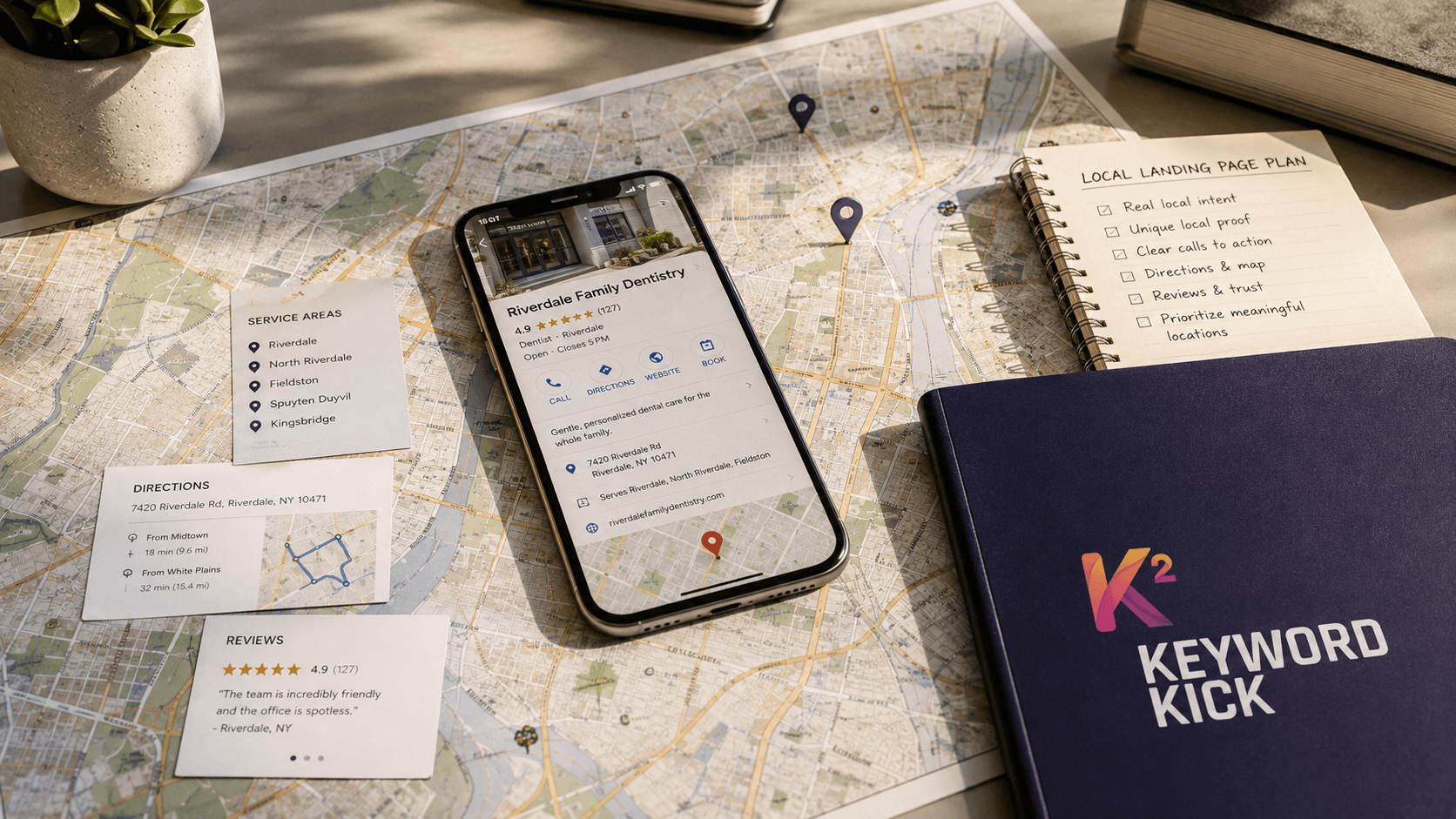
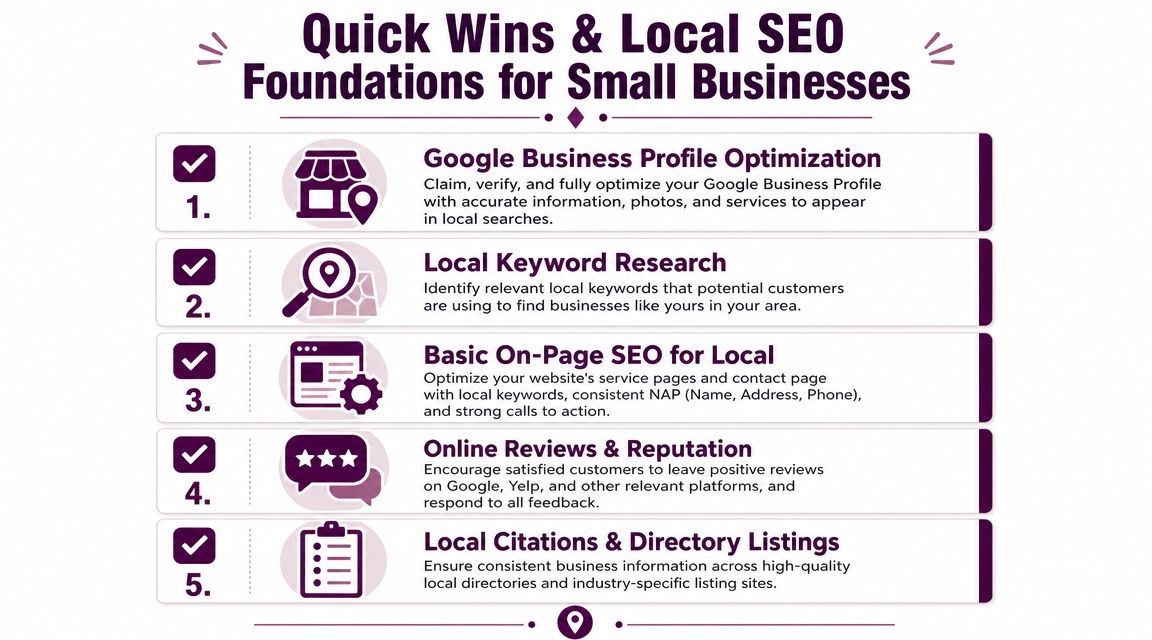
For most local businesses, the fastest useful SEO work starts with the places customers see before they ever visit your website. That means your Google Business Profile, your reviews, and your business details across the web.
BrightLocal reports that 80% of U.S. consumers search online for local businesses weekly and 46% of search queries have local intent (BrightLocal local SEO statistics). If you serve a city, a neighborhood, or a service area, local search isn't a side tactic. It's the front door.
Fix the asset Google uses first
Your Google Business Profile often influences whether someone calls you, visits you, or keeps scrolling. Treat it like a sales page, not a listing.
Start with these actions:
Claim and verify it: If you haven't done this, stop everything else and do it first.
Complete every core field: Business name, category, hours, service area, phone, website, and business description all need to be accurate.
Add real photos: Exterior, interior, team, work examples, and products all help reduce uncertainty.
List services clearly: Use language customers would search for.
Review the Q&A section: Add common questions and answer them before someone else does.
Use posts when relevant: Updates, seasonal offers, and service reminders can keep the profile fresh.
A half-complete profile sends the wrong signal. So does inconsistent contact info between your site, Google, and directory listings.
Ask for reviews in a way customers will actually follow through on
Most owners know reviews matter. Many still make the request awkward or forget to ask at the right moment.
Use simple prompts:
“Thanks again for choosing us. If you found the service helpful, would you mind leaving a quick Google review? It helps other local customers find us.”
Or, after a successful job:
“Glad we could help. If you have a minute, a short review about your experience would mean a lot.”
Keep the ask short. Ask right after the positive outcome. Make it easy with a direct review link. Then respond to every review, including the messy ones. Calm, specific replies show future customers how you handle problems.
Clean up the local signals around your site
Your website still matters. But for many small businesses, local visibility improves faster when the off-site basics are tidy.
Use this quick checkpoint:
Priority | What to fix | Why it matters |
|---|---|---|
Highest | Google Business Profile accuracy | Impacts maps visibility and branded trust |
High | Review collection and responses | Builds credibility before the click |
High | Consistent name, address, phone | Reduces confusion across platforms |
Medium | Local service and contact page updates | Supports conversions after discovery |
Medium | Quality directory listings | Reinforces business legitimacy |
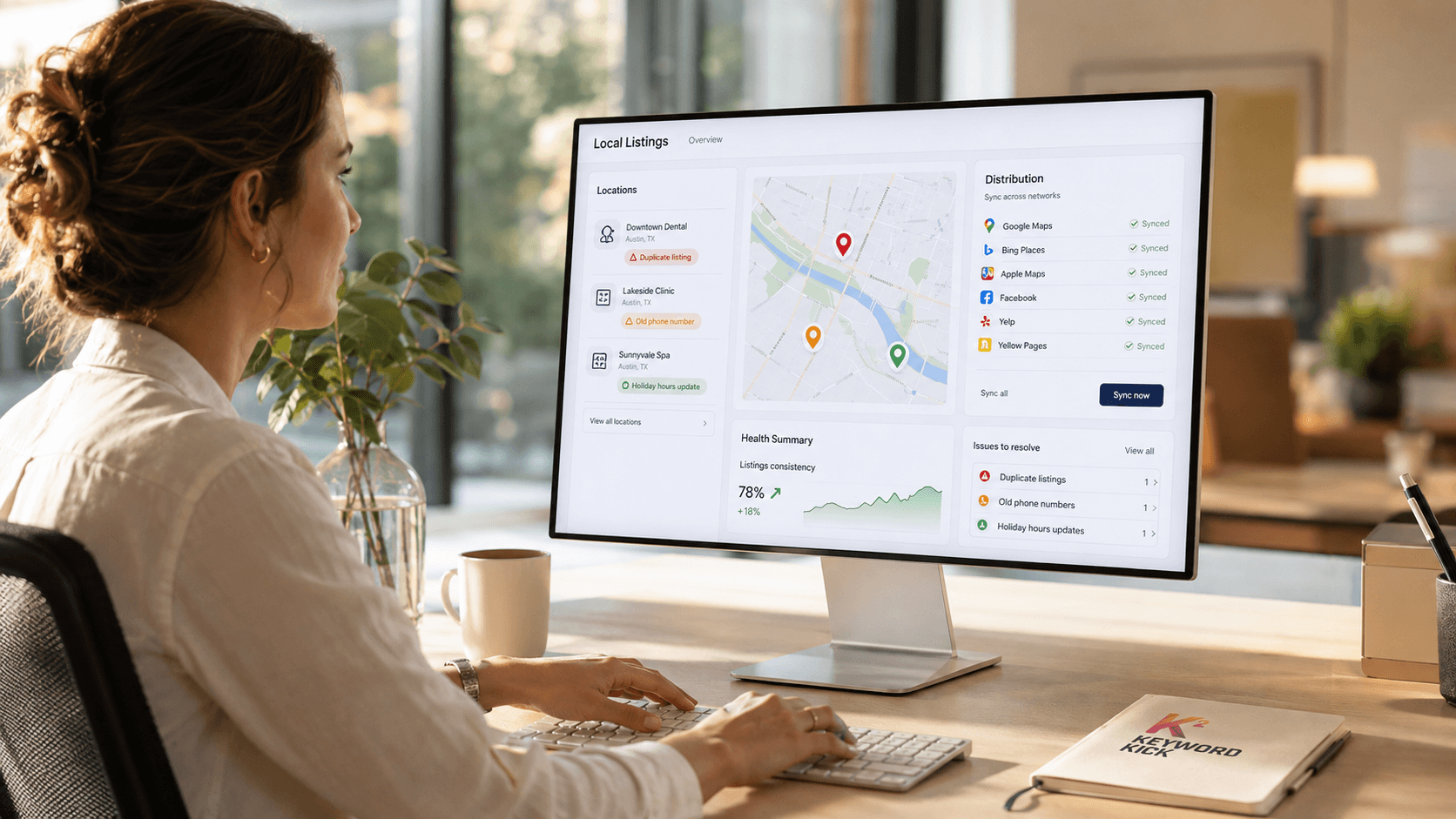
If you want a solid reference point for local search optimization, that guide is worth reviewing alongside your own listings so you can spot gaps quickly. For a shorter implementation list, these SEO quick wins are useful once your local foundation is in place.
Find What Your Customers Are Searching For
Keyword research sounds technical until you strip out the jargon. For a small business, it's mostly customer listening turned into page planning.
The mistake is starting with search volume. Start with intent instead. What is the person trying to get done when they search?
Build your keyword list from real customer language
Open a note and divide your keyword ideas into four buckets:
Service searches: “water heater repair,” “family lawyer,” “tax accountant”
Local searches: “near me,” city names, neighborhood names, service area terms
Problem searches: “why is my AC leaking,” “how to remove pet odor”
Decision searches: “best divorce mediator,” “cost of roof repair,” “emergency dentist”
That list usually comes from places you already have access to:
Sales calls and intake forms: Notice repeated phrases.
Emails and DMs: Customers often describe their problem in plain language.
Google autocomplete: Type your service and city, then record the suggestions.
People Also Ask: These questions are content ideas in plain sight.
Competitor service menus: Not for copying, but for catching missed topics.
Match the keyword to the page type
Not every search belongs on a blog post. Not every search belongs on a service page either.
Here's the practical match:
Transactional intent: Put this on service pages, booking pages, or product pages.
Local intent: Build location-aware service pages and strengthen your contact and service area details.
Question intent: Use blog posts, FAQs, and explainer pages.
Comparison intent: Create pages that help buyers choose, evaluate, or understand differences.
A page ranks more easily when its format matches what the searcher expected to find.
A plumber shouldn't target “emergency plumber near me” with a blog post about winter pipe care. A dental practice shouldn't bury “teeth whitening cost” inside a general homepage paragraph. Relevance is usually more about page type than clever wording.
Use free tools before you buy anything
You don't need premium software to get started. Google's own search results give you a lot. Keyword Planner can help expand topics. Search Console becomes useful once your site has data.
This is also where many businesses overcomplicate things. You don't need a giant spreadsheet. You need a shortlist of phrases tied to pages you plan to improve.
A workable first pass looks like this:
5 core service keywords
A handful of local variants
Common customer questions
A few high-intent comparison or pricing topics
If you want a clean beginner workflow, this guide to keyword research from zero to your first ranking is a practical place to sharpen the process.
Fix Your Website's On-Page and Technical SEO
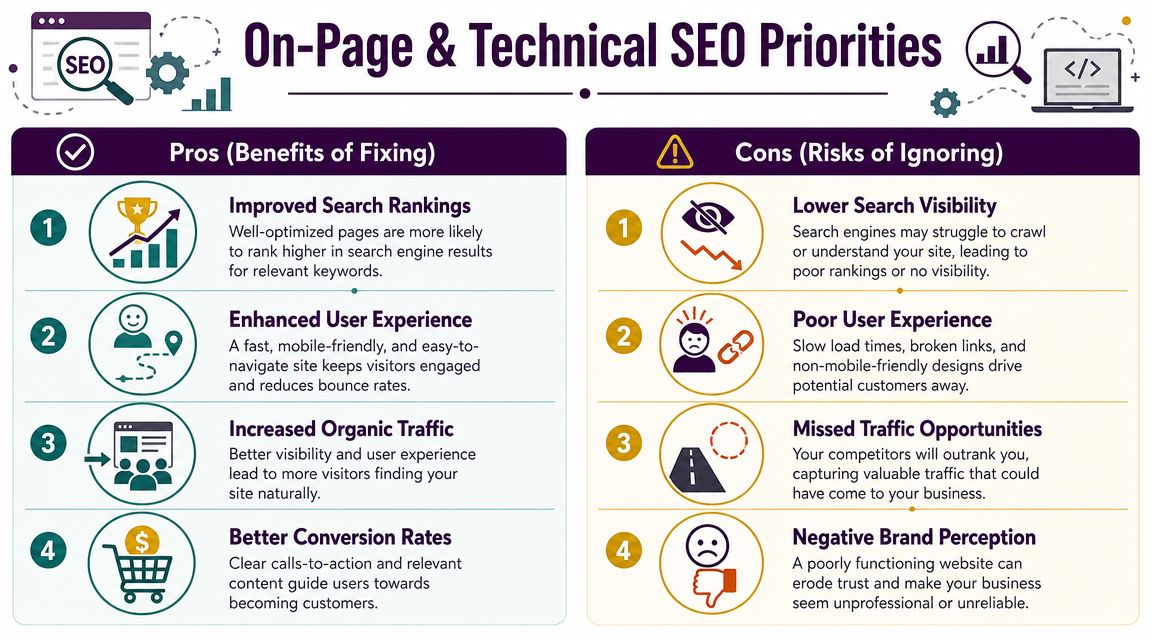
Once you know what users seek, your website has to make that relevance obvious. Small businesses often struggle at this stage. They either ignore the basics or dive into technical rabbit holes that don't matter yet.
Start with the pages that make money. Usually that means your homepage, core service pages, main location pages, and contact page.
Fix what users and search engines see first
Your title tag, page heading, and page copy should all point to the same topic. Not stuffed with keywords. Just clear.
A strong local service page usually includes:
A clear title tag: Service plus location when appropriate.
A useful meta description: Explain the offer and give a reason to click.
One obvious H1: Don't make Google guess what the page is about.
Subheadings that break up the page: Services, process, areas served, FAQs, trust signals.
A visible call to action: Call, book, request a quote, or visit.
Here's the difference in practice:
Weak page | Strong page |
|---|---|
Generic headline like “Welcome” | Specific headline tied to the service |
Thin copy with vague claims | Detailed copy that answers real questions |
No location mention | Local relevance built in naturally |
Hidden contact options | Clear phone, form, and next step |
Stock imagery only | Real photos, proof, and trust elements |
Handle the technical basics without overengineering
You don't need a giant audit to improve a small business site. You need to remove friction.
Focus on these basics first:
Mobile usability: Most small business traffic is mobile-heavy in practice, so pages need to load cleanly and remain easy to tap and read.
Site speed: Compress oversized images, remove bloated plugins, and avoid auto-playing distractions.
Indexability: Make sure important pages can be crawled and indexed.
Broken links and dead pages: Fix them before they waste authority and frustrate users.
Navigation: If visitors can't find your services in a few clicks, the structure is working against you.
Do this before publishing more content: A slow, confusing website turns extra traffic into missed leads.
Don't optimize pages that shouldn't exist
One common issue in SEO for small businesses is page bloat. Owners publish near-duplicate pages for every tiny keyword variation, or create thin city pages with almost no unique value.
That doesn't usually help. A better approach is to build fewer, stronger pages. Each one should have a clear purpose, enough substance to deserve ranking, and a next step for the visitor.
If you work with a developer or designer, give them concrete requests. Don't say “improve SEO.” Say “make the service pages easier to scan, improve mobile speed, and put the phone number and quote form higher on the page.” Clear instructions produce better outcomes.
Create Content That Builds Trust and Drives Traffic
A lot of small businesses hear “content marketing” and assume it means publishing endless blog posts. It doesn't. The useful version is simpler. Create the pages customers need before they're ready to buy, while they're comparing options, and when they're finally ready to act.
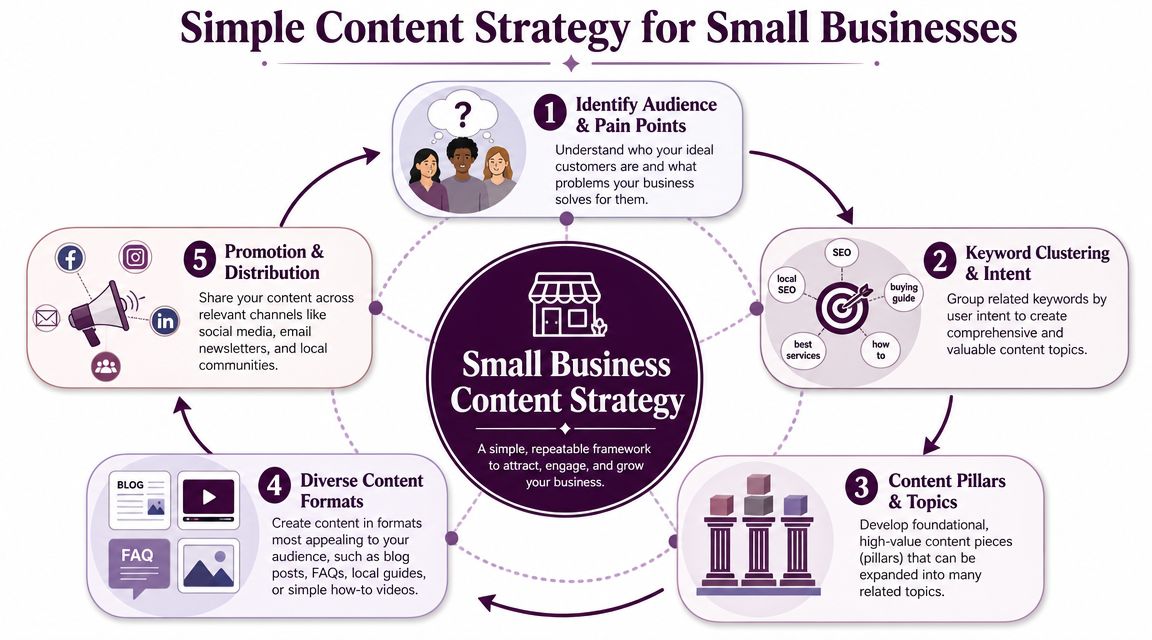
That matters even more as search changes. Guidance highlighted in recent small-business SEO coverage says Google is putting more emphasis on topical depth and E-E-A-T, which means shallow sites built around thin “one page per service” templates are less likely to stand out in AI-driven results (small business SEO guidance on AI search and E-E-A-T).
Build around topics, not isolated pages
Think in clusters.
If you're a family law firm, your site shouldn't stop at “divorce lawyer.” It should also help with questions about timelines, mediation, custody factors, paperwork, costs, and local process concerns. If you run an HVAC company, your content shouldn't end at “AC repair.” It should include troubleshooting pages, maintenance questions, replacement guidance, and seasonal local issues.
That's how small businesses build authority without publishing constantly.
A practical content stack looks like this:
Money pages: Service and location pages that target direct buying intent
Support pages: FAQs, pricing guidance, process pages, comparison pages
Trust pages: About, team, certifications, case examples, testimonials, real photos
Educational pages: Useful answers to recurring customer questions
Choose the page format based on the question
Different searches need different answers. Many small sites often miss opportunities at this point.
Use this decision guide:
Search type | Best page format | What makes it work |
|---|---|---|
“Near me” or city service query | Local service page | Service details, area relevance, proof, CTA |
“How does this work” | FAQ or explainer page | Clear answer, simple structure, next step |
“Cost” or “best” query | Comparison or pricing guidance page | Honest detail, decision support, trust signals |
Repeat customer question | Short blog or FAQ entry | Direct answer without filler |
Make your expertise visible
Google can't sit in your office or ride along on service calls. Your website has to surface the signals a person would notice in real life.
That means showing:
Real experience: Photos of work, team bios, process details, before-and-after examples when appropriate
Expertise: Clear explanations, not generic marketing copy
Authority: Mentions, certifications, partnerships, industry involvement
Trust: Reviews, policies, guarantees, location details, consistent business info
The businesses that earn search visibility over time usually explain their work better, not louder.
Publish on a cadence you can maintain
You do not need to post daily. Most small businesses would do better publishing less often and making each page useful.
A sustainable rhythm might be:
Refresh your main service pages.
Add FAQs pulled from customer conversations.
Create location pages only where you provide services and can add unique detail.
Publish a handful of strong educational pieces tied to recurring questions.
Revisit older pages and improve them instead of always starting from zero.
The best content for small businesses often comes from the questions your team is tired of answering. If customers ask it every week, it probably deserves a page.
Measure What Matters and Build Authority Over Time
A lot of SEO stalls for one reason. The business never builds a feedback loop. Pages go live, listings get updated, maybe a blog post gets published, then nobody checks what changed or why.
That's where many agencies and owners drift into vanity metrics. More impressions sound good. Higher rankings sound good. But if the wrong pages are getting traffic, or the site doesn't convert, the business doesn't feel the benefit.
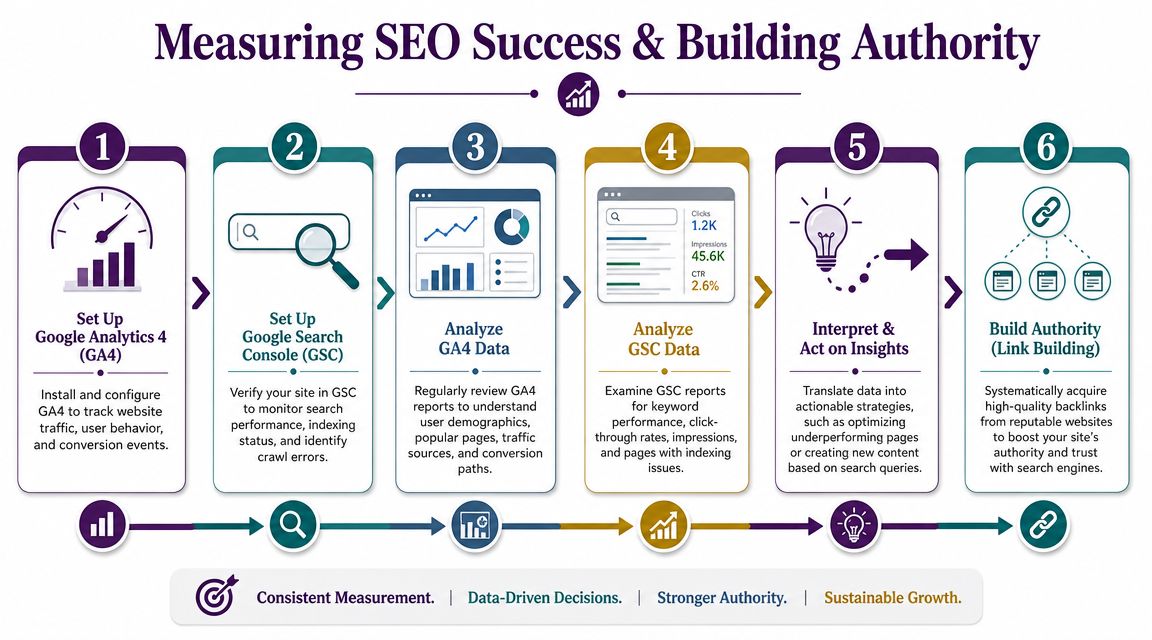
The U.S. Chamber of Commerce advises small businesses to start with Google Search Console, Google Analytics, and focus first on total impressions and top queries so SEO decisions are grounded in measurable outcomes instead of guesswork (U.S. Chamber SEO guide for small businesses).
What to check every month
You do not need a giant reporting dashboard. You need a short review process.
In Google Search Console, look at:
Top queries: What searches are already giving you visibility
Top pages: Which pages are earning impressions and clicks
Pages with impressions but weak click-through appeal: These often need title and meta updates
Indexing issues: Important pages shouldn't be left out of search by accident
In Google Analytics 4, watch for:
Organic landing pages: Which pages bring search visitors in
Engagement quality: Are visitors staying, navigating, and taking action
Conversions from organic traffic: Calls, form submissions, bookings, purchases, or lead events
Path issues: Where users drop off before contacting you
Use data to choose the next action
Measurement isn't about reporting for reporting's sake. It's for prioritization.
If a page gets impressions but few clicks, rewrite the title and description. If it gets traffic but no leads, the issue may be page intent, trust, or calls to action. If it gets no impressions at all, the issue may be indexing, targeting, or page quality.
Working rule: Don't ask “How is SEO doing?” Ask “Which page is closest to producing more leads if we improve it this month?”
That question changes the work. It shifts you away from broad anxiety and toward specific fixes.
Build authority with realistic link earning
Small businesses rarely need elaborate link campaigns at the start. They need credible mentions from places that make sense.
Good low-budget options include:
Local partnerships: Suppliers, charities, associations, events, neighborhood organizations
Industry listings: Reputable directories and trade associations
Community involvement: Sponsorships, workshops, chambers, local programs
Expert contributions: Guest insights, podcast appearances, local press commentary
Original resources: Guides, checklists, explainers, and tools people in your niche might reference
The point isn't to collect random links. It's to become easier to trust. Strong authority building usually follows real participation in your market, not tricks.
SEO for small businesses works best when it becomes a repeatable operating rhythm. Improve key pages. Publish the next useful asset. check performance. tighten weak spots. earn a few trustworthy mentions. Then repeat.
If you want a faster way to turn SEO data into clear next steps, Keyword Kick helps teams connect Search Console, GA4, rankings, backlinks, and technical issues in one place so you can see what matters, what to fix first, and where growth is most likely to come from next.