Your agency's monthly SEO report is probably full of data, yet the client still asks the same question: “Is our investment working?” Rankings move, impressions rise, traffic fluctuates, and someone exports another spreadsheet. Meanwhile, the report gets skimmed, filed away, and forgotten until renewal conversations begin.
Effective SEO reporting for agencies solves a different problem. It connects business objectives to trusted data, turns movement into diagnosis, and gives the client a clear view of what happened, why it happened, and what the agency will do next. The scalable advantage doesn't come from building one attractive dashboard. It comes from creating a repeatable reporting system that works across clients, industries, retainers, and account teams.
Laying the Foundation for Strategic Reporting
A report shouldn't exist because the contract says the agency must send one. It should exist because both sides need a reliable operating rhythm for making decisions. That means reporting starts before the first dashboard is built, with a clear agreement about what success means.
A practical agency workflow begins by mapping business KPIs, then centralizing GA4, Google Search Console, rank tracking, backlink, and CRM data. Only after that should the team build a narrative report explaining performance and next actions. An agency-focused reporting playbook recommends keeping client reports to 3 to 10 key metrics, with conversions or revenue as the primary layer and organic traffic, rankings, CTR, backlinks, and technical health as supporting layers. See the agency reporting workflow guidance for the underlying framework.
Create a reporting charter
The most useful onboarding document is often a short reporting charter. It defines the business outcome, the measurement rules, the people responsible for supplying data, and the decisions the report should support.
Ask questions that force clarity:
What does a qualified outcome look like? A B2B company might care about sales-qualified leads rather than every form submission.
Which commercial metric matters most? An e-commerce client may prioritize revenue, margin, or average order value.
Which products, services, or locations deserve priority? Broad organic growth can hide the fact that the pages with the strongest commercial value aren't improving.
What can SEO influence directly? Document dependencies such as development capacity, CRM classification, sales follow-up, and seasonal demand.
Who will act on the report? An executive needs a concise business summary, while an SEO lead may need landing-page and query detail.
Practical rule: If a chart doesn't help the client decide what to protect, change, fund, or investigate, it probably doesn't belong on the executive page.
The charter should also define the comparison periods and attribution conventions. A traffic increase can look positive while qualified leads decline. A ranking improvement may have little commercial value if it affects low-intent queries. Agreeing on these distinctions early prevents the agency from defending numbers that the client never considered meaningful.
Turn reporting into a forward plan
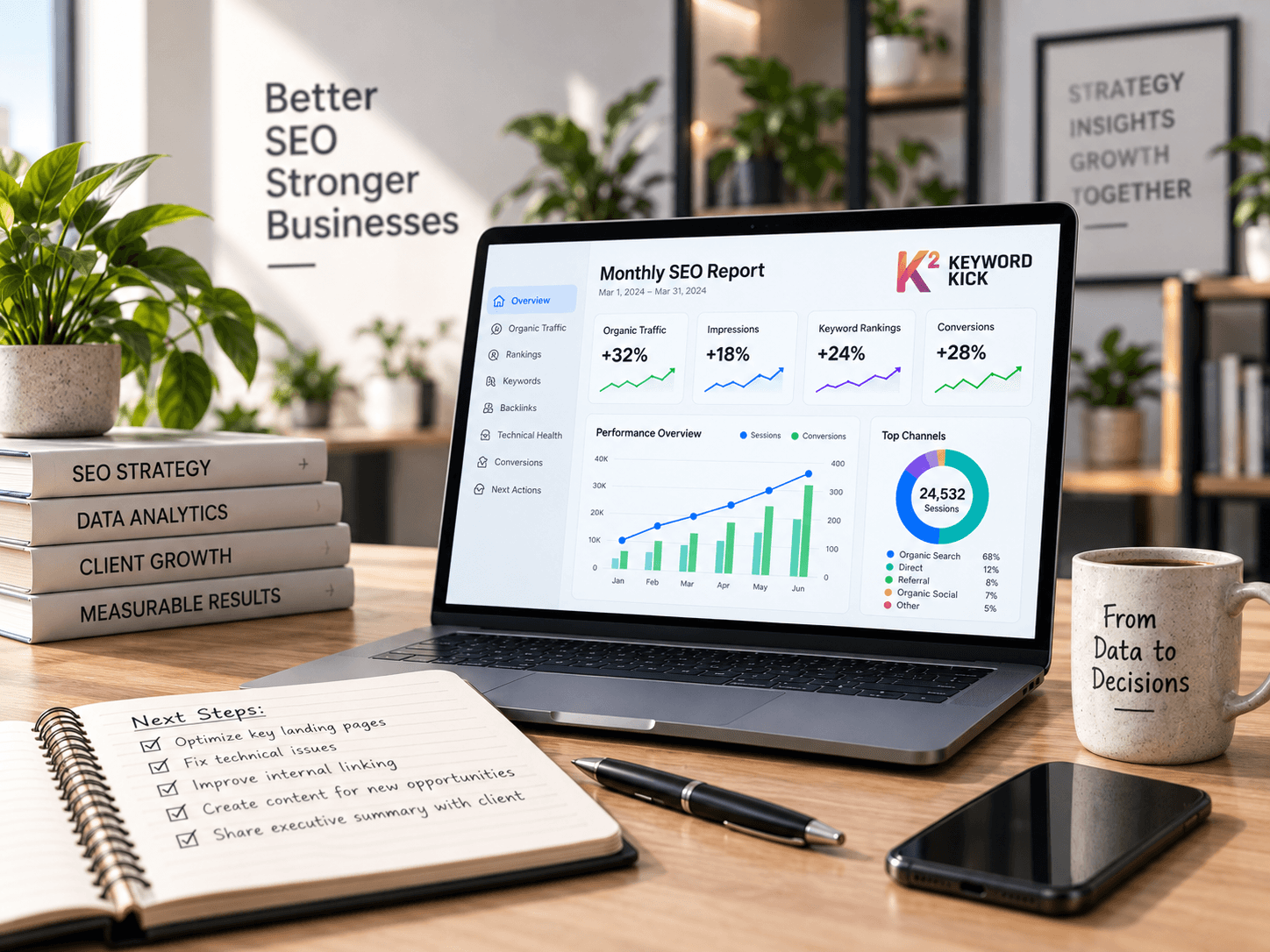
Every reporting period should end with a short action register. Tie each action to a diagnosed issue, an owner, and an expected business purpose. “Improve rankings” is too vague. “Refresh the service page because relevant impressions are growing but qualified landing-page actions aren't” gives the team something concrete to execute.
Monthly reporting remains a familiar cadence. A 2023 Databox survey found that nearly 70% of SEO experts send reports monthly, while around a quarter send them weekly, and it also found that many companies concentrate on a relatively small group of primary metrics. Those findings support a focused rhythm, not an exhaustive data dump. The report should be frequent enough to catch meaningful changes, but structured enough that every edition advances the client conversation.
Mapping Your Core Data Sources for a Unified View
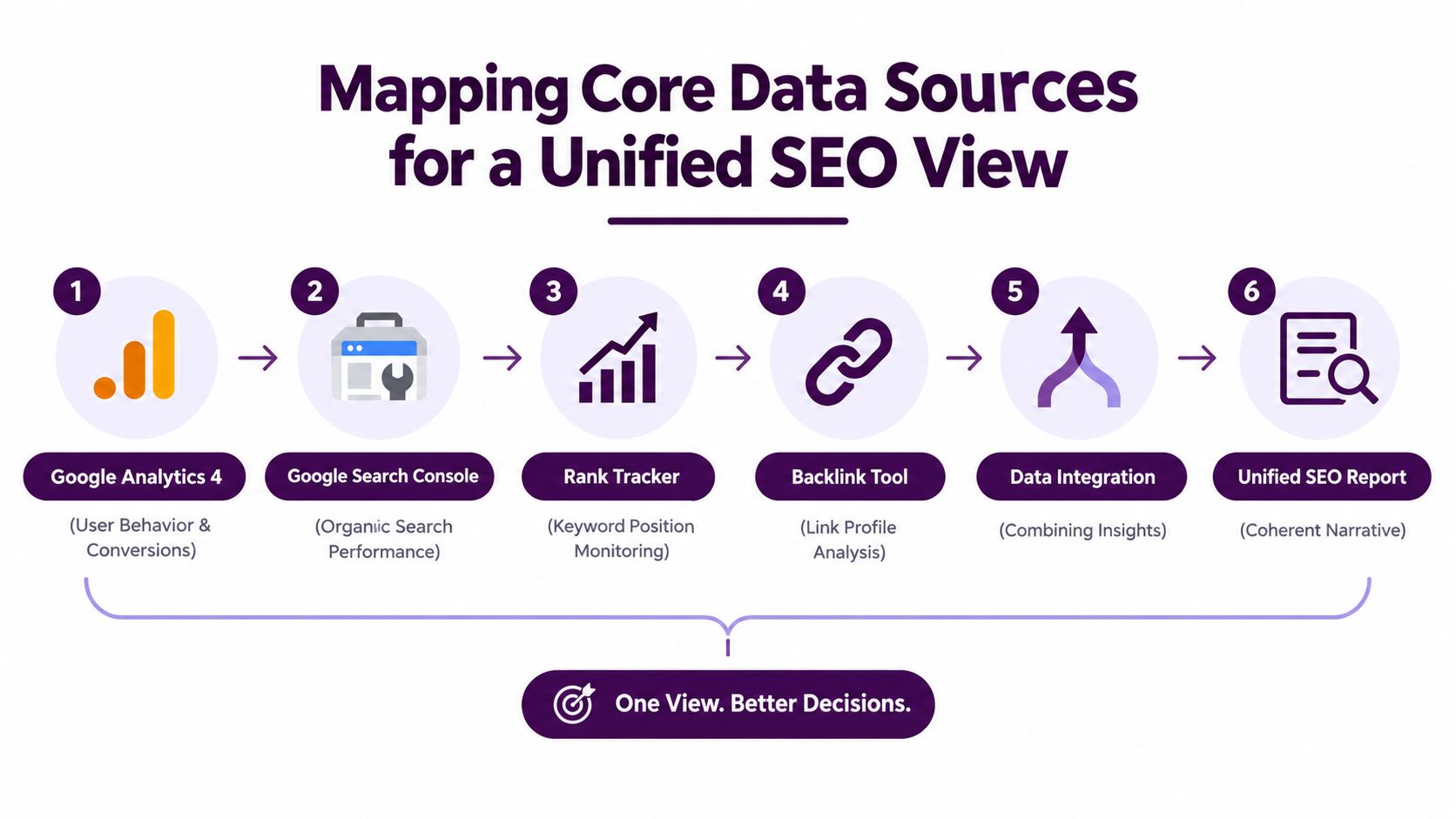
A unified SEO view isn't created by placing several widgets on one page. It's created by defining how each source answers a different part of the same business question.
GA4 describes what visitors do after arriving. Google Search Console describes how Google exposed the site in organic search, including impressions, clicks, CTR, queries, and landing pages. A rank tracker adds a controlled view of target keyword positions, while backlink and technical tools provide context about authority and site health. CRM data can then distinguish a completed form from a valuable opportunity.
Build a query-to-outcome chain
The useful unit of analysis isn't always the keyword. It's the relationship between query, search result, landing page, engagement, and conversion.
Start with Search Console queries and landing pages. Group them by intent and connect those pages to GA4 organic sessions, engaged sessions, and conversion events. Then compare the page's search visibility with its on-page performance. A page can gain impressions without gaining clicks because the search result changed, the snippet became less compelling, or the query mix broadened. It can gain clicks without producing business value because the landing experience or offer doesn't match intent.
Modern reporting guidance emphasizes connecting GA4 and Search Console so agencies can view organic sessions, engaged sessions, conversions, CTR, and landing-page performance together. That combined view helps separate a visibility problem from a relevance, experience, or measurement problem. The GA4 and Search Console dashboard setup guide provides further context for this cross-tool approach.
Assign each source a job
Avoid forcing one platform to answer every question. Use a source map that clarifies ownership:
GA4 owns behavior and conversion events. Validate event definitions and organic channel grouping before drawing conclusions.
Search Console owns search exposure. Use queries, pages, clicks, impressions, and CTR to explain how visibility changed.
Rank tracking owns the monitored keyword set. Treat it as directional evidence, not a complete representation of organic demand.
Backlink data owns link-profile context. Use it to investigate authority changes and link acquisition priorities.
CRM data owns lead quality. Where possible, connect organic leads to pipeline stages instead of stopping at submissions.
Data consistency matters as much as data availability. GA4 and Search Console use different counting methods, time zones, attribution models, and processing windows. The report should label those differences rather than pretending the platforms will reconcile perfectly.
Privacy also affects how agencies interpret user journeys. If a client is reviewing analytics measurement changes, a practical guide to cookieless web analytics can help frame the broader measurement environment without confusing search visibility with user-level attribution.
The report should answer “why did this change?” by combining sources, not by adding more isolated charts.
Choosing Metrics That Actually Matter to Clients
The right KPI set depends on the client's business model. A local service company, SaaS business, and online retailer may all need organic traffic, but they won't define a valuable visit in the same way.
A 2023 survey found that nearly 70% of SEO experts send monthly reports, while about 46% of companies focus on 3 to 5 primary SEO metrics. The same source identifies organic traffic, keyword rankings, and conversions among the most important SEO KPIs. That pattern supports a disciplined dashboard with a small primary layer and carefully chosen supporting evidence, rather than a page crowded with every available metric. The practical SEO performance measurement guide offers additional framing for selecting metrics.
Use the business model as the filter
Client Type | Primary KPIs | Secondary KPIs |
|---|---|---|
Local service business | Qualified organic leads, click-to-call conversions, priority local visibility | Local landing-page engagement, direction requests, service-area rankings, review-related signals |
SaaS company | Organic demo sign-ups, qualified organic pipeline, non-branded query growth | Engaged sessions, feature-page performance, content-assisted conversions, landing-page CTR |
E-commerce store | Organic revenue, transactions, category and product visibility | Organic conversion rate, category-page engagement, product-page performance, internal search behavior |
For a local plumber, a ranking report alone won't show whether the phone is ringing. Pair local visibility with click-to-call actions, quote requests, and the quality of incoming enquiries. If calls aren't classified in the CRM or call-tracking system, label that limitation clearly instead of presenting all calls as equal opportunities.
A SaaS account needs a longer value chain. Report non-branded visibility because it shows whether the company is reaching new demand, but connect it to demo sign-ups and qualified pipeline. Blog traffic may be useful for awareness, yet it shouldn't outrank product or comparison pages when the client's commercial goal is new business.
E-commerce reporting requires stronger page-type segmentation. Overall organic sessions can hide weak category performance, while a revenue view can reveal that a small set of commercial pages drives the meaningful outcome. Track category visibility, product-page behavior, and organic transactions together so the client can see whether SEO is improving the path to purchase.
Keep primary and secondary metrics separate
Primary KPIs belong at the top of the report. Supporting metrics explain movement beneath them. This hierarchy protects the client from mistaking impressions, rankings, or backlinks for outcomes.
Use annotations for launches, technical releases, promotions, and tracking changes. Add a short interpretation beside each material movement. “Organic revenue declined” is a status update. “Organic revenue declined while category visibility held, so the first investigation is conversion and product availability rather than rankings” is useful agency work.
Building Scalable Dashboards and Automated Reports
Manual reporting becomes expensive long before it becomes impossible. Every client receives a slightly different spreadsheet, every account manager formats charts differently, and small inconsistencies eventually undermine trust. A scalable system uses one master architecture, controlled variations, and automation for repetitive delivery.
Agency operations coverage identifies permissions, standardization, and delivery across multiple clients as major challenges, often more difficult than generating an individual report. It also highlights automated, multi-source dashboards and white-label capabilities as practical responses. The agency SEO reporting tools overview provides background on those operational requirements.
Design the master report
Build the report in layers so executives can stop after the first page while specialists can continue into the detail.
Executive summary. Show the agreed business KPIs, the main movement, the reason behind it, and the next decision.
Organic performance. Present sessions, engaged sessions, conversions, and revenue where available, with clear comparison periods.
Search visibility. Use Search Console trends, priority query groups, landing-page performance, and monitored rankings.
Opportunity and diagnosis. Identify pages with visibility but weak click or conversion behavior, declining commercial pages, and technical issues that require attention.
Authority and competition. Include backlink context and competitive observations only when they support a recommendation.
Action register. List completed work, current priorities, owners, dependencies, and the reason each task matters.
Keep the layout consistent across clients. Customize the KPI definitions, page groups, targets, and commentary, not the entire information architecture. A local business may receive call and location views, while SaaS and e-commerce clients use pipeline or revenue sections within the same underlying template.
Automate the repeatable work
Automate data refreshes, scheduled delivery, branded headers, date ranges, and permission groups. Reserve human time for validation, diagnosis, and recommendations. A dashboard that sends incorrect or unexplained data on schedule only scales the wrong process.
Create a pre-delivery quality check:
Source health: Confirm GA4, Search Console, rank tracking, and CRM connections refreshed correctly.
Tracking changes: Check whether events, channel groupings, or filters changed during the reporting period.
Anomaly review: Investigate sharp movements before writing commentary.
Narrative alignment: Confirm that every headline connects to a client KPI.
Action ownership: Ensure each recommendation has an accountable person and a practical next step.
White-labeling matters when clients should experience one consistent agency service, even when different specialists prepare different sections. Role-based access also protects sensitive CRM and revenue data while allowing clients to view the information relevant to them. Agencies should decide which metrics are universal, which vary by vertical, and which remain internal.
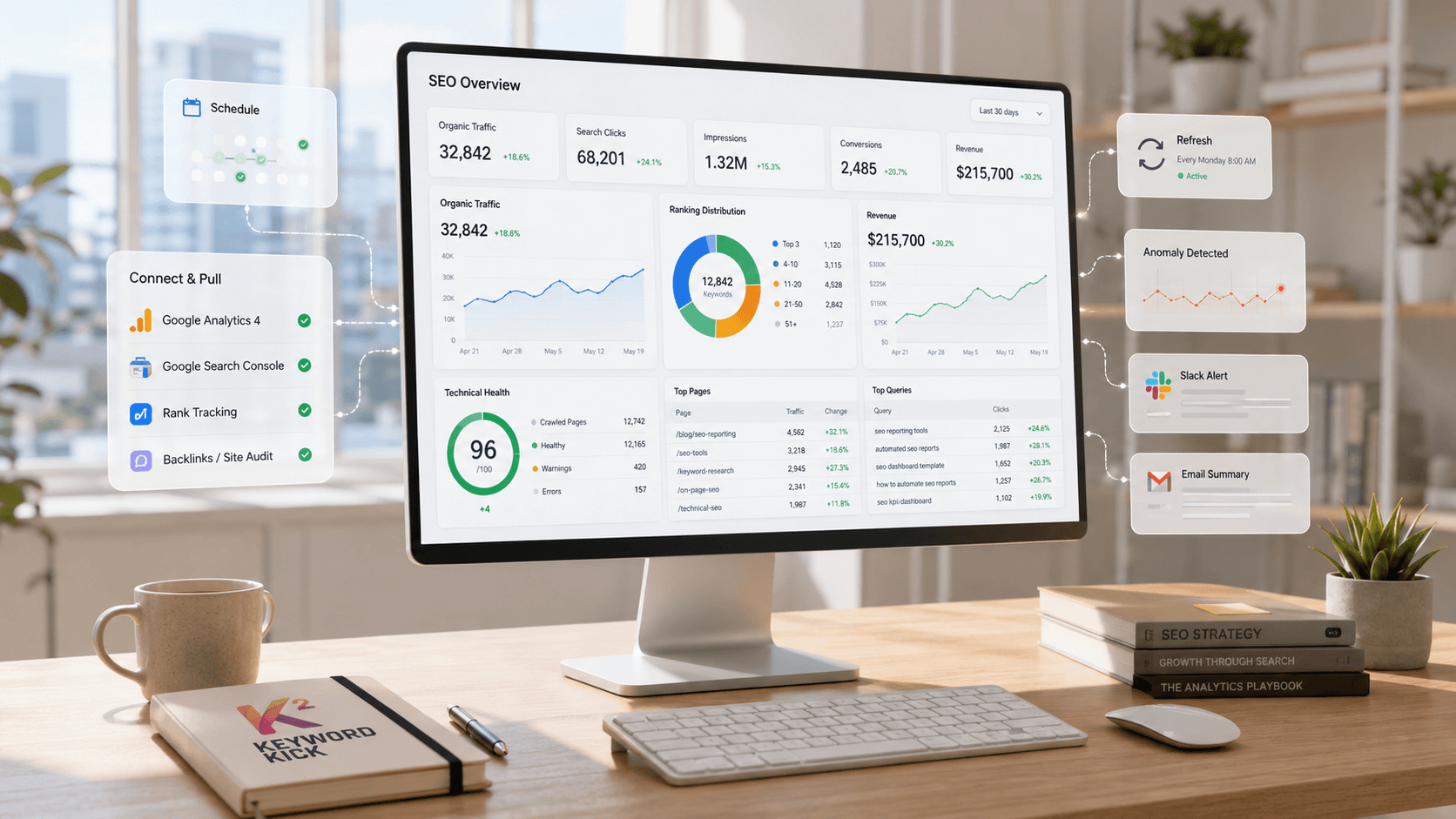
Keyword Kick can be used as one option in this type of workflow. Its K² AI Agent connects GA4, Search Console, rank tracking, backlinks, and technical SEO signals in a centralized workspace, while its agency features include multi-project management, white-label reporting, and scheduled ranking reports. The SEO reporting automation guide covers the process in more detail.
Communicating Value and Navigating Difficult Conversations
The report is not the value. The conversation it creates is the value.
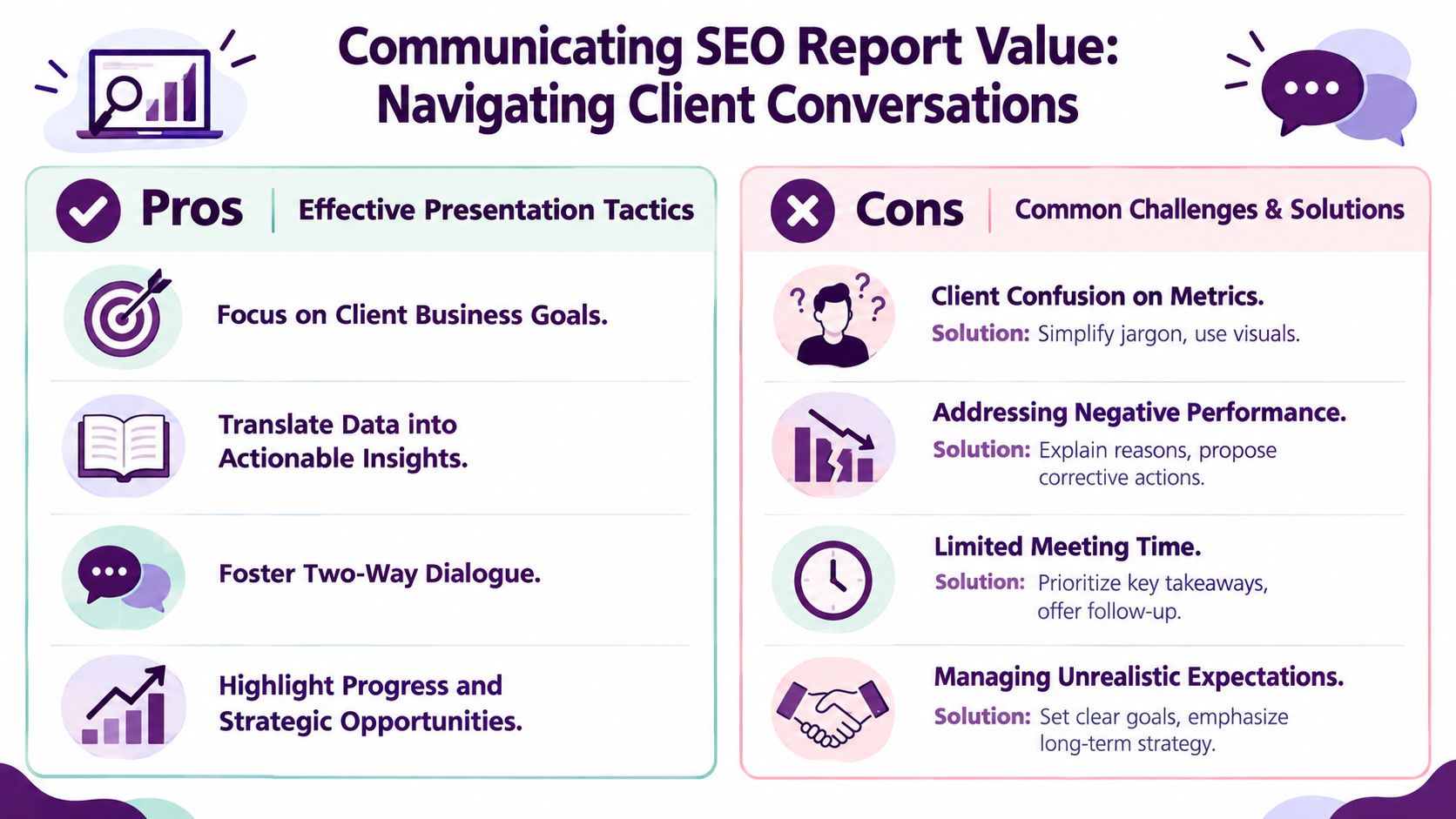
A client rarely needs an analyst to read every chart aloud. They need an explanation of what changed, whether it matters, what caused it, and what the agency recommends doing next. Send the report as preparation, then use the meeting to discuss decisions and trade-offs.
Open with the business outcome, not the platform. “Qualified organic leads softened, but the commercial landing pages held visibility” gives the meeting a useful starting point. “Impressions increased” doesn't, unless the client understands how that exposure affected clicks, engagement, or conversion.
Use a simple narrative sequence
Structure the discussion around four questions:
What changed? State the movement in plain language.
Why did it change? Separate evidence from working hypotheses.
Why does it matter? Connect the movement to leads, sales, revenue, or the client's agreed objective.
What happens next? Name the action, owner, dependency, and review point.
Good news should still include a next step. If rankings improved, explain which pages and query groups contributed, then identify how the team will convert that visibility into stronger engagement or commercial results. Bad news needs the same discipline. Don't hide a decline behind a positive impression trend. Explain the likely causes, identify what has been verified, and propose corrective work.
Handle uncertainty without losing confidence
SEO reporting often contains attribution gaps. Organic visitors may return through direct traffic, convert after several sessions, or contact sales outside the measured website journey. Seasonality can also affect demand independently of the agency's work. Guidance on SEO data pitfalls warns that rankings and impressions aren't business outcomes and that agencies should account for seasonality and attribution limitations when diagnosing performance. Review the SEO data analysis and reporting guidance when refining your validation process.
Use language that distinguishes facts from hypotheses:
Verified: “Search Console shows fewer clicks to the category page.”
Likely explanation: “The page's query mix shifted toward broader searches.”
Investigation needed: “We'll compare the result layout and landing-page behavior before changing the title.”
Action: “The team will test the page's relevance and conversion path.”
Clients don't need false certainty. They need an agency that can show its reasoning. For help translating technical findings into client language, use this guide on explaining SEO metrics to non-technical clients.
From Reporting Chore to Strategic Advantage
A scalable reporting system does more than reduce production time. It gives the agency a consistent way to prove value, identify risk, and make the next month's priorities visible before the client has to ask.
The strongest systems share five characteristics:
Business alignment: The reporting charter defines what the client values and how SEO contributes.
Source discipline: Each platform has a clear role, and the team documents measurement differences.
Metric hierarchy: Primary KPIs lead the report, while supporting metrics explain movement.
Operational consistency: Templates, permissions, white-labeling, and scheduled delivery reduce avoidable variation.
Human interpretation: Specialists validate anomalies, explain causality, and turn findings into owned actions.
Audit your current process by asking whether a new account manager could prepare the report without relying on undocumented knowledge. Check whether two clients in the same vertical receive comparable definitions, whether every key metric has a data owner, and whether the executive page makes sense without opening another platform.
Also review what your reports leave out. If visibility rises but conversions don't, can the team distinguish a SERP-layout issue from a landing-page problem or a measurement failure? If traffic falls, can the report connect query groups to landing pages, engagement, and commercial outcomes? If not, the agency has a dashboard, but it doesn't yet have a reporting system.
The future of agency reporting will favor connected evidence over isolated screenshots. As search visibility becomes more complex, clients will expect agencies to explain not only where a site appears, but what that appearance produces and which action deserves investment next.
Keyword Kick helps agencies organize client SEO data across GA4, Google Search Console, rankings, backlinks, and technical signals, with multi-project and white-label reporting workflows built for recurring delivery. Visit Keyword Kick to see how its centralized workspace can support a more consistent, decision-ready reporting system.