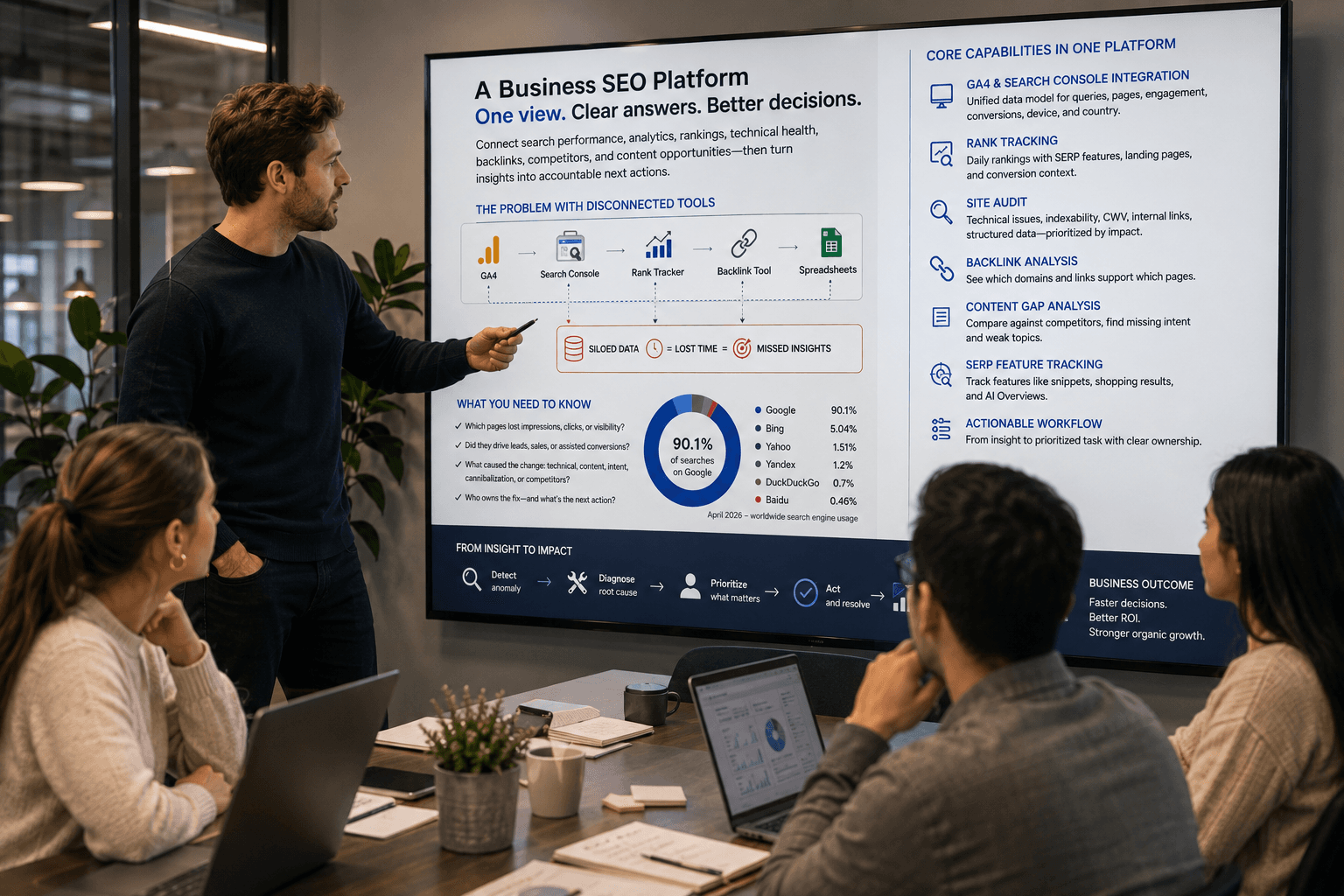
The biggest mistake in choosing SEO software is assuming that a bigger stack produces better results. It doesn't. A costly platform can still leave a team unsure why traffic fell, which pages deserve attention, or whether a technical issue affects revenue. A crowded stack creates a different problem, disconnected exports, duplicated metrics, and dashboards nobody uses.
The right tool depends on the job. You may need keyword discovery, competitor research, technical diagnosis, ranking alerts, backlink analysis, content optimization, or a clearer way to connect those signals. The SEO software market has become a mainstream marketing technology category, with one estimate placing it at USD 74.6 billion in 2024 and projecting USD 154.6 billion by 2030 (Grand View Research's SEO software market analysis). The practical question is no longer whether tools matter. It's how to build a stack that supports the way your team builds marketing plans.
This guide organizes the top tools for SEO by the work they perform, not by a superficial feature count. It covers real trade-offs, pricing considerations where verified information is available, workflow combinations, AI search visibility, and ways to consolidate fragmented data in Keyword Kick.
1. Keyword Kick
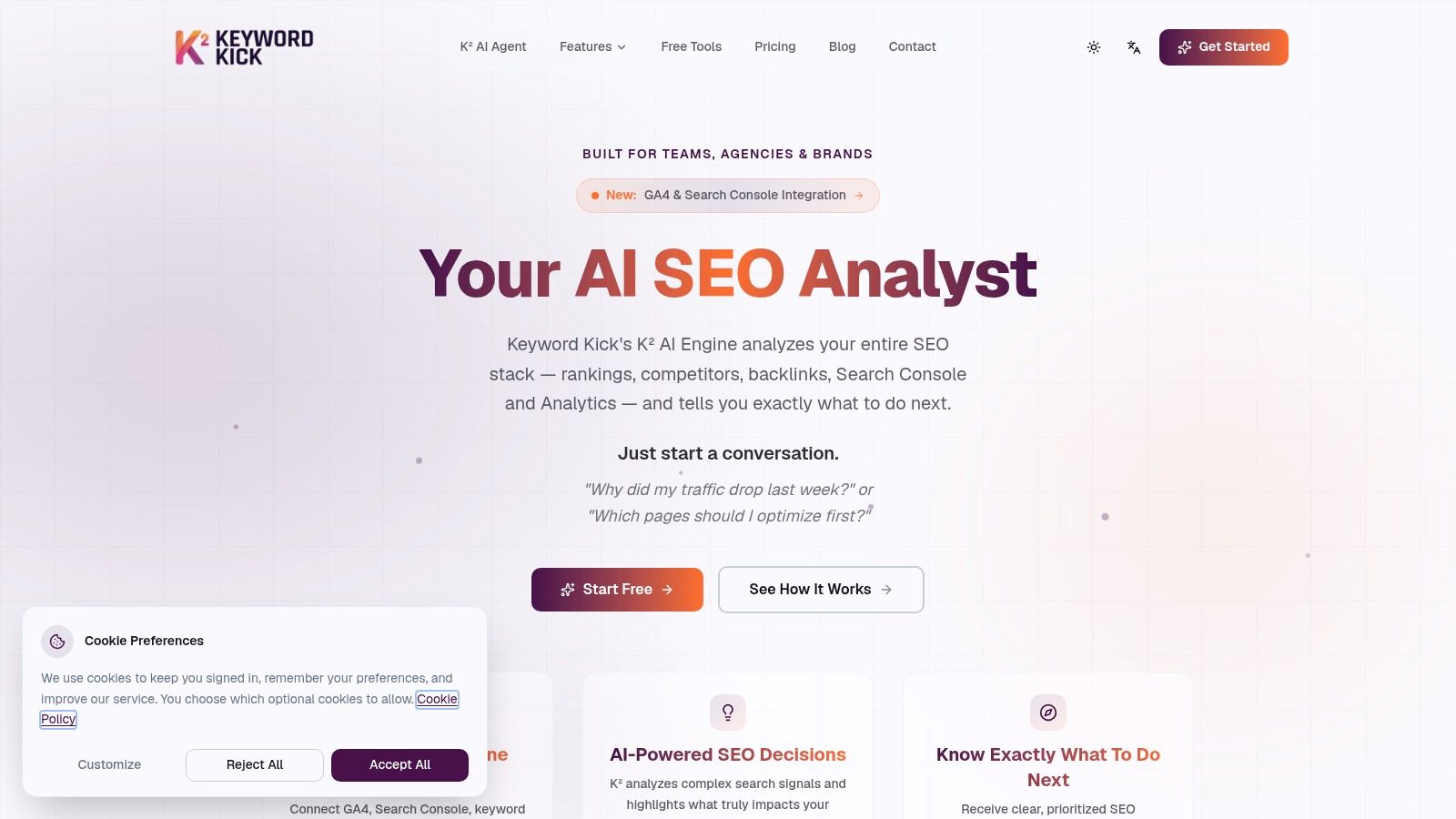
Keyword Kick is the strongest choice when the main problem isn't a lack of data, but a lack of direction. Its K² AI Agent works as a project-level analyst, connecting Google Analytics 4, Google Search Console, rank tracking, backlinks, site audits, and technical SEO signals in one workspace. Instead of opening several platforms and manually comparing reports, you can ask questions such as why traffic dropped or which pages deserve optimization first.
That cross-source approach matters because an isolated ranking movement rarely explains a business outcome. A page may lose clicks because its position changed, because a SERP feature absorbed attention, because another page is competing for the same intent, or because a technical issue affects crawling and rendering. Keyword Kick is designed to interpret those relationships and return prioritized, step-by-step recommendations, rather than another unranked list of warnings.
Where it earns its place
The platform combines daily rank tracking, historical trends, SERP feature monitoring, competitor visibility, keyword research, content gaps, cannibalization detection, backlink analysis, and site auditing. Its native cannibalization workflow supports six conflict types, which is more useful than just flagging two URLs that mention similar terms. Technical teams can also use JavaScript-rendered audits when a standard HTML crawl misses content or behavior produced in the browser.
The K² Agent has 22+ specialized tools, allowing it to investigate questions across connected data sources. It doesn't implement changes automatically, so the team still needs an owner, ticket, or publishing process for execution. That limitation is healthy in practice, because recommendations still require judgment and approval.
Practical rule: Use Keyword Kick as the decision layer, then keep a specialist platform only when its deeper data materially improves the decision.
Keyword Kick offers a Free Forever plan with no credit card requirement. That plan includes GA4 and Search Console synchronization, 20 K² messages per month, 10 tracked keywords, and 4 site audits covering 100 pages. Paid plans start at $49 per month, with Pro at $119 per month, Business at $249 per month, and Enterprise at $599 per month. Paid tiers advertise a 7-day trial, while advanced limits, longer retention, JavaScript rendering, and additional seats require higher plans. See the Keyword Kick platform to test whether its unified workflow fits your operation.
2. Ahrefs
Ahrefs remains one of the best tools for competitor research and backlink intelligence. Its Site Explorer lets teams study organic visibility, paid search activity, linking domains, and the pages that attract attention in a competitor's market. The link index is the main reason experienced SEOs keep it in their stack, especially when outreach, digital PR, or link gap analysis drives the strategy.
Keywords Explorer adds keyword clustering, search intent, and broad discovery capabilities. Site Audit checks technical issues through 170+ issue checks, while Rank Tracker adds Share of Voice, SERP feature monitoring, and AI Overview visibility. Ahrefs has also expanded beyond classic rankings with Brand Radar, which monitors brand presence in AI-generated answers across major AI systems.
Best use and trade-off
Ahrefs works particularly well when the workflow begins with an external question: which competitors are winning, what content earns links, which terms are missing, and what sources influence the market? It's less naturally suited to teams that mainly need first-party diagnosis from GA4 and Search Console. Estimated competitor traffic should guide investigation, not replace your own analytics.
The platform's breadth creates a learning curve. New users can spend too much time exploring reports without turning them into a prioritized content, technical, or outreach queue. Add-ons and extra users can also increase the total cost, so agencies should model usage before choosing a tier.
A useful Ahrefs workflow: Find a competitor page with strong links, compare its keyword footprint, inspect the search intent, then validate the opportunity against your own Search Console data before commissioning content.
Ahrefs is a strong standalone research platform, but it becomes more efficient when its findings feed a central workspace such as Keyword Kick. Use it for deep external evidence, then consolidate the opportunity with internal performance and technical signals.
Explore Ahrefs for competitor, backlink, keyword, audit, and AI visibility research.
3. Semrush
Semrush suits agencies and marketing teams that need a broad operating environment for SEO, competitive intelligence, content, reporting, and AI search monitoring. Its core workflow includes keyword research, competitive domain analysis, site auditing, and position tracking. The platform supports projects across locations and devices, with historical data and an add-on ecosystem for reports, additional users, and agency workflows.
Its AI Visibility reports, prompt tracking, and monitoring across Google and leading AI systems make it relevant for teams that want to compare traditional search performance with visibility in generated answers. That matters because a page can hold a conventional ranking while gaining or losing attention in answer-based interfaces.
Where Semrush fits best
Semrush is often the better fit when many stakeholders need different views of the same SEO program. An agency may use competitor research for strategy, audits for implementation, position tracking for client reporting, and content modules for editorial planning. Having those capabilities under one vendor can reduce integration work.
The trade-off is complexity. A new user may see many modules before understanding which report answers the current business question. Costs can also rise as teams add users, reports, locations, and other modules. A platform with broad coverage isn't automatically economical if the team uses only keyword research and rank tracking.
Start with a small number of recurring workflows. For example, use Search Console to identify pages losing clicks, Semrush to compare competing pages and SERP features, and Keyword Kick to combine those findings with analytics, backlink, and technical context. That sequence prevents the suite from becoming another collection of disconnected dashboards.
Review the current capabilities and plan structure on the Semrush website.
4. Screaming Frog SEO Spider
Screaming Frog SEO Spider is the specialist tool to reach for when you need to inspect a website at URL level. It's particularly effective for migrations, large technical audits, template quality assurance, redirect reviews, and diagnosing issues that broad dashboards summarize too aggressively.
The crawler checks broken links, metadata, canonicals, hreflang, structured data, status codes, and other technical elements. JavaScript rendering helps with modern sites where important content or links appear only after scripts run. Custom extraction is valuable when an audit needs to collect unusual page elements, product attributes, internal labels, or structured content from templates.
Why technical SEOs keep it installed
The desktop application supports fast iteration. A technical SEO can change crawl settings, segment a URL set, inspect a response, and rerun a focused crawl without waiting for a scheduled cloud project. Integrations with Google Analytics, Search Console, PageSpeed Insights, and Looker Studio help connect crawl findings to performance data.
The downside is that it rewards technical fluency. Desktop memory and processing resources can limit crawl size unless the user tunes storage, rendering, and crawl settings. Non-technical stakeholders may also struggle to interpret the output without an experienced SEO translating findings into tickets.
Use Screaming Frog for diagnosis, not prioritization. A missing meta description on a low-value page shouldn't outrank an indexing issue affecting a commercial template. Export the important findings into your project system, or connect them with a platform such as Keyword Kick where traffic, rankings, and business relevance can influence the order of work.
See the Screaming Frog SEO Spider for crawler capabilities and integrations.
5. Google Search Console
Google Search Console should be the starting point for almost every SEO program because it provides first-party data from Google Search. It shows clicks, impressions, click-through rate, and average position by query, page, device, and country. It also provides indexing diagnostics, URL inspection, page experience information, and enhancement reports such as rich results and merchant listings.
Its best use is not just checking whether rankings went up. Compare pages and queries to find impressions without corresponding clicks, pages losing demand, queries where the title or snippet may need improvement, and URLs that Google has trouble indexing. Search Console can expose opportunities that third-party estimates miss because it reports on your actual property.
The limitation is context
Search Console doesn't analyze competitors, and its historical depth and keyword granularity are more limited than many paid suites. Some reports can also lag, and teams must verify the correct property before trusting the data. Those constraints don't make it less important. They define its role as the foundation rather than the complete SEO stack.
A practical workflow starts with a Search Console comparison, moves to page-level inspection, and then adds GA4 to determine whether a change affects engaged traffic or conversions. Keyword Kick can sync both sources so teams can investigate these questions without repeatedly exporting reports. For a detailed operating guide, use this guide to Google Search Console for SEO.
Treat average position as a diagnostic signal, not a business result. A page can maintain a similar position while impressions, clicks, SERP features, and conversion quality change.
Open Google Search Console and verify every site property before adding paid tracking tools.
6. Moz Pro
Moz Pro is a practical option for solo SEOs, small teams, and site owners who want a familiar combination of keyword research, crawling, rank tracking, and link analysis without the density of a larger enterprise suite. Its Domain Authority and Spam Score metrics are widely recognized in everyday SEO conversations, although teams should use them as comparative indicators rather than search engine measures.
Keyword Explorer helps users find and evaluate topics, while rank tracking monitors positions across multiple sites. Site Crawl and on-page recommendations can guide routine maintenance. The MozBar browser extension is useful when evaluating search results, pages, and link metrics during quick research.
Its advantage is approachability
Moz Pro's interface is easier to introduce to a team with limited SEO experience. A content manager can inspect a keyword, review a page recommendation, or check a competitor's basic link profile without first learning a complex reporting architecture. That makes it a reasonable teaching platform.
The compromise is data depth. Backlink coverage may trail Ahrefs or Majestic for advanced research, and experienced users may encounter limits sooner as their projects and reporting needs expand. Moz Pro also shouldn't replace Search Console for first-party performance data or a dedicated crawler for complicated technical investigations.
Use Moz Pro when adoption and clarity matter more than maximum data breadth. Pair it with Search Console for actual search performance, then route priority actions into a shared workflow. Teams that later need deeper link intelligence can add Majestic or Ahrefs rather than abandoning the approachable interface immediately.
Compare plans and features on Moz Pro.
7. Majestic
Majestic is a specialist backlink platform, and that focus is its strength. It provides Fresh and Historic link indexes, Trust Flow, Topical Trust Flow, Link Graph, Link Context, and Clique Hunter. These features support link prospecting, competitive comparisons, forensic research, and evaluating whether a referring domain is topically relevant.
Majestic works best when the question is specifically about authority and link relationships. An outreach team can inspect the sources linking to competitors, identify domains shared by several competing sites, and separate a broad link count from a more contextual assessment of link quality. Historic data can also help investigate how a backlink profile developed over time.
Don't use it as a complete SEO platform
Majestic doesn't replace keyword research, technical crawling, content optimization, or first-party analytics. Its interface and quotas take some acclimation, particularly for people who are used to all-in-one dashboards. The metrics are useful for comparison, but they shouldn't become the sole basis for deciding whether a link is valuable.
The most efficient combination is narrow and deliberate. Use Search Console and GA4 to identify commercially important pages, Majestic to study the link environment around those pages, and a broader platform to connect link opportunities with rankings and content gaps. Keyword Kick can hold the resulting opportunity alongside technical and performance context.
For a focused comparison with a more unified workflow, read this Majestic SEO alternative guide.
Visit Majestic for link indexes and topical backlink analysis.
8. AccuRanker
AccuRanker is built for teams that treat rank tracking as a serious reporting and alerting function. It offers daily and on-demand updates, filtering, tagging, Share of Voice reporting, and integrations with Looker Studio and BigQuery. Unlimited users across plans make it attractive to agencies that need clients, account managers, analysts, and executives to access reporting without buying a separate seat for every viewer.
Its agency orientation shows in the way data can be segmented by market, device, location, tags, and client. API access on higher tiers supports custom reporting and internal systems. AccuRanker also includes AI-related metrics such as AR Search Volume and AI CTR modeling, which can help teams think beyond a single blue-link position.
When the specialist cost makes sense
AccuRanker is useful when ranking movement must be detected quickly and presented clearly. A local or international agency managing many campaigns may value its speed and reporting flexibility more than an all-in-one suite's extra modules.
It's overkill for a small site that needs occasional position checks. The platform focuses on rankings, so users still need separate systems for backlink research, technical audits, content quality, and first-party traffic. Paying for a premium tracker while leaving those other workflows unmanaged doesn't create a complete SEO program.
Use AccuRanker as the measurement layer when ranking precision is central. Feed its important movements into a broader decision process, then investigate causes in Search Console, GA4, a crawler, or Keyword Kick. A rank alert tells you what changed. It doesn't, on its own, tell you what to fix.
Explore AccuRanker for professional rank tracking and reporting.
9. Surfer
Surfer is designed for content teams that need a repeatable workflow from SERP research to a usable brief and on-page improvement. Its Content Editor provides competitive signals and a Content Score, while SERP Analyzer, topical mapping, cannibalization detection, and internal-linking suggestions help editors move beyond a single target keyword.
The platform has also expanded into AI visibility tracking across ChatGPT, Google AI Overviews, Gemini, and other systems. That gives content teams a way to monitor whether their pages and brand appear in conversational discovery, not just conventional rankings.
The strength is editorial adoption
Surfer's recommendations are easy for writers and editors to understand. A content lead can create a brief, review topic coverage, assign the draft, and check optimization in a familiar workflow. Team seats and brand workspaces support collaboration, which matters when SEO recommendations must survive handoffs between strategy, writing, editing, and publishing.
The risk is treating the score as the objective. A high content score doesn't guarantee useful expertise, persuasive structure, accurate claims, or a page that satisfies the reader. Credit-based usage can also create extra costs for high-volume teams, and Surfer isn't a replacement for a backlink index or a deep technical crawler.
Use Surfer after intent and page purpose are clear. Let Search Console and competitor research identify the opportunity, then use Surfer to improve coverage and structure. Keep the final editorial decision with a subject-matter expert, especially for pages where trust and accuracy matter more than matching common terms.
See the Surfer platform for content optimization and AI visibility workflows.
10. Clearscope
Clearscope is a focused content optimization platform for brands, editorial teams, and agencies that need consistent briefs and page-level guidance. Its editor provides topic and keyword recommendations, content grading, and a straightforward writing environment. Prompt and brand visibility tracking extends the workflow into AI-generated answers, while unlimited users and projects make collaboration easier than seat-limited systems.
The interface is intentionally simple. Writers can open a report, review related concepts, improve topical coverage, and share the result with an editor without learning a full technical SEO suite. That low learning curve is its clearest advantage.
A content tool, not a complete SEO stack
Clearscope won't replace a crawler, a link index, or a first-party analytics platform. Its credit model can also increase costs for teams publishing at high volume, so buyers should assess how many briefs, updates, and optimization reports they'll run. It's strongest when the organization already has a separate system for technical health and performance measurement.
Use Clearscope for the editorial layer. Start with Search Console and GA4 to identify pages that deserve investment, validate the competitive intent with a broader research tool, then use Clearscope to brief or update the page. Consolidating those outputs in Keyword Kick can help the content team see whether optimization connects to rankings, clicks, and technical readiness.
For a broader comparison of content platforms, read this guide to AI content optimization tools.
Visit Clearscope to evaluate its content and AI visibility workflow.
Top 10 SEO Tools Comparison
| Product | Core features | UX / Quality ★ | Value / Price 💰 | Target audience 👥 | Unique selling point ✨ |
|---|---|---|---|---|---|
| Keyword Kick 🏆 | Unified GA4 + GSC, rank tracking, backlinks, audits, K² AI recommendations | ★★★★☆ | 💰 Free Forever; paid $49–$599/mo (7‑day trial) | 👥 Agencies, in‑house teams, solo creators | ✨ Actionable K² AI Agent that prioritizes fixes and opportunities |
| Ahrefs | Site Explorer, Keywords Explorer, Site Audit, Rank Tracker | ★★★★★ | 💰 Starts ≈ $99/mo | 👥 SEOs, competitive researchers, agencies | ✨ Massive backlink index & deep competitor insights |
| Semrush | Keyword research, audits, position tracking, AI visibility reports | ★★★★☆ | 💰 Starts ≈ $119/mo (add‑ons available) | 👥 Agencies, marketing teams needing reporting | ✨ Broad, agency‑friendly toolkit with rich add‑ons |
| Screaming Frog SEO Spider | Desktop crawler, JS rendering, custom extraction, integrations | ★★★★☆ | 💰 Free limited; paid license (~£189/yr) | 👥 Technical SEOs, migrations, QA teams | ✨ Gold‑standard site crawler for deep technical audits |
| Google Search Console | Performance, coverage, URL inspection, enhancement reports | ★★★★☆ | 💰 Free | 👥 All site owners & webmasters | ✨ First‑party Google search data and indexing controls |
| Moz Pro | Keyword Explorer, site crawl, rank tracking, MozBar | ★★★★ | 💰 Starts ≈ $99/mo | 👥 Small teams, solo site owners | ✨ Domain Authority metric + handy MozBar browser tool |
| Majestic | Fresh & historic link index, Trust Flow, Link Graph tools | ★★★★ | 💰 Starts ≈ $50/mo | 👥 Link analysts, outreach teams | ✨ Trust Flow & Topical Trust Flow for link quality analysis |
| AccuRanker | Fast daily/on‑demand rank updates, SoV, API & integrations | ★★★★★ | 💰 Premium/enterprise pricing (higher tier) | 👥 Agencies managing many clients, enterprises | ✨ High‑refresh, accurate rank tracking with robust reporting |
| Surfer | Content Editor, SERP Analyzer, Content Score, internal linking | ★★★★☆ | 💰 Starts ≈ $59/mo (credit tiers) | 👥 Content teams, SEO writers | ✨ Real‑time on‑page guidance and scalable briefs |
| Clearscope | Topic recommendations, content grading, simple editor | ★★★★ | 💰 Premium / credit‑based pricing | 👥 Brands, editorial teams, writers | ✨ Fast onboarding and writer‑friendly optimization workflow |
Build the Smallest Stack That Moves Rankings
The best SEO stack starts with the data you own. Connect Google Search Console and GA4 first, verify that tracking reflects the right property and business goals, and establish a regular process for reviewing clicks, impressions, landing pages, engagement, and conversions. Search Console tells you how Google Search presents and discovers your site. GA4 helps you understand what visitors do after they arrive.
Add specialist tools only when a recurring workflow justifies them. Screaming Frog makes sense for migrations, template audits, and technical investigations. AccuRanker fits teams that need dedicated ranking alerts and agency reporting. Ahrefs or Majestic adds depth when competitor links and authority research drive growth. Surfer or Clearscope helps when a content team needs structured briefs and repeatable page optimization. Semrush can consolidate several of those jobs when its broad reporting and competitive coverage outweigh the learning curve and add-on costs.
The market signals that this decision deserves care. One 2026 industry analysis reported that 78% of SEO professionals use paid tools, up 14 percentage points from 2024, while average annual SEO tool spending rose 31% year over year in 2026 (State of SEO Tools 2026). The same analysis estimated mid-market spending at $4,800 to $9,600 annually, which makes unused seats, duplicated rank tracking, and overlapping audits expensive operational problems.
User concentration also varies. SEO specialists and consultants account for 32% of keyword research tool adoption, agencies account for 27%, enterprise marketing teams 18%, SMBs 15%, and content marketers and bloggers 8% (Coherent Market Insights' SEO software and tools report). Those segments need different stacks. An agency may prioritize multi-client reporting and permissions, while a solo creator may need only first-party data, keyword discovery, and a practical content workflow.
AI search adds another selection question. Traditional rank tracking still matters, but teams increasingly need to monitor citations, brand mentions, prompts, AI Overviews, and the sources answer engines use. Recent SEO industry coverage highlights that teams often have plenty of tools but lack a structured way to decide which system answers a business question, especially around traffic loss, cannibalization, and page prioritization (SEO FOMO's ecommerce SEO survey coverage). Broader commentary also identifies AI search visibility and answer engines as central SEO concerns rather than optional extras (HubSpot's overview of SEO challenges).
Keyword Kick is useful when fragmentation has become the main bottleneck. Connect GA4 and Search Console, bring in rank tracking, backlinks, audits, and technical signals, then use K² recommendations to decide which issue deserves action first. You don't have to discard Ahrefs, Screaming Frog, AccuRanker, Surfer, or Clearscope when they provide specialist depth. Keep the tools that produce unique evidence, but move the decision process into a shared workspace where teams can connect evidence to owners and execution.
The goal isn't to collect every dashboard. It's to answer the next important question quickly, assign the right fix, and measure whether the work changed the outcome.
Keyword Kick brings GA4, Search Console, rankings, backlinks, technical audits, keyword research, and AI analysis into one workspace, with K² turning fragmented signals into prioritized actions. Visit Keyword Kick to test a smaller, more actionable SEO stack and see which workflows you can consolidate.