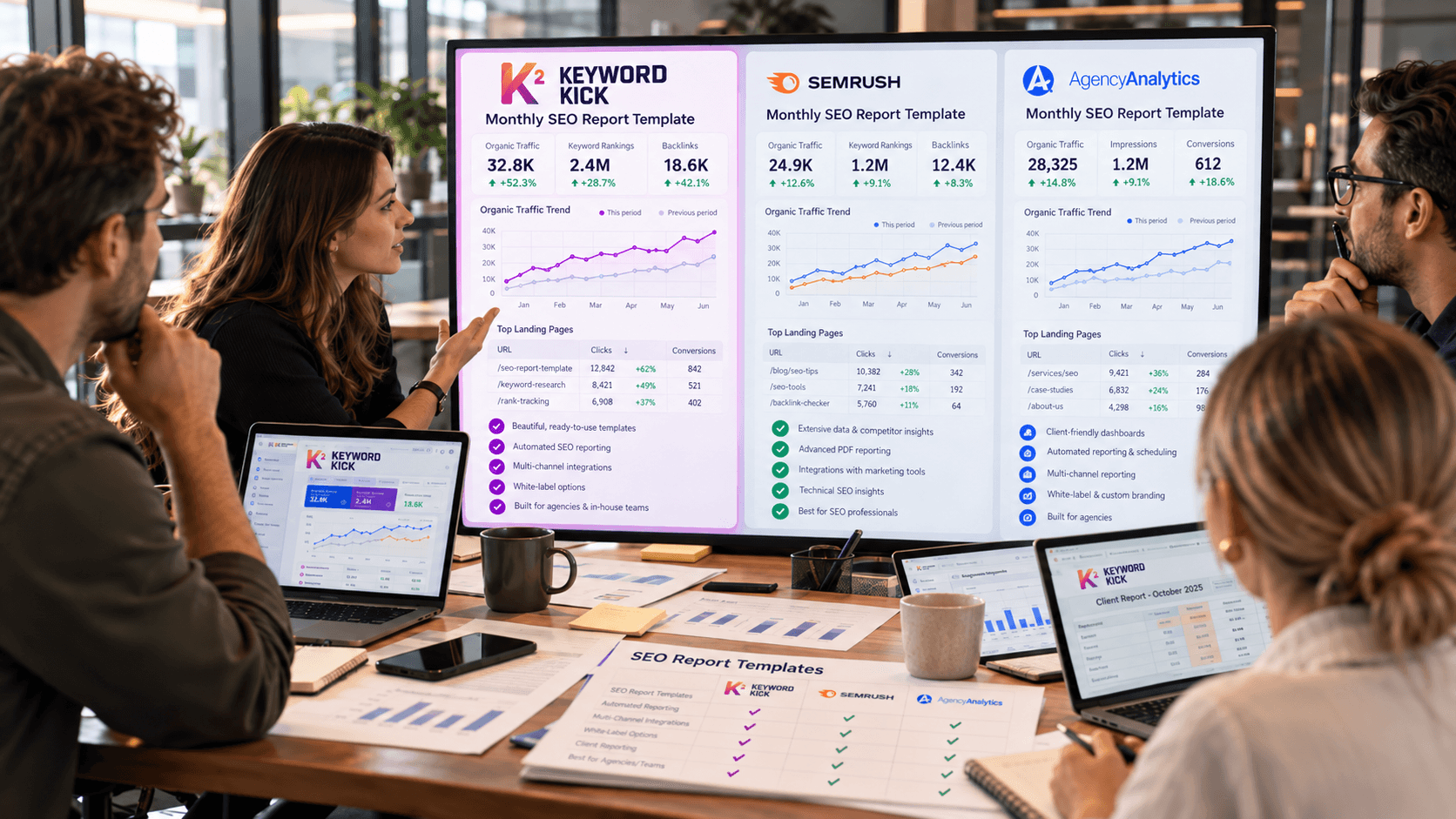
Most guides tell you to export a rival's keyword list and write the same phrases. That advice treats a ranking export as a shopping list. It isn't. A term a competitor ranks for can send almost no clicks, sit under maps or shopping blocks, or never show up in any public report at all.
I would start by treating every list as a sample. Score each term by visibility quality and clicks, not by how often the phrase appears in someone else's file. Free methods come first, because they show how rivals phrase a topic. Paid estimates come second, because they guess volume. Neither one is the whole market.
Five Methods for Viewing Competitor Keywords
Run the cheap checks before you buy a seat. The useful order is a Google operator, your own Search Console, GA4, a paid platform, then a page audit.
Operators are the first look. A query such as site:competitor.com plus a topic word shows which pages Google has indexed for that theme. Titles and headings reveal the phrases they target. You won't see volume or rank. Keep the topic word in the query so you aren't paging through their entire site.
Search Console is your benchmark, not a window into their account. It reports your queries, clicks, impressions, and average position. It never returns another domain's rows. Without those numbers, a rival export has nothing to sit beside.
GA4 is the route teams skip. Open the organic channel and the landing-page report, note sessions and conversions, and line those URLs up with the clusters you just found. You still won't get a query list, and you still won't see their traffic.
Method | What It Shows | Cost | Main Limit |
|---|---|---|---|
site: operator with a topic word | Indexed pages and the phrases in their titles | Free | No volume or ranking data |
Google Search Console (your own data) | Your queries, clicks, impressions and positions to benchmark against | Free | Cannot show competitor queries |
GA4 organic landing pages | Sessions, conversions and landing pages from organic search on your site | Free | No query list and no competitor data |
Paid SEO platforms | Ranking keyword lists, estimated traffic and paid terms | Subscription, trial before you buy | Estimates, not Google's actual data |
Competitor page audit | Titles, meta descriptions and headings they target | Free | Shows targeting, not demand |
Semrush and Ahrefs put ranking keywords, estimated traffic, and paid terms in one export. That's the fastest scale-up once you already know which domains overlap your topics. The figures are models, not Google's logs, so trial a plan before a yearly seat. A manual audit costs nothing: read titles, meta descriptions, and H1s and write down how they frame the query. Free methods show intent and phrasing. Paid tools estimate volume. Pair two. Don't pick one and stop.
StatCounter reported Google at 89.94% of worldwide search-engine market share in September 2026, so operators and Search Console cover most markets. Segment by country and device before you call a keyword global. The same phrase can look strong on desktop in one country and thin on mobile in another.
When answer engines sit above classic results, it helps to analyze rivals' AI visibility with LLMrefs so you see whether a rival is cited, not only ranked. For the overlap between their list and yours, Keyword Kick's keyword gap analysis guide shows how to turn that comparison into pages worth building.
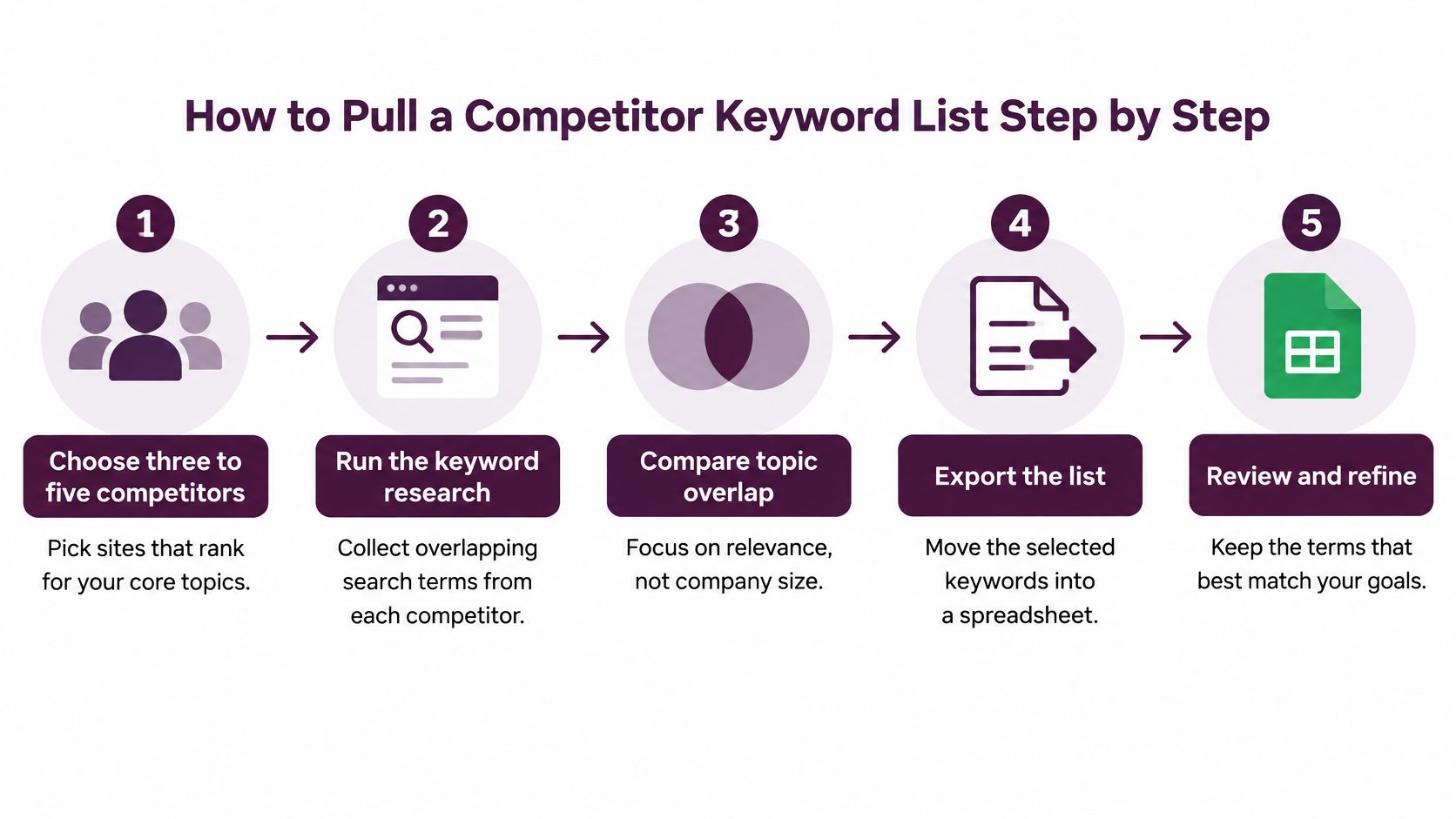
How to Pull a Competitor Keyword List Step by Step
One sitting should end in a spreadsheet, not a pile of browser tabs. Pick overlap, not company size. A smaller site that ranks for your core topics beats a famous brand that sells something else.
Build the sheet before the exports
Choose three to five competitors that already rank for your core topics. Company size is a weak filter. Topic overlap is the one that fills the sheet with phrases you can put to use.
Run
site:competitor.comwith a topic word, then addintitle:orinurl:to split pages into pricing, guides, or tools. You're grouping URLs, not judging demand yet.Open each URL and copy the exact phrases from the title, H1, and subheadings. Columns that pay off later are competitor, URL, cluster, and branded or non-branded. Branded rows inflate a footprint and should not drive your content calendar.
Add estimates, then mark your gaps
In Semrush or Ahrefs, enter the same domain and export organic keywords plus paid terms. Keep estimated volume, position, and traffic in columns beside the phrases you typed by hand. Where the manual phrase and the export disagree, keep both and note the source.
Export your own queries for those topics from Search Console, with clicks, impressions, CTR, and average position. From GA4, note the organic landing pages and conversions those themes already earn. Your rows are the benchmark. Their rows are the comparison.
Open the live results for each phrase. Record who holds the top spots and which features appear, such as a map pack, video, shopping units, or an answer block. A phrase with no room for a normal blue link is a different job from a phrase with ten article results.
Mark every phrase covered, weak, or absent on your site. Covered means a page already matches the intent. Weak means the page exists but loses the snippet or the depth. Absent means you have no URL for that cluster.
Practical rule: If you can't name the page you'd build, the phrase doesn't belong on this week's shortlist.
Rebuild the sheet every quarter. Rankings move, features get added, and a list from one afternoon goes stale fast. A rank tracker can store the three domains if you already pay for one. The spreadsheet is still the working file, because it holds the manual phrases the tools never saw.
Reading Impressions, CTR and Position Patterns
The pattern that fools people is high impressions with a low CTR. The site shows up often and still draws few visits. Ranking the keyword by impressions alone would send you after a phrase that isn't earning clicks.
Google's Search Console performance help defines an impression as the appearance of a link to a site in Search, a click as a visit from a Google result, and average position as the average location of the site's topmost result across impressions. CTR is clicks divided by impressions. Read the four together. A rival can appear constantly for a query and still lose the visit to a weak title, a poor position, or a results page full of maps, videos, or shopping units.
Signal | What It Usually Means | Next Move |
|---|---|---|
High impressions, low CTR | Weak title or a SERP crowded by maps, videos or shopping | Test a sharper title or target a different format |
Low impressions, high CTR | Niche query with a strong snippet and small volume | Check search volume before investing |
Same position across three periods | Durable ranking, likely built on solid content | Prioritize for a direct comparison page |
Sudden spike then fade | News, seasonality or an algorithm shift | Wait for a second period before acting |
Compare two date ranges of equal length. Filter by country and device, because mobile and desktop results don't match. Split branded queries out so a famous name doesn't inflate the footprint. One spike is not a strategy.
Apply the same reading to your Search Console export and to position and traffic estimates in the paid file. You will never see a competitor's private Search Console. A high-impression, low-CTR pattern on your side, or a top estimated position with little estimated traffic on theirs, points to the title or a crowded results page. That's an opening for a sharper snippet, not a reason to copy the phrase or to skip it.
What Competitor Keyword Lists Leave Out
A visible query list is not the market. Treating it as ground truth is how teams miss the demand that closes deals.
Google's documentation on Search Console data states that Search Console omits anonymized queries, including low-volume or sensitive searches, and that its API exposes a maximum of 50,000 rows per day per search type. A report built only from observable queries can miss emerging, niche, conversational, and long-tail demand. The same hole sits in third-party lists, which are samples of what their crawlers caught.
Work around the hole instead of pretending it isn't there.
Cluster, don't chase exact strings. Group queries into themes, then compare each cluster with landing pages, SERP intent, seasonality, and conversions.
Tag confidence. High when the theme recurs across periods and shows up in more than one source. Low when it appears once.
Prefer themes in small markets. On international sites and in smaller countries, a low-volume theme can still be the one sales hears every week.
Say a regional feature never appears in your query export or in a rival's public list. Support emails and sales calls keep naming it. That's inferred demand, and it's a validated gap even though no tool printed the exact query. Observable rankings and inferred demand are different evidence. Score them separately.
Check the shortlist against impressions and assisted conversions on a set schedule. A theme that keeps showing up in calls and in assisted conversions earns a page. A theme that showed up once in an export does not.
Judge Keyword Value Beyond Rankings
Position and clicks have split. A competitor can sit at position 1 on a valuable term and still lose the visit to an answer surface, while a lower-ranked page wins because it matches a deeper question or a purchase step.
Google said in August 2025 that AI Overviews were associated with more queries, more links, and slightly more quality clicks overall. Independent Semrush analysis of more than 10 million keywords, combined with Datos clickstream data, found that AI Overviews appeared more often on searches that historically tended to receive no clicks, and that zero-click rates for those keywords had declined steadily since January 2025. The same rank can produce different outcomes once answer blocks, commercial intent, brand familiarity, and citation versus mere ranking enter the picture.
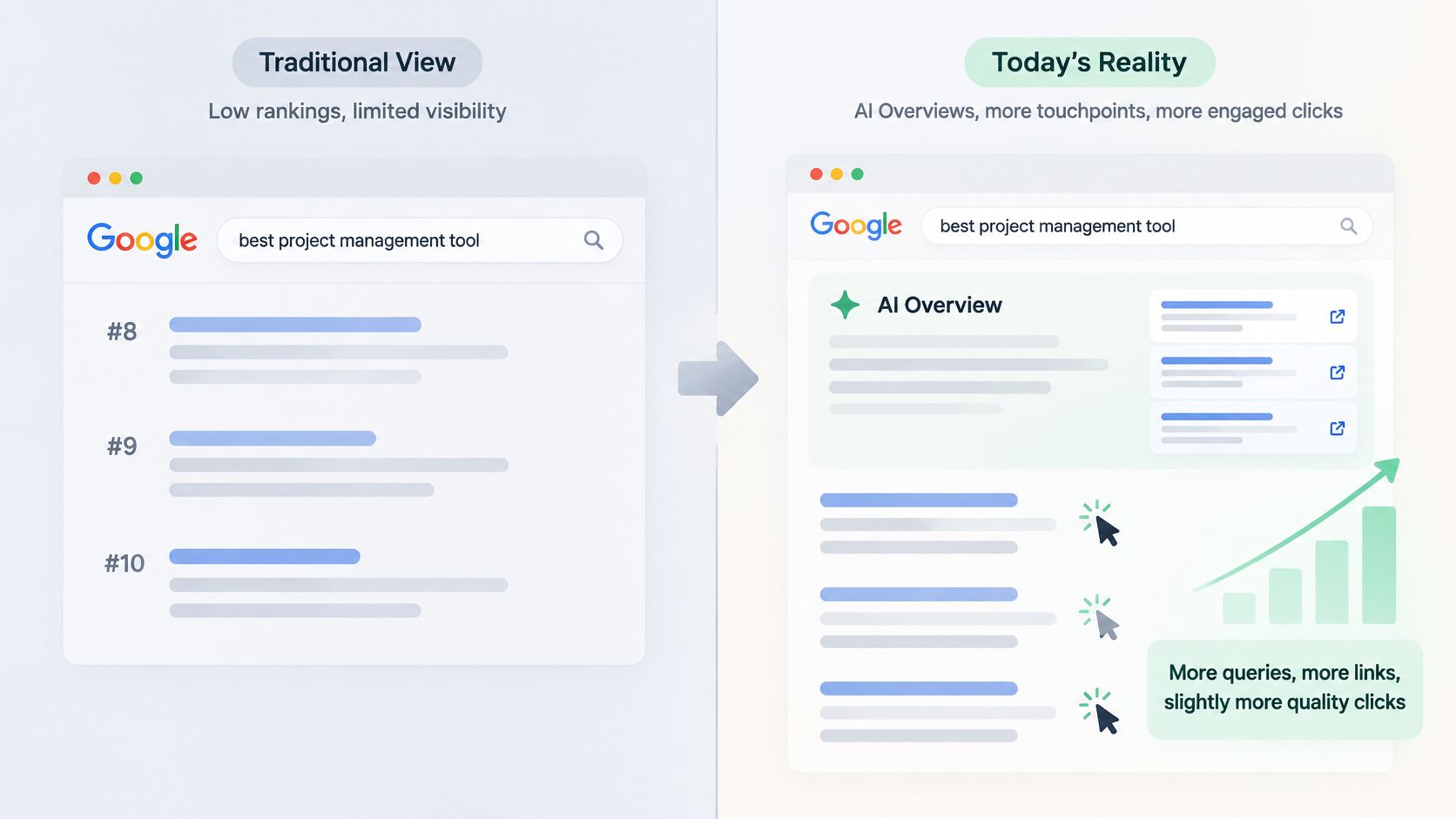
Score each competitor term before it reaches a brief.
SERP-feature ownership. Who holds the answer block, the video, the map, or the shopping unit?
Intent. Informational, commercial, or transactional. A guide query and a pricing query don't share a page.
Brand familiarity. A known name can win the click from a weaker position.
Cited or only ranked. A citation inside an answer surface is a different asset from a blue link at position 3.
Prioritize terms where the competitor owns the answer surface but fails at research depth or purchase intent. That's a page you can beat without outranking a brand on a generic head term. To find keywords with commercial intent, put paid terms next to the organic rows.
In 2024, the average Google Ads cost per click was $4.66, according to Semrush. A term rivals pay around or above that rate has commercial weight. Keep it only if the organic results still send clicks, rather than absorbing them in an AI Overview or another feature. High bids plus a dead results page is a paid habit, not an organic plan.
Sort Competitor Keywords Into Pursue, Watch and Drop
The shortlist is useless until someone files each phrase. Do that before anyone drafts a page.
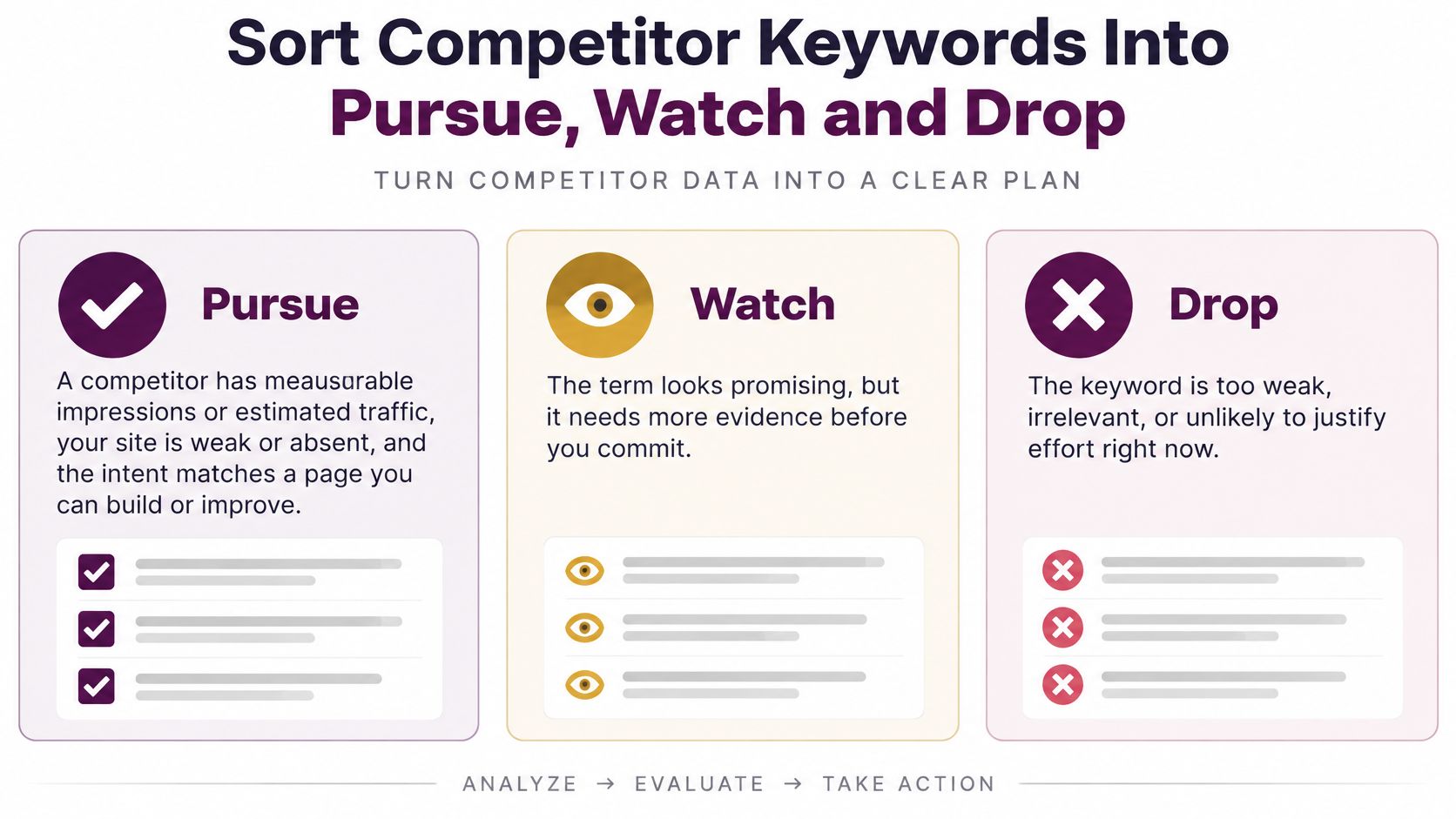
Decision | Use it when | Action |
|---|---|---|
Pursue | Competitor visibility is real, your coverage is weak or absent, and intent matches | Build or improve a page this cycle |
Watch | One strong period only, or a feature such as an AI Overview takes the click | Recheck after the next equal period |
Drop | Conflicting intent, wrong result format, or no research or commercial value | Remove from the shortlist |
Pursue when a competitor has measurable impressions or estimated traffic, your site is weak or absent, the intent matches a page you can build, and the live format is one you can compete in. A row of article results is pursuable. A map pack for a service you don't offer locally is not.
Watch when the term spiked in one period and faded, or when an answer block takes the click even though a rival ranks. Recheck after the next equal-length period. Two quiet periods in a row move it to drop.
Drop when the top results are a format your page can't match, the intent conflicts with what you sell, or the earlier score already flagged high cost with weak clicks. Leaving those phrases on the sheet is how calendars fill with pages nobody should write.
For every term you keep, record whether it came from an operator, a page audit, or a paid export, and set a monthly review date. A rank tracker can hold the three lists if you already use one. Pages you pursue should sit inside topic clusters that support commercial intent, so a single URL isn't doing the job of a whole theme. Teams that want the wider workflow can use these competitive SEO insights for marketing teams when the keyword file has to connect to links, content, and technical fixes.
This week, run the workflow on three competitors and file every phrase into pursue, watch, or drop. Ship one pursue page. Leave the watch list alone until the next equal period.
Keyword Kick connects Search Console, GA4, rank tracking, and competitor coverage in one workspace so you can view competitors keywords beside your own clicks and conversions. The K² agent turns that comparison into a prioritized list of pages to build, improve, or ignore. Visit Keyword Kick and run your first three competitors through pursue, watch, and drop.