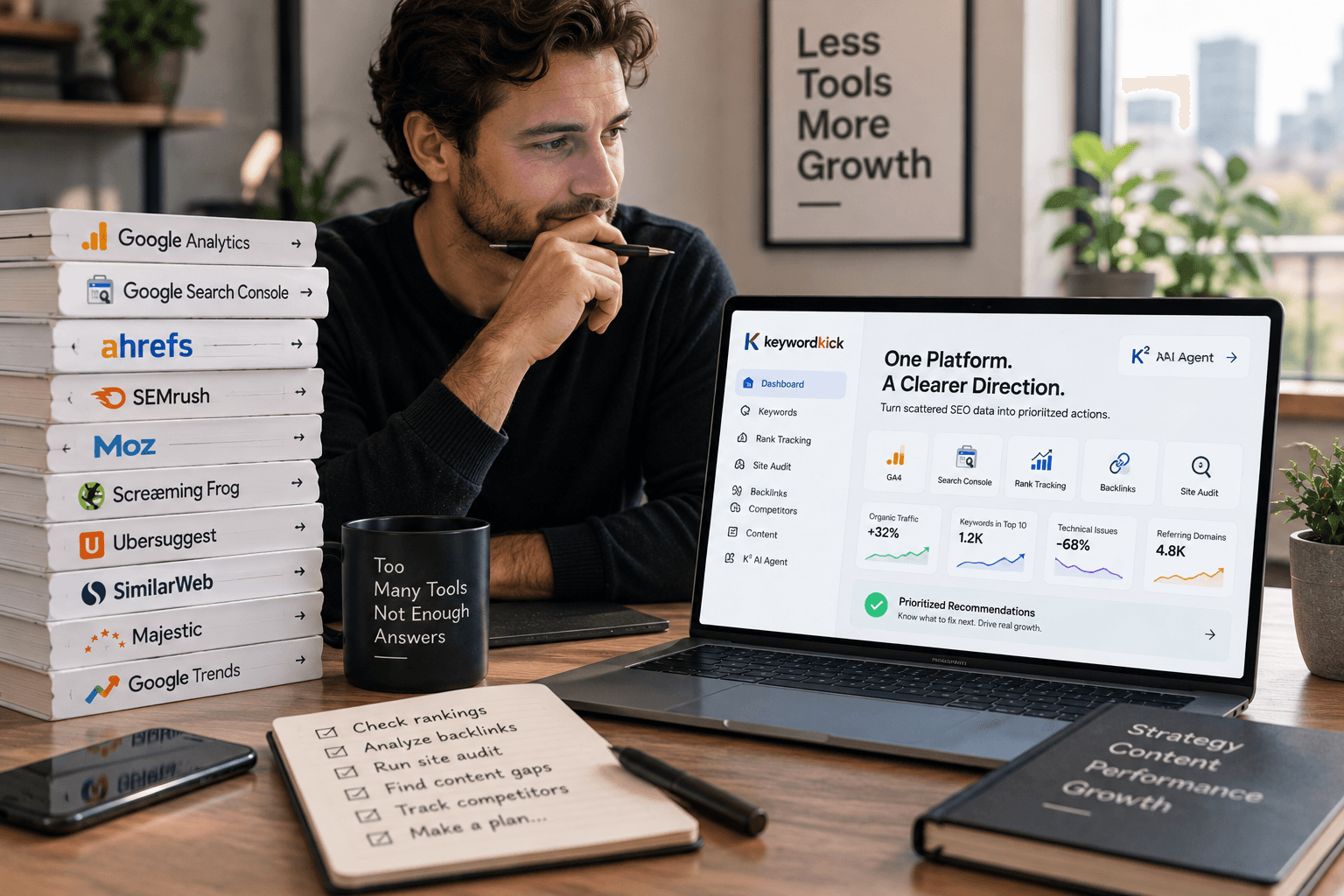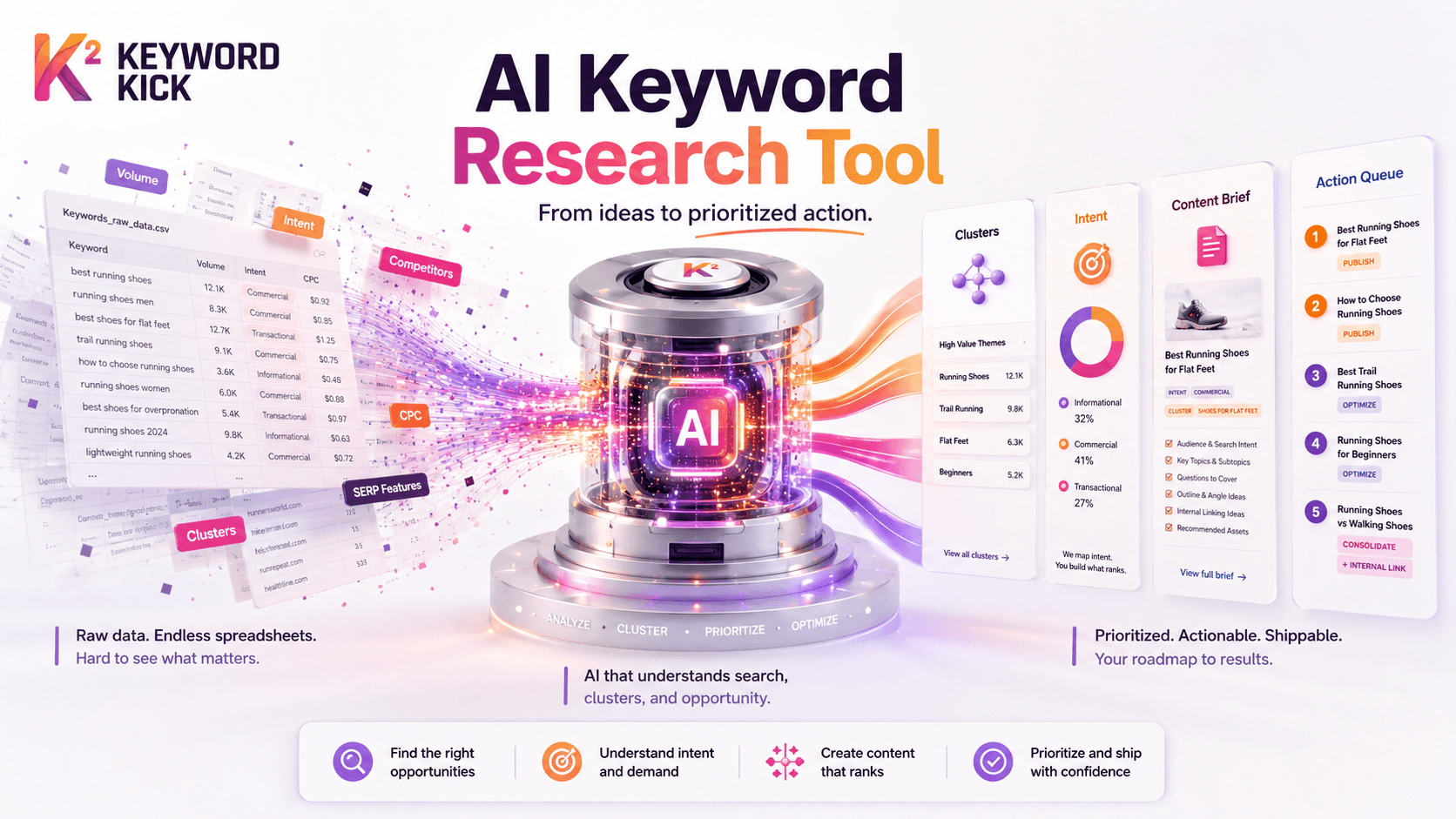
You already know the old routine. Export keywords from one tool. Drop them into a spreadsheet. Sort by volume. Add a tab for intent. Add another for competitors. A day later, you have a file full of phrases and still no clear answer to a simple question: what should we publish or optimize first?
That's the actionability gap. Most AI keyword research advice stops at idea generation. It shows you how to get more terms, more variants, and more clusters. It rarely shows you how to turn that output into a ranked list of work that an SEO team can ship.
A good AI keyword research tool matters because it changes the unit of work. Instead of handing a strategist a pile of keywords, it can hand them a content opportunity, a search intent pattern, or a draft brief tied to a real page decision. The difference sounds subtle. In practice, it's the difference between research that sits in a doc and research that moves a roadmap.
The End of the Keyword Spreadsheet
Traditional keyword research breaks down at the same point. Discovery is manageable. Prioritization is not.
You can pull a thousand phrases around a topic in one afternoon. The hard part starts after that. Which terms belong together? Which phrases reflect the same intent? Which need a landing page, which belong inside a guide, and which should be ignored because they won't lead to a meaningful business outcome?
Why the spreadsheet became the bottleneck
Spreadsheets were useful when keyword research was mostly a sorting exercise. They're weak when research becomes a pattern-recognition problem.
A tab full of export data doesn't tell you that several queries are really one topic. It doesn't reliably separate informational curiosity from commercial investigation. It definitely doesn't help when SERPs shift and the meaning of a query changes with them.
That's why an AI keyword research tool isn't just a faster keyword generator. It changes the workflow from manual collection to guided interpretation. Instead of forcing you to label every row by hand, it can group related phrases, infer likely intent, surface emerging subtopics, and point toward content structures that match what searchers are asking.
What actually improves
The practical gain isn't “more keywords.” An abundance of keywords is often already a reality.
The gain looks more like this:
Cleaner clusters: Related terms get grouped into topics you can assign to a page.
Faster intent reads: You spend less time guessing whether a query belongs to a blog post, feature page, category page, or comparison piece.
Better briefs: Research can move directly into outlines, question sets, and optimization notes.
Less admin work: Fewer CSV exports, fewer duplicate rows, fewer hours spent cleaning up data.
The real job of keyword research isn't collecting search terms. It's deciding where to place effort.
That's where modern workflows separate themselves. The strongest teams don't use AI to create longer lists. They use it to reduce ambiguity and make the next SEO action obvious.
How AI Keyword Research Actually Works
Hearing “AI” often leads to the assumption that the tool is doing something mysterious. It isn't. The mechanism is more practical than magical.
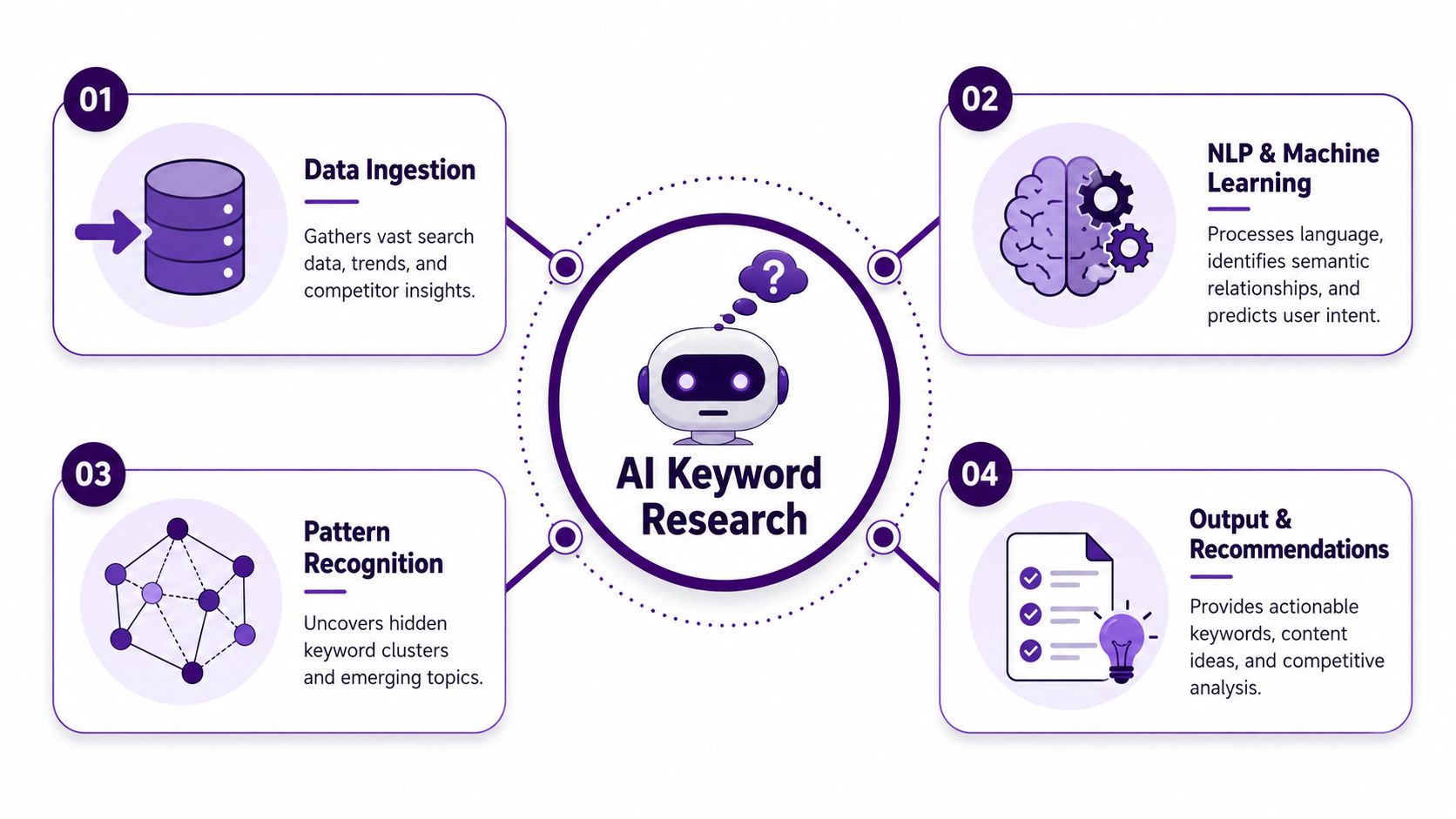
The tool operates as a sharp research assistant, skilled in language and with direct access to live keyword data. The language side helps it understand topics, synonyms, modifiers, and intent. The data side gives it current metrics and SERP context.
The two-part system that matters
An LLM on its own can brainstorm. It can expand seed topics. It can suggest possible intents. But it can't reliably tell you live search volume, keyword difficulty, CPC, or current SERP behavior unless it's connected to a real database.
Core mechanism: AI keyword research tools work when a language model is connected to live keyword databases through MCP or API integrations, so it can query search volume, KD, CPC, and SERP data while it reasons. Without that connection, standalone chatbots can fabricate metrics because they don't have native access to those databases, as explained in Ahrefs's breakdown of AI keyword research workflows.
That architecture is the big distinction between “AI assistant” and “AI keyword research tool.”
What the process looks like in practice
A solid workflow usually follows this pattern:
You provide a seed topic or business problem
Not just “CRM software,” but something closer to “find content opportunities for teams comparing CRM migration options.”The model expands the topic semantically
It identifies related concepts, question variants, commercial modifiers, adjacent use cases, and likely intents.The tool pulls live keyword data Live keyword data transforms the system from a guessing machine into a useful tool. Metrics and SERP context anchor the ideas.
The output gets organized into action units
Clusters, priority themes, content brief inputs, and optimization candidates.
Why this matters more than the AI label
A lot of frustration comes from asking a general chatbot to do specialist work. If you want a plain-language explanation of the wider mechanics behind these systems, Simply Tech Today's guide on AI is a useful refresher. But in SEO, the key issue is narrower: whether the model has access to fresh, queryable search data while it's analyzing the topic.
That's also why agent-style workflows are getting attention. They're built to reason across multiple steps instead of spitting out a static answer. This guide to AI SEO agents is a good example of how that broader shift works.
What not to trust
If a tool gives you polished keyword clusters but can't show where the underlying numbers come from, treat the output as brainstorming, not validation.
That doesn't make it useless. It just changes the job. Use the AI for expansion, organization, and pattern recognition. Use connected data sources for decision-making.
Core Features That Redefine SEO Workflows
The most useful AI features don't feel like gimmicks. They remove work that SEOs used to do badly or slowly.
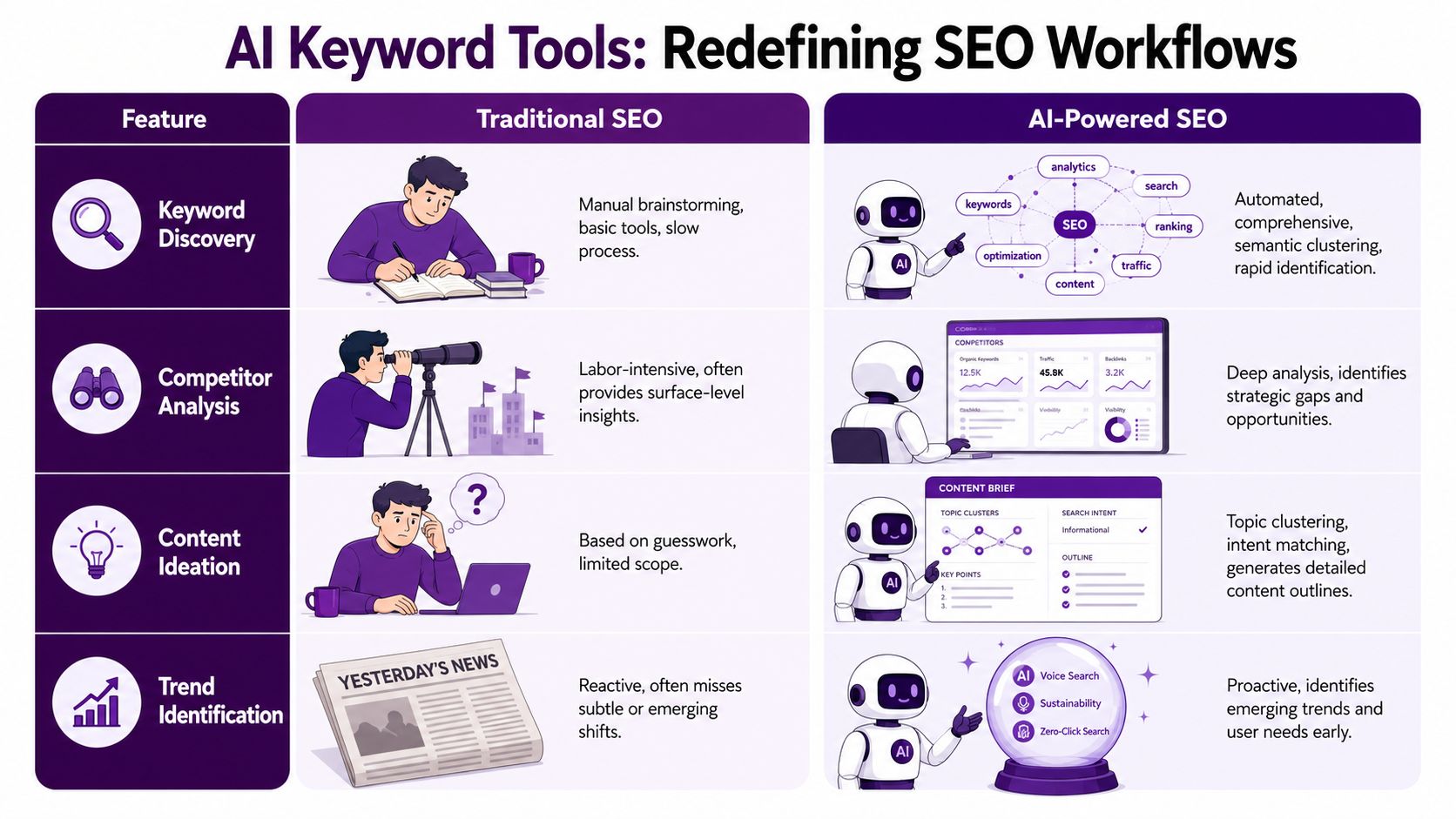
Upwork's overview of AI keyword research tools notes that AI systems can analyze billions of Google search queries in real time, uncover patterns manual review misses, and help marketers cluster related keywords, detect emerging trends, and generate optimization-ready briefs. That's the right frame for evaluating features. Don't ask whether a tool has AI. Ask whether it removes a meaningful workflow bottleneck.
Semantic clustering instead of manual sorting
Manual clustering usually starts well and ends in compromise. A strategist groups the obvious terms, leaves a pile of edge cases, and creates a “misc” bucket for the rest.
AI improves this because it reads similarity more like a search engine does. It can recognize that closely related phrases belong in one content asset even when the wording changes. That's useful for reducing duplication and avoiding thin pages that target slightly different versions of the same problem.
Before: one spreadsheet, multiple tabs, repeated terms, and debates over whether two phrases need separate pages.
After: a topic cluster that maps to a single page type or a small content hub.
Intent analysis instead of educated guessing
Intent tagging used to be half instinct, half SERP review. That still has value, but AI speeds up the first pass.
A strong tool can separate broad educational queries from evaluation-driven searches and product-adjacent questions. That helps with routing. If the cluster is comparison-heavy, you may need a comparison page. If it's implementation-focused, a tutorial or use-case guide is a better fit.
Practical rule: If the tool can cluster keywords but can't help you decide page type, you've only solved half the problem.
Content brief generation that starts from search patterns
AI then becomes operational.
Instead of handing a writer a target keyword and a few notes, the tool can produce a brief grounded in cluster themes, recurring questions, and SERP patterns. The brief won't replace editorial judgment, but it shortens the path from research to draft.
Useful brief inputs often include:
Primary topic framing: The core angle the page should own.
Supporting questions: Common subtopics the page should answer.
Related entities and terms: Language that helps cover the topic naturally.
Likely search intent: The reason searchers are making the query in the first place.
Emerging topic detection instead of reactive planning
Traditional research tends to be backward-looking. You export what already exists, then optimize around demand that's visible today.
AI systems are better at spotting patterns across related queries and surfacing topic movement early. That doesn't mean every emerging cluster deserves content. It means you get a heads-up before the opportunity is obvious to everyone else.
The workflow shift in one view
Old workflow | AI-assisted workflow |
|---|---|
Export keyword lists | Start with a topic or business question |
Clean duplicates manually | Deduplicate automatically |
Group terms by hand | Cluster semantically |
Guess intent from wording | Use intent modeling plus SERP cues |
Write briefs from scratch | Generate brief foundations from clusters |
Prioritize later, often poorly | Prioritize earlier with clearer topic units |
The net effect is simple. SEO work moves away from data handling and toward judgment. That's a better use of a strategist's time.
Uncovering Opportunities Beyond Google Search
A content team can rank on Google, publish on schedule, and still miss demand that shows up everywhere else. The gap is usually not idea generation. It is actionability. If research stays trapped in a Google-only spreadsheet, teams miss how the same problem appears across discovery, evaluation, and purchase.
That is why cross-platform research matters. Keyword Tool's platform overview shows how autocomplete-based research can pull ideas from Google, YouTube, Bing, Amazon, and Instagram. The value is not a bigger export. The value is seeing how audience language shifts by platform so you can decide what to build first.
Different platforms signal different jobs
Google usually reflects broad discovery and comparison. YouTube often reflects demonstration intent. Amazon shows product language much closer to purchase. Instagram surfaces trend phrasing, creator vocabulary, and the words customers use before those terms show up in standard SEO datasets.
That distinction changes planning.
A query like “best standing desk for back pain” on Google may support a comparison page. Related phrasing on YouTube points to setup videos, posture explainers, or assembly content. On Amazon, the modifiers tell you what buyers care about at the point of decision, such as size, stability, or adjustability. One customer problem. Three different content jobs.
Teams that treat those as separate keyword lists usually produce scattered assets. Teams that connect them can build topic coverage around a full journey.
Multi-platform data closes the actionability gap
The useful output is not just a list of phrases. It is a pattern you can prioritize.
In practice, I look for clusters that repeat across platforms but change intent. Those are stronger candidates because they often map to a real business problem instead of a one-off query. A term that appears in Google research, YouTube how-to phrasing, and Amazon evaluation language has a better chance of supporting a content system, not just a single article.
Use that pattern to make decisions:
Google-heavy clusters often fit educational pages, category explainers, and comparison content.
YouTube-heavy phrasing helps shape demos, tutorials, onboarding content, and embedded video sections on high-value pages.
Amazon modifiers reveal purchase criteria that should show up in product pages, review content, and commercial brief requirements.
Instagram and social phrasing can expose new angles early, especially for consumer products, lifestyle categories, and trend-led searches.
This is also where tooling approach matters. A plain export gives you ideas. A workflow tool helps you rank those ideas by business value, intent, and effort. That is the difference between interesting research and a usable roadmap.
Opportunity is stronger when the same need appears in multiple places
A topic gets more interesting when it shows up across channels with different wording and different intent. That usually means the search is part of a repeatable customer journey.
For competitive research, this keyword gap analysis workflow for finding hidden SEO opportunities is a useful model. The point is not to collect every gap a competitor owns. The point is to find the gaps that appear across platforms, connect to revenue, and deserve a page, video, or supporting asset.
A keyword list tells you what people typed in one place. Cross-platform research shows which problems keep surfacing, how intent changes, and which opportunities are worth turning into a prioritized plan.
From AI Idea to Actionable Content Brief
The easiest way to see the value of AI research is to follow one topic from rough idea to assigned page.
Start with a broad business objective: a software company wants more leads from people evaluating project management tools. The old workflow would produce a list of generic head terms, then stall in prioritization. The better workflow starts with the business problem and lets the research build outward.
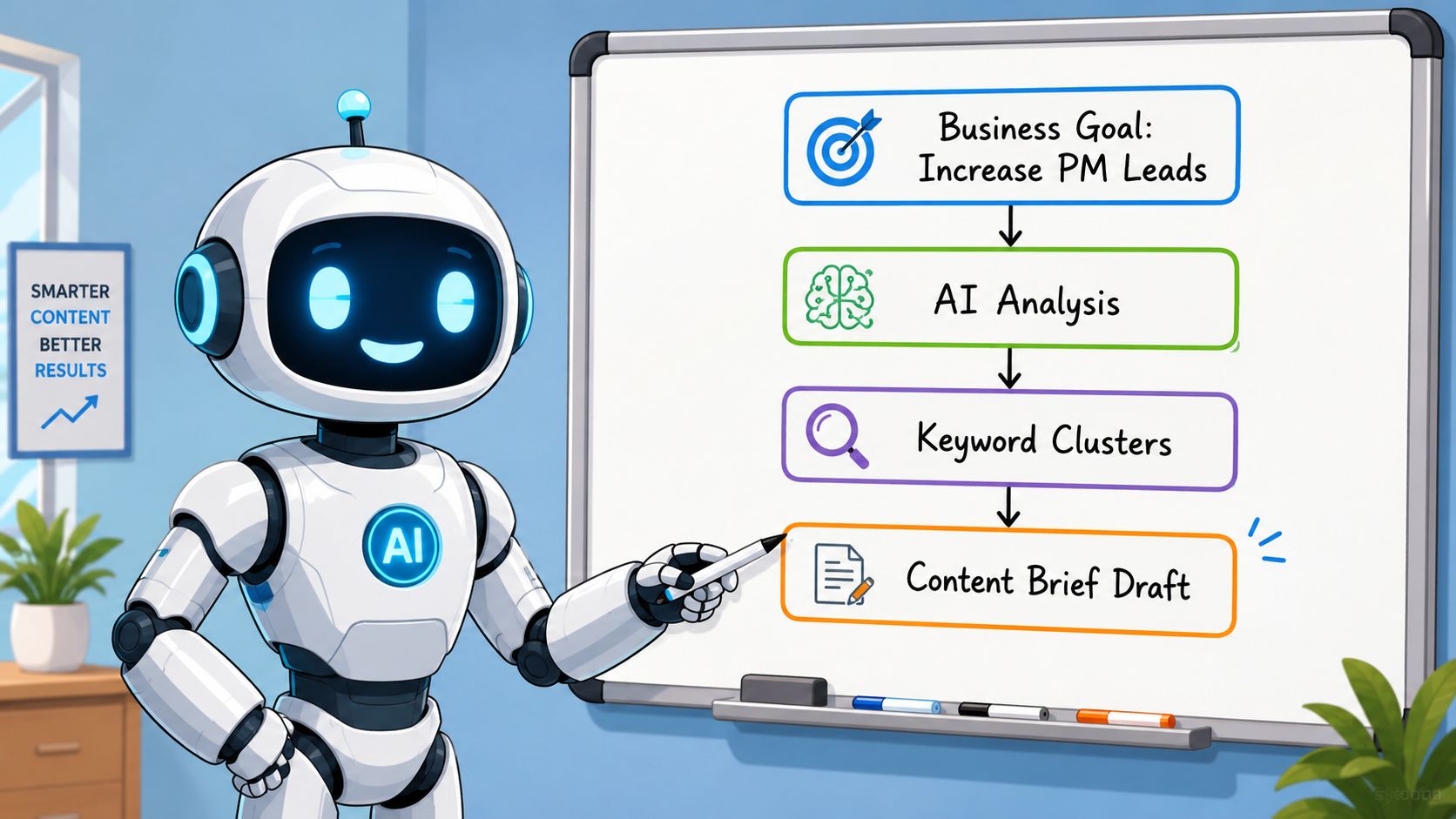
Start with the decision, not the keyword
A strategist enters a seed prompt framed around the company's actual goal, such as finding topics tied to team planning, collaboration friction, onboarding, reporting, or switching costs.
The AI tool expands that into clusters. Some will be broad and messy. Some will reveal a cleaner angle, like alternatives, templates, setup questions, or feature comparisons.
This is the first filtering pass:
Ignore vague clusters that are too broad to assign to one page.
Keep clusters with a clear user task such as comparing, setting up, troubleshooting, or choosing.
Flag clusters with commercial adjacency because those often support conversions better than pure top-of-funnel traffic.
Turn clusters into page candidates
Now the strategist reviews the cluster as a page opportunity, not just a group of keywords.
For example, one cluster may revolve around planning workflows and visual project tracking. Another may center on collaboration handoffs. Another might be clearly comparison-oriented.
At this stage, the useful questions are:
Question | Why it matters |
|---|---|
Does this cluster map to one page or several? | Prevents content overlap |
What page format fits the intent? | Aligns the asset with search behavior |
Do we already have a weak version of this page? | Helps decide between refresh and net-new |
Can this topic support product relevance? | Keeps research tied to business outcomes |
Build the brief from SERP and cluster signals
Once you pick a cluster, the brief should become specific fast.
A practical brief usually includes the target topic, likely intent, must-answer questions, related subtopics, and notes on what top-ranking pages appear to cover. You're not copying competitors. You're identifying the minimum topical coverage needed to compete with them.
The brief might include:
Primary page angle
A clean statement of what the page is about and who it helps.Search intent summary
Whether searchers want education, alternatives, comparisons, templates, or implementation help.Section recommendations
Headings driven by the recurring questions and subthemes in the cluster.Optimization notes
Internal links to add, existing product pages to reference, or older content to consolidate.
Good AI output becomes useful only when it answers a production question: what page are we creating or improving, and why this one first?
That's the missing step in most tool roundups. The model can generate ideas all day. The SEO lead still has to convert those ideas into a brief that fits the site, the funnel, and the current content inventory.
Choosing and Implementing Your AI Tool
A common mistake is expecting one tool to do everything. That usually leads to two bad workflows. Either the team relies on a general chatbot and trusts invented metrics, or they buy a traditional SEO platform and still do all interpretation manually.
The stronger setup is hybrid. Nyvora's guide to AI for SEO keyword research makes this point directly: AI can help with idea generation and intent analysis, but it can't replace dedicated platforms for live search volume, keyword difficulty, or real-time SERP data. That means the right question isn't “Which tool wins?” It's “How should these tools work together?”
What to evaluate before you commit
Don't start with feature checklists. Start with decision support.
A useful AI keyword stack should help you answer these questions:
Can it validate with live data?
If not, treat it as ideation software.Does it cluster into page-level opportunities?
Keyword grouping alone isn't enough.Can it connect to site performance signals?
Research without page-level context often leads to the wrong priorities.Does it reduce operational friction?
If you still need multiple exports and manual cleanup, the AI layer may be cosmetic.
The action layer most teams are missing
Implementation frequently falls apart here. AI surfaces possibilities. Strategy requires sequencing.
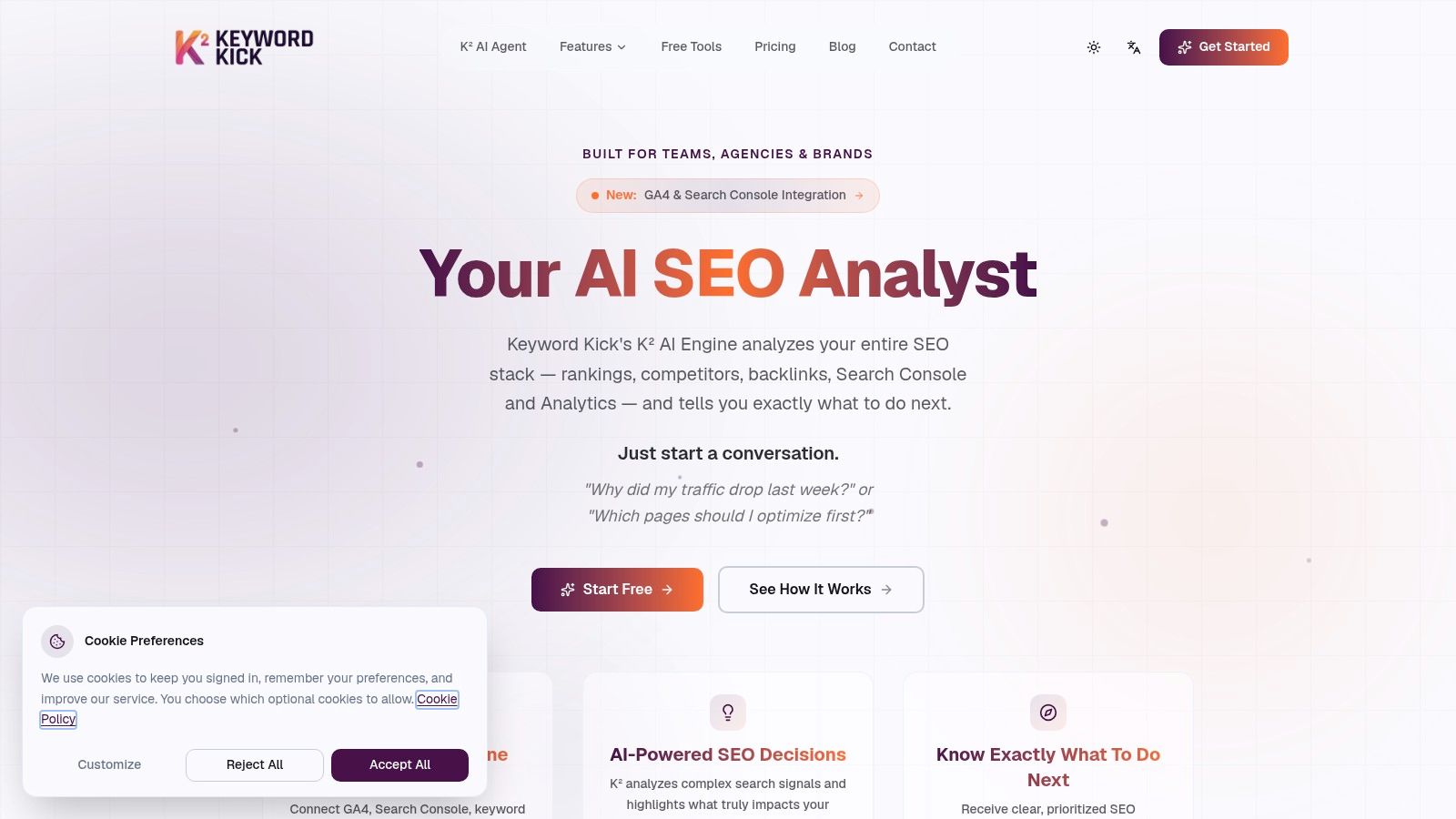
One option in that workflow is Keyword Kick's SEO tools stack guide, which is useful for thinking about how research, validation, and prioritization fit together. In practice, the action layer matters most. Once you have an AI-generated cluster, you still need to compare it against actual site performance, existing coverage, and likely impact. That's where a platform such as Keyword Kick fits. It connects signals from sources like Google Search Console and GA4 with rank tracking, technical issues, and keyword research so teams can decide which pages to optimize first rather than just collecting more ideas.
A simple implementation model
If you want a workflow that doesn't collapse into tab overload, keep it tight:
Use AI for topic expansion and clustering
Treat this as exploration.Validate the cluster with live keyword and SERP data
This removes guesswork.Cross-check against your own site data
Identify whether the opportunity supports a new page, a refresh, consolidation, or internal linking work.Prioritize by likely impact and effort
Not every strong keyword cluster deserves immediate production.
The teams that get value from AI aren't the ones with the fanciest prompts. They're the ones that turn ideas into a queue of work the content and SEO teams can execute.
The Future of SEO Is Strategic Action
Monday morning, the keyword file looks full, but the content queue is still empty. That gap is what AI changed.
Good keyword research now depends on how quickly a team can turn a cluster into a decision. Coverage still matters, but it no longer proves the work is useful. A better standard is whether the research gives a clear next move: publish a new page, refresh an existing one, consolidate overlap, or support a page with internal links.
That shift matters because AI produces ideas faster than any team can ship. Without prioritization, you get more keyword lists, more tabs, and more debate. With the right workflow, AI becomes a filter for action. It helps teams connect language patterns, live SERP signals, and site performance so recommendations hold up when editorial leads or stakeholders ask, "Why this page first?"
SEO still runs on judgment. Search demand alone does not tell you if a topic fits your product, matches business goals, or deserves the effort required to rank. AI handles the sorting and pattern recognition. The strategy work stays with the team.
That is why an AI keyword research tool should be judged by the output it creates in your workflow. Keyword Kick is useful here because it ties search data, site performance, and AI analysis into a ranked list of actions, instead of stopping at idea generation.
If your research keeps ending in spreadsheets instead of shipped work, take a look at Keyword Kick. It's built for teams that want to connect search data, site performance, and AI-driven analysis into a prioritized list of SEO actions.