Introduction
Most SEOs know they should audit their backlinks. Most never do — because it feels like a rabbit hole that swallows half a day.
It doesn't have to.
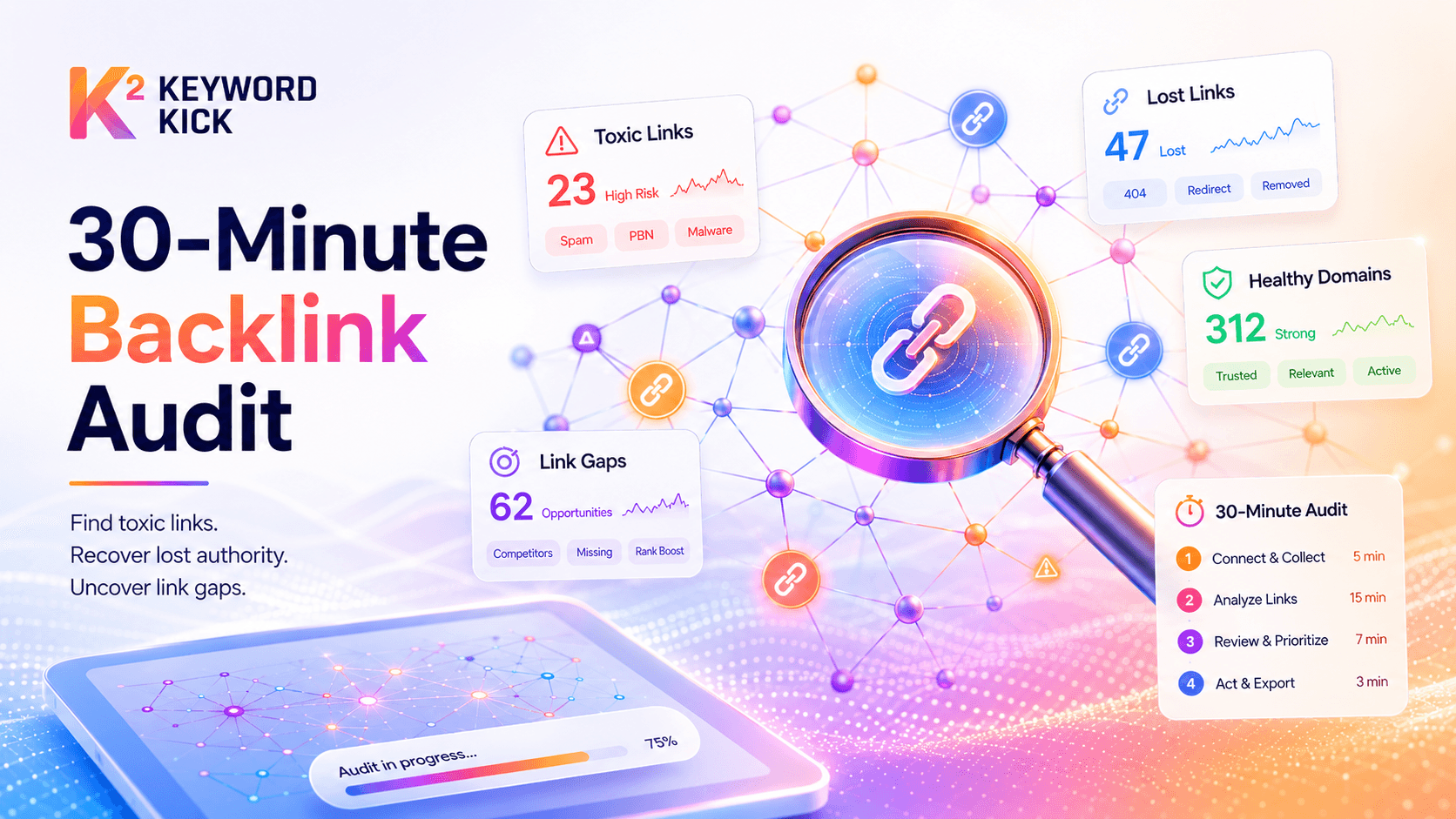
With the right process and tool, a complete backlink audit takes 30 minutes. Not a superficial skim — a real audit that identifies toxic links harming your rankings, flags backlinks you've recently lost, and surfaces opportunities you didn't know existed.
This guide gives you that exact process. A clear, timed protocol you can run right now.
What you'll need: Access to Keyword Kick's backlink module. If you don't have an account yet, the free trial gives you full access to everything covered below.
Why Backlink Audits Matter (The Quick Version)
Your backlink profile is one of Google's strongest ranking signals. But not all links help — some actively hurt.
A neglected backlink profile leads to:
Ranking drops caused by toxic or spammy links
Authority dilution from lost high-quality backlinks you haven't reclaimed
Missed opportunities from competitor links you haven't targeted
Google's algorithms have become better at ignoring bad links — but not perfect. A proactive audit keeps your profile clean and gives you a competitive edge.
The 30-Minute Backlink Audit Protocol
Here's the breakdown. Five phases, six minutes each.
⏱ Minutes 0–5: Get Your Baseline Numbers
Before diving into individual links, establish where you stand at a high level.
Open Keyword Kick and navigate to the Backlinks section. Note these four numbers:
Metric | What It Tells You |
|---|---|
Total backlinks | Raw link volume — context for everything else |
Referring domains | Unique sites linking to you (more meaningful than raw links) |
Domain Rank (DR) | Overall authority of your backlink profile |
Dofollow vs. Nofollow ratio | What percentage of links pass equity |
What to look for:
DR trending upward? Good. Flat or declining? Investigate.
Referring domains count dropped since last month? You've lost links — address in Phase 3.
Nofollow percentage over 80%? Most of your links aren't passing equity.
Write these numbers down. You'll use them to track progress over time.
⏱ Minutes 5–11: Identify and Flag Toxic Links
This is the most important phase. Toxic backlinks — links from spammy, irrelevant, or penalised sites — can drag down your entire domain.
In Keyword Kick:
Go to Backlink Audit → view the toxicity score overview
Filter by Toxic and Potentially Toxic links
Sort by Domain Rank (ascending) — the lowest-quality sources appear first
What makes a link toxic?
Signal | Risk Level |
|---|---|
Spam score > 60% | 🔴 High |
Domain from a known link farm / PBN | 🔴 High |
Completely irrelevant niche (e.g. adult/gambling site linking to a SaaS) | 🟡 Medium |
DR < 5, zero organic traffic | 🟡 Medium |
Exact-match anchor text in bulk (e.g. "buy cheap backlinks") | 🔴 High |
Your action for this phase:
Mark confirmed toxic links for disavowal
Move borderline cases to a "monitor" list
Important: Don't over-disavow. Disavowing a legitimate low-DR link does nothing positive — but disavowing the wrong links can remove real equity. If in doubt, leave it alone. We'll cover this in more detail in the upcoming post How to Disavow Toxic Backlinks (And When NOT To).
Keyword Kick's disavow file generator compiles your flagged links into a ready-to-upload disavow.txt file in one click.
⏱ Minutes 11–17: Review Lost and New Backlinks
Backlinks disappear all the time — pages get deleted, sites restructure, editors update old posts. You won't know unless you check.
In Keyword Kick:
Navigate to New & Lost Links (last 30 days)
Sort lost links by Domain Rank (descending) — start with what hurts most
For each lost high-DR link, ask:
Was the linking page deleted or moved? → Find the new URL and reach out to update the link.
Was your page that was linked to deleted or changed URL? → Set up a redirect or restore the page.
Did the editorial mention get removed? → Reach out and ask why — sometimes it's a mistake.
For new links:
Any unexpected high-DR links? Worth investigating — it might signal a piece of content that's gaining traction you didn't expect.
Any suspicious burst of new low-quality links? Could indicate a negative SEO attack. Flag and monitor closely.
Target for this phase: Identify the top 3 lost links worth recovering. Add them to an outreach list.
⏱ Minutes 17–23: Analyse Referring Domains and Anchor Text
Two quick checks that reveal the shape of your link profile.
Referring Domain Quality
Go to Referring Domains and scan for patterns:
Are your top linking domains relevant to your niche?
Do you have 5+ links from the same domain? That domain is "used up" — diversity matters more than volume from a single source.
Are there any high-DR domains linking that you could strengthen further (e.g. get a second, deeper link from)?
Anchor Text Distribution
A healthy anchor text profile looks roughly like this:
Anchor Type | Healthy Range |
|---|---|
Branded (e.g. "Keyword Kick") | 40–60% |
Generic (e.g. "click here", "this article") | 15–25% |
Topical/partial match (e.g. "backlink audit guide") | 15–25% |
Exact match (e.g. "backlink audit tool") | 5–10% max |
Red flags:
Over 30% exact-match keyword anchors → manipulative pattern, Google may discount or penalise
Near-zero branded anchors → looks unnatural for an established site
A single anchor text dominating 70%+ → over-optimised
Keyword Kick's Anchor Text Distribution chart shows your current breakdown at a glance.
⏱ Minutes 23–30: Find Competitor Backlink Gaps
The final phase turns your audit from defensive to offensive.
In Keyword Kick:
Go to Competitor Link Gap
Add 2–3 competitors in your niche
Filter for domains linking to them but not to you
Sort by Domain Rank (descending). The top results are your highest-priority link building targets — sites that have already demonstrated willingness to link to content like yours.
For each gap link, note:
What type of content did they link to? (Guide, tool, data study, product page?)
Do you have a comparable or better piece? If yes → outreach candidate.
If no → add to your content calendar.
Aim to leave this phase with a list of 5–10 domains to target for future link building.
Your 30-Minute Audit Checklist
Use this every month:
Phase 1 – Baseline (0–5 min)
Record DR, total backlinks, referring domains, dofollow ratio
Compare to last month — flag any significant changes
Phase 2 – Toxic Links (5–11 min)
Run toxicity scan in Keyword Kick
Flag high-risk links for disavowal
Export disavow file if needed
Phase 3 – Lost & New Links (11–17 min)
Review links lost in the last 30 days
Identify top 3 lost links worth recovering
Check for suspicious new link bursts
Phase 4 – Profile Quality (17–23 min)
Review top referring domains for relevance and diversity
Check anchor text distribution against healthy benchmarks
Flag any over-optimised anchor patterns
Phase 5 – Competitor Gap (23–30 min)
Run competitor link gap analysis
Build list of 5–10 outreach targets
Match gaps to existing content or add to content calendar
How Often Should You Run a Backlink Audit?
Site Type | Recommended Frequency |
|---|---|
New site (under 6 months) | Monthly |
Established site, no active link building | Quarterly |
Active link building campaign | Monthly |
After a Google core update | Immediately |
After a ranking drop | Immediately |
Keyword Kick monitors your backlinks continuously and sends real-time alerts when you gain or lose significant links — so you're not waiting until your next audit to find out something changed.