You've probably seen this happen: a keyword tool presents a large list of attractive phrases, your team chooses the terms with the biggest volumes, and months later the traffic still hasn't translated into qualified leads or sales. Some pages rank, but they attract people looking for definitions, free templates, or unrelated information rather than buyers.
Effective SEO keyword research starts with a different question. Instead of asking which phrase gets the most searches, ask which searches reveal a problem your business can solve, which queries still earn meaningful clicks, and which topics deserve their own page. That shift matters even more as search engines answer more queries directly through AI-generated summaries and other zero-click features.
Why Traditional Keyword Research No Longer Works
A high-volume keyword can produce impressive reporting and weak commercial results. A software company might rank for a broad term such as “marketing automation,” yet attract students researching definitions, consultants comparing categories, and businesses that aren't ready to buy. Meanwhile, a more specific query such as a workflow-related or product-comparison phrase may bring fewer visitors but far more relevant prospects.
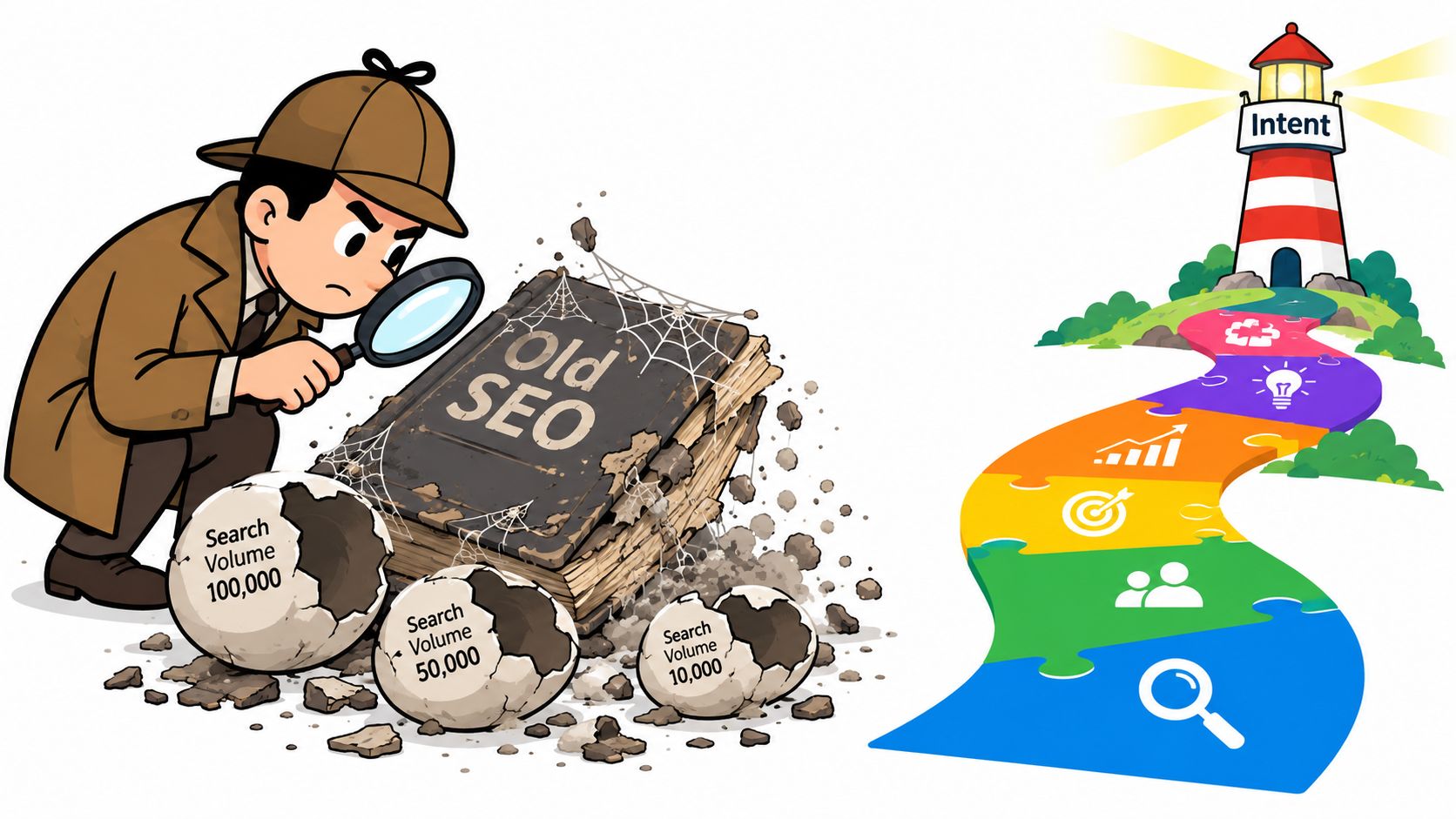
This is why search volume is a demand signal, not a business case. One industry summary citing Ahrefs data reports that 92.42% of keywords receive 10 or fewer monthly searches, while only 0.0008% exceed 100,000 monthly searches. The same summary says 60.67% of all searches come from just 0.16% of the most popular keywords, which shows how concentrated the biggest terms are, but it also highlights why smaller, specific phrases make up such an important research field. The keyword research data summary provides the underlying context.
The traffic trap
Traditional research often treats one head term as the destination. That approach creates several problems:
- It hides intent: A broad query can represent research, navigation, comparison, or purchase intent.
- It inflates competition: Established sites and major brands usually dominate generic terms.
- It fragments the opportunity: Specific questions and use cases get discarded because their individual volumes look small.
- It ignores business fit: A keyword can be popular without matching your product, audience, market, or sales process.
Long-tail research is not a rejection of broad topics. It's a way to understand the many specific problems that sit beneath them. A page targeting a precise use case can support a broader topic while giving visitors a clearer reason to continue to a product page, comparison, consultation form, or checkout.
Search results aren't only click destinations
AI overviews and other search features have changed what visibility means. A ranking page may earn an impression without receiving a visit, while a brand can gain value by being cited, remembered, or included in a later buying journey. One industry dataset reported that 40.3% of U.S. Google searches resulted in a click to organic results in March 2025, compared with 44.2% a year earlier. Semrush's overview of SEO trends explains why classic rankings alone no longer describe the full opportunity.
Practical rule: Keep head terms in your topic model, but build the actual content plan around intent, coverage, click potential, and commercial relevance.
Understanding Search Intent and Keyword Types
Before opening Ahrefs, Semrush, or Google Keyword Planner, classify what the searcher is trying to accomplish. The same topic can produce several pages because the user's goal changes. A guide for someone learning a concept shouldn't compete directly with a comparison page for someone choosing a vendor.
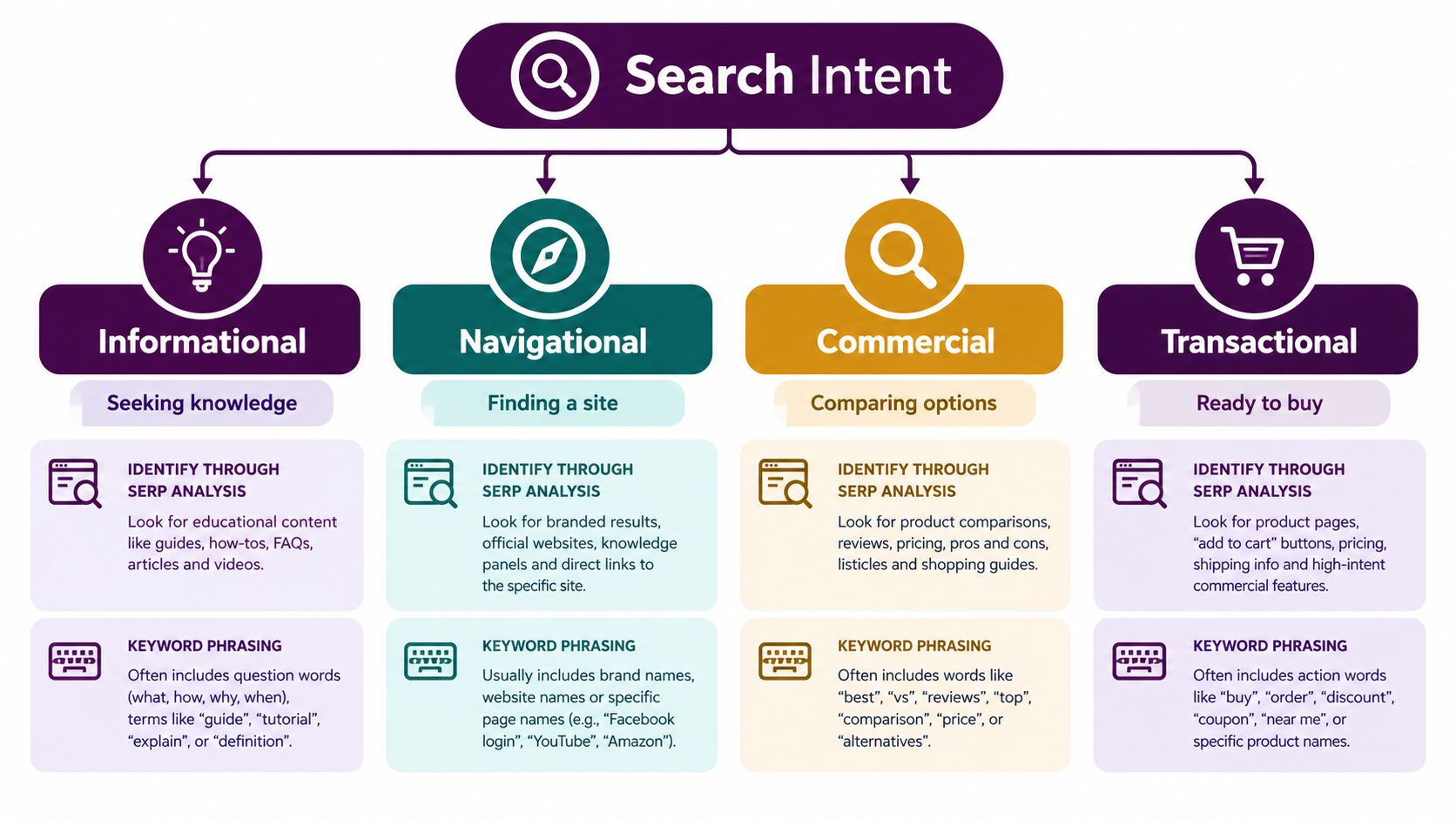
Start by examining the wording, then verify your interpretation against the search results. If Google consistently returns definitions, tutorials, and explanatory articles, the query is probably informational. If the results are dominated by a specific brand or website, the query is likely navigational. Product roundups, reviews, and comparison pages usually indicate commercial investigation. Product pages, pricing pages, and service providers point toward transactional intent.
The four intent categories
| Intent | Searcher's immediate goal | Typical query pattern | Suitable page |
|---|---|---|---|
| Informational | Learn, understand, or solve a problem | “what is,” “why,” “how to” | Guide, tutorial, glossary page |
| Navigational | Find a known brand, tool, or destination | Brand name, product name, login query | Homepage, product page, support page |
| Commercial | Compare possible solutions | “best,” “review,” “alternatives,” “X vs Y” | Comparison, review, buyer's guide |
| Transactional | Take an action or make a purchase | Pricing, service, product, category queries | Landing page, product page, checkout path |
These labels should guide the page format, not act as rigid boxes. A commercial query may need educational context, and a transactional page may answer common questions before presenting a call to action. The primary question is whether the page helps the searcher complete the task suggested by the query.
A repeatable classification process
First, write the likely job behind the query. “SEO keyword research tool” might mean the user wants software. “How to do SEO keyword research” suggests the user wants a process they can follow. The words overlap, but the page requirements don't.
Next, inspect the first page manually. Note whether the results are mostly articles, category pages, product pages, videos, forums, or brand-owned pages. Search engines are showing you the format they currently consider relevant.
Then, record secondary intent. A tutorial may introduce a tool, while a comparison page may need a short explanation of the underlying problem. Capture those supporting needs without changing the page's main purpose.
Search behavior is also more nuanced than a simple long-tail versus short-tail split. One industry summary reports that 88% of U.S. searches contain three words or fewer, while demand is shifting toward more specific, intent-heavy searches. Ranktracker's keyword research statistics supports the broader lesson: query length alone doesn't determine value. A short query can be highly commercial, and a longer query can still be vague.
Sourcing and Validating Keyword Opportunities
Good keyword lists come from several directions. Begin with the language your customers use, not the terminology your internal team prefers. Review sales calls, support tickets, product categories, competitor offerings, customer reviews, and questions that appear repeatedly in conversations. These sources reveal jobs and pain points that a standard seed term may miss.
Turn those observations into a small set of seed topics. For a project management platform, seeds might include project planning, resource allocation, client reporting, and workflow automation. Use those seeds in Google Keyword Planner, Semrush, Ahrefs, and Keyword Kick to expand the list. Each tool will surface different related phrases, variations, questions, and competitor patterns, so treat the exports as raw material rather than a finished plan.
Build an evidence-based list
Export candidate terms into a spreadsheet with fields for:
- Keyword and close variants: Preserve the wording people use, but group obvious variations with the same intent.
- Topic and audience: Record the problem, role, industry, or use case attached to the query.
- Intent and page type: Mark informational, navigational, commercial, or transactional intent.
- Volume and click potential: Use volume as a directional estimate, then inspect whether SERP features answer the query without a click.
- Conversion potential: Note whether the searcher could plausibly need your product, service, or expertise.
- Difficulty and SERP strength: Compare the authority, backlinks, content quality, and relevance of ranking pages.
- Trend and market context: Check seasonality, geography, language, and changes in customer demand.
A practical workflow starts by exporting candidate terms and prioritizing them with a multi-factor score that combines search volume, click potential, conversion potential, real-world demand, trend, and keyword difficulty, rather than sorting by volume alone. Semrush's keyword research workflow also emphasizes that difficulty is generally derived from the authority and backlink profiles of pages already ranking, so the SERP itself must be part of the validation process.

Validate the search page, not just the metric
Search each promising phrase and inspect what currently ranks. A keyword may look relevant in a tool but return job boards, local results, ecommerce listings, videos, or definitions that don't match the page you planned to create. That mismatch is a warning that you either misunderstood intent or need a different content format.
Look for gaps with commercial value:
- The results answer the general topic but ignore a specific audience.
- Existing pages explain the concept but don't provide an actionable workflow.
- Competitors rank with outdated information or weak examples.
- Search features provide quick answers, but a deeper decision still requires a useful page.
- Several related queries could be served by one authoritative resource rather than separate thin pages.
Google Trends can add useful context when demand changes by season, region, or news cycle. For a practical discussion of using it in planning, see this resource on Google Trends for SEO strategy. For a more focused process that combines Search Console data with current keyword discovery, consult this 2026 keyword research guide.
Don't treat AI tools as substitutes for validation. An AI assistant can suggest topic angles, modifiers, and questions, but it can't reliably prove that a phrase has demand, matches the SERP, or deserves a dedicated URL. Use it to widen your thinking, then confirm candidates through search results, first-party data, and SEO platforms.
Prioritizing Keywords by Business Value and Difficulty
A useful prioritization system separates opportunity from visibility. Difficulty estimates how hard it may be to compete for a query based on the current SERP. Business value asks whether the resulting visitor could become a customer, lead, subscriber, or qualified referral. You need both signals because an easy keyword can be commercially irrelevant, while a valuable term may require authority you haven't built yet.
Create a simple matrix with business value on one axis and ranking difficulty on the other. Put highly relevant, achievable terms near the top of the publishing queue. Defer terms that are difficult and weakly connected to revenue, even if their volume looks attractive.
Use a decision filter
Ask these questions for every candidate:
- Does the query describe a problem we solve? If the connection requires a lengthy explanation, lower its priority.
- Is the intended visitor commercially meaningful? A researcher, job seeker, existing customer, and purchase-ready prospect may all use similar language.
- Can one of our pages satisfy the SERP? Compare format, depth, freshness, expertise, and topical coverage.
- Does the opportunity support a clear next step? A relevant internal link, demo, product category, consultation, or email signup should make sense.
- Will the page strengthen a broader topic? A specific use-case page can support a commercial pillar and improve site-wide relevance.
- Do we have a reason to win? Original data, firsthand expertise, product experience, specialist knowledge, or a clearer workflow can create an advantage.
A low-difficulty keyword isn't automatically a quick win. Some easy terms have little click potential because the search engine answers them directly. Others attract visitors who have no relationship to your offer. Conversely, a difficult commercial term may be worth pursuing as a long-term pillar if it supports a major product line and can be approached through supporting pages.
Decision principle: Publish the keyword with the strongest combination of relevance, attainable competition, and useful next action, not the keyword with the most impressive dashboard number.
Use a scoring sheet if several stakeholders need to agree. Keep the scoring transparent, and write a short reason beside each priority. The Keyword Kick guide to keywords offers another framework for connecting keyword choices to revenue intent.
Start with pages that can produce value while building authority. That may mean a focused service page, a product comparison, or a practical implementation guide before a broad category page. The order depends on your business, but the principle remains consistent: prioritize the path from search problem to business outcome.
Mapping Keywords to Pages and Avoiding Cannibalization
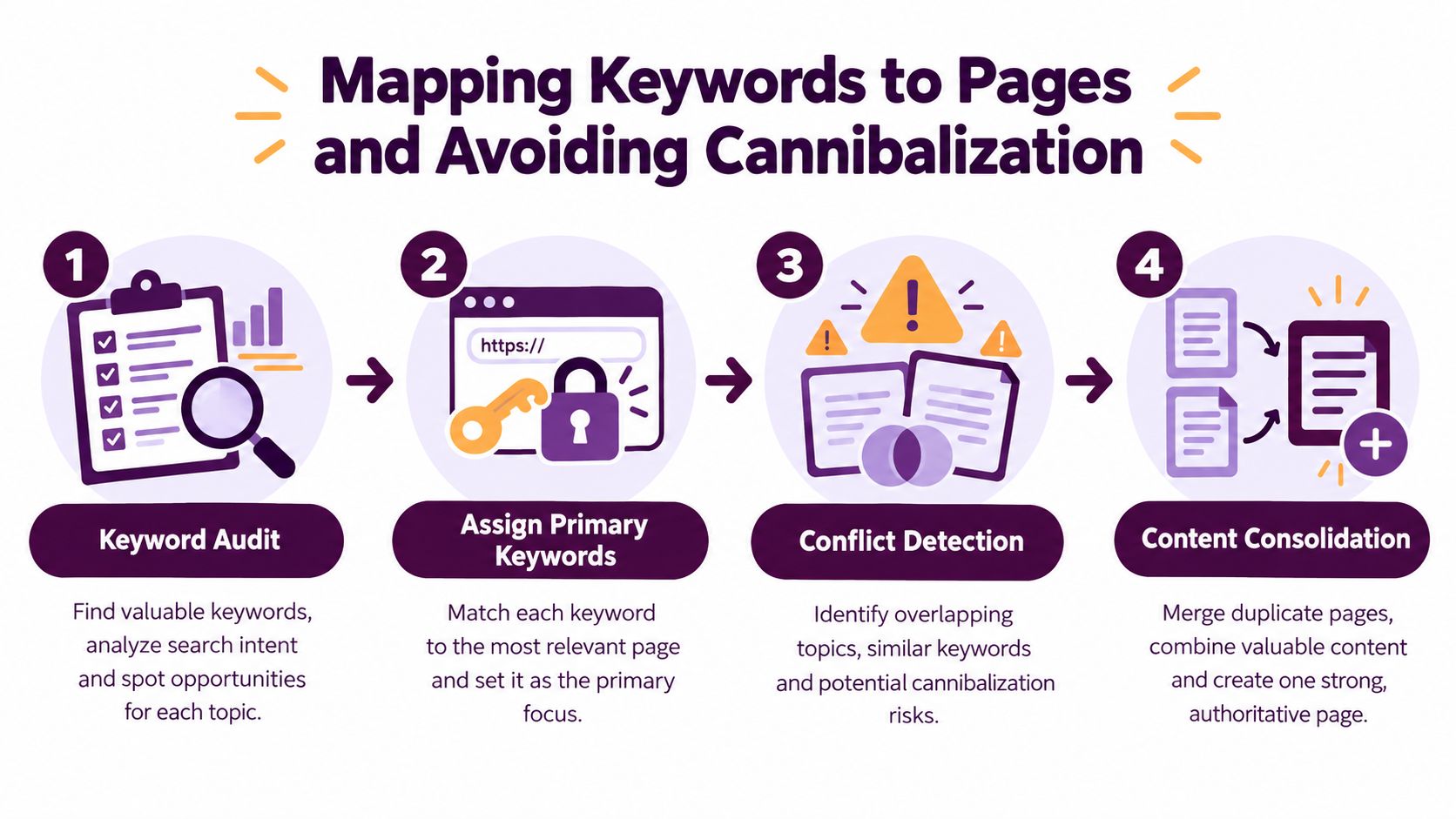
Keyword research becomes useful only when it produces a coherent URL plan. Assign one primary search intent to one main page, then use related phrases as supporting language where they fit naturally. Don't create a new article every time a tool exports a close variation. First determine whether the variation represents a genuinely different task.
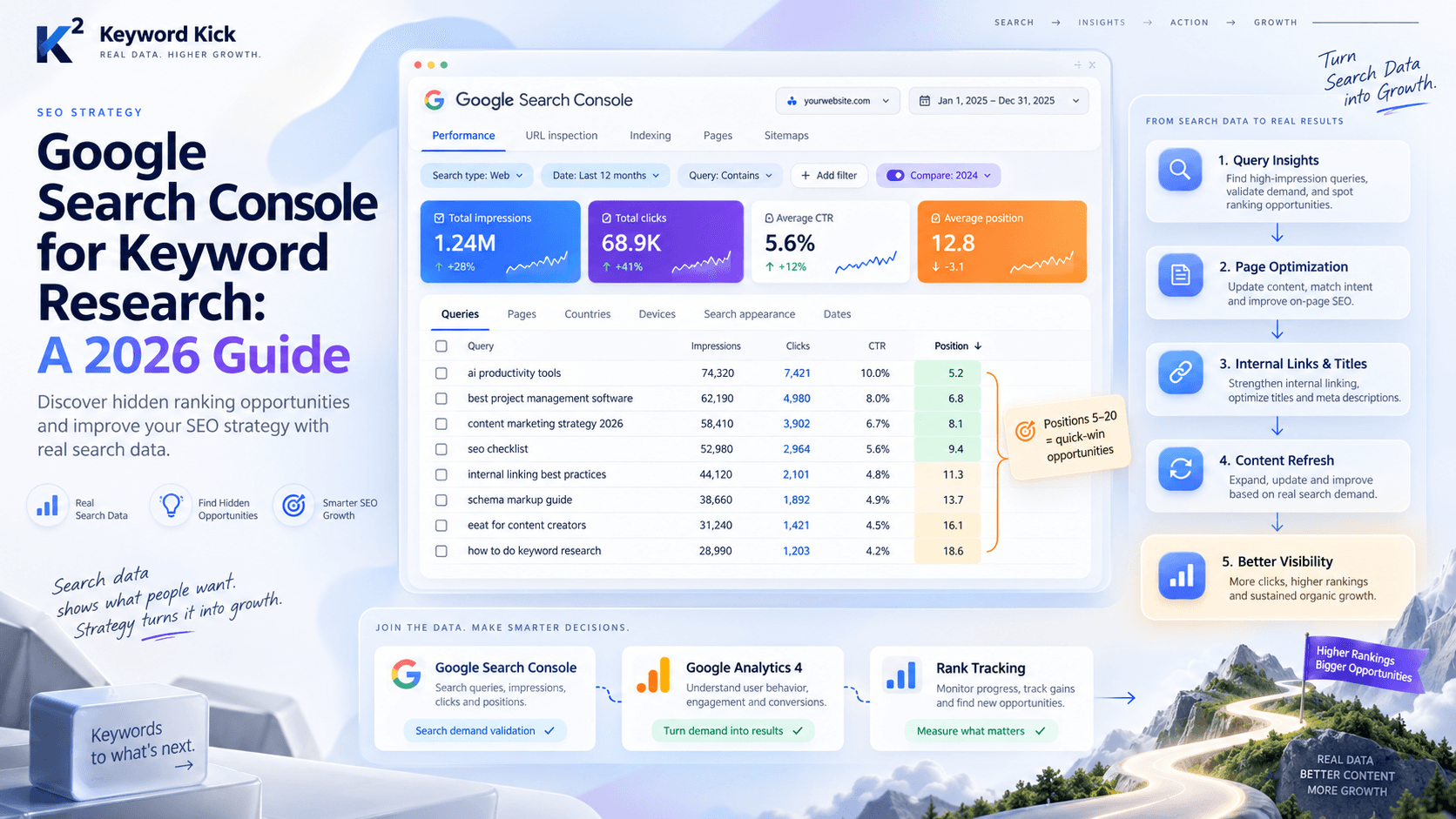
Start with a URL inventory. Export existing pages, their titles, target topics, organic queries, impressions, clicks, and ranking patterns from Google Search Console and your rank tracker. Group pages that answer the same question, target the same audience, or compete for the same primary term. Then compare their performance and content quality.
Choose between consolidation and separation
Keep separate pages when the intent, audience, format, or conversion path is materially different. For example, a general educational guide and a product-specific implementation page may share vocabulary but serve different stages of the journey.
Consolidate when several URLs repeat the same answer, attract the same query set, and offer no distinct reason to exist. Before merging, select the strongest page, preserve useful content, redirect obsolete URLs where appropriate, update internal links, and remove competing pages from the editorial calendar. Re-optimize a page instead when it has valuable links, strong engagement, or a clear opportunity that the current content fails to address.
Detect conflicts before publishing
A cannibalization audit should look beyond identical title tags. Search for instances where several pages rank for the same important query, alternate in and out of results, or divide impressions without a clear page owning the topic. A page that ranks for related variations isn't automatically a problem. Broad coverage can be healthy when each URL has a distinct purpose.
One industry study summarized by neutral coverage reported that the average successful site ranked 4.7 URLs for a single top keyword, while 68% of sites had significant cannibalization, defined there as five or more URLs per top keyword. The same source reported that 12% showed excellent control with one to two URLs per key term. The summarized cannibalization study also makes the important distinction that not every multi-ranking situation requires a fix.
Use internal links to clarify the hierarchy. Link from supporting pages to the primary resource with descriptive, natural anchor text, and link back to relevant supporting pages from the pillar. Keep the relationship useful for readers, not mechanically repetitive for crawlers. If you need a practical checklist to detect keyword cannibalization, use it alongside the URL inventory and query-level evidence.
Audit question: If a visitor searched this phrase, which single URL would you want them to open first?
Review the map whenever you add a page, change a product, enter a new market, or notice rankings moving between URLs. Keyword research isn't complete when the spreadsheet is approved. It continues as your site gains content, your audience changes, and search engines reinterpret the results.
Tracking Results and Iterating Your Strategy
Track keyword performance at both query and page level. Google Search Console shows impressions, clicks, click-through rate, and average position, while a rank tracker adds historical visibility and competitor context. Use both, because a ranking change without clicks may reflect a SERP feature, weak snippet, or poor intent match rather than a content failure.
Compare pages that gain impressions but lose CTR with pages that earn clicks from specific commercial queries. Improve titles and snippets when visibility is strong but visits are weak. Rework the content or page type when impressions grow for irrelevant queries. Add internal links, supporting content, or clearer conversion paths when the page attracts the right audience but doesn't move users toward a business action.
Review the keyword set regularly. Remove obsolete phrases, add language from customer conversations and Search Console, and check whether AI overviews or other result features have changed the click potential. Measure assisted conversions and branded demand, not only last-click traffic, because a useful informational page may influence a later transaction without receiving credit for it.
Keyword Kick brings seed terms or a domain into a keyword research workflow that surfaces related queries and keyword suggestions with volume, difficulty, CPC, intent, and trend data, while also supporting topic clustering and keyword-to-page mapping. Use Keyword Kick to turn your research into a prioritized content and optimization plan, then start with the opportunities your team can validate and act on this week.