You've got a page to publish, a dozen others waiting behind it, and a meta description field that feels too small to matter. Then you check the SERP and realize Google may rewrite what you wrote anyway. This highlights the core challenge with a generate meta description workflow today, it's no longer about squeezing prose into a tiny box, it's about building a system that gives search engines a strong, relevant fallback while still earning the click.
A modern meta description has one job, improve the odds that the right searcher chooses your result. That means it has to summarize the page, match intent, and feel specific enough to stand out. The pages that win usually do that with a mix of clear benefit, page-specific detail, and a tone that sounds like a human wrote it for an actual searcher, not a template.
Why Most Meta Descriptions Fail Before They Are Written
The first mistake is treating the tag like a checkbox. Teams write a line, paste it in, and assume the work is done, even though Google rewrites meta descriptions almost 63% of the time and 25% of top-ten pages do not specify a meta description at all according to the Ahrefs-based figures cited by Victorious (Victorious SEO statistics). That tells you the tag matters, but not in the old “control the snippet” sense.
What you can influence is relevance. Google's snippet documentation says to create unique, descriptive meta descriptions for each page, especially key URLs, and it also notes that programmatic generation is appropriate for large sites (Google Search Central snippet guidance). That's a very different mental model from handcrafting a single perfect sentence and expecting it to survive unchanged.
The real job of the description
A high-performing description is a compact answer to the searcher's likely question. It gives context, hints at the outcome, and often includes a page-specific detail that makes the result feel worth the click, such as an author, a product type, or a use case. Google's documentation also shows how snippet behavior interacts with nosnippet, max-snippet, and data-nosnippet, which is another reminder that metadata and on-page markup work together, not in isolation (Google Search Central snippet guidance).
Practical rule: write for the searcher first, then let Google decide how much of that copy it uses.
The shift is simple but important. Stop thinking of meta descriptions as decoration. Treat them as a scalable SEO asset, one that can be written manually for important pages, generated programmatically for large inventories, and then validated against actual CTR performance. For a useful CTR framework that sits well beside this mindset, see this data-driven playbook for improving click-through rate.
The Anatomy of a High-CTR Meta Description
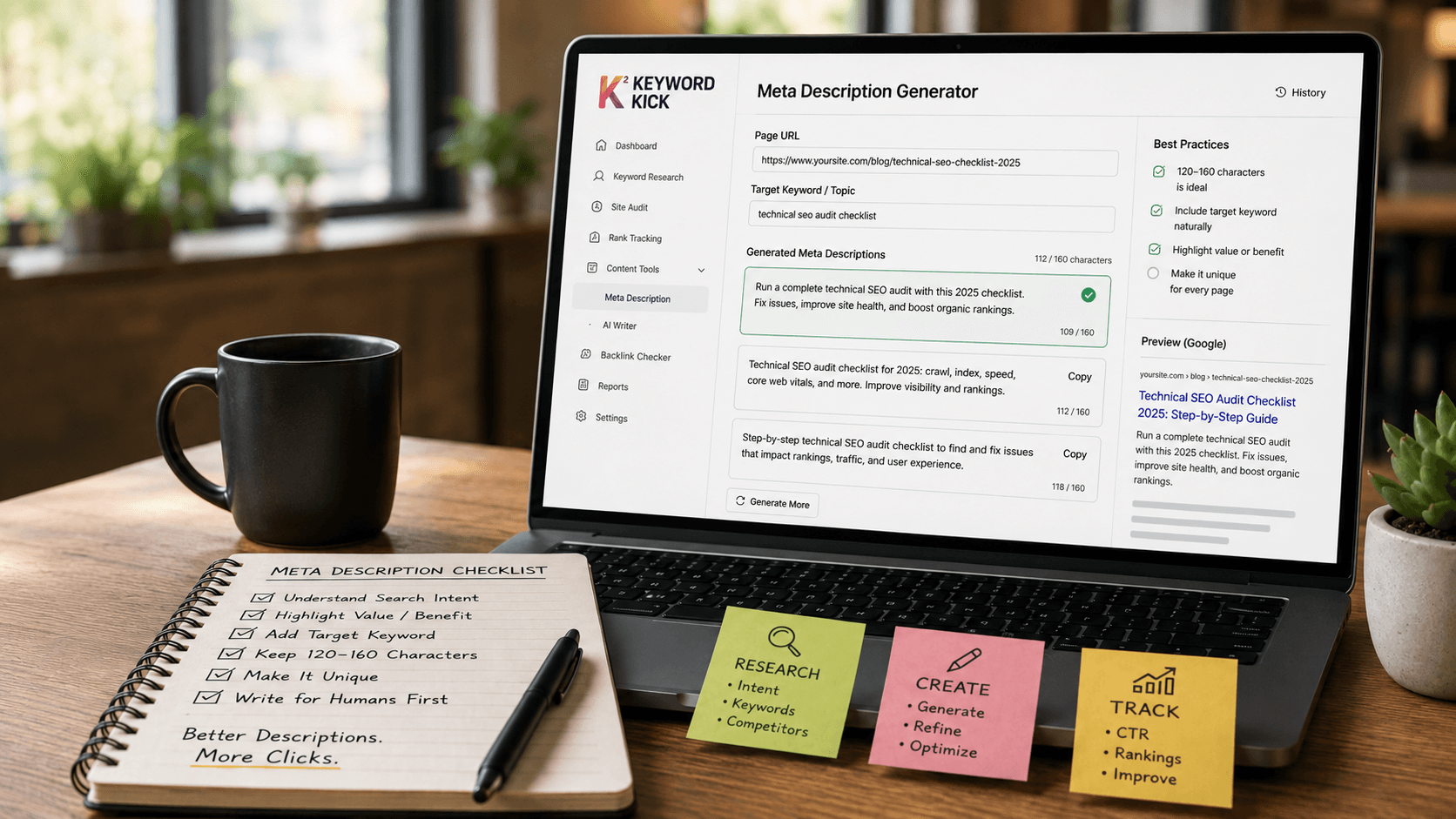
A description that earns clicks usually does four things at once. It matches the query intent, says what the page offers, signals why that matters, and does it fast enough to read in a crowded SERP. The common “160 characters” advice is only part of the story, because a long enough sentence can still fail if it's vague or off-target.

Build the sentence from the searcher's question
The fastest way to draft a strong description is to identify the page's core question, summarize the answer, constrain the copy to about 120 characters, and include one imperative verb. That workflow comes from Search Engine Journal's practical guidance on meta descriptions (Search Engine Journal). It works because the sentence stays readable even when it appears out of context.
For a blog post, the description should promise the payoff of the article. For a product page, it should highlight the product, the use case, and the reason to trust the listing. Those are not the same task, and templates that ignore that difference tend to produce bland copy.
Consider the contrast:
Blog post example: “Learn how to audit landing page intent, spot weak copy, and rewrite descriptions that attract the right visitors.”
Product page example: “Shop lightweight running shoes with breathable mesh, reliable grip, and fast shipping for everyday training.”
Use the right kind of specificity
Specificity beats filler. A user doesn't need every feature, but they do need enough detail to know this result is different from the four above it. That's where page-specific nouns matter more than generic adjectives.
If you want a broader site-quality lens that complements this approach, CodeDesign.ai's 2026 SEO guide is useful because it treats on-page metadata as part of the wider site system rather than a one-off copy task. That framing matches what strong teams already do in practice, they align metadata with page intent, content type, and the surrounding template.
Meta description glossary definition can also help teams standardize terminology before they start scaling copy across a site. The point isn't to make every description clever. It's to make every description useful, scannable, and aligned with the page it represents.
How to Generate Meta Descriptions with AI Prompts
AI is good at speed, but speed only helps if the prompt gives it the right structure. If you feed a model a URL and ask for “a meta description,” you'll usually get generic copy that sounds polished and fails to differentiate the page. The better approach is to give the model the page's intent, audience, constraints, and preferred tone, then ask for several options.

Prompt for one strong draft
Use a prompt that includes the page purpose, target audience, and a hard length target. A useful version looks like this:
“Write one meta description for this page. The page's core question is [insert question]. The audience is [insert audience]. Summarize the answer in one sentence, use an active verb, and keep it close to 120 characters. Avoid keyword stuffing. Make it read naturally out of context.”
That structure mirrors the practical workflow from Search Engine Journal, but it adds the context AI needs to avoid blandness (Search Engine Journal). If you're generating copy for content pages at scale, this also keeps the output easier to review because the model is working from a clear brief instead of improvising.
Prompt for variants and tone control
A key advantage of AI is variant generation. Instead of settling for the first output, ask for three or five versions with different emphases.
Variant prompt for testing: “Generate 5 meta description options for this page. Keep each under 160 characters. Make one version benefit-led, one feature-led, one urgency-led, one beginner-friendly, and one more technical.”
Tone prompt for advanced audiences: “Write for SEO practitioners who already know the topic. Use precise language, avoid hype, and focus on the concrete value of the page.”
Tone prompt for beginners: “Write for a non-technical reader. Keep the vocabulary simple, emphasize the outcome, and avoid jargon.”
If you work with product pages, it helps to borrow from streamline product description writing and adapt the same discipline to meta descriptions, which means shorter copy, sharper value, and fewer loose adjectives. That crossover matters because the best product-page descriptions often sound like mini product pitches, not recycled taglines.
Good AI output still needs editorial judgment. The model can draft quickly, but a human has to decide which angle actually matches the page and the search intent.
For teams that want a practical reference point while building prompt templates, effective content optimization tips can help reinforce the idea that metadata is part of a broader content system, not an isolated copy exercise. That's the mindset that keeps AI from producing scale without relevance.
Scaling Descriptions Programmatically for Large Sites
Manual writing breaks down fast on e-commerce catalogs, marketplaces, and directories. Once a site has hundreds or thousands of indexable pages, the primary challenge is consistency, not creativity. Google's Search Central documentation explicitly says programmatic generation is appropriate for large sites and recommends unique, descriptive meta descriptions for each page, especially key URLs (Google Search Central snippet guidance).
Build templates that stay specific
The best template systems use dynamic variables, but they don't rely on variables alone. A weak template looks like this, “Shop [Product Name] from [Brand].” It's technically unique, but it's not useful enough to earn clicks on a crowded SERP.
A stronger pattern adds the category, use case, or feature that makes the page distinct:
Template example: “Browse [Brand] [Product Name], a [Key Feature] option for [Use Case], with [Category] details that help you choose faster.”
Category page example: “Explore [Category] from [Brand], compare styles, and find the right fit for your budget and needs.”
Directory example: “Review [Service Type] providers in [Location], compare offerings, and visit the best-fit option for your project.”
The key is to make every generated description read like a useful summary, not a stitched-together string of fields. That's what makes programmatic generation defensible, because it serves users first and keeps the description tied to the page.
Use template governance, not template sprawl
A scalable system needs rules. Decide which fields are mandatory, which pages deserve bespoke copy, and which sections can safely use a template. Key URLs usually deserve human review, while long-tail pages can often use structured generation with light editing.
Operational rule: if the page title and the description could fit ten different URLs, the template is too generic.
I've found that teams get better results when the template library stays small and opinionated. One pattern for product detail pages, one for category pages, one for informational content. That keeps the copy system maintainable and reduces the risk of duplicated or empty metadata across a large inventory.
This is also where large-site QA matters more than clever writing. Programmatic copy should be reviewed for uniqueness, specificity, and brand tone before it goes live. If the template can't produce a clear summary without manual cleanup every time, the system needs to be simplified.
A Simple QA and Optimization Framework
Generating a description is only the first pass. A decent workflow checks whether the copy fits the page, survives search behavior, and improves clicks over time. The easiest way to keep quality high is to treat each description like a small experiment, not a final artifact.

QA checklist before publish
Before a description goes live, check four things. First, does it answer the page's core question? Second, does it sound specific enough to distinguish the page from competitors? Third, does it stay within your chosen length target? Fourth, does it use a verb and a value signal rather than vague marketing language?
A quick review also catches repetition issues. If the title tag already says “Buy Running Shoes,” the meta description shouldn't repeat the exact same idea with no added value. It should add context, such as audience, feature, or use case.
For practical testing, Yoast recommends drafting 3–5 variants, keeping each within the 155–160 character ceiling, and running an A/B test for 2–4 weeks with at least 100 clicks per variant. Their guidance uses CTR as the primary KPI, with Google's rewrite rate as a secondary signal (Yoast). That's the right order of operations, because you're optimizing for behavior, not just text length.
Use performance data to find candidates
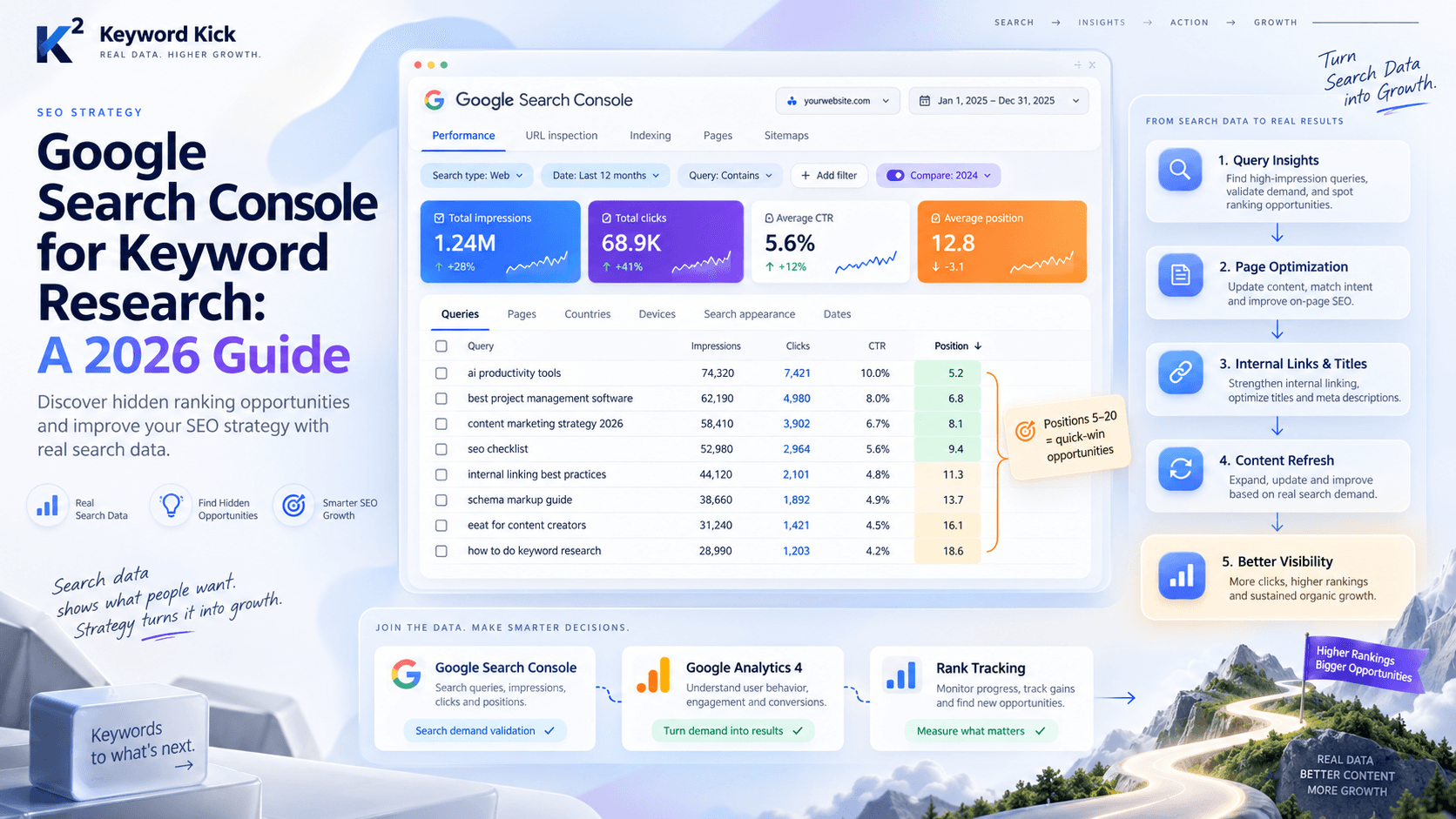
Pages with decent impressions but weak CTR are the obvious candidates for a meta description refresh. Those pages already have visibility, so the metadata often becomes the easiest lever to test first. Search Console is useful here because it shows where the click problem lives, not just where traffic is missing.
A simple review cycle works well:
Find the page: Look for high-impression URLs with disappointing CTR patterns.
Draft variants: Write several descriptions that differ by angle, not just word choice.
Test and compare: Use a fixed window and measure CTR before picking a winner.
Roll forward: Keep the better performer, then move to the next page.
If you need a broader content-level optimization lens, effective content optimization tips pairs well with this kind of testing mindset because it reinforces iterative improvement rather than one-time editing. The goal is simple, make the metadata earn its keep.
From Task to System Your New Meta Description Workflow
The old model was simple, someone wrote a sentence, checked the length, and moved on. That approach doesn't scale well, and it doesn't reflect how Google handles snippets. A better workflow treats meta descriptions as a system with three layers, human strategy, AI-assisted production, and performance validation.
Human judgment still matters most at the strategy layer. Someone has to decide what the page is really about, which audience matters, and what kind of click the page should win. AI then speeds up the drafting and variation process, especially when the brief is clear and the constraints are explicit.
Programmatic generation fills the scale gap for large sites, where manual writing would leave too many pages with thin or missing metadata. The strongest teams don't ask whether to use human writing, AI, or templates. They combine all three and assign each one to the job it does best.
The last step is measurement. If a description doesn't improve CTR, better reflect intent, or reduce wasted impressions, it isn't doing enough. That's the practical standard, and it's more useful than obsessing over a specific character count or a mythical perfect snippet.
If you want a system for meta descriptions instead of a pile of one-off drafts, Keyword Kick helps you connect search data, page performance, and content decisions in one place. Use it to find the pages that need a rewrite first, then validate which descriptions improve clicks.