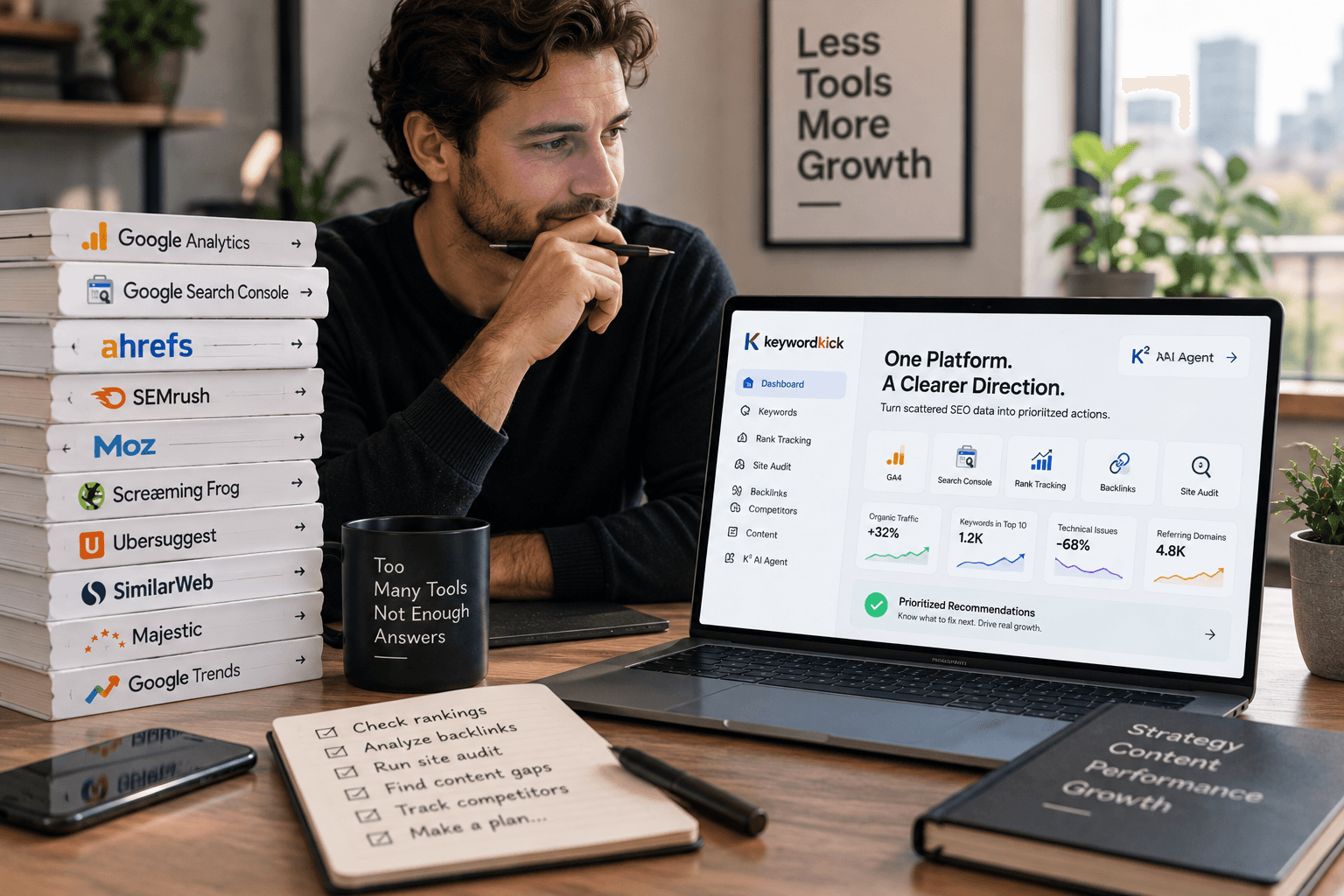
Teams don't typically start looking at SEO optimization automation because they love automation. They start because the manual system is breaking.
The pattern is familiar. Rankings slip, nobody notices for days, reporting takes half the week, and the team spends more time exporting data than fixing what matters. Meanwhile, the pages that should be refreshed sit untouched, technical issues pile up unnoticed, and every urgent request turns into another spreadsheet.
That's where automation becomes useful. Not as a gimmick and not as a way to remove human judgment. It matters because SEO now runs across too many pages, data sources, and moving parts to manage well with periodic checks and manual handoffs alone. The teams that scale don't automate everything. They automate the repetitive detection, collection, and routing work so people can spend their time on prioritization, strategy, and execution.
What Is SEO Optimization Automation
SEO optimization automation is the practice of using software, rules, and connected data sources to handle repeatable SEO work without requiring someone to manually trigger every step.
That includes tasks like scheduled crawls, rank monitoring, metadata generation, issue alerts, reporting, and workflow routing. But the better definition is this: it's a system for scaling SEO judgment, not replacing it.
A lot of teams still treat automation like a bundle of isolated tool features. That's too narrow. Real automation starts when your stack stops acting like separate dashboards and starts acting like an operating system for SEO. Data comes in on a schedule, rules evaluate what changed, and the right person gets the right task with enough context to act.
What it looks like in practice
At the working level, SEO optimization automation usually covers things like:
Technical monitoring: Recurring crawls flag broken links, missing tags, indexation issues, and rendering problems.
Performance tracking: Rank trackers and search data feeds surface movement before someone has to check manually.
Content workflows: Systems group keywords, generate briefs, suggest internal links, and identify pages that need review.
Reporting and alerts: Instead of building the same report every week, teams get updates routed automatically.
This shift isn't niche anymore. According to Backlinko's marketing automation statistics, SEO efforts account for 22% of marketing automation usage, and Frost & Sullivan projected vendor revenue would reach $6.6 billion in 2026, up from $2.9 billion in 2020.
That matters because it shows SEO automation has moved into the core martech stack.
Practical rule: If a task happens on a schedule, follows the same logic each time, and doesn't require nuanced judgment at the moment of execution, it's a candidate for automation.
What automation is not
Automation is not strategy. It won't decide which market you should enter, what your brand should sound like, or whether a content angle deserves investment.
It also won't save a weak process. If your team doesn't agree on priorities, ownership, and definitions of success, automation will just help you produce noise faster. Good automation sharpens a strong workflow. Bad automation scales confusion.
The Strategic Impact of SEO Automation
The obvious benefit of automation is less manual work. That's real, but it's not the main reason mature teams invest in it.
The main advantage is speed of response.
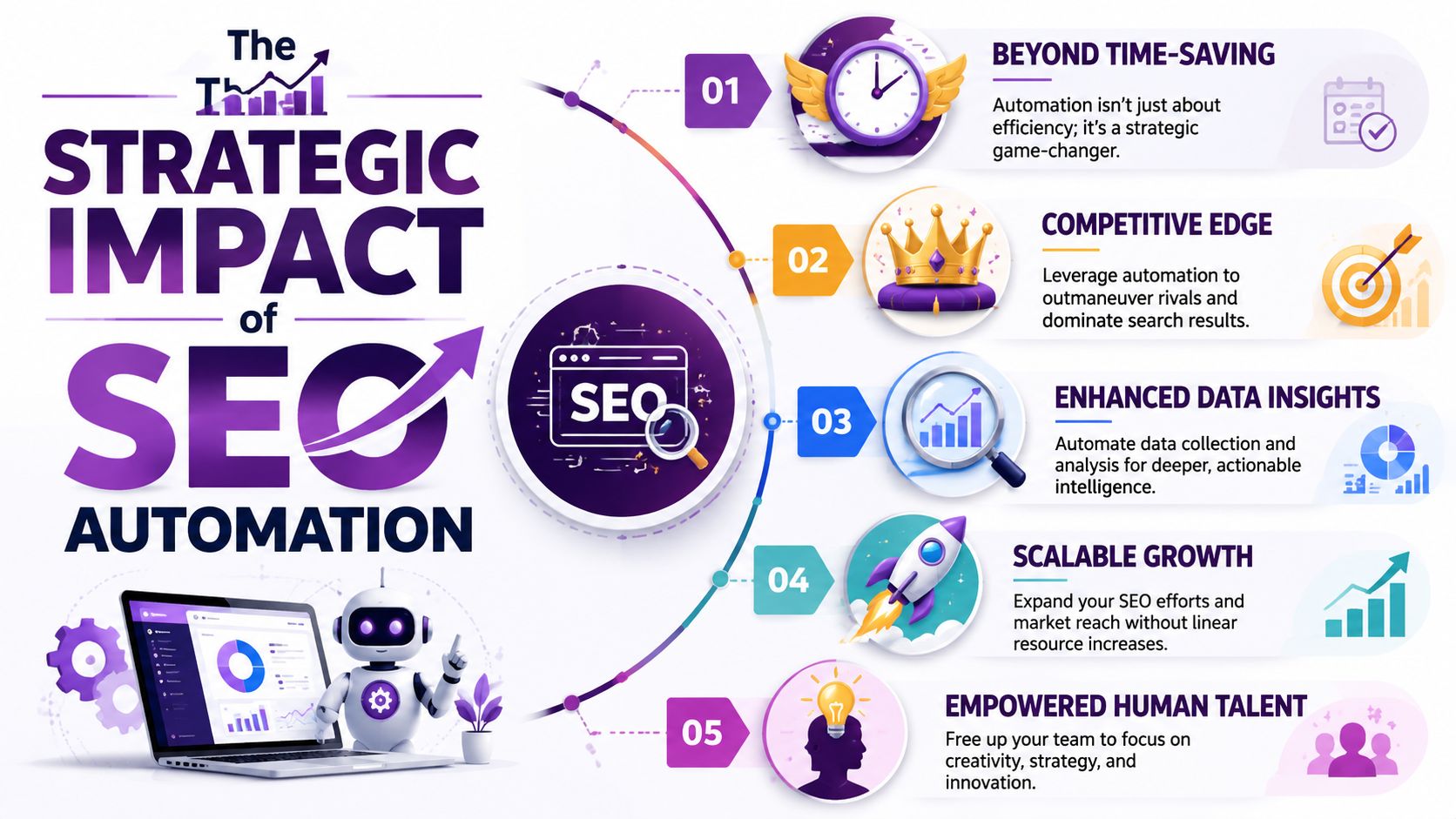
From periodic checking to continuous detection
The old workflow was calendar-based. Someone ran a crawl. Someone checked rankings. Someone noticed an issue after traffic already dropped. SEO was reactive because the operating model was reactive.
Modern automation changes that. As WordStream's guide to SEO automation notes, platforms can alert teams within minutes of a critical issue like a broken link or rankings drop. That compresses the response window from days or weeks to near-immediate action.
For large sites, that shift changes how risk is managed. You're no longer waiting for the weekly review to discover that a template broke canonical tags or that a key page lost visibility after a deployment.
Why that changes team performance
Three strategic gains show up when automation is implemented well.
Faster intervention: Teams catch technical failures and performance anomalies while they're still contained.
More consistent coverage: Systems don't forget to check page groups, subfolders, or secondary markets.
Better use of specialist time: Analysts stop doing repetitive collection work and spend more time deciding what deserves action.
That last point matters more than many teams admit. A strong SEO lead is rarely limited by ideas. They're limited by operational drag. Every manual export, one-off report, and repetitive check steals time from work that changes outcomes.
Teams don't win because they have more dashboards. They win because they reduce the lag between signal, decision, and action.
Automation makes SEO more proactive
At this point, the model starts to look less like reporting and more like operations.
A crawler identifies a rendering issue. A rule flags the affected templates. An alert routes the issue to the right owner. A ticket gets created with enough detail to verify and fix. That's very different from “we should probably audit that next week.”
The broader shift is moving from dashboard watching to guided action. That's also why more teams are moving from dashboard SEO to AI-guided SEO. The point isn't more visibility into data. The point is shortening the path from data to a ranked list of next moves.
Drawing the Line What SEO Tasks to Automate
The most useful question isn't “What can we automate?” It's “What should we automate without lowering quality?”
Some SEO tasks are repetitive, rules-based, and easy to validate. Others depend on nuance, commercial context, editorial judgment, or relationship-building. If you ignore that difference, you get brittle workflows, bad content decisions, and a team that stops trusting the system.
As Straight North's guidance on what can and can't be automated in SEO makes clear, technical audits, rank tracking, and bulk metadata generation are highly automatable, while evaluating search intent, assessing E-E-A-T, and relationship-driven outreach still need human judgment.
SEO Task Automation Guide
SEO Task | Automate or Keep Manual? | Reasoning |
|---|---|---|
Scheduled site crawls | Automate | Recurring checks follow clear logic and are easy to run consistently. |
Broken link detection | Automate | Systems are better at catching changes quickly across large sites. |
Missing title tags and meta descriptions | Automate | Detection is rules-based, and generation can be templated with review. |
Rank tracking | Automate | Monitoring keyword movement is repetitive and time-sensitive. |
Indexation monitoring | Automate | Bots can detect coverage changes faster than manual inspection. |
Internal link suggestions | Automate with review | Useful for surfacing options, but final placement needs editorial sense. |
Keyword clustering | Automate with review | Machines group patterns well, but humans should validate commercial fit. |
Content brief drafts | Automate with review | Good for structure and inputs, not for final strategic direction. |
Bulk metadata generation | Automate with review | Efficient at scale, but unchecked output often becomes generic or awkward. |
Final keyword selection | Keep manual | Business value and prioritization require context. |
Search intent evaluation | Keep manual | SERP patterns help, but intent judgment still needs interpretation. |
E-E-A-T assessment | Keep manual | Credibility, expertise signals, and trust are not checkbox decisions. |
Editorial positioning | Keep manual | Brand voice and differentiation can't be delegated to a template. |
Relationship-based outreach | Keep manual | Outreach works when it feels personal and informed, not automated. |
SEO prioritization across teams | Keep manual | Trade-offs between engineering, content, and revenue goals need leadership judgment. |
Use a simple decision test
When deciding whether a task belongs in an automation workflow, use three filters.
Repeatability: Does the task follow the same logic every time?
Tolerance for error: If the system gets it wrong, is the impact easy to catch and correct?
Need for context: Does the decision depend on business nuance, user psychology, or brand risk?
If a task is highly repeatable, low-risk, and context-light, automate it. If it carries brand or strategic consequences, keep a human in the loop.
What usually breaks
The most common mistake is automating output instead of automating detection.
For example, teams often rush to automate page copy updates or title rewrites at scale before they've built solid workflows for identifying which pages deserve intervention. That's backward. Detection and prioritization should come first. Execution can stay partially manual for a long time.
Another failure point is removing review from “semi-automatable” work.
Bulk generation works best when the system proposes and a human approves. It works worst when nobody checks whether the output matches the query, the page type, or the brand.
A safer model looks like this:
Automate the signal: Spot the issue, change, gap, or anomaly.
Automate the routing: Send it to the right owner with context.
Automate the draft: Generate a first pass where useful.
Keep the decision manual: Let someone approve, reject, or revise based on real judgment.
That division of labor is what keeps automation productive instead of reckless.
Building High-Impact Automation Workflows
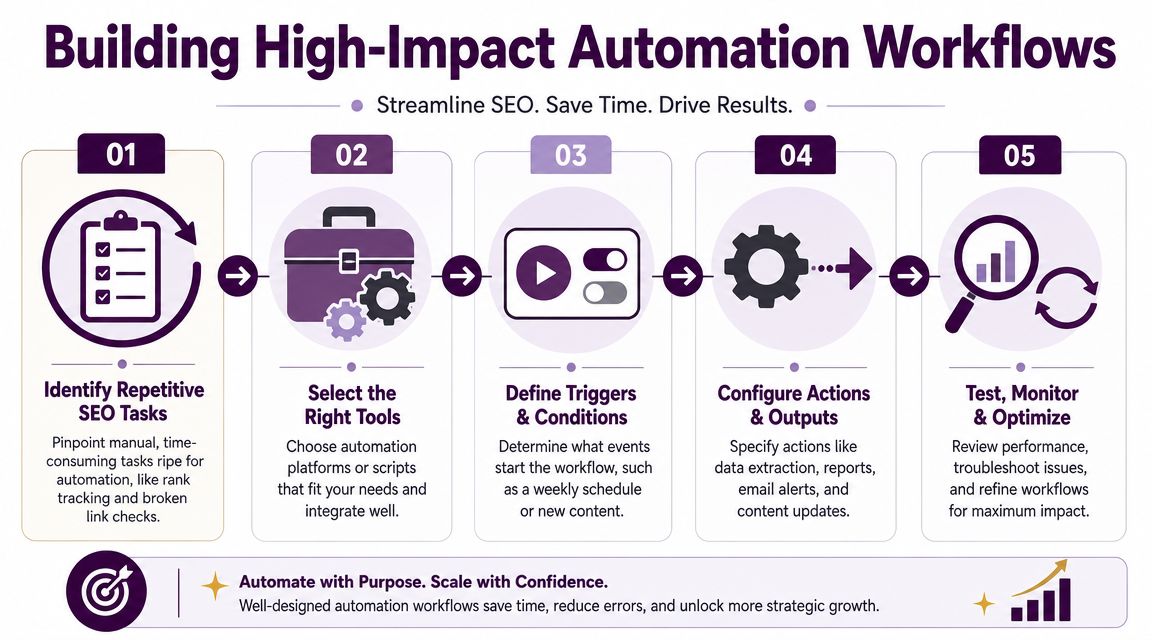
Teams often don't need more isolated automations. They need a few workflows that connect signal to action cleanly.
The underlying architecture is straightforward. Effective platforms combine scheduled crawling, rule-based evaluation, and alerts so they can monitor large sets of SEO data and flag issues like broken links, missing tags, and indexation errors in near real time, as described in ClickRank's overview of SEO automation tools for agencies.
Workflow one for content decay recovery
This workflow is useful when older pages slowly lose visibility and nobody notices until the drop is obvious.
Step 1: Connect the right inputs. Pull in Search Console page-level query data, analytics landing page performance, and rank tracking for target terms tied to priority URLs.
Step 2: Define the trigger. Set a rule that flags pages showing decline across multiple signals, not just one. That helps avoid overreacting to normal volatility.
Step 3: Add exclusion logic. Filter out pages affected by intentional changes, seasonal content, recently published URLs, or pages already in active revision.
Step 4: Generate a review packet. The alert should include affected queries, ranking changes, competing pages, and basic on-page elements. Don't send an editor a vague “traffic dropped” message.
Step 5: Route to the right owner. Content leads review the page, check intent alignment, assess whether the SERP changed, and decide whether to refresh, consolidate, reframe, or leave it alone.
Automation is most helpful here. It identifies candidates consistently. Humans decide why the decline happened and what response makes sense.
Workflow two for competitive intelligence
A second high-impact workflow tracks competitor movement without forcing someone to manually scan SERPs every day.
Start by selecting a small competitor set that overlaps meaningfully with your commercial terms. Then monitor shared keyword groups, newly visible pages, and changes in page types appearing in the results.
A strong workflow usually follows this pattern:
Track target keyword sets tied to product areas, service lines, or content clusters.
Detect changes in competitor visibility for those groups.
Summarize the movement into a digest that highlights new entrants, refreshed pages, or shifted rankings.
Route the output to content and SEO leads who can interpret whether the change matters.
What matters here isn't the alert itself. It's the framing. If the system says a competitor gained visibility, the next question should be whether they introduced a new content angle, changed page format, improved topical coverage, or targeted a different intent pattern.
Good automation answers “what changed.” Strong teams still have to answer “why it changed” and “whether we should respond.”
When exploring more autonomous operating models, AI agents for SEO and autonomous workflows become relevant. The useful version isn't a robot publishing content unattended. It's a system that monitors, evaluates, and routes decisions with enough context that teams can act faster and with less noise.
Design workflows for trust
A workflow only survives if people trust it.
That means alerts should be specific, thresholds should be sensible, and ownership should be clear. If every tiny fluctuation triggers a warning, people will mute the channel. If alerts arrive with no context, they become another task nobody wants.
Build fewer workflows than you think you need. Make them sharp. Then expand only after the team starts relying on them.
Choosing Tools and Measuring Real ROI
Most SEO automation stacks become messy for one reason. Teams buy tools to solve isolated pains, then end up with disconnected systems that each report part of the truth.
A rank tracker sees movement. A crawler sees technical issues. Analytics shows behavior. Search Console shows query shifts. None of that is wrong. It's just incomplete on its own.

Choose category first, product second
Before comparing vendors, decide what kind of system you need.
Point solutions: Best when you need one job done well, like crawling, rank tracking, or content optimization.
Workflow layers: Useful when your issue is routing, alerting, and cross-team handoff.
Integrated platforms: Best when your real problem is fragmented data and unclear prioritization.
For smaller programs, point tools can be enough. For agencies, large editorial sites, and multi-market brands, fragmentation becomes the bigger cost. That's when integrated platforms start making more sense because they can connect technical, ranking, traffic, and competitor signals into one decision environment.
If you're comparing options, this roundup of SEO automation software platforms for 2026 is useful because it frames tools by operating model rather than just feature count.
Don't measure success by hours saved alone
Many automation projects often lose credibility here.
The team launches alerts, automates reporting, and celebrates cleaner workflows. That's fine, but it doesn't prove the investment worked. As Siteimprove's explanation of SEO automation points out, the harder question is attribution: did the performance change come from automation-driven actions, or from algorithm updates, seasonality, or unrelated site changes?
That's the right question.
A good ROI model links automation to business outcomes through a chain of evidence, not a vague before-and-after story.
What to measure instead
Measure automation in layers.
Operational layer: Did the workflow consistently surface issues, assign ownership, and reduce missed actions?
Action layer: Did teams implement the recommended fixes or refreshes?
Performance layer: Did the affected page groups improve in visibility, rankings, CTR, or traffic after those actions?
Business layer: Did those SEO changes support leads, revenue, or qualified sessions for the pages that matter most?
This is also where technical SEO deserves a more serious look. A study summarized by Search Atlas research on automated technical SEO fixes found improvements across all five tracked metrics after automated fixes on 39,486 websites. That doesn't mean every automation will pay off equally. It does mean technical remediation can produce measurable gains when the fixes are real and the implementation is disciplined.
For teams expanding beyond basic automation, it helps to study broader guidance on optimizing SEO with AI. The useful takeaway isn't “let AI do everything.” It's that the better setups combine automation, validation, and prioritization rather than relying on raw generation.
A simple ROI discipline
Keep your measurement model narrow at first.
Pick one workflow. Define the page group it affects. Record the actions the workflow triggered. Review outcomes after enough time has passed to judge the impact. If the chain from signal to action to outcome is fuzzy, tighten the workflow before scaling it.
That's much more persuasive than claiming automation “improved efficiency” in the abstract.
Your Path to Smarter SEO Automation
The teams that get the most from SEO optimization automation treat it like an operating decision, not a tool purchase.
They automate repetitive detection. They keep high-context decisions in human hands. They measure impact at the page-group and workflow level instead of assuming that faster reporting equals better SEO. Most importantly, they build systems people trust.
That trust is fragile. Once alerts become noisy or automated outputs become sloppy, adoption falls fast. So the standard has to stay high.
Pitfalls worth avoiding
Automating strategy by accident: Keyword grouping, briefs, and suggestions are useful. Final prioritization still needs commercial judgment.
Setting and forgetting: Workflows drift. Site structures change. Ownership changes. Rules need review.
Creating alert fatigue: If everything is urgent, nothing is urgent. Tighten thresholds and route fewer, better alerts.
Skipping validation: Generated metadata, internal links, and recommendations should be reviewed before rollout.
Measuring the wrong win: Time saved matters, but business impact matters more.
Overbuilding too early: One reliable workflow beats a sprawling system nobody trusts.
The best next move
Start with one pain point that already costs the team time or creates visible risk.
That might be technical issue monitoring. It might be content decay detection. It might be competitor movement tracking for a high-value keyword set. Pick one workflow where the trigger is clear, the owner is clear, and the outcome is measurable.
Start small enough that the team will actually use it, but important enough that the result will matter.
Build that workflow well. Review what it caught. Check what actions followed. Then decide what deserves automation next.
SEO automation works when it makes people better at SEO. That's the standard.
If your team is tired of stitching together GA4, Search Console, rank tracking, backlink data, and technical audits by hand, Keyword Kick is built for that exact problem. It brings fragmented SEO data into one workspace, helps surface what changed, and turns raw signals into prioritized actions your team can execute with confidence.