You're probably in the same spot most SEO teams hit eventually. You've got a list of target keywords from a research tool, rankings move around every week, and yet the easiest wins are sitting inside pages that already earn impressions in Google.
That's why I treat Google Search Console for keyword research as a search demand validation tool, not just a reporting dashboard. It shows the queries Google already associates with your site, which pages appear for those queries, and where optimization work has a real chance of paying off. Instead of guessing what you might rank for, you start with what's already happening.
Why GSC Queries Matter More Than Ranking Reports
A common approach is to start with rank trackers. Teams open a dashboard, sort by average position, and decide what to fix based on where a keyword sits today. That sounds sensible, but it often sends attention to the wrong places.
A position report tells you where you stand for a tracked term. The Queries report in Search Console tells you what real searchers typed before your pages appeared. That difference matters. Google Search Console began in 2005 as Google Sitemaps, then evolved through Google Webmaster Tools and became Google Search Console in 2015 before later expanding into a fuller search performance system, which is why it now works as a real keyword data source rather than a simple submission utility, as outlined in this Search Console history overview.
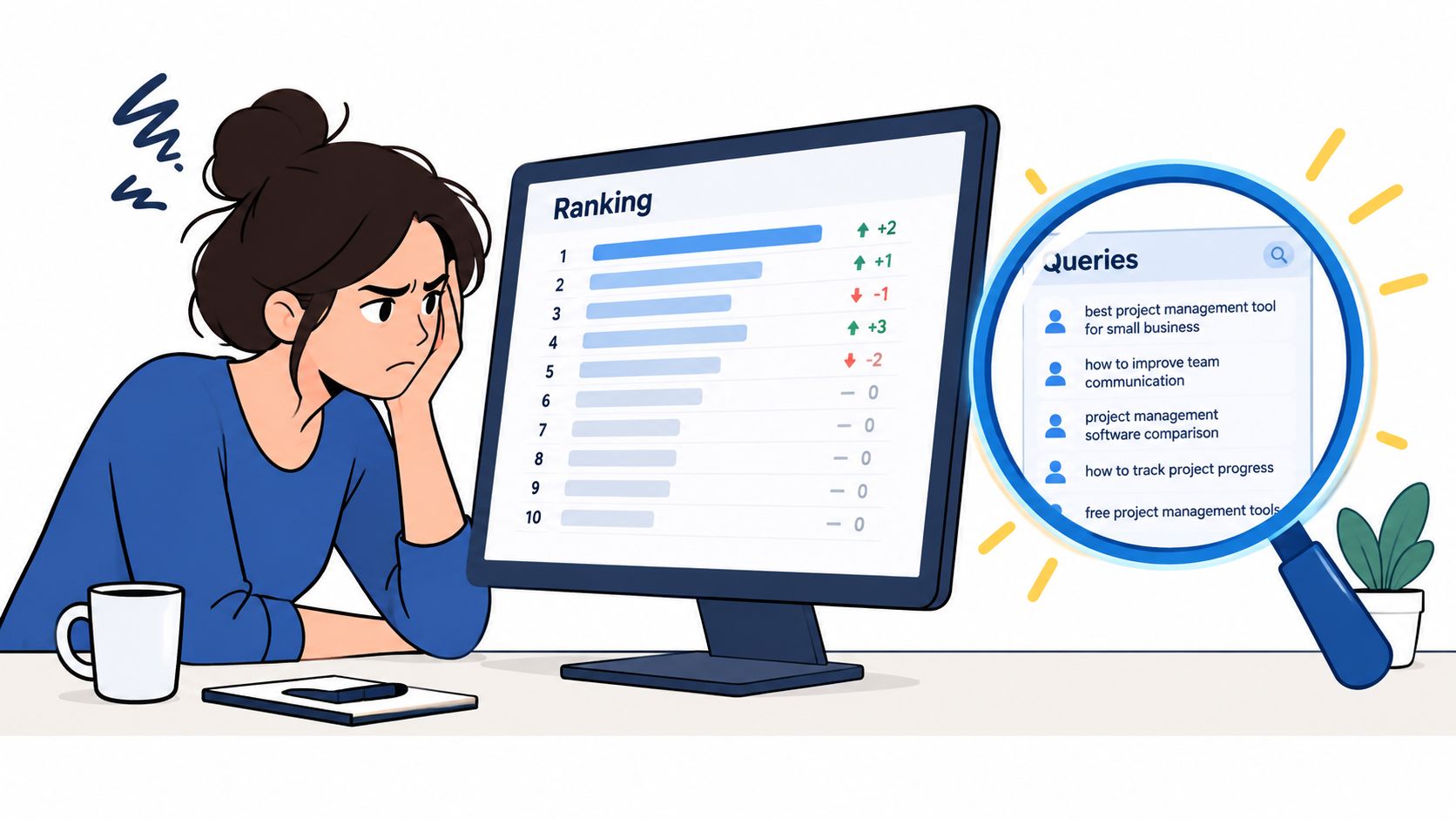
Rankings show status, queries show opportunity
Here's the familiar pattern. A team spends weeks building net-new content around terms pulled from a database. Meanwhile, an existing article already appears for a cluster of adjacent searches, but nobody notices because those queries weren't part of the original keyword map.
That's where GSC changes the workflow:
It reflects actual association: Google is already connecting your page to specific searches.
It exposes hidden relevance: pages often rank for variations, modifiers, and question formats nobody planned for.
It reduces speculation: you don't need to debate whether a topic fits your site. Search Console already shows if it does.
Practical rule: If a page already earns impressions for a query family, optimize that page before you create a new one on the same topic.
This matters even more in messy SERPs
Modern search results are crowded. Click behavior gets distorted by rich results, AI answers, local packs, and zero-click experiences. If you're trying to understand that environment, broad keyword databases only get you so far. Your own query data is cleaner because it shows where your site still gets seen, even when users don't click.
If you're trying to interpret those lower-click, high-visibility situations, this guide on how to win visibility in zero-click search is worth reading alongside your GSC analysis.
The practical payoff is simple. When you start with Search Console queries, you usually find content refreshes, title rewrites, internal linking fixes, and intent mismatches faster than you find true greenfield topics. That's cheaper work, and it usually moves sooner.
How to Use Google Search Console for Keyword Research
A familiar scenario. A page gets steady impressions, the rank tracker says little has changed, and traffic still feels flat. Open Search Console and the picture gets sharper fast. You can see the exact queries Google is testing, which URL is attached to them, and whether the problem is visibility, click-through, or page fit.
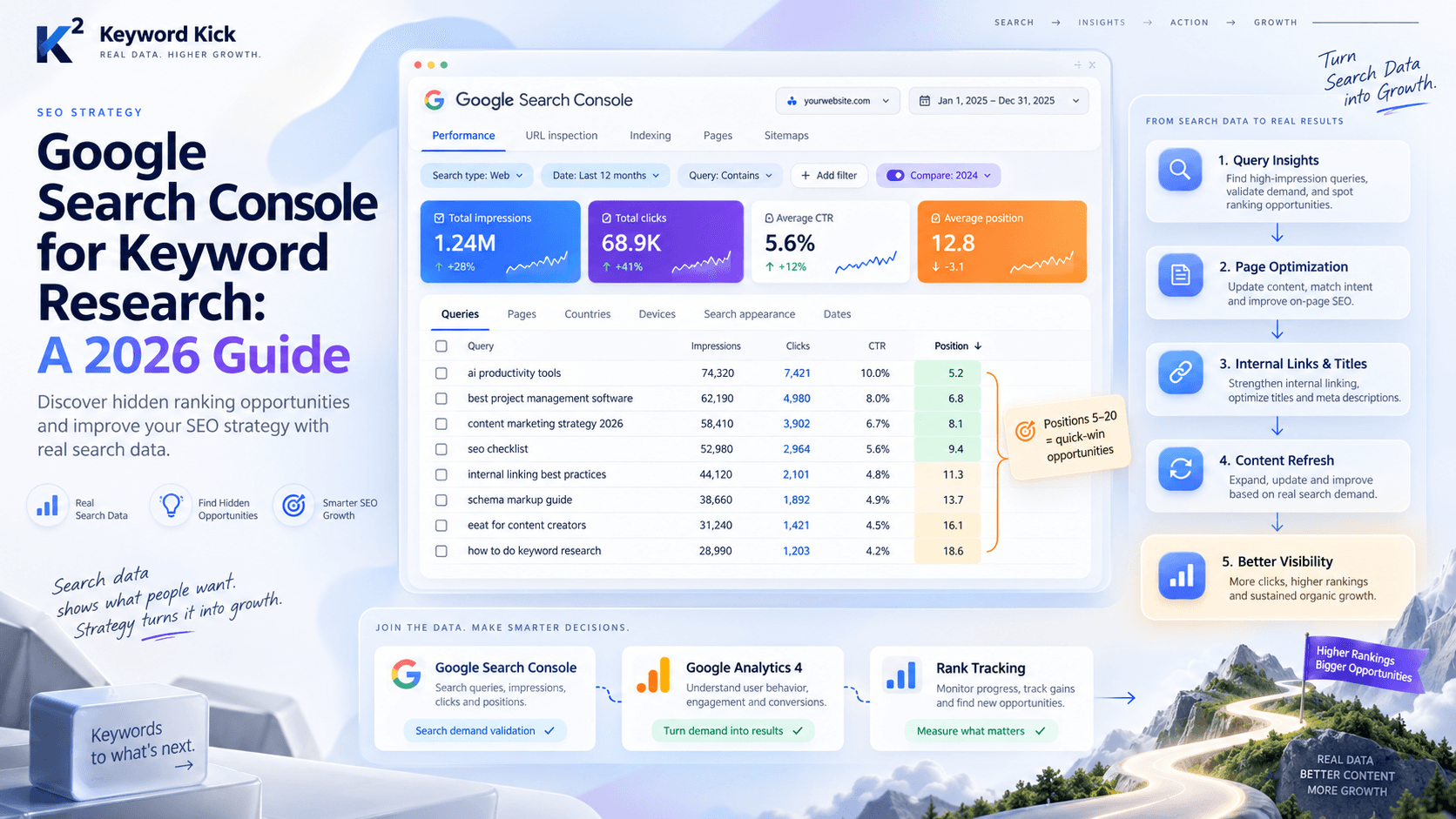
Start in Performance > Search results. Turn on all four metrics so every query has context:
Total clicks
Total impressions
Average CTR
Average position
Then work from Queries first.
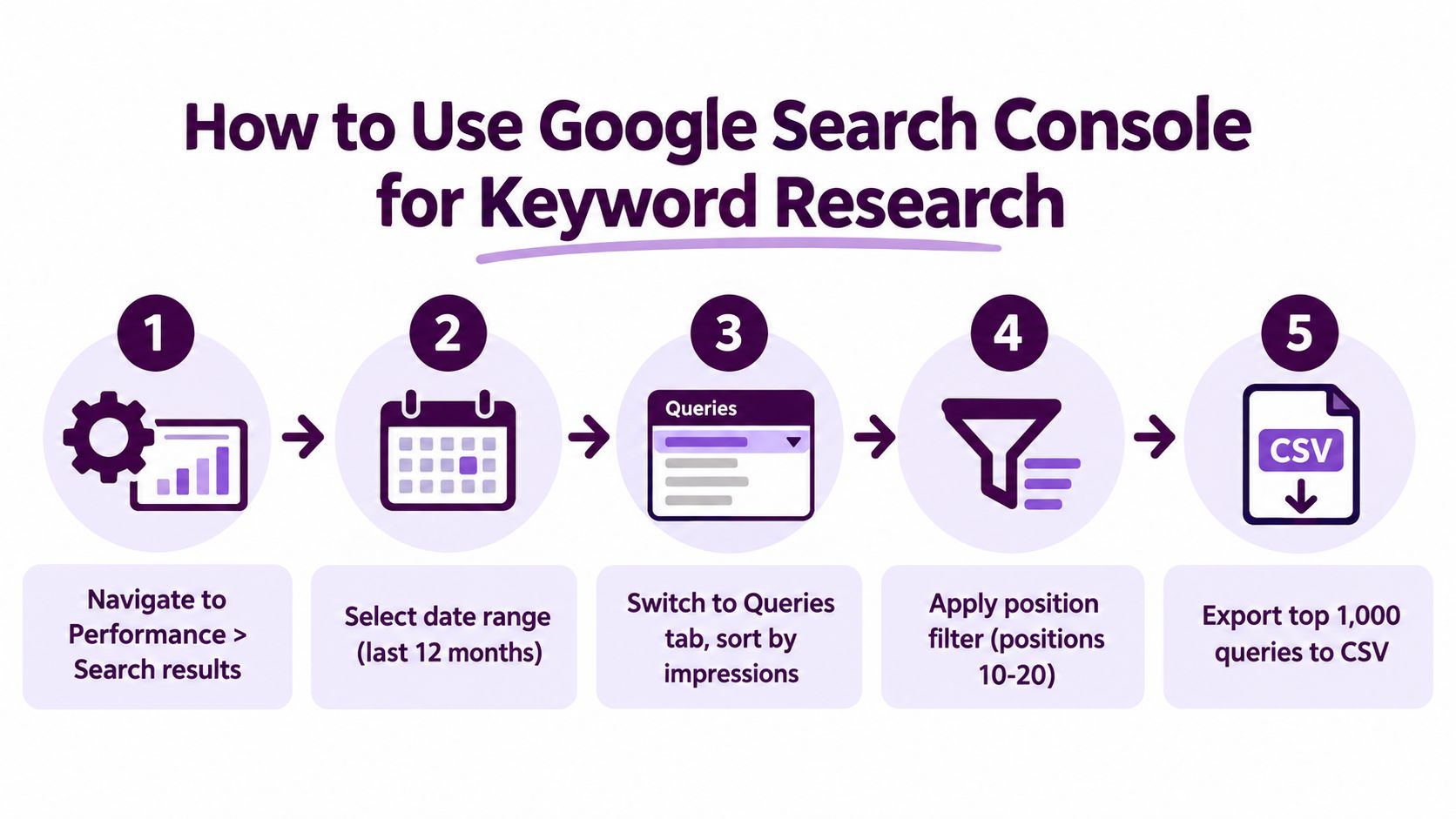
That order matters because keyword research in GSC starts with language people used, not with the URL you hope should rank. Pages matter after you spot a query pattern worth acting on.
The setup I use before judging anything
Keep the report simple:
Widen the date range enough to smooth short-term noise.
Sort queries by impressions to find terms Google already associates with the site.
Scan modifiers such as “best,” “how,” “vs,” “for,” brand terms, and problem-led wording.
Use compare mode if the goal is to find movement, not just totals.
Click into Pages only after a query looks promising.
Sorting by impressions first changes the kind of opportunities you find. Clicks mostly show what is already working. Impressions show where Google is giving you a chance but has not fully rewarded the page yet.
How to read a query without guessing
One query on its own is rarely enough. Check it against the page that earned the impression.
If a term has strong impressions, weak CTR, and a middling position, I usually review the title tag, the first screen of copy, and whether the page format matches intent. If a term has rising impressions but the wrong URL is showing, that is usually a content architecture problem. The fix might be stronger internal links, a clearer primary topic on the right page, or consolidation if two pages are splitting relevance.
This is the part many teams skip. They export keywords, label them, and stop there. GSC is more useful when every query review ends with a page decision.
Use period comparisons to spot change that matters
The compare view is where Search Console starts acting like a research tool instead of a reporting screen. Compare a recent period with the previous one and look for three things:
queries gaining impressions
queries losing clicks while impressions hold
pages attracting new variants you did not target on purpose
Those patterns often lead directly to work. Ecommerce teams usually find category pages picking up product modifiers, compatibility terms, or comparison phrasing. Content teams often find articles drifting into adjacent intent, which can be a good expansion signal or a sign the page needs tighter positioning.
If you work on Shopify stores, this RankEngine guide for Shopify SEO is a useful companion because it applies the same GSC process to collection pages, product templates, and merchandising constraints.
Read all four metrics together
Each metric answers a different operational question:
Impressions: Is Google surfacing this page for the query?
Clicks: Does the query already produce visits?
CTR: Does the snippet earn the click it should?
Position: How much room is there to improve without needing a new page?
Used together, these metrics tell you what to do next. Rewrite the snippet. Expand the section that matches the query. Add supporting internal links. Split or merge pages if intent is mixed. Export the winners and join them with GA4 later to check whether those queries produce engaged sessions, conversions, or just empty traffic.
That is the practical use of Search Console for keyword research. It is not a scorecard. It is a source of real search language tied to URLs your site already owns.
Filtering and Prioritizing Queries Like a Pro
Pulling query data is easy. Building a short list that deserves work is where most SEO teams stall.
The cleanest approach is to filter for queries with visible demand and near-page-one positioning, then validate which page ranks for them. A practical GSC workflow is to compare the last 28 days against the prior 28 days, focus on positions 5 to 20, sort by impressions instead of clicks, and prioritize terms with at least 500 impressions and average positions around 6 to 12 because those often produce the fastest wins, according to this GSC keyword workflow breakdown.
The signals that deserve attention
Three patterns tend to matter most:
High impressions and mid-range position: Google already sees your page as relevant, but it hasn't fully committed.
Strong impressions and weak CTR: your snippet may be underselling the page, or the query intent may not match the page format.
Query growth attached to the wrong page: Google may be ranking a page that isn't the best asset on your site for that topic.
The mistake I see most often is treating queries as isolated keywords. They're not. They're attached to a URL, a device context, a country, and a specific SERP environment.
Read queries in relation to pages
Once a query looks promising, click into it and inspect the associated page. Then flip the workflow and click the page tab to see what else that URL ranks for. That tells you whether you're looking at:
a page that needs deeper coverage
a title and meta rewrite
a content consolidation issue
an internal linking problem
a wrong-intent page that happens to rank anyway
If you can't explain why a specific page ranks for a query, don't optimize yet. First confirm that Google picked the right URL.
How to Read GSC Query Signals for Keyword Research
Signal pattern | What it usually means | Recommended action |
|---|---|---|
High impressions, position just off page one | Relevance is established, but the page likely needs stronger targeting or better support | Refresh the page, tighten headings, expand subtopics, add internal links |
High impressions, low CTR, decent position | Searchers see the result but don't find it compelling | Rewrite title tag and meta description, align snippet with intent |
Growing query impressions across period comparison | Google is testing broader visibility for the page | Add sections that directly answer the rising query variants |
Multiple similar queries tied to one page | The page has topic authority around a cluster, not just one term | Optimize around the cluster instead of forcing one exact-match phrase |
Promising query tied to the wrong URL | Cannibalization or weak page hierarchy | Rework internal links, merge overlap, or clarify which page should rank |
Query performs differently by country or device | Intent changes by market or screen context | Localize content or improve the page experience for the stronger segment |
A sharper prioritization rule
When in doubt, prioritize in this order:
Queries with clear business relevance
Queries in striking distance
Queries with enough impressions to justify the work
Queries mapped to pages you can improve quickly
That last part matters. The best keyword opportunity is often the one your team can act on this week, not the one that looks most exciting in a spreadsheet.
Where Google Search Console Falls Short
A common failure point looks like this. A team exports top queries from Search Console, sees a few wins, then starts treating the report like a full keyword universe. That leads to thin planning. GSC is strong for improving visibility you already have. It is weak for discovering demand you do not touch yet.
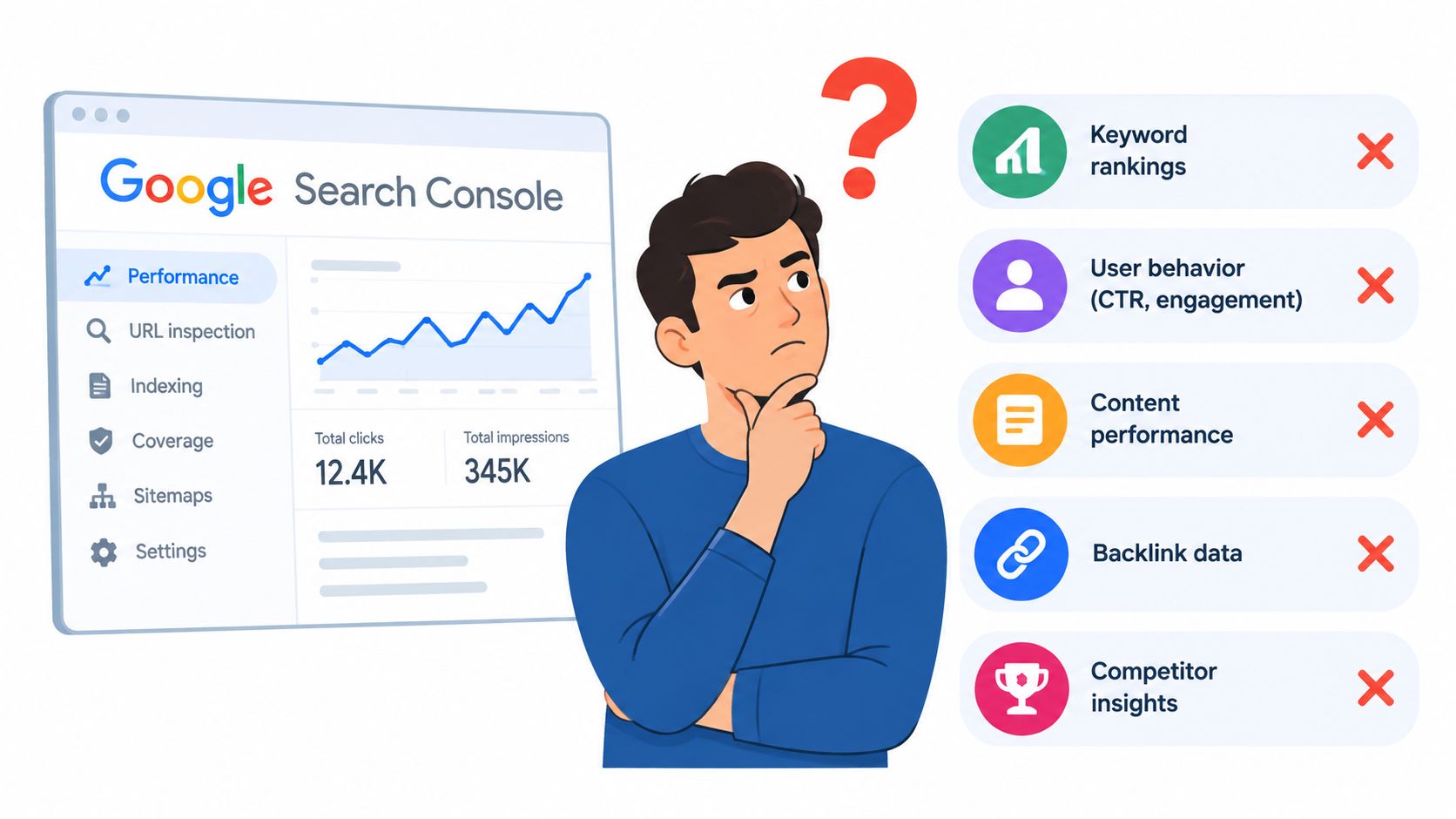
What GSC doesn't give you well
Search Console reports your site's search performance. That sounds obvious, but it shapes every limitation in the tool.
No true market demand metric: impressions show how often your site appeared, not how much total demand exists for a topic across Google.
Limited query access in the UI: the interface only exposes a slice of your data, so large query sets are harder to mine without exporting.
Freshness limits: very recent performance is not always fully available, which makes same-week trend reading less reliable.
Property bias: if your site has little or no visibility on a subject, GSC gives you very little to research.
Those limits matter in practice. A page can look like a strong opportunity in GSC because it has rising impressions, while the broader topic may still be too small, too competitive, or poorly aligned with revenue. The opposite also happens. A category with major commercial value may barely appear in Search Console because the site has not earned enough visibility yet.
Where another dataset does the job better
Use GSC for questions tied to existing traction. Use other sources for questions about market size, competitor coverage, and new topic discovery.
Examples:
Competitor gap analysis: Search Console cannot show the terms a competing domain ranks for if your site does not appear there.
Early-stage topic expansion: if you are entering a new category, you need outside data to build the first topic map.
SERP analysis: GSC will not tell you whether a query is dominated by video packs, local results, shopping units, or forum threads.
Geographic demand comparisons: country filtering helps after you have visibility, but it does not replace broader trend research.
Google's own documentation reflects that split. Search Console is built to help site owners review clicks, impressions, pages, and queries for their verified property, not to function as a full market research tool in the way broader trend sources do, as Google explains in its Performance report documentation.
The right mental model
Treat GSC as a keyword evidence source, not a keyword universe.
That distinction changes the workflow. Search Console helps identify queries worth improving on pages that already rank. A different dataset is still needed to size new opportunities, check competitor coverage, and understand the SERP before assigning work. In agency settings, that usually means GSC starts the list, then GA4, rank tracking, and a planning system decide what gets shipped first.
Joining GSC With GA4, Rank Data, and Workflows
Keyword research doesn't help much if it stops at export. Value comes when query data joins page performance, conversion behavior, and an actual work queue.
That join usually starts with a simple export from Search Console. Pull query and page data, then organize it so each row answers three things: what people searched, which page ranked, and what happened after the click.
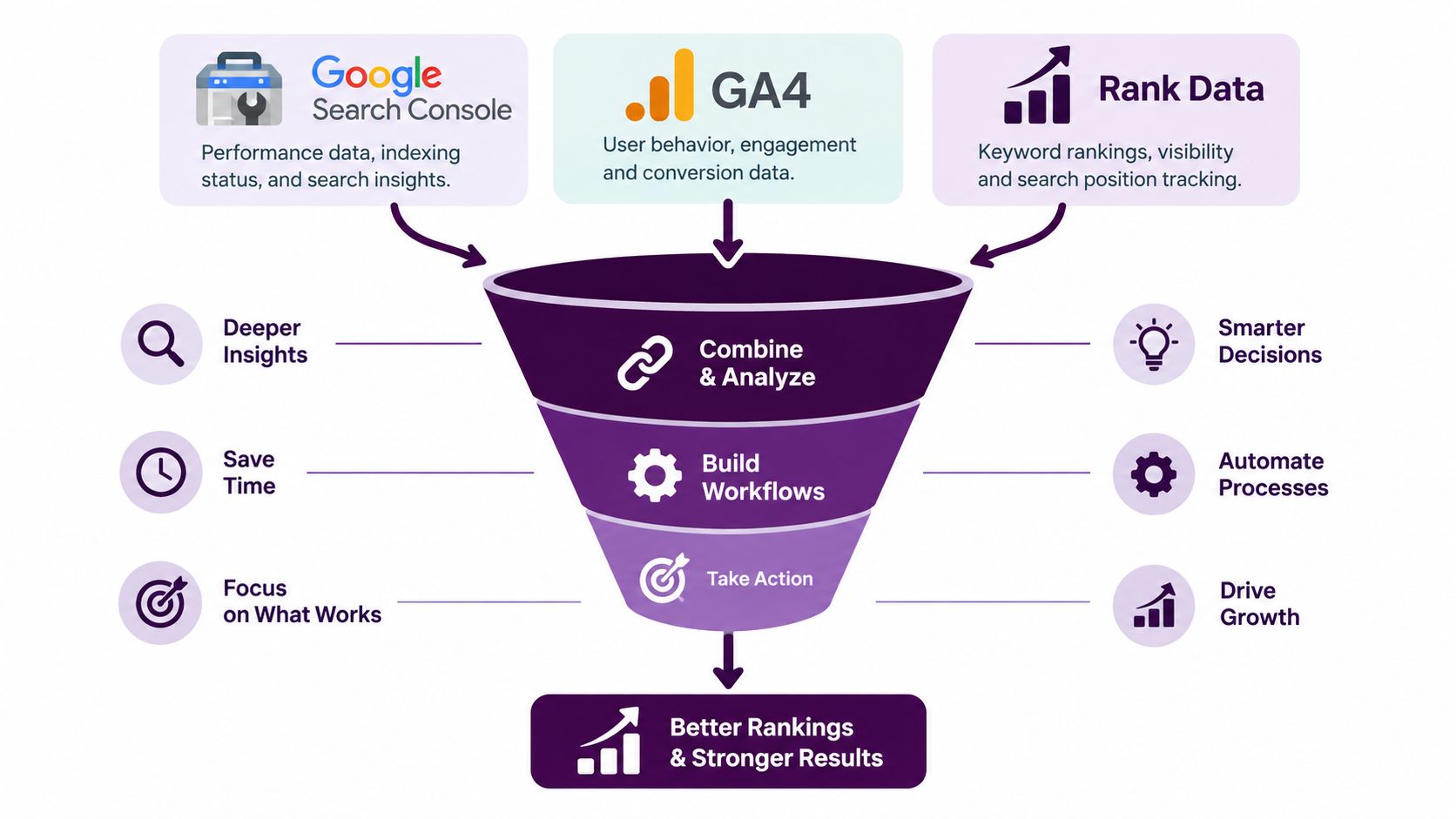
The join that makes GSC actionable
Search Console gives you query-side visibility. GA4 gives you page-side engagement and conversion context. Rank tracking gives you cleaner monitoring for target terms over time.
A practical workflow looks like this:
Export from GSC: pull queries, pages, clicks, impressions, CTR, and position.
Join with GA4 landing page data: check whether pages attracting promising queries also engage users or support conversions.
Layer in rank tracking: monitor the terms you've decided to push so changes don't disappear into a monthly spreadsheet.
Push into a planning system: assign an owner, recommended action, and review date.
For teams building a more automated operating model, this repeatable AI SEO workflow is a useful reference because it focuses on turning raw SEO inputs into repeatable actions rather than one-off analysis.
What agencies should standardize
Agencies usually struggle less with analysis than with consistency. Different client teams pull different date ranges, export different columns, and define “opportunity” differently.
The fix is a standard intake sheet. For every shortlisted query, include:
Target query or cluster
Current ranking page
Optimization type
Business relevance
Priority level
Review window after publish or update
That creates a bridge between SEO strategy and production. Writers know what to update. Account managers know what was approved. Analysts know what to measure later.
What in-house teams should centralize
In-house teams often have the opposite problem. They have GSC, GA4, a rank tracker, maybe a content calendar, and no shared view of what matters now.
A central dashboard helps, whether you build it manually or use a platform that combines the sources. If you're designing that reporting layer, this guide to a website analytics dashboard for growth teams is useful for deciding what should be visible to marketers and stakeholders.
One option in that stack is Keyword Kick, which connects Google Search Console, GA4, rank tracking, backlinks, and technical SEO signals so teams can analyze pages and queries in one workspace instead of passing CSVs around.
The best keyword workflow is the one your team can repeat without rebuilding the spreadsheet every month.
Building a Repeatable Keyword Research Workflow
The strongest Search Console process isn't complicated. It's scheduled.
If you only open GSC when traffic drops, you'll use it as a panic tool. If you review it on a fixed cadence, it becomes a prioritization engine.
A cadence that works in real teams
Use a weekly pass for spotting movement and a monthly pass for deciding what to ship.
Weekly review
Check recent query movement: compare the most recent period against the previous one and flag rising or slipping query clusters.
Look for page-level shifts: identify URLs earning impressions for new modifiers or question phrasing.
Add quick fixes to the queue: title rewrites, internal links, FAQ additions, and heading updates belong here.
Monthly review
Refresh the striking-distance list: focus on terms close enough to improve with an update rather than a full content build.
Review new content candidates: only after existing-page opportunities are worked through.
Measure impact of last month's changes: use before-and-after comparisons on the affected page and query set.
Separate quick wins from strategic bets
Not every query deserves the same treatment.
Quick wins usually involve:
Snippet improvements
Section expansions
Internal linking
Intent alignment on existing pages
Longer-term moves usually involve:
New category or topic pages
Consolidation of overlapping content
Localization for country-specific demand
Broader topic cluster planning
That split matters because it keeps teams from treating every keyword as a content brief. Many of the best GSC opportunities don't need a new article at all.
Build the workflow around decisions, not exports
A durable process answers these questions every cycle:
Which queries already show demand for our site?
Which pages are closest to meaningful improvement?
What exact action should happen next?
Who owns it?
When do we review the result?
If you're expanding this into a broader system, pair Search Console analysis with a stronger long-tail research process so your existing data and net-new topic discovery work together. This guide on a long-tail keyword research workflow fits well into that second layer.
And once your queue gets large, automation starts to matter. A lot of teams use task routing, alerting, or campaign systems from broader stacks, so reviewing a list of top marketing automation tools can help if your SEO recommendations keep stalling before implementation.
The important shift is this: stop treating Google Search Console for keyword research as a one-time report. Treat it as a recurring source of validated demand, page-level evidence, and prioritized updates your team can ship.
Keyword Kick helps teams turn Search Console query data into action by connecting GSC, GA4, rank tracking, backlinks, and technical SEO signals in one place. If you want a clearer view of which pages to optimize first, which queries are within reach, and how to stop managing SEO through disconnected exports, visit Keyword Kick.