You just reported a snippet win in Slack, shared the screenshot, and moved on. Three weeks later a client checks the same query on their phone, sees a competitor in the box, and asks what happened. You don't know when it changed, whether it ever showed on mobile, or whether it brought a single extra click. That's not a tracking problem you fix with more screenshots. It's a logging problem. Learning how to track featured snippets properly means building a time series you can defend, then judging every win by what it did to clicks and conversions.
The Log Fields Every Snippet Check Needs
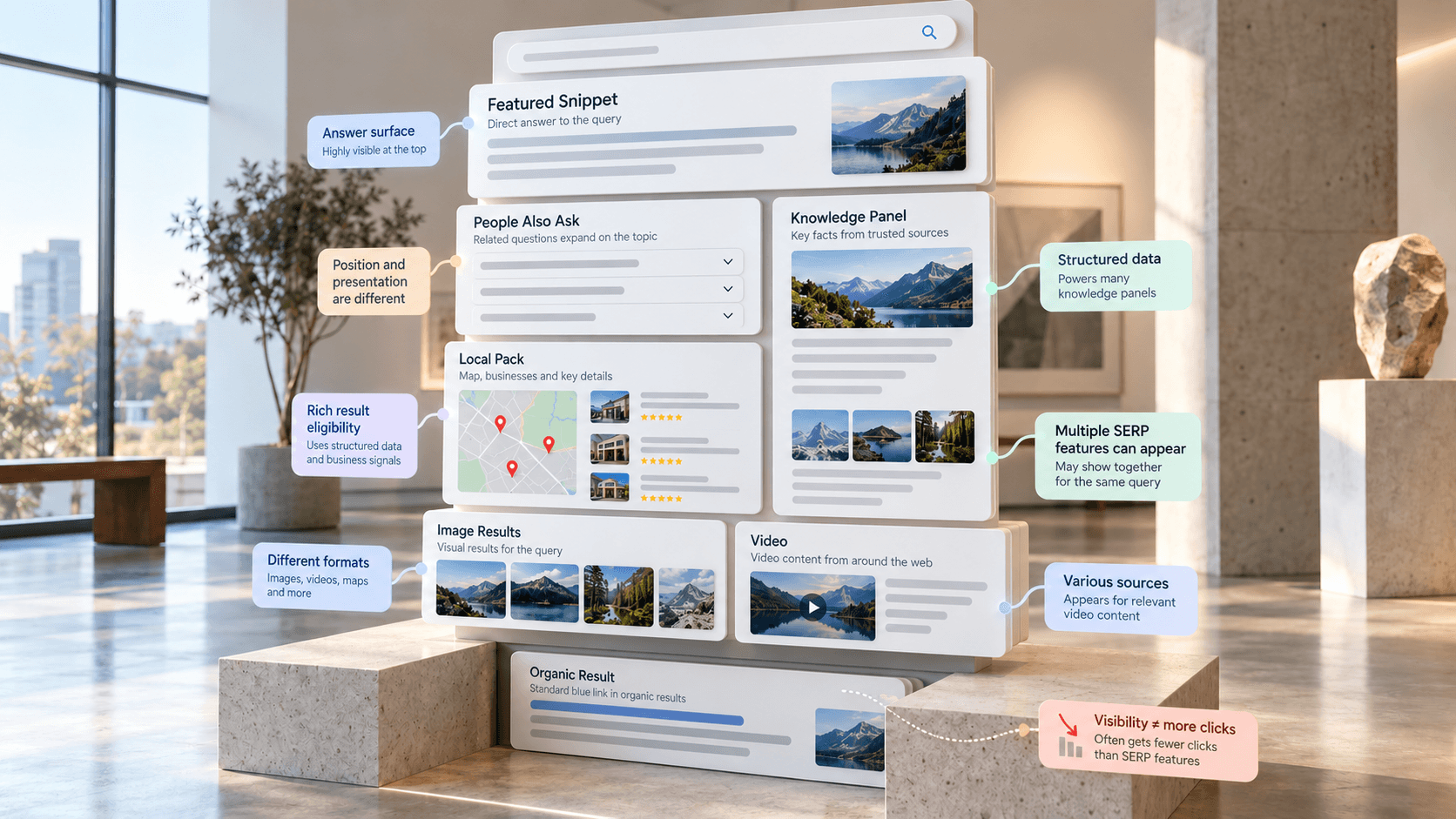
The one-screenshot mistake is common because a snippet looks stable when you catch it. It isn't. Google can change the source, presence, and format for the same query, and desktop and mobile often disagree. Google's own featured snippet help documentation describes the box as a per-search selection, not a permanent award. With AI-era answers taking more room in some results, a smaller snippet footprint is a reason to log more carefully, not to count ownership and relax. A snippet that no longer changes clicks is a label, not a win.
Copy These Fields Into Your Spreadsheet
| Field | What to record | Why it matters |
|---|---|---|
| Check date and time | Exact timestamp with time zone | Lines up snippet changes against releases and traffic dates |
| Location and language | Country and interface language | Snippets differ by market, so one country isn't the whole picture |
| Device | Desktop and mobile as separate rows | A mobile-only snippet is a different opportunity from a desktop one |
| Snippet present | Yes or no | Separates a lost snippet from a query that never had one |
| Snippet type | Paragraph, list, table or video | Shows which format Google picks, so you know what to rewrite |
| Snippet owner URL | Full URL supplying the answer | Identifies the page you need to beat |
| Snippet owner domain | Root domain of the owner | Reveals rotation when several sites take turns |
| Your organic rank | Position of your target URL | Tells a snippet loss apart from a ranking loss |
| Target URL elsewhere on page | Yes or no, with the section if yes | Shows whether another passage on your page could take the slot |
| Destination anchor | Passage the click scrolls to, if any | Confirms whether readers land on the answer or the page top |
| Screenshot reference | File name or link to the rendered SERP | Lets you verify a disputed entry later |
Practical rule: If there's no screenshot next to the row, treat the entry as an opinion, not evidence.
Don't trim the fields that feel tedious. The owner domain is how you spot rotation you'd otherwise read as a permanent loss. The device field stops you reporting a mobile-only snippet as a sitewide win. The destination anchor tells you whether the click you worked for lands the reader on the answer. Keep a "no" row when the box is absent, because repeated absences are evidence too. Keep the rendered SERP screenshot beside each row; when a stakeholder disputes an entry weeks later, the screenshot is the only way to settle it.
How to Build a Query List Worth Watching
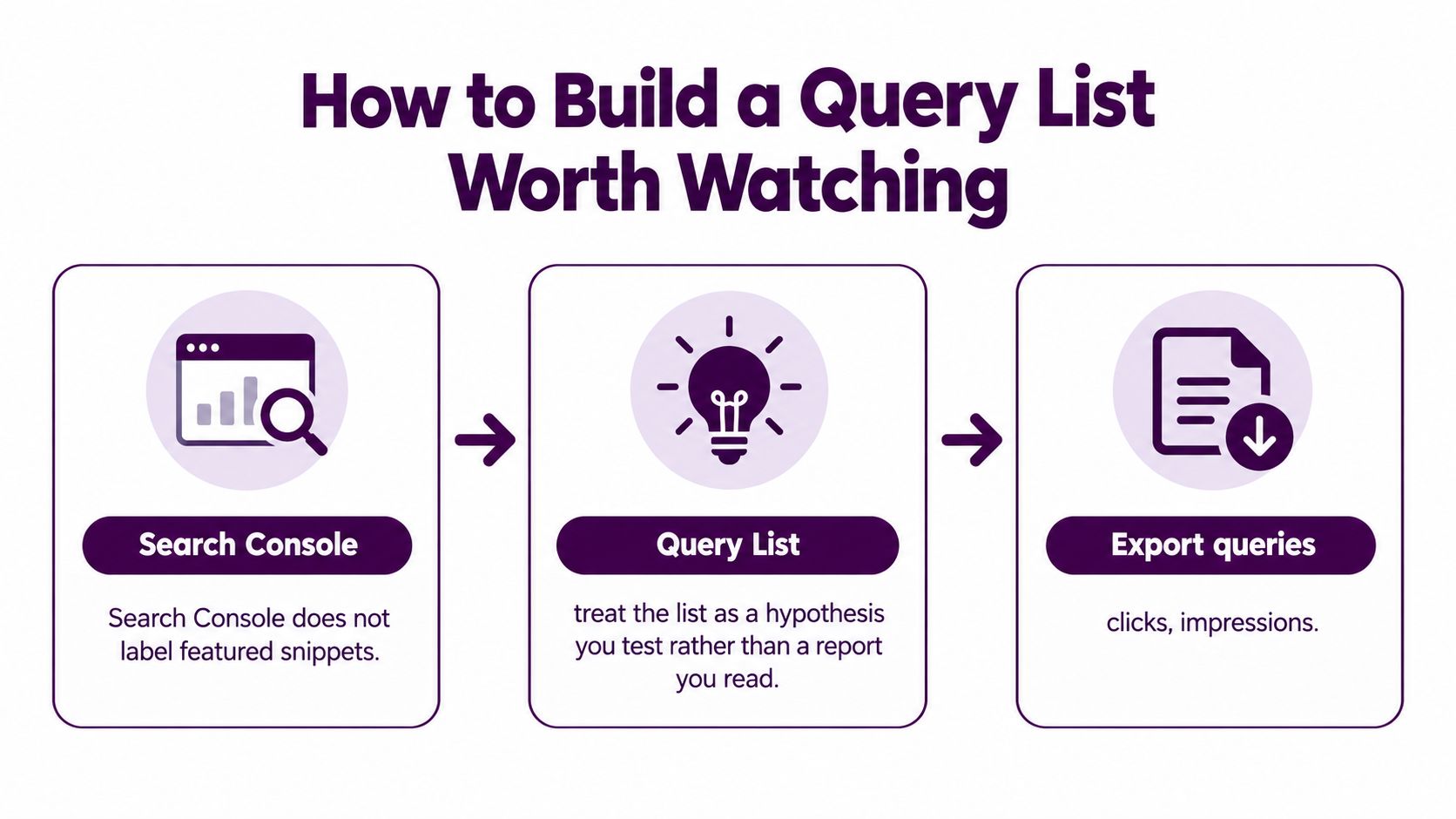
Search Console doesn't label featured snippets anywhere in its reports. That means your query list isn't something you extract, it's a hypothesis you test. You nominate the queries most likely to trigger a snippet, log them, and let the checks confirm or refute the guess.
Six Steps to a First List
- Export what you already earn: Pull queries with clicks, impressions, and average position for the last 90 days from the Performance report, filtered by page. If you're building the underlying keyword process from scratch, start with solid SEO research advice from Keyword Kick.
- Keep the question-shaped queries: Retain those starting with how, what, or why, plus ones containing best, cost, or steps. They're the most likely to trigger a snippet.
- Group by target page: Give each page its own short list so you can tie snippet status to one URL's traffic later.
- Filter by position, but loosely: Keep queries where the page sits in positions 1 to 10, and add question queries in positions 11 to 20 with strong impressions. A page just below the top ten can still take the slot.
- Tag intent for every query: Mark it definition, procedure, comparison, or transactional. You'll need that split later, because an answer-complete definition behaves nothing like a commercial query.
- Cap the first pass: Hold it to 50 to 100 queries per site. A list nobody can check weekly is worse than a short one that gets checked.
Drop queries earning fewer than a few dozen impressions a month. Even if the snippet changes hands, the traffic shift will be too small to read reliably, and those rows just add noise to your monthly review.
Run the Check on a Fixed Schedule
Checking whenever someone remembers produces a log full of gaps at exactly the moments that matter. Set the cadence by query type, because a head term that swaps owners fast shouldn't be on the same rhythm as a brand query that never moves.
| Query type | Recheck cadence | Devices | Reason |
|---|---|---|---|
| High-volume head terms | Every 1 to 2 days | Desktop and mobile | Ownership swaps happen fast on popular queries |
| Mid-volume commercial and procedural | Weekly | Desktop and mobile | Catches swaps without flooding the log |
| Long-tail informational | Every 2 to 4 weeks | Desktop and mobile | Low traffic, so a slower rhythm still shows trends |
| Brand and navigational | Monthly | Desktop and mobile | Snippets rarely change the click outcome here |
| Snippet loss in the last check | Next day, then daily for one week | Affected device only | Confirms a real loss versus a test or personalization artifact |
The Check Itself
- Set location, language, and device in your rank tracker. Don't use your personal browser, since your history and location personalize what you see.
- Run desktop and mobile separately. They're different result sets, not one check with two labels.
- Capture the full rendered SERP, not just the snippet box. You need the features around it to explain click changes later.
- Record the snippet type and owner URL using the log fields, plus whether your target URL appears elsewhere on the page.
- Test the fragment when one exists. Open the result and check whether the click scrolls to the passage or lands at the top, since Google may scroll to the exact text but can fall back to the page top when precise targeting is unavailable, per Google's developer guidance on featured snippets.
If a snippet changes between two checks on the same day, log both rows. Don't average them. The change itself is the finding.
Treat Search Console in this routine as your traffic and impression source, not a historical snippet log. Google selects snippets dynamically based on how well a passage answers the query, so ownership can move independently of your organic rank. Your log is the record. Search Console is the outcome data you validate it against.
Match Snippet Status to Clicks in Search Console
Owning the box doesn't automatically maximize traffic, so every status in your log needs a click reading beside it. Google describes the snippet as a special presentation where the descriptive answer appears before the traditional result, drawn from relevant page content, as covered in the documentation linked earlier. Your log can show five states that matter, and each calls for a different response.
| SERP state | Search Console signal | Action |
|---|---|---|
| You own the snippet | Position near 1, clicks at or above the position average | Defend it. Refresh the passage when facts or the question change |
| A rival owns it, you rank below | Position 2 to 5 with CTR well under the result above | Target it with a tighter answer passage, plus a list or table if the format suits |
| You own it but clicks fell | Impressions steady, clicks down across two comparable windows | Investigate the SERP for AI Overviews or other features answering first |
| You rank, no snippet exists | Position 1 to 3, no snippet on the log | Test a direct answer near the page top in the format Google favors |
| You dropped out of the top 10 | Impressions and clicks fall together | Diagnose ranking first. The snippet question comes after |
Confirm the Reading Before You Act
Filter the Performance report to the single query, then compare the 28 days before and after the snippet change. If that workflow is new to you, work through getting started with Google Search Console first so your filters are clean.
Then judge CTR against the right yardstick. The honest benchmark is what that query earned at the same organic position before the snippet, or what similar queries earn at that position today. A snippet win can underperform a plain top ranking for definitional questions, because the answer is already on the page and the searcher has no reason to click. That doesn't make the win worthless. It makes a raw ownership count worthless as proof. Watch branded and long-tail queries separately too, since intent and format shift what a healthy CTR looks like for each.
Close the loop in the log itself. Whenever a snippet is owned, record snippet status, organic rank, impressions, clicks, CTR, and landing page conversions in the same row. Status and outcome sitting together is what lets you say, with evidence, whether winning helped.
Spot Snippet Wins That Stopped Paying
A page can hold position 1 and the snippet for a how-to query for two months while its clicks drop by a third. Nothing changed on your side. The snippet answers the question completely, so the searcher never needs to click, and a generative answer now sits above you anyway. Your report says win. Your traffic says otherwise.
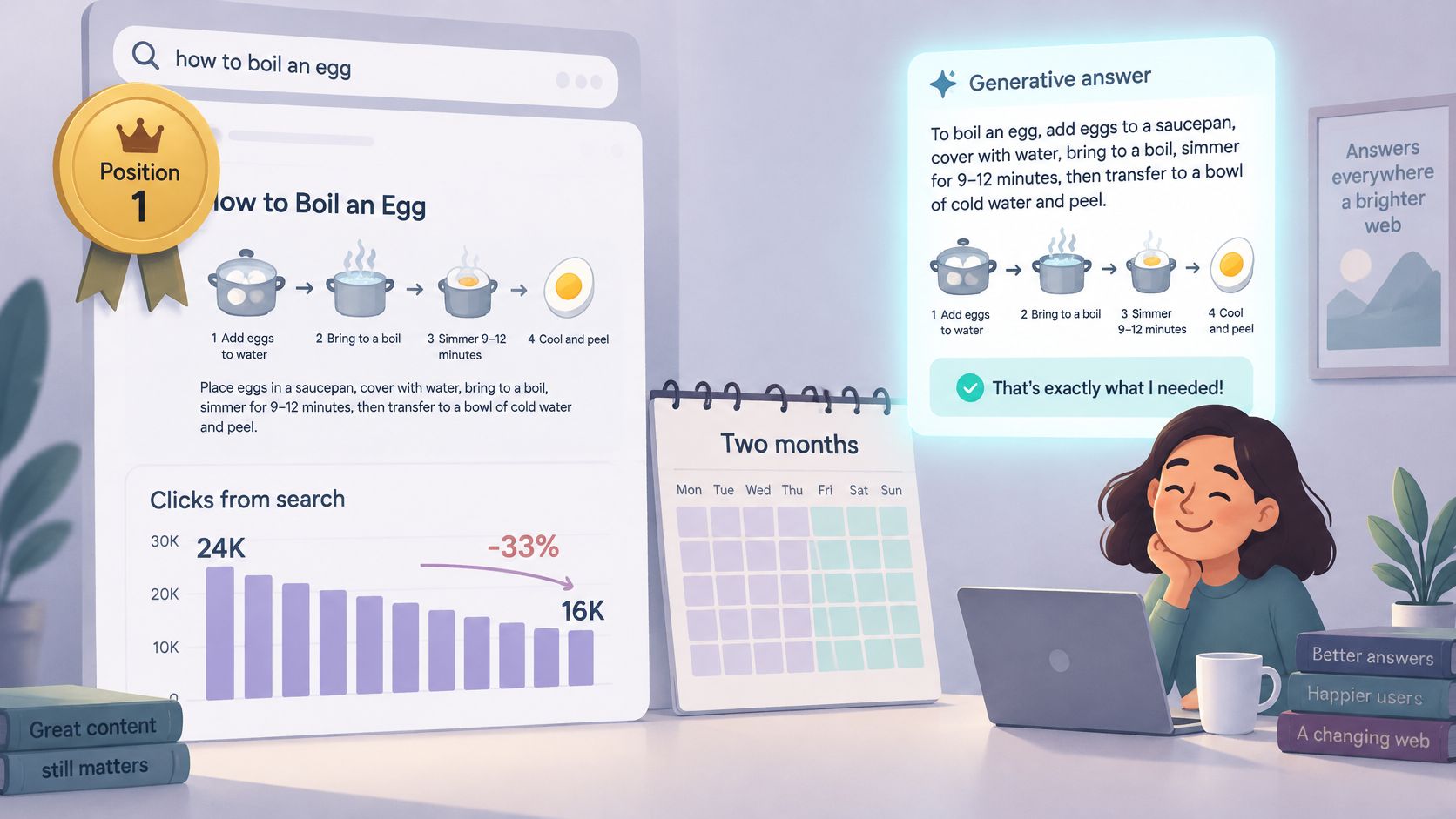
The wider context makes this worse, not better. A July 2025 analysis of 1 million U.S. desktop SERPs found featured-snippet visibility fell from 15.41% in January 2025 to 5.53% in June 2025, a 64% relative decline, according to SEO Madman's verifiable featured snippet research. The footprint is shrinking, so track your share of snippet-eligible queries rather than celebrating a raw count of wins. A falling count may just mirror the market.
Flag rule: Mark any owned snippet where clicks fall 20% or more across two comparable windows while impressions hold steady.
For each flagged query, open the live SERP and look above your snippet. AI Overviews, video packs, and image packs can all answer first and relegate you to decoration. Understanding how SERP features affect CTR makes that diagnosis faster. Then decide whether the query is answer-complete, meaning a short extracted answer fully satisfies it.
When it is, stop polishing the snippet. Move the effort to assets that go deeper than an answer box can, like comparisons, calculators, and templates people need to open. The point of the flag is simple. It stops you counting wins that stopped paying months ago.
Turn the Log Into a Monthly Snippet Decision
A log nobody reviews is just storage. Once a month, run the review as a short checklist and force a decision per query.
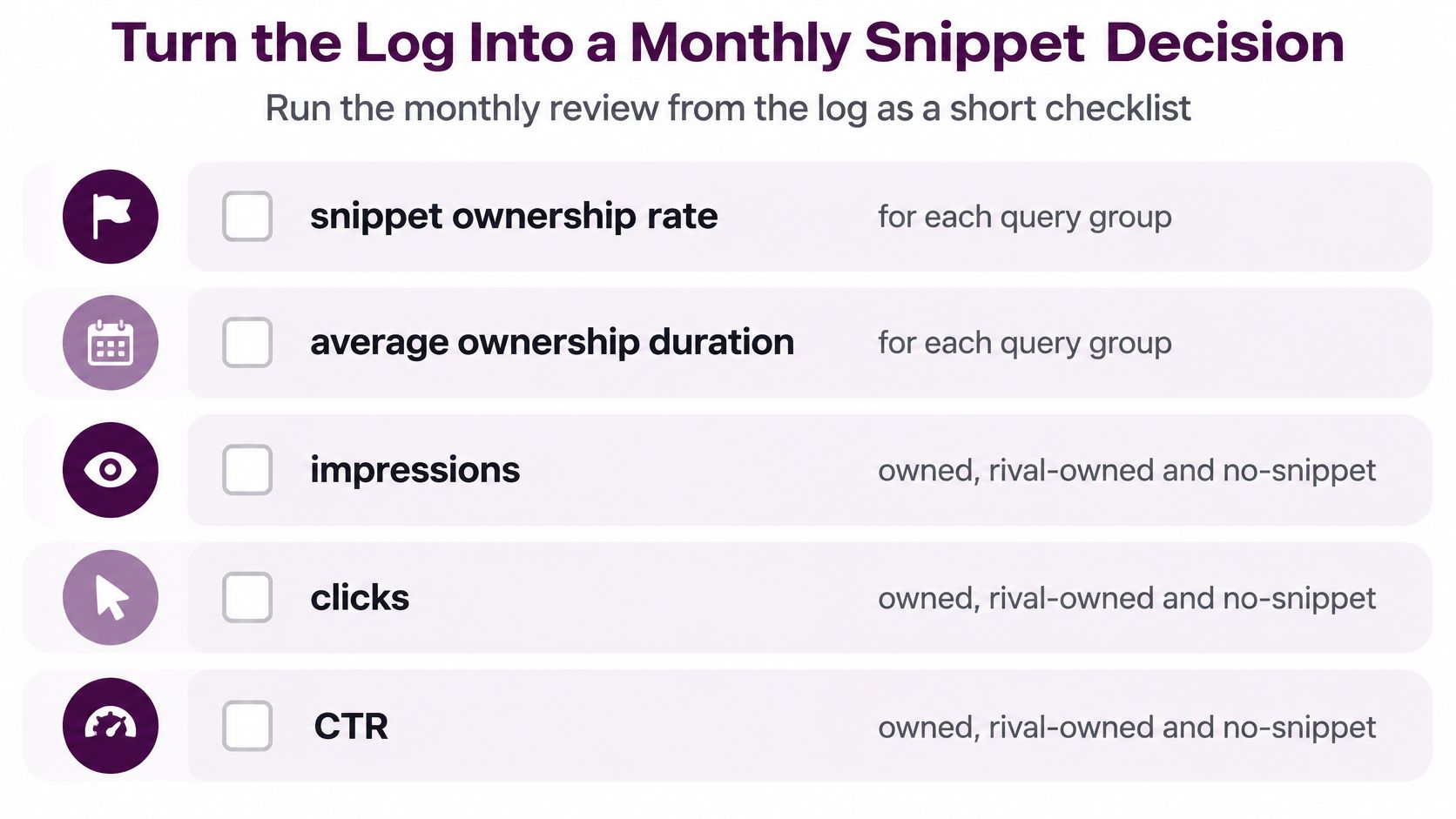
- Snippet ownership rate: The share of checks you owned, per query group
- Average ownership duration: How long wins last before rotating away
- Impressions, clicks, and CTR: Split by owned, rival-owned, and no-snippet queries
- Incremental clicks: Owned queries measured against comparable non-snippet queries in the same intent group
- Flagged queries: The count carried over from your win-that-stopped-paying check
Segment every line by intent, device, and market. A blended average hides a mobile loss behind a desktop gain, and you'll walk out of the review defending the wrong queries.
Assign One Decision per Query
- Defend where the owned snippet adds clicks over comparable non-snippet queries. Refresh the passage and keep it accurate.
- Target where a rival owns the snippet and your page sits in the top five. Add a tighter answer in the format Google already shows.
- Drop or deprioritize where you own the snippet, clicks don't move, and the query is answer-complete. Redirect the hours to deeper pages.
Don't anchor these calls to a single CTR benchmark. One recent comparison reports featured-snippet CTR at about 17.7% when no other SERP features are present, with historical estimates substantially higher, as noted in Improvado's guide to Google Search Console analytics. Benchmarks swing by era and query set. Your own before-and-after windows are the standard.
Start this week. Build the log with the fields from the first section, run the first check on your highest-impression queries, and put the monthly review in the calendar now. Keyword Kick's SERP feature tracking and Search Console connection keep the log and the review in one workspace, which removes the spreadsheet juggling that usually kills this habit.
Stop reporting snippet screenshots and start reporting snippet revenue impact. Keyword Kick connects your Search Console data with daily SERP feature tracking, so you can see which snippets you own, which ones you lost, and how each change affected your clicks. Set up your first tracked query list today and let your next monthly review run on evidence instead of guesswork.