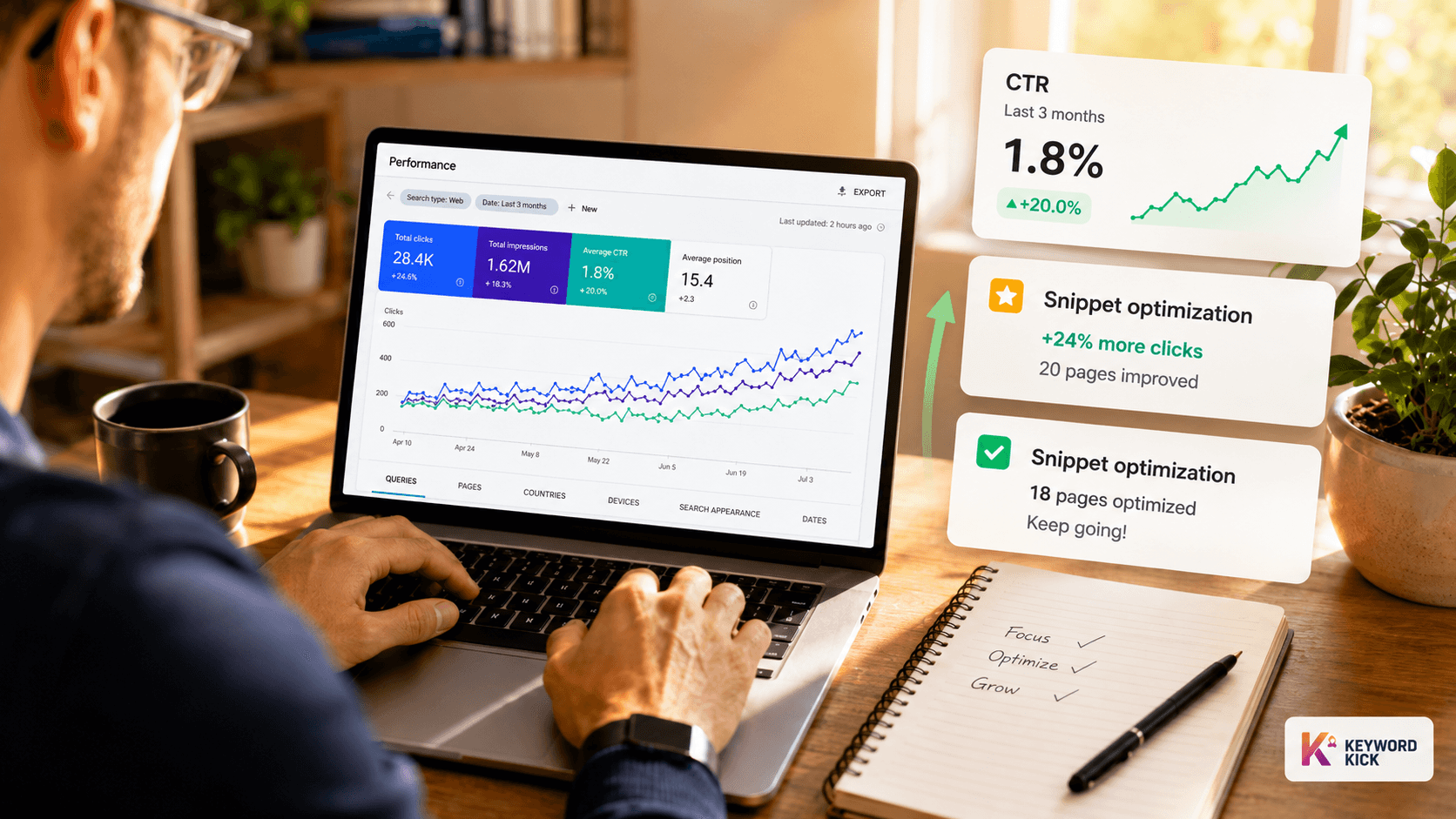
You're staring at Google Search Console, looking at a page with solid impressions and weak clicks. Rankings aren't terrible. The page is indexed. The content is decent. Yet traffic won't move.
That's the frustrating part of CTR work. Often, the problem isn't visibility. It's a packaging problem. The result shows up, but searchers choose something else.
The fix usually isn't “write better headlines” in the abstract. It's a process. Audit the actual baseline in Search Console. Prioritize the pages where a CTR lift matters. Rewrite snippets with intent in mind. Then test changes with enough data that you're not chasing noise. That's how to improve ctr in a way you can defend to a client, a VP, or your own team.
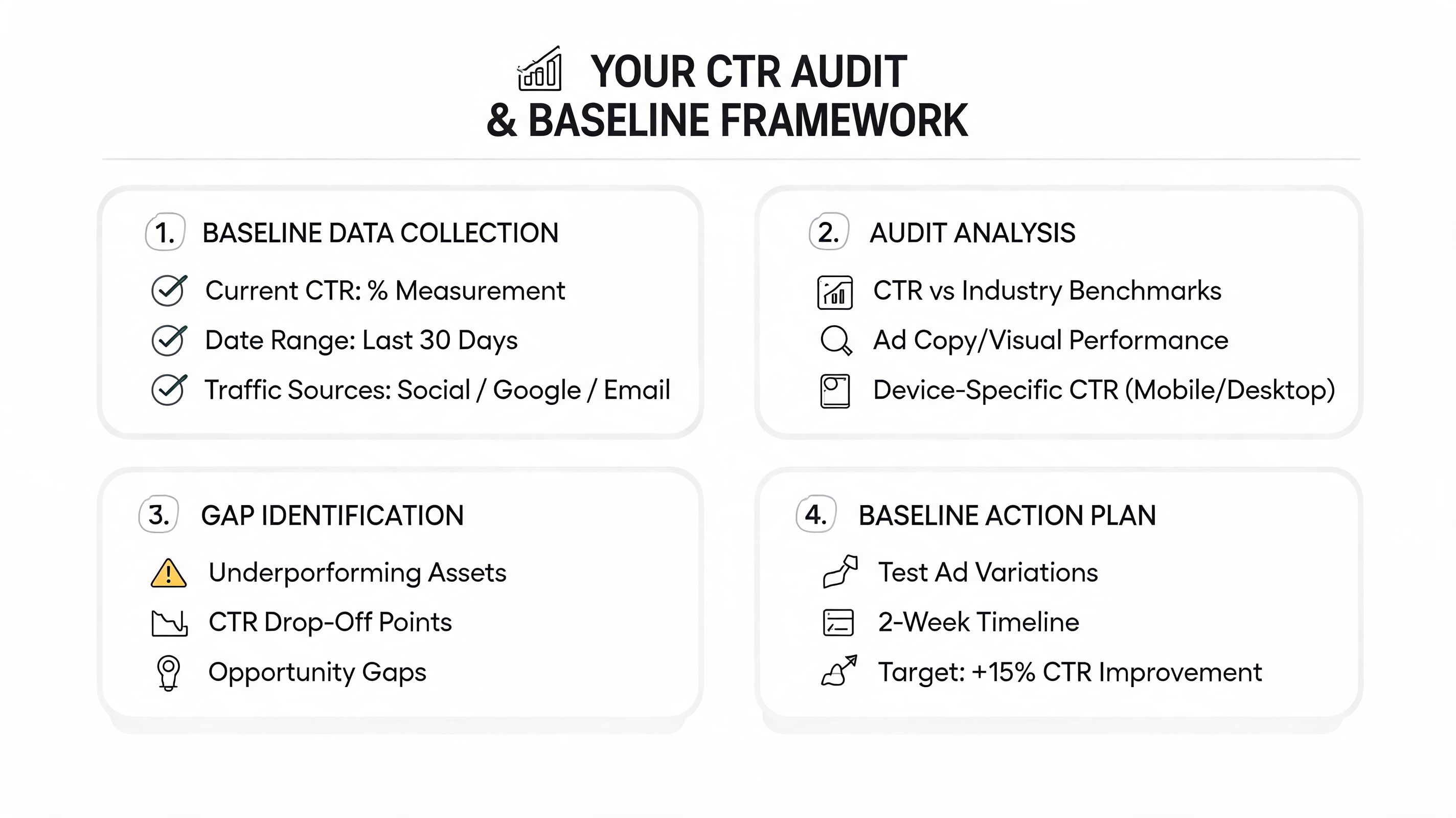
Your CTR Audit and Baseline Framework
Before you touch a title tag, lock down a source of truth. For organic CTR, that's Google Search Console. Not GA4 landing page traffic. Not rank tracking alone. Not a sitewide average pasted into a slide.
Use the Performance report and stay close to three dimensions: queries, pages, and countries. CTR only makes sense in context. A branded query, a product query, and a broad informational term don't behave the same way, even when they land on the same URL.
If your Search Console setup is messy, fix that first with this Google Search Console setup guide. Clean property handling matters because CTR analysis falls apart when teams compare mixed subdomains, wrong countries, or partial datasets. The same discipline applies if you also want to optimize LLM visibility, since both workflows depend on accurate search data and clean page-query mapping.
Start with the right GSC view
Open Search results, turn on Clicks, Impressions, CTR, and Position, then avoid the common trap of reviewing only the default chart.
Work through the data like this:
Page first: Export pages with meaningful impressions. Ignore pages with tiny exposure. They'll distract you.
Then query-page pairs: A page may have poor aggregate CTR because one high-impression query underperforms.
Then country splits: If a page serves multiple regions, your snippet may fit one market and miss another.
Then device patterns: Mobile and desktop SERPs often create very different click behavior.
Practical rule: Don't judge a page by sitewide averages. Judge it against pages with similar intent, similar query mix, and similar ranking range.
A lot of mid-level marketers skip that last part. They see a “low CTR” and assume the title is weak. Sometimes it is. Sometimes the query is heavily shaped by SERP features, a strong brand competitor, or intent mismatch that no clever copy will fix.
Build a baseline that reflects reality
Your baseline should be page-level and query-aware. I prefer a simple sheet with one row per target page and these fields: primary query cluster, dominant intent, top countries, average position band, current CTR, and notes on SERP features.
That notes column matters more than commonly assumed. If the query triggers FAQs, video results, a local pack, or a giant forum thread, your blue link is competing in a different environment than a clean ten-link SERP.
Use a recent date range, then compare it with a previous period only after you've validated that the page's query mix is stable. If the query mix changed, the CTR shift may have nothing to do with your snippet.
A useful sanity check is timing. Bloomreach notes that B2B audiences show higher engagement on Tuesday mornings, while consumer brands often see higher CTR on weekend evenings. For SEO, you won't “send” traffic like email, but you can still watch Search Console for recurring engagement windows and seasonal shifts in demand. That keeps your baseline grounded in actual audience behavior instead of one blunt average.
Here's the standard I use with teams: if you can't explain why a page's current CTR looks the way it does, you're not ready to optimize it.
Prioritizing Your Highest-Impact Pages
Random title rewrites feel productive. They usually aren't. CTR work pays off when you apply effort where impression volume, ranking potential, and business value overlap.
Most sites already have enough opportunity sitting in plain view. The problem is selection. Teams spend an afternoon polishing a low-impression blog post while a money page with heavy exposure keeps leaking clicks every day.
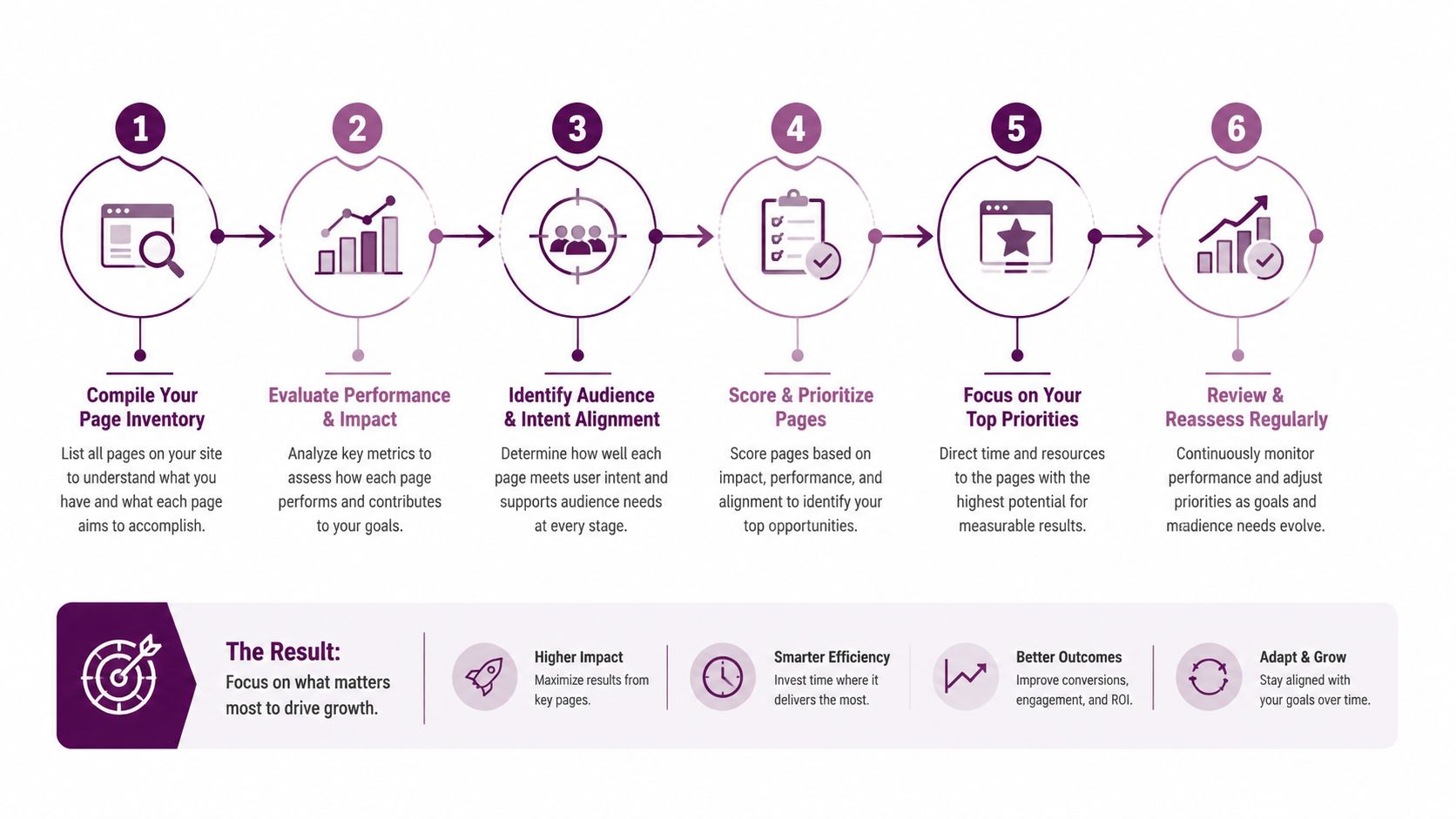
A practical way to build your queue is to combine Search Console with a quick-win workflow like this page 2 keyword opportunity guide. Pages already close to page one often give you better return than pages buried deeper, because the snippet has a realistic chance to influence traffic.
What deserves attention first
I'd sort opportunities into three buckets.
High-impression pages with weak CTR: These are the obvious wins. The page already has visibility, so snippet improvements can matter quickly.
Commercial pages with moderate impressions: Service pages, category pages, and product-led pages don't always lead the impression chart, but each additional click is more valuable.
Near-page-one pages: If a page sits just outside the strongest click range, a better snippet can help it capture more traffic while broader SEO work continues.
Don't over-prioritize vanity terms. A broad informational page can generate lots of impressions and still be the wrong first target if the business impact is low. Conversely, a category page with fewer impressions may deserve immediate work because every click has stronger commercial intent.
The best CTR opportunities are rarely the pages with the lowest CTR. They're the pages where better click capture changes the business outcome.
How intent changes priority
Many SEO workflows become sloppy by treating all low-CTR pages as copy problems. In practice, intent fit determines whether a rewrite has any chance of working.
A query like “best running shoes for flat feet” wants evaluation and comparison. A query like “buy men's trail running shoes” wants inventory and confidence. If both land on pages with generic, keyword-stuffed titles, they'll underperform for different reasons.
ParallelHQ notes that audience segmentation and personalization can increase email CTR by up to 15.6% and overall engagement by 14% or more, and that intent-based segmentation in organic search can produce comparable engagement lifts when titles and descriptions match user intent. That's the useful takeaway for SEO. Segment by searcher intent, not just by URL type.
A simple prioritization filter helps:
Priority signal | What it usually means | Action |
|---|---|---|
High impressions, low CTR, stable rankings | Snippet likely underperforming | Rewrite title and description first |
Moderate impressions, strong commercial intent | Fewer clicks still matter a lot | Prioritize even if volume is lower |
Mixed intents on one page | Snippet may be too generic | Tighten targeting or split content |
Strong rankings, weak click quality | Message may attract the wrong audience | Rewrite for relevance, not curiosity alone |
Pages that attract the wrong click aren't a win. If the title overpromises, you may improve CTR and still hurt downstream conversion. That's why prioritization has to include intent and page purpose, not just the raw metric.
Optimizing Your SERP Snippet for Clicks
A search snippet is ad copy with severe constraints. You don't have room for throat-clearing, weak modifiers, or broad promises. Every word has to signal relevance, specificity, and payoff.
Most underperforming snippets fail in one of three ways. They're too generic. They mirror the target keyword without adding value. Or they describe the page instead of selling the click.
Write titles that earn the click
The strongest title tags usually do two jobs at once. They confirm relevance fast, then add a reason to choose your result over the one above or below it.
That reason can be specificity, speed, clarity, freshness, use case, format, or confidence. But it has to be visible in the title itself.
Adleaks reports that headlines with numbers and emotional triggers can boost CTR by approximately 36%. That doesn't mean every title should become a listicle. It means specificity and emotional framing often outperform flat, generic wording.
Good patterns include:
Numbers with a concrete outcome: “7 ways,” “3 fixes,” “5 templates”
Problem plus promise: “How to fix,” “avoid,” “reduce,” “improve”
Audience qualifier: “for SaaS,” “for ecommerce,” “for beginners”
Format signal: “checklist,” “template,” “guide,” “examples”
A weak title:
SEO Tips for Ecommerce
A stronger title:
7 Ecommerce SEO Fixes That Improve Category Page Clicks
The second title is more specific, more directional, and easier to self-select into.
If you want a strong reference for writing tighter snippets, this Sight AI guide to SEO titles is worth reviewing. It's especially useful when you're trying to sharpen value propositions without turning every title into clickbait.
Make meta descriptions pull their weight
Google may rewrite your description. Write it anyway.
A strong meta description doesn't repeat the title in softer language. It adds the missing layer. Usually that's benefit, proof of scope, or a clear reason the page is useful right now.
I coach teams to write descriptions as if they're handling the buyer objection that appears one second before the click. Why this result? Why this page? Why now?
Use this structure:
Confirm what the page helps with
Name the angle or depth
End with a concrete benefit or next step
Example:
Learn how to improve ctr using Google Search Console, page-level prioritization, richer snippets, and simple SEO testing workflows.
That works because it tells the searcher what they'll get. No filler. No vague “complete guide” language.
If the title earns attention, the meta description should reduce hesitation.
For ecommerce and service pages, descriptions work best when they reinforce confidence. Mention product type, selection logic, use case, or service fit. For blog posts, use them to make the article feel more actionable than the other ten results.
A handy quality check is to run rewrites through a meta tags analyzer. Not because a tool writes better copy for you, but because it catches duplication, length problems, and weak snippet structure before the changes go live.
Before and after examples
Here are the kinds of rewrites that tend to work better in practice.
Page type | Before | After |
|---|---|---|
Blog post | How to Improve CTR | How to Improve CTR in Google Search Console With a Simple SEO Workflow |
Product page | Men's Trail Running Shoes | Brand | Men's Trail Running Shoes for Mud, Grip, and Long Runs |
Service page | PPC Management Services | PPC Management Services for B2B Teams That Need Clear Reporting |
Category page | Office Chairs | Ergonomic Office Chairs for All-Day Comfort and Home Offices |
Notice what changed. The improved versions don't just target a keyword. They tell the searcher what kind of result this is for them.
What usually doesn't work:
Keyword repetition with no value add
Empty adjectives like “best,” “ultimate,” or “amazing”
Clever headlines that hide the use case
Titles that promise one thing while the page delivers another
That last one matters most. If you want to know how to improve ctr sustainably, write the snippet for the click you want, not the click you can trick into happening.
Winning Clicks Beyond the Blue Link
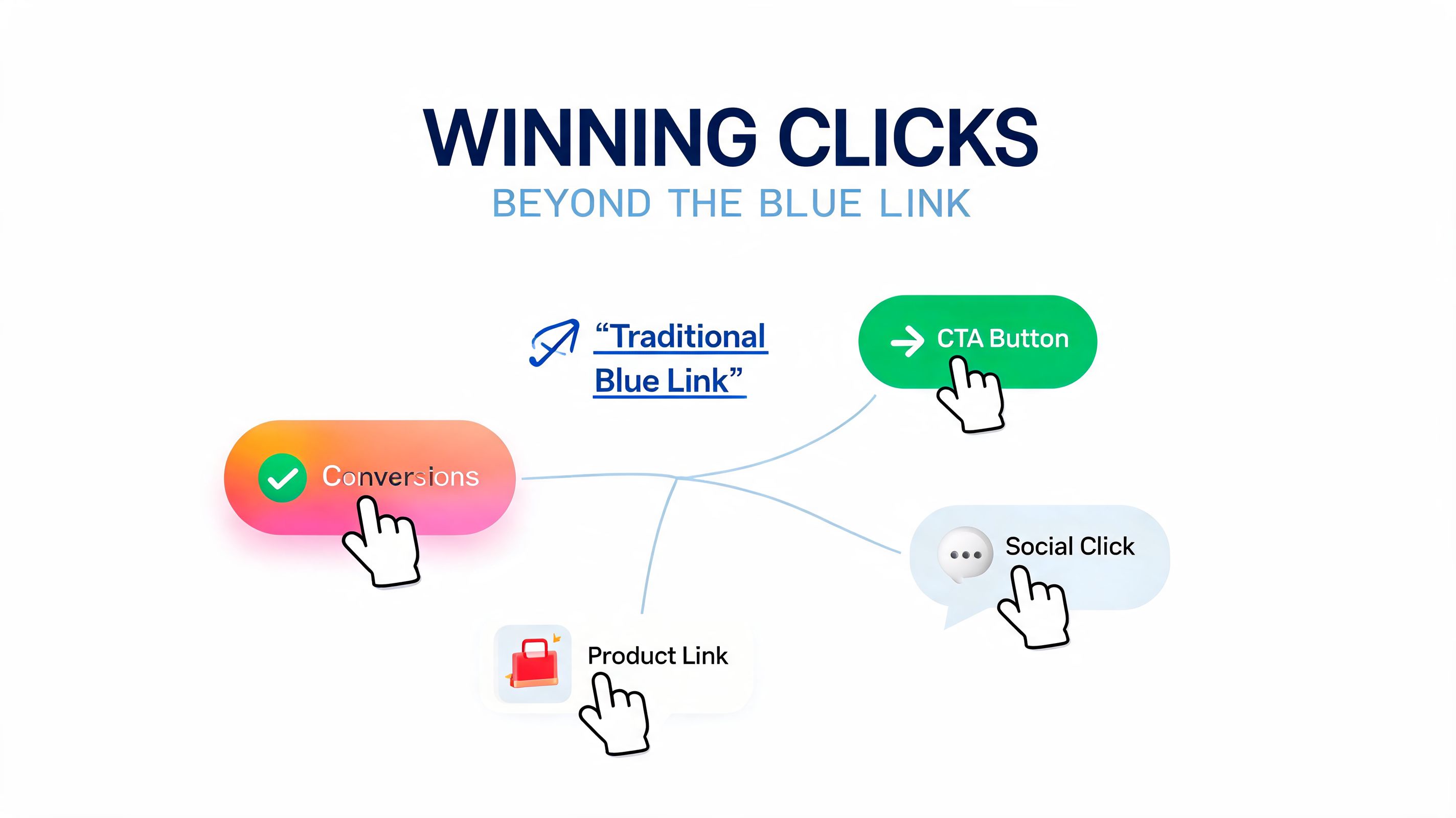
CTR doesn't live only in the title and description. In competitive SERPs, the result that wins attention often owns more space, answers more questions, or looks more complete before the user ever clicks.
That's where structured data, rich results, featured snippets, and question-led formatting start working together. You're not just trying to rank. You're trying to present the strongest result on the page.
Schema and rich results
Structured data is useful when it supports content that deserves enhanced presentation. The biggest mistake I see is teams adding schema mechanically and expecting Google to reward it. Markup helps search engines interpret the page. It doesn't rescue weak content.
The practical play is to align schema type with page purpose:
FAQ schema: Works when the page answers real follow-up questions that searchers commonly have.
Review schema: Best for products or pages with valid review content.
How-to schema: Useful for instructional content with clear, ordered steps.
Product schema: Supports pages where shoppers need price, availability, and product context.
Use schema where it clarifies the page and expands the snippet. Skip it where it adds technical overhead without improving the user's decision.
Featured snippets and PAA visibility
Featured snippets and People Also Ask visibility come from content structure as much as authority. Pages that win these placements usually make extraction easy.
That means:
A direct question in a heading
A concise answer immediately below it
Supporting detail after the short answer
Clean page structure that separates one intent from another
If you bury the answer in a long intro, Google has more work to do. If you answer too vaguely, another page with cleaner structure will often win.
Search engines favor pages that make answers easy to isolate. Users do too.
This is also where many sites create self-inflicted CTR problems. They target a broad keyword with one giant page, then mix definitions, comparisons, buyer guidance, and product angles into a single blob. That can rank, but it often produces a weak snippet because the page's purpose isn't obvious.
A better model is to map one clear search task to one clear page format. If the searcher wants a quick definition, answer it early. If they want comparison logic, create clear comparison blocks. If they want product confidence, surface proof and specifics.
The point isn't to chase every SERP feature. It's to make your result more useful before the click than a standard blue link can manage on its own.
Testing, Measuring, and Proving Your Impact
CTR work gets dismissed when teams can't prove what changed. That usually happens for one reason. They launch a batch of rewrites, glance at a short date range, see a small movement, and declare victory.
That isn't testing. That's hoping.
Run cleaner SEO CTR tests
You don't need expensive SEO testing software to improve CTR responsibly. Search Console is enough if you control the variables and stay disciplined.
Use a simple workflow:
Pick one page or a small set of similar pages.
Record the pre-change baseline for clicks, impressions, CTR, position, top queries, and country mix.
Change one major snippet variable at a time. Usually the title first.
Let the page reindex and collect enough data.
Compare the post-change period against the baseline.
That “one variable” rule matters. If you change title, meta description, on-page heading, intro copy, and internal anchor text in the same window, you won't know what influenced the result.
For CTR work, I prefer the order below:
First test titles when the page has strong impressions but underwhelming clicks.
Then test descriptions if the title feels competitive but the snippet still lacks persuasive detail.
Only after that consider larger content or intent changes.
What counts as enough data
Calling winners too early is one of the fastest ways to pollute your SEO process. RedTrack notes that industry standards require at least 1,000 impressions and 100 clicks per variation before making statistically confident decisions. That threshold exists for a reason. Small samples create false winners.
If you're testing email, the source also notes a minimum of one week or 1,000 opens per variation. In SEO, you won't always get clean split tests, but the principle is the same. Wait until the page has enough exposure to support a conclusion.
Here's the practical version:
Condition | What to do |
|---|---|
Impressions are still low | Keep collecting data |
Query mix changed sharply after the edit | Don't attribute the CTR shift only to the snippet |
Average position moved a lot | Treat the result as mixed, not clean |
Competitors changed titles at the same time | Document it before claiming impact |
Testing discipline: A better title isn't proven because CTR rose for three days. It's proven when the page has enough impressions, enough clicks, and a stable enough SERP context to trust the result.
There's another useful idea in the same source. Continuous iteration often produces 0.5% to 1% gains per round, which compounds over time when you apply the process consistently. That's exactly how mature SEO teams improve CTR. Not with one dramatic rewrite, but with repeated, measured upgrades.
Reporting the result without overstating it
Stakeholders don't need a lecture on statistical method. They need a clean explanation of what changed, why it mattered, and how confident you are in the outcome.
A strong report for CTR work includes:
The page tested
The exact snippet change
The baseline period
The comparison period
Any caveats, such as ranking movement or changed query mix
Your recommendation, keep, iterate, or revert
Here's a compact example of how I'd frame it in a client update:
Page Type | Hypothesis | Variation A (Control) | Variation B (Test) | Key Metric |
|---|---|---|---|---|
Blog post | A more specific title will attract higher-intent clicks | Generic keyword-led title | Benefit-led title with clear workflow angle | CTR |
Category page | Use-case language will improve snippet relevance | Broad category title | Category title with shopper context | CTR |
Service page | Industry qualifier will improve fit | Generic service label | Service title tailored to audience | CTR |
Product page | Specific product benefit will outperform branded naming | Product name only | Product plus key use case | CTR |
Keep the narrative tight. If results are mixed, say they're mixed. If position changes make the test hard to interpret, say that too. Nothing destroys confidence faster than an SEO report that claims certainty from messy data.
I also recommend saving a screenshot or export of the pre-change snippet and the post-change snippet. People understand CTR improvements faster when they can see the creative difference.
Common mistakes that distort the result
A lot of CTR reporting problems come from process mistakes, not analysis mistakes.
Watch for these:
Testing pages with unstable rankings: If the page is moving a lot, snippet performance is harder to isolate.
Using too broad a query set: Branded and non-branded queries should rarely be lumped together.
Ignoring country splits: A title rewrite that helps the US may do nothing in another market.
Optimizing for curiosity over fit: Higher CTR is meaningless if click quality drops.
Changing too many pages at once: It becomes impossible to trace what worked.
The cleanest wins usually come from pages with steady impressions, stable ranking ranges, and obvious snippet weakness. That's where SEO testing becomes operational instead of speculative.
If you want your CTR work to survive scrutiny, think like an analyst, not a copywriter chasing applause. Write sharp copy. But measure like someone who expects to be challenged on every conclusion.
Keyword Kick helps teams turn CTR analysis into action by connecting Search Console, GA4, rank tracking, backlinks, and technical SEO in one place. If you're tired of exporting data into spreadsheets just to figure out which pages to optimize first, Keyword Kick gives you a faster way to prioritize opportunities, investigate drops, and get clear next steps backed by your actual search data.