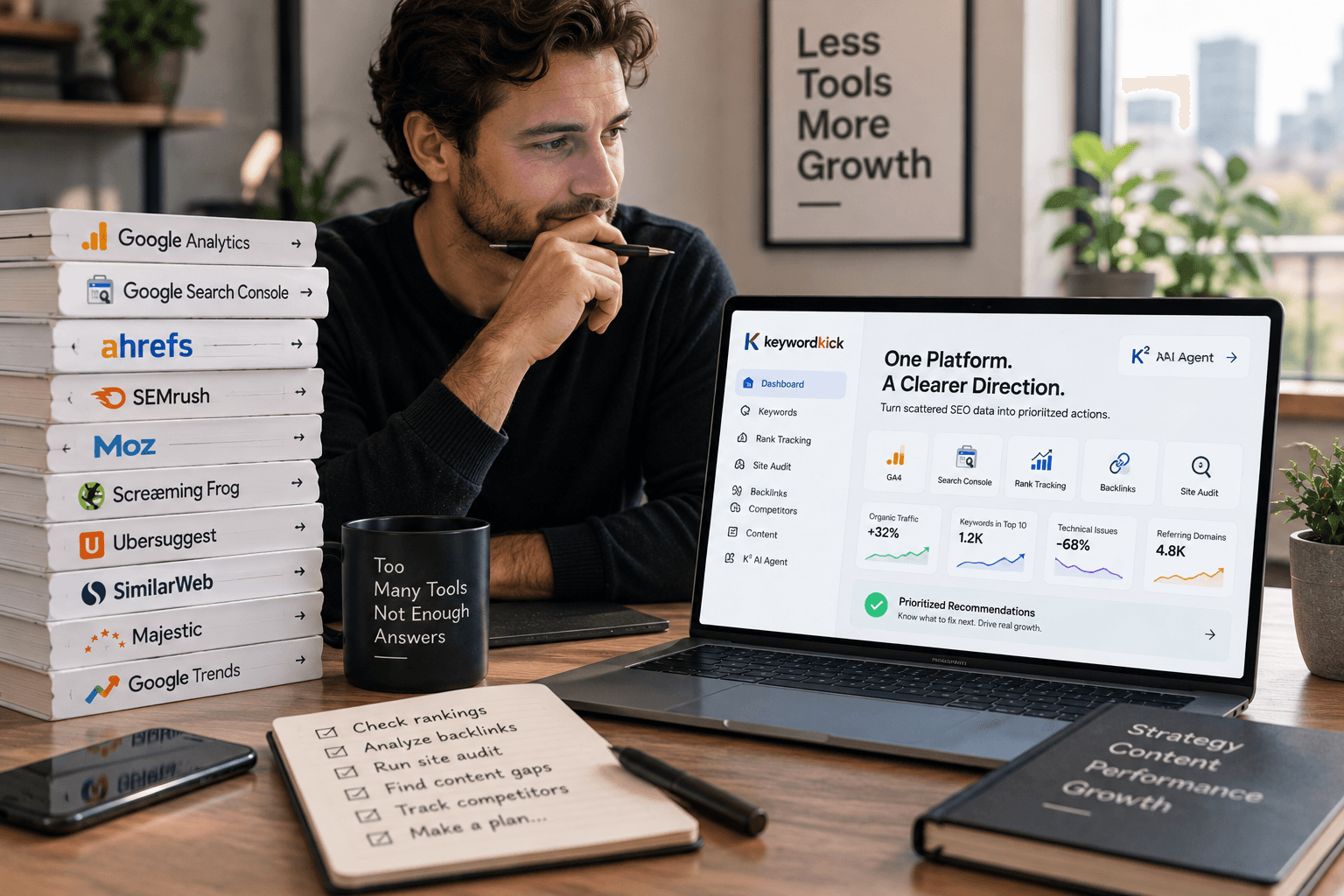
Stop overpaying for SEO software just because the loudest brands make it sound mandatory. If you're juggling keyword research, audits, rank tracking, and competitor checks on a small budget, you don't need an enterprise invoice to get real work done. The modern budget stack can start at $0 with tools like Google Search Console, Google Analytics 4, Google Trends, and Bing Webmaster Tools, then layer on low-cost platforms only where they earn their keep, which is why practical buyers increasingly compare tools by workflow instead of badge value, as Kraken Socials' budgeting guide would put it. The smartest move is building a stack that addresses the essentials without paying for overlap.
1. Keyword Kick
A small team can burn through budget fast when keyword data sits in one tab, audits in another, and rank tracking in a third. Keyword Kick keeps those jobs in one place. It combines keyword research, rank tracking, backlink analysis, site audits, competitor intelligence, and SERP feature tracking, so you can move from “what changed?” to “what needs attention?” without stitching together exports. The K² AI Agent is the main point of difference. It reads GA4, Google Search Console, rankings, backlinks, and technical signals, then turns that mix into prioritized recommendations.
Practical rule: Use Keyword Kick when the problem is not data access, but deciding what to do first.
That matters because a cheap stack becomes expensive when each tool gives you a different answer. Keyword Kick reduces that friction by unifying inputs before analysis, which helps agencies, in-house teams, freelancers, and e-commerce operators who need a working queue rather than another dashboard. Its cannibalization detection, with six conflict types, also helps you catch internal competition before it drags down a page.
For e-commerce teams, the workflow matters as much as the price tag. The Keyword Kick Shopify integration guide shows how to tie SEO priorities back to store performance, which is useful when product pages, collections, and content all compete for attention. That kind of context is hard to get from disconnected point tools.
The pricing is clear for this category. There is a Free Forever plan with no credit card, then paid tiers starting at $49/month for Starter, followed by Pro at $119/month, Business at $249/month, and Enterprise at $599/month. The free and lower tiers still have limits on tracked keywords, audits, messages, and queries, so growing sites will outgrow them. The upside is budget clarity, which makes planning easier than with many modular stacks. For buyers comparing it with legacy suites, the value is not only the lower entry cost, it is the reduced friction of having analysis and prioritization in the same place.
A few things stand out in practice:
Use it when you need prioritization: The AI Agent is recommendation-first, which helps if your team needs direction more than raw data.
Connect the core systems first: GA4 and Search Console power a lot of the insight, so the value improves once those are wired up.
Expect manual execution: The platform tells you what to fix, but you still need normal publishing and implementation workflows.
If you want a broader explanation of how keyword targeting fits into the research process, Ascendly Marketing's keyword research guide is a useful companion read. For teams that want one affordable platform closer to decision-making than basic reporting, Keyword Kick makes a strong case.
2. SE Ranking
SE Ranking fits the brief when you need a wide SEO suite without moving into enterprise pricing. It covers daily rank tracking, site audits, keyword and competitor research, on-page work, and reporting, so an agency team or lean in-house group can keep more of its workflow in one place. The value is straightforward, it handles several tasks that smaller teams revisit every week.
It is especially useful for structured client work. Scheduled exports, reporting workflows, and local, desktop, and mobile rank tracking make it easier to explain movement to stakeholders, not just inspect charts. That is why it sits comfortably in the middle of the affordable range. It gives smaller teams enough breadth to stay organized without forcing them to pay for modules they may never use.
If your team needs one platform for recurring reporting, SE Ranking is easier to justify than a stack of disconnected point tools.
The trade-off is that the value shifts with the number of projects, keywords, and seats you need, because limits change by tier. The pricing page can also be awkward to access from some regions or browsers, which becomes annoying during a purchase review. A detailed SE Ranking review from Keyword Kick is useful if you want a second opinion on how it compares with other budget suites.
For many buyers, SE Ranking works best as the middle layer in a stack. While not the cheapest option on this list, it can replace several smaller subscriptions if your workflow depends on regular rank tracking, competitive monitoring, and clean reporting. That makes it a strong fit for consultants who need to show progress clearly, and for SMB teams that need enough depth to manage multiple sites without moving up to the biggest names in the market.
3. Mangools
Mangools is the easiest platform on this list to recommend to newer SEOs, bloggers, and freelancers who want a clean UI more than they want a giant database. Its five-tool bundle, KWFinder, SERPWatcher, SERPChecker, LinkMiner, and SiteProfiler, keeps each task focused. That design is a real advantage when you're trying to move quickly between keyword ideas, rank movement, and light backlink checks.
The standout here is simplicity with intent. KWFinder helps surface lower-difficulty keyword opportunities, while SERPWatcher and SERPChecker keep rank monitoring and SERP analysis understandable without a steep learning curve. If you're helping a smaller site choose content topics, the platform's layout makes it much easier to vet ideas fast, which is exactly what many solo operators need.
You do give up depth. Mangools is not the tool I'd choose for heavy backlink analysis or very large research programs, and lower tiers come with daily query limits that can frustrate agencies or aggressive content teams. Still, for people who want to avoid bloated enterprise interfaces, that limitation is often acceptable because the workflow stays fast and approachable.
A useful way to think about Mangools is as a “focus tool.” It doesn't try to be everything, and that restraint is part of the value. If your SEO work is mostly around finding realistic keywords, monitoring a handful of sites, and checking who you're competing against in the SERP, Mangools can be enough on its own or as a research layer beside a broader platform.
4. Serpstat
Serpstat fits teams that need broad SEO coverage without paying for a bigger brand name just to get the basics. It combines keyword research, site and competitor analysis, backlink data, rank tracking, and site audits in one suite, so agencies and in-house teams can keep more work in a single place. The interface is denser than beginner tools, and that density is the trade-off for how much it tries to handle.
The feature set also stays practical as you move up tiers. The Rank Tracker includes Top-100 results and AI Overviews, which helps when you need more than a narrow snapshot of rankings. JavaScript rendering is available on Team and above, so audits are more useful on modern sites that depend on client-side content. API credits appear on Team and higher plans as well, which matters once manual lookups stop being efficient.
Best fit: teams that want competitive data and technical visibility without paying a premium for a marquee brand.
Serpstat works well for workflows that cross regions or require recurring competitive checks. Its value comes from bundling several tasks into one platform instead of pushing you toward separate add-ons for keyword, rank, and site analysis. The interface can feel crowded at first, and some reports cap rows on lower tiers, so it suits users who are willing to learn the layout rather than expecting instant simplicity.
For a lean stack, Serpstat is the serious generalist in the mix. It covers a lot of ground for teams that need broad visibility, and it avoids the cost of adding one-off subscriptions for every SEO task.
5. Ubersuggest
Ubersuggest is the budget-friendly option many teams try first because it lowers the barrier to entry. The interface is approachable, the pricing is easy to understand, and the platform covers the basics most small sites care about, keyword ideas, site audits, rank tracking, and competitor views. For marketers who just need directional research without a long onboarding curve, that combination is hard to ignore.
It's also one of the clearest examples of why affordable doesn't automatically mean useless. The pricing tiers begin around $12/month in one recent review, and the product has long appealed to users who want a straightforward SEO dashboard rather than a complex research environment. That said, the best way to use it is as a fast first-pass tool, not as the final authority on every competitive decision.
The downside is depth. Ubersuggest is lighter on data precision than premium suites, and the free plan comes with usage caps that can slow down serious research. Lifetime access can be attractive if you know you'll use the tool for a long time, but that only helps if the functionality matches your workflow and you're comfortable living inside its limits.
For small sites, Ubersuggest often serves one clear purpose. It gets a team from “I don't know what to target” to “I have a usable content list” quickly. That makes it valuable for solo creators and small businesses that need momentum more than sophistication.
6. Screaming Frog SEO Spider
A site can look fine on the surface and still hide crawl problems that slow indexing, waste crawl budget, or break important templates. Screaming Frog is built for that exact job. It focuses on technical crawling from a desktop environment, surfaces issues quickly, and gives you granular control that many cloud tools smooth over with cleaner dashboards. The free tier covers up to 500 URLs, and the paid license adds unlimited crawling plus advanced features, which makes the cost-to-capability ratio strong for technical work.
That desktop model matters because it gives you speed, flexibility, and control over crawl behavior. Technical SEOs use it to diagnose indexation issues, redirect chains, broken links, structured data problems, and pages that depend on rendering. It also connects with Google Search Console, Google Analytics, and Looker Studio reporting, so it fits well inside a budget-conscious stack instead of forcing you to rely on one platform for everything.
Use Screaming Frog when you need proof, not opinions.
Screaming Frog focuses exclusively on technical crawling rather than keyword research or competitive analysis. That clear scope keeps the output honest, but it also means you need other tools for research and market context. Pairing it with an all-in-one platform makes the workflow more useful, because crawl findings can move into prioritization faster. For teams comparing crawl-focused options by workflow rather than by feature list, Keyword Kick's site audit software guide is a practical reference.
The trade-off is machine dependence. Large crawls use local resources, so this works best on a machine that can handle the load and within a process that turns crawl output into action. For technical audits, though, it remains one of the strongest value purchases in SEO.
7. Sitebulb
Sitebulb is the crawler to choose when you need technical depth but also need to explain the findings to non-technical people. Its visualizations and prioritized Hints make audits easier to digest, which matters more than many teams admit. Technical SEO doesn't fail because the issue is hard to detect, it fails because stakeholders don't understand what to fix first.
The desktop version is well suited to solo SEOs and smaller teams, while the cloud version is the better fit for collaborative work and very large sites. The Cloud option supports scheduled crawls and can handle up to 10M URLs per audit, while the desktop side is geared toward machine-dependent crawls up to about 500k URLs. That split gives buyers a real choice between local control and team scale.
What makes Sitebulb different from a bare crawler is that it treats prioritization as part of the product. If you're reporting to a manager, a client, or a content team, the visual hierarchy helps translate crawl data into work orders. That is a real advantage when technical issues need to be explained quickly and acted on across departments.
The trade-off is price and complexity. The Cloud tier costs more than desktop, and the tool asks more from the user than very basic crawlers. If you know your team can handle that, it's a strong technical option, especially for agencies that need to present audit results clearly rather than dump CSVs into someone else's lap.
8. Ahrefs Free
Ahrefs Free, also known as Ahrefs Webmaster Tools, is one of the few useful $0 options from a premium vendor. For verified sites, it gives you Site Audit, limited Site Explorer data, free web analytics, a toolbar, and AI helpers with caps. That makes it a strong supplement to Google Search Console, especially if your budget won't stretch to a paid Ahrefs seat.
The best part is that the free audit is not a token gesture. It scans 170+ technical and on-page issues, which gives smaller sites a credible way to find problems without buying a full subscription. The limited Site Explorer view also lets you inspect backlinks and keywords on your own verified properties, which helps bridge the gap between free Google data and paid SEO software.
This is not a competitor research platform in the same sense as the full Ahrefs product. Access is restricted to verified sites, exports and reports are capped, and broader competitive analysis still belongs to the paid tiers. Even so, it's one of the most valuable free additions to a budget stack because it brings link and audit visibility from a name people already trust.
For small teams, the right framing is simple. Ahrefs Free is not your whole SEO toolkit, but it can be a reliable audit and link-check layer sitting beside GSC and GA4. That makes it especially attractive when you need credible technical data without committing to another recurring bill.
9. SEO PowerSuite
SEO PowerSuite is the right choice for teams that want to reduce monthly SaaS fees by keeping more of the work local. The suite includes Rank Tracker, WebSite Auditor, SEO SpyGlass, and LinkAssistant, so it covers rankings, technical audits, backlink research, and outreach workflows in one desktop setup. For some agencies and consultants, that desktop-first model is the entire reason to buy it.
The cost argument is stronger than it first looks. Instead of paying for multiple cloud subscriptions, you can run large parts of the workflow on your own machine and control how often you refresh data. That can lower the total cost of ownership, especially if you don't need always-on collaboration or live cloud syncing for every project. The trade-off is that larger jobs can be resource-intensive, and the data freshness may lag behind fully cloud-based tools.
SEO PowerSuite also has appeal for reporting-heavy users. Higher editions include strong white-label reporting, which is useful if you're sending client-facing deliverables and want the package to look polished without bolting together custom templates from three different systems. That reporting flexibility is part of why it stays relevant in a crowded budget category.
For solo practitioners, it makes sense when technical audits and rank tracking are recurring and predictable. For teams that expect live collaboration and always-current datasets, cloud alternatives may be easier. The good news is that the suite gives you a lot of functionality without demanding a premium subscription model.
10. SpyFu
SpyFu is a practical affordable option for teams that work across SEO and PPC. It centers on domain and keyword research, historical visibility, ad copy archives, Google Ads templates, and rank tracking, so SMBs and agencies can compare organic and paid performance without stitching together too many separate tools. That overlap gives it real value for competitor analysis.
The historical view matters because it shows how competitors have shifted their messaging and keyword focus over time, not just what they rank for right now. That makes it easier to spot gaps, test content ideas, and judge whether a keyword opportunity is worth chasing. For teams that need competitor exports and reporting without moving into a bigger suite, SpyFu keeps the workflow straightforward.
If your priority is competitive strategy, SpyFu fits better than a technical crawler. It does not replace an audit tool, and it is not built for deep site diagnostics. It does give you a clear read on keywords, ads, and competitor behavior, which helps you choose where to spend time and budget. If you are comparing competitive research platforms, the same trade-off shows up in broader evaluations like SuperX vs SupaBird, where the question is how much unified insight you need versus a narrower point solution.
The basic plan has limits around projects, rows, and seats, so it works better for focused research than for sprawling team workflows. Even so, for budget-conscious teams that want organic and paid intelligence in one place, SpyFu can still fit cleanly into a lean stack.
Top 10 Affordable SEO Tools: Features & Pricing
Product | Core features | UX / Quality ★ | Value / Price 💰 | Target audience 👥 | Unique selling points ✨ |
|---|---|---|---|---|---|
Keyword Kick 🏆 | Unified rank tracking, GA4/GSC analysis, backlinks, site audits, K² AI Agent recommendations | ★★★★☆ Daily updates & prioritized actions | 💰 Free Forever; paid from $49/mo | 👥 Agencies, in‑house teams, e‑commerce, consultants, solo creators | ✨ K² AI prioritization, 6‑type cannibalization detection, merchant‑feed validation, JS rendering |
SE Ranking | Daily rank tracking, site audit, keyword & competitor research, client reporting | ★★★★☆ Agency‑friendly workflows | 💰 Budget‑friendly tiers; strong value vs top suites | 👥 Agencies & SMBs | ✨ Reworked 2026 tiers, easy client reporting |
Mangools | KWFinder, SERPWatcher, SERPChecker, LinkMiner, SiteProfiler | ★★★★☆ Beginner‑friendly UI | 💰 Affordable bundle pricing | 👥 Bloggers, freelancers, small teams | ✨ Simple KW discovery, city‑level tracking |
Serpstat | Keyword research, rank tracker, site audit (JS on Team+), backlinks, API | ★★★★☆ Powerful but dense | 💰 Competitive quotas per $; API on mid tiers | 👥 Agencies & in‑house teams | ✨ API credits, AI overviews, multi‑regional DB |
Ubersuggest | Keyword ideas, basic audit, rank tracking, content ideas | ★★★☆☆ Easy to learn for beginners | 💰 Very budget‑friendly; lifetime plan option | 👥 Small sites, beginners | ✨ Lifetime one‑time purchase option |
Screaming Frog SEO Spider | Desktop crawler, 300+ technical checks, JS rendering, GA/GSC integrations | ★★★★☆ Exceptional audit depth & speed | 💰 Free up to 500 URLs; paid license for unlimited | 👥 Technical SEOs, agencies | ✨ Industry‑standard crawler; offline scaling |
Sitebulb (Desktop & Cloud) | 300+ checks, strong visualizations, desktop & cloud crawls, JS rendering | ★★★★☆ Clear prioritization & visuals | 💰 Desktop = cheaper; Cloud scales (higher cost) | 👥 Technical SEOs, teams handling large sites | ✨ Visual reports, prioritized "Hints", Cloud multi‑user |
Ahrefs Free (AWT) | Site Audit (170+ issues), limited Site Explorer for verified sites | ★★★★☆ Credible link & audit data for verified sites | 💰 Free for verified properties; export caps | 👥 Small sites, budget teams | ✨ Trusted vendor free tier to complement GSC |
SEO PowerSuite | Rank Tracker, WebSite Auditor, SEO SpyGlass, LinkAssistant (desktop) | ★★★☆☆ Local runs; white‑label reporting | 💰 Lower TCO vs cloud; desktop licensing options | 👥 Individuals & agencies preferring local tools | ✨ Robust white‑label reports; offline control |
SpyFu | Domain & keyword history, PPC intel, rank tracking, reporting, API on Pro+ | ★★★☆☆ Useful SEO + PPC crossover insights | 💰 Low starting price; generous exports on higher tiers | 👥 SMBs & agencies focused on competitors/PPC | ✨ Long‑term historical data & ad copy archives |
Your Next Move Turn Affordable Data Into Action
Having the right affordable seo tools is the first step. The advantage comes from turning that data into consistent, prioritized action. Don't just collect reports, use these tools to find one high-impact opportunity this week. Whether it's fixing a critical technical error found with Screaming Frog or pushing a quick-win keyword to page one using Keyword Kick's AI recommendations, focus on implementation. The most successful SEOs aren't the ones with the most expensive software, they're the ones who execute best with the resources they have.
If you want an affordable stack that doesn't leave you stitching together disconnected reports, Keyword Kick is built for exactly that problem. It combines keyword research, audits, rank tracking, backlinks, competitor analysis, and AI-driven prioritization in one place, so smaller teams can act faster without paying for enterprise bloat. Visit Keyword Kick and see how much easier SEO gets when the data is unified before you make the next move.