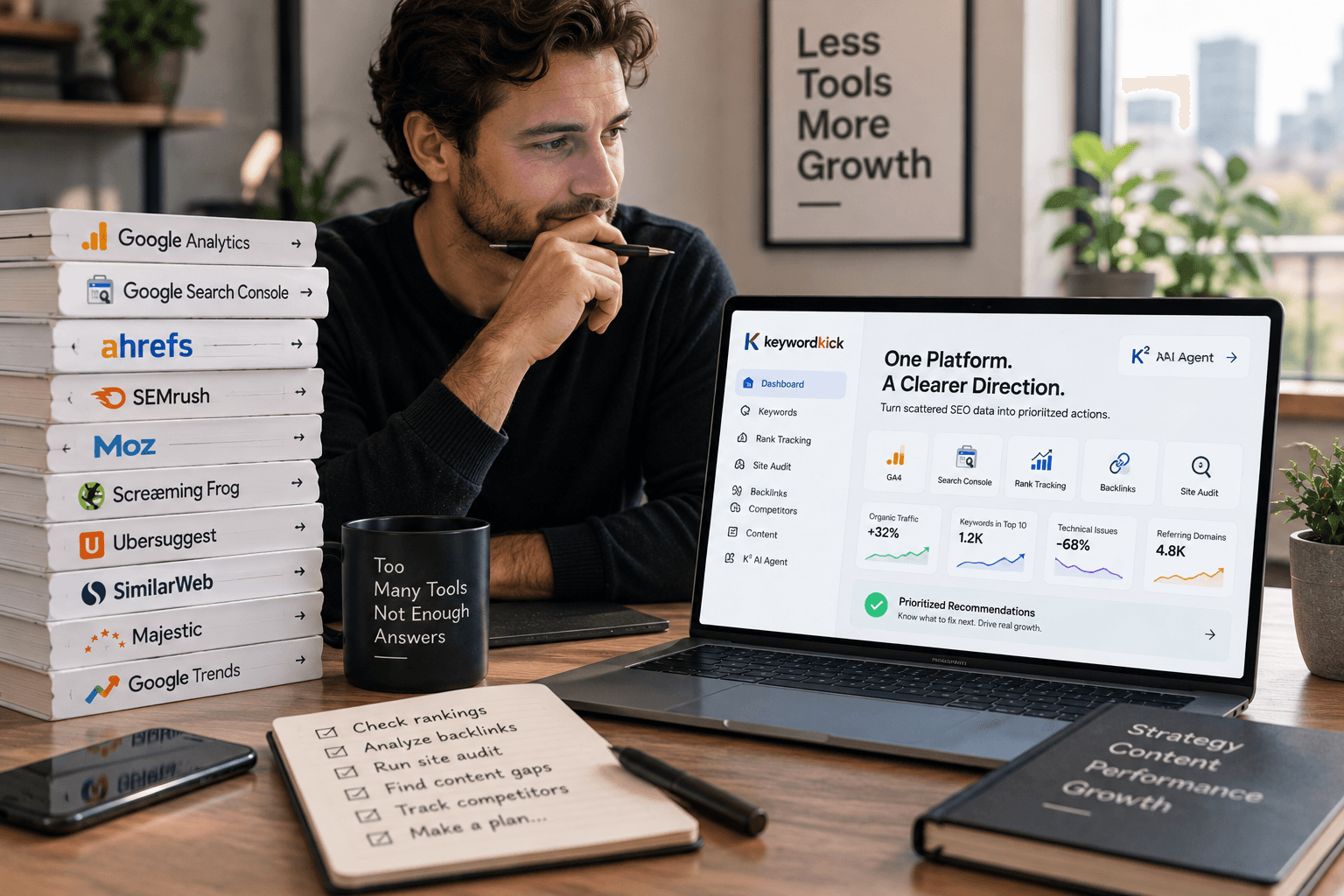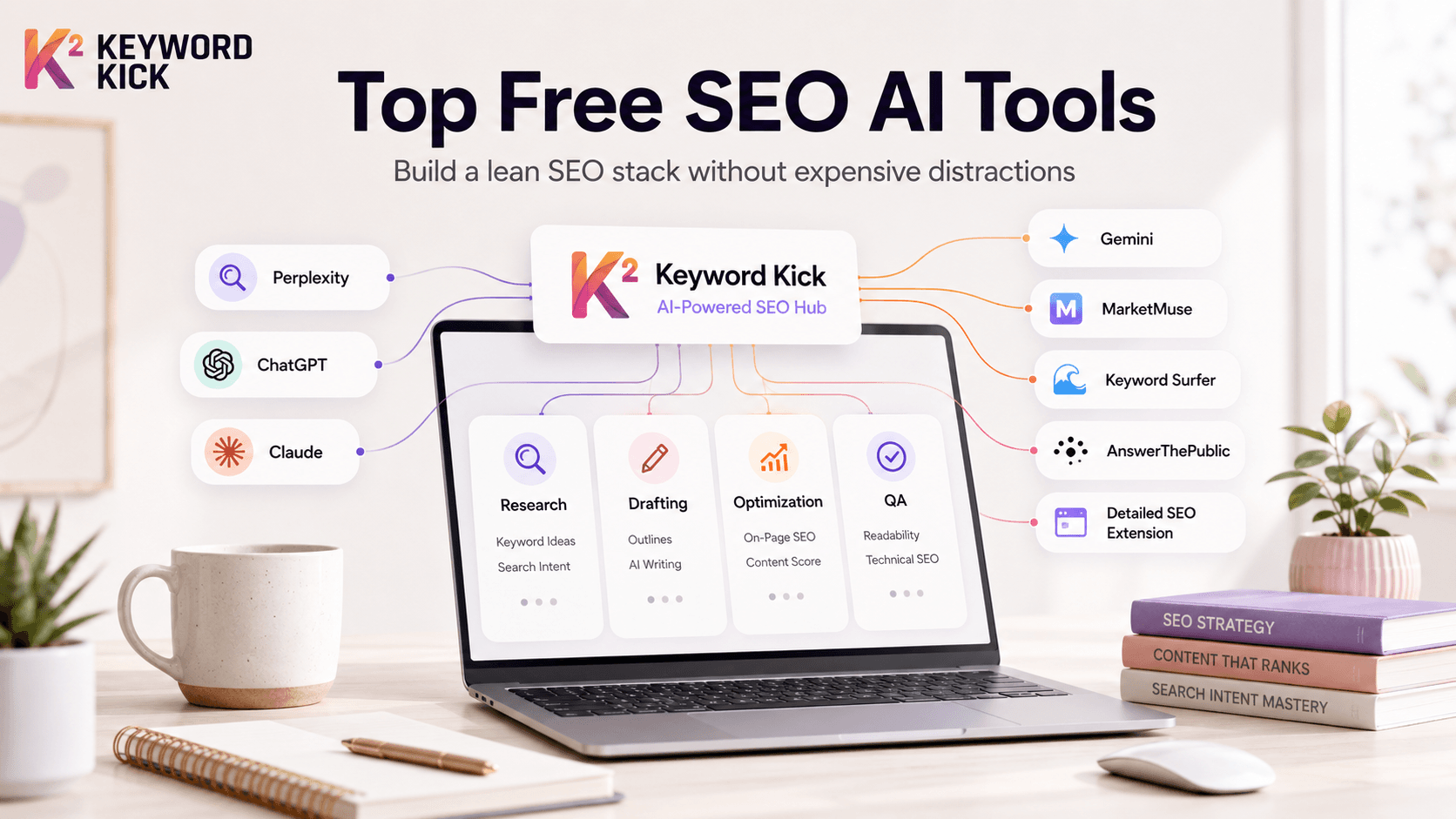
You're probably in the same spot most SEO teams are in right now. Your browser has too many tabs open, every SaaS homepage says its AI can replace half your workflow, and you still need to decide what deserves a place in your stack. The problem isn't a lack of options. It's separating useful tools from expensive distractions.
That matters more now because AI has moved from novelty to normal workflow. As of June 2026, 66% of marketers actively integrate AI tools into their SEO roles, and Zebracat data cited by SEOProfy's AI SEO statistics roundup says AI-powered SEO solutions have increased organic traffic by 49% within six months. Those gains don't come from blindly adding tools. They come from choosing tools that solve a specific bottleneck, then using them consistently.
If you're building a lean stack, the good news is that some of the most useful free SEO AI tools are still accessible without a credit card. The bad news is that many “free” tools are only helpful for one narrow task, so you need a workflow, not just a list.
For more curated tools and thinking around this space, browse Yassine Malti's AI SEO apps.
1. Keyword Kick
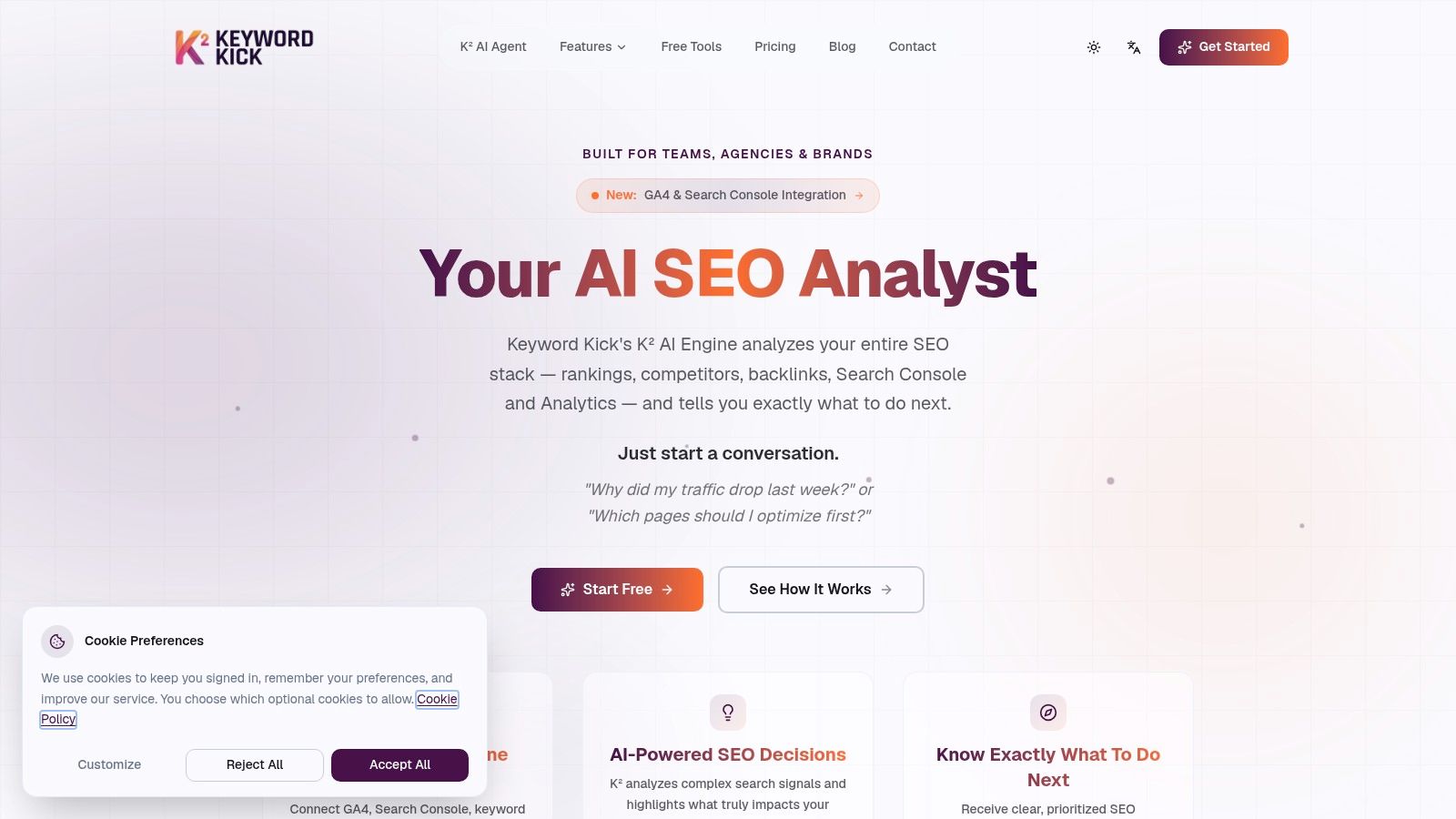
If you want one hub to coordinate the rest of your stack, start with Keyword Kick. Most free SEO AI tools help with one slice of the process. Keyword Kick is different because it's built around the question every SEO lead asks daily: what should we do next?
Instead of forcing you to jump between rank tracking, Search Console exports, analytics dashboards, technical crawlers, and backlink views, it pulls those signals into one workspace. The K² AI Agent reads connected data sources and turns them into step-by-step recommendations, meeting a key need once reporting is complete.
Why it works as the center of a free stack
Keyword Kick makes the most sense for agencies, in-house teams, consultants, and site owners who are tired of fragmented diagnostics. You can connect GA4 and Google Search Console, monitor rankings, review backlinks, run audits, and spot cannibalization without treating each task as a separate project.
A few parts stand out in practice:
Prioritized recommendations: K² doesn't just surface data. It helps answer questions like why traffic dropped and which pages deserve attention first.
Broad feature coverage: The platform includes rank tracking, backlink analysis, site audits, keyword research, competitor intelligence, SERP feature tracking, AI content tools, SEO generators, and cannibalization detection.
Useful free access: The Free Forever plan includes GA4 and Search Console integration, limited daily rank checks, cannibalization detection, four site audits per month, and a monthly message allowance for K².
If you want a deeper look at how AI-first research fits modern workflows, Keyword Kick's guide to an AI keyword research tool for 2026 SEO is worth reading.
Practical rule: Use your central platform for prioritization, then use narrower free tools for validation and execution.
Trade-offs to know before you commit
Keyword Kick is strongest when you treat it as the decision layer. The free plan is enough to evaluate the product and support a small site, but larger projects will hit its tracked keyword, audit, and message limits quickly. That's not a flaw so much as a boundary. It's generous for testing and for solo operators, but agencies managing multiple clients will likely need a paid tier.
The other honest limitation is market perception. Legacy suites still have more obvious brand recognition, and public social proof isn't front-and-center on the site. For a team used to established enterprise names, the sensible move is to pilot it with a live project before expanding usage.
2. Perplexity
Perplexity is the research assistant I reach for when I need a fast read on a topic cluster without opening ten articles manually. It's less of a keyword database and more of a live-web synthesis engine. That distinction matters.
For SEO, it's useful in the early phase of planning. You can ask it to summarize a SERP, compare competing pages, pull recurring subtopics, or turn a rough idea into a shareable brief. Its cited answers are the main reason it earns a place on this list.
Best use case
Perplexity shines when you need fast directional research for:
SERP synthesis: It helps you understand what top-ranking pages are covering.
Content brief building: Pages and project collections make it easier to organize findings.
Competitor snapshots: It's handy for quickly comparing how a few sites frame the same topic.
The practical advantage is speed. You can move from question to draft brief in minutes, especially when you're exploring unfamiliar subtopics.
If a topic is still fuzzy, Perplexity is usually better than a blank doc and worse than a full SEO platform. That's exactly why it's useful.
Where it falls short
Perplexity isn't a full SEO operating system. It won't replace rank tracking, technical auditing, or structured keyword prioritization. On the free tier, usage around higher-end features is constrained, so heavy research days can hit limits faster than you'd like.
It also still needs a strategist's filter. Citation-backed summaries are helpful, but they can tempt teams into accepting surface-level consensus too quickly. Use it to accelerate understanding, not to outsource judgment.
Visit Perplexity.
3. ChatGPT
You have a brief, a messy draft, and a page that still is not ready to publish. ChatGPT is useful in that middle layer of SEO work, where the strategy already exists and the bottleneck is turning it into clean, usable output.
That distinction matters. ChatGPT is not the tool I'd use to validate keyword opportunity or replace a platform that tracks rankings, clusters terms, or manages priorities across a site. I use it as a production assistant inside a broader workflow, often after research is done elsewhere and before final optimization happens in a dedicated SEO tool.
Where ChatGPT earns its spot
ChatGPT is strong at transformation tasks. Give it something rough and specific, and it can make it sharper fast. That includes turning a brief into a workable outline, rewriting an intro that buries the point, simplifying bloated headings, or drafting FAQ and schema support content from approved page notes.
It also works well for repeatable on-page jobs:
Outline drafting: Turn research notes into a logical page structure.
Copy cleanup: Cut repetition, tighten headings, and improve flow.
Internal link ideation: Review a list of URLs and suggest relevant link placements.
Template-based content support: Create reusable prompts for collection pages, service pages, and blog updates.
The catch is consistency. If the prompt is vague, the output usually sounds polished but generic. If the input is strong, ChatGPT can save serious editing time.
I also would not treat it as an SEO system on its own. Keyword Kick's explanation of what an AI SEO agent does is useful here because it highlights the difference between a general-purpose assistant and software built to operate inside an SEO workflow.
The trade-off teams run into
ChatGPT needs constraints. Brand context, search intent, product nuance, prohibited claims, page goals, internal linking rules, all of that has to be supplied or the model will fill gaps with safe, generic language.
That is why it performs best after you already have direction. Use Perplexity or another research tool to gather context. Use Keyword Kick or your main SEO platform to set priorities. Then use ChatGPT to speed up drafting, rewriting, formatting, and cleanup.
Used that way, it complements the stack well. Used as a substitute for strategy, it creates a lot of editing work.
Visit ChatGPT.
4. Claude
Claude is the tool I'd pick over most general assistants when the job is thinking through structure rather than generating volume. It tends to be strong at producing coherent long-form outlines, pruning redundancy, and turning scattered notes into a cleaner narrative.
That makes it especially useful for editorial planning, pillar page architecture, and entity-focused briefs.
Where Claude helps most
Claude is good at tasks that benefit from patience and organization. Give it competitor notes, a rough topical map, or a bloated draft, and it often returns something more readable and more logically sequenced than faster drafting tools.
It's particularly handy for:
Long-form outlines: Good for pillar pages and in-depth guides.
Entity mapping: Useful for identifying related concepts that belong on the page.
Tone cleanup: It can smooth out drafts that feel stitched together from multiple contributors.
The real trade-off
The free tier is enough for occasional planning work, but not for a high-volume content team trying to run every brief through it. Usage limits can interrupt momentum, which matters when you're in active production.
Claude also isn't the tool I'd trust for hard SEO validation on its own. It helps shape the page, but it doesn't replace first-party performance data, rank tracking, or technical checks. Keep it in the planning lane and it earns its place.
Visit Claude.
5. Gemini
Gemini is a practical fit for marketers who already live inside Google's ecosystem. It's convenient for brainstorming, summarizing pages, and turning rough ideas into structured content outlines without a lot of setup.
For quick iteration, that convenience matters. It lowers friction, which is often what determines whether a tool gets used regularly or ignored after a week.
Best fit inside a Google-heavy workflow
Gemini works well for drafting titles, meta descriptions, FAQ blocks, and initial page structures. If your process already revolves around Google docs, browser-based research, and Search Console analysis, it feels like a natural extension rather than another isolated app.
It's also useful for creating reusable prompt setups through Gems, especially for recurring tasks like on-page QA or article outline generation.
Gemini is at its best when you need a quick second brain, not when you need deep SEO instrumentation.
Its limits are easy to see
Advanced capabilities sit behind paid Google AI plans, and feature consistency can vary depending on where you're using it. That can make team-wide workflows harder to standardize.
There's also a bigger strategic issue. Some free tools are discussed as if they can support enterprise-grade GEO tracking out of the box, but that's often overstated. A Semrush analysis of AI SEO tool limitations notes that many free-tier GEO tools cap visibility checks or hide deeper AI search data behind signups, and it cites 2025 data saying AI Overviews appeared in 68% of commercial queries while 75% of users abandoned sites not cited by AI systems. For teams focused on brand visibility inside AI answers, Gemini helps with ideation. It doesn't solve measurement on its own.
Visit Gemini.
6. MarketMuse
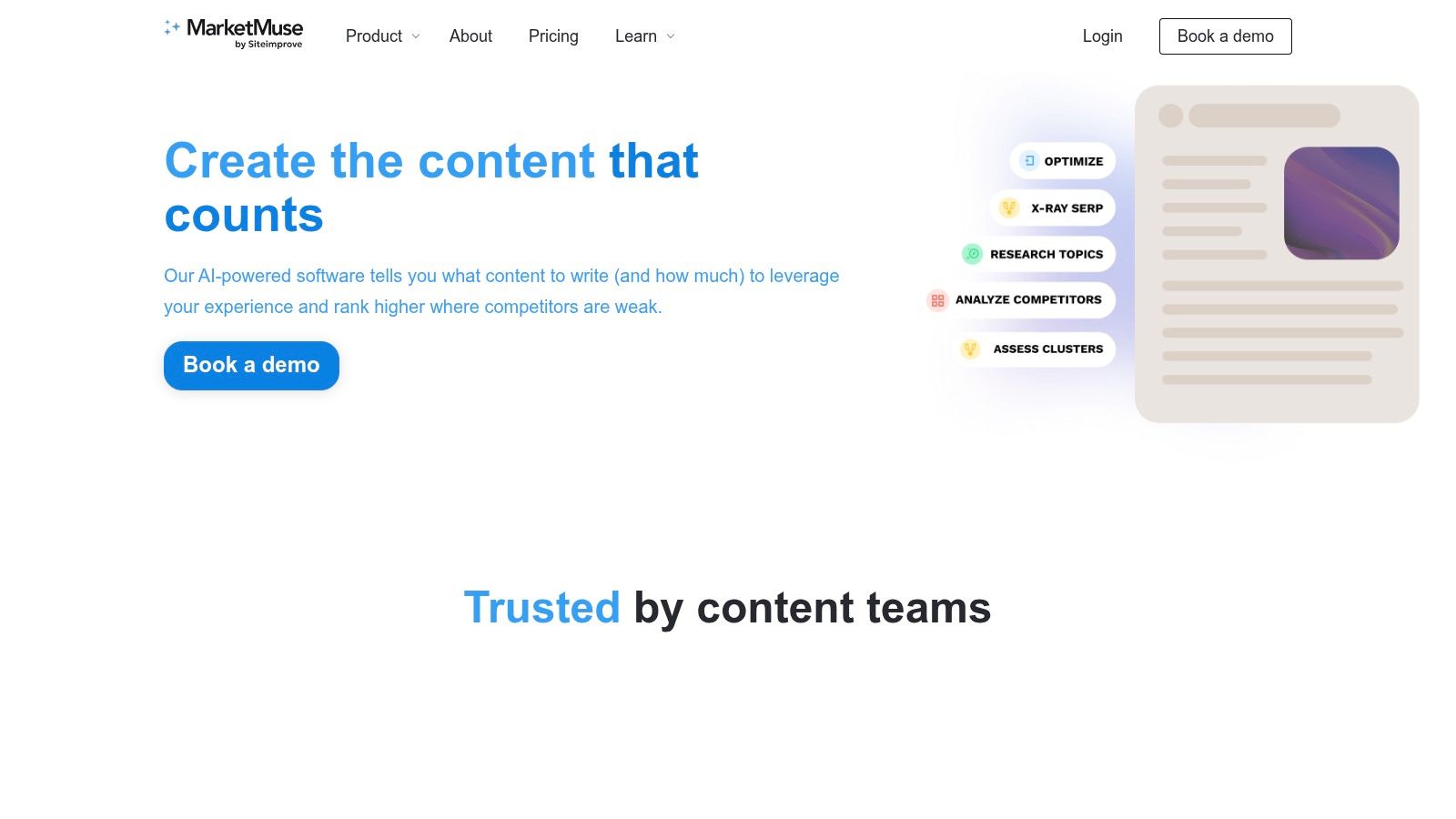
MarketMuse belongs in the content optimization category, not the “do everything” category. That's why it's useful. It focuses on depth, topical coverage, and page-level improvement rather than trying to impersonate a full SEO suite.
If you already know which page matters, MarketMuse helps answer the next question: what's missing from this page compared to what the topic deserves?
What it does well
Its Research, Compete, and Optimize modules are useful for building stronger briefs and tightening underperforming pages. For a priority article or landing page, that can be enough to justify using the free plan for testing.
In practical terms, it's strongest at:
Content gap discovery: It helps reveal subtopics and supporting concepts a page may be missing.
Optimization guidance: The scoring framework gives writers and editors a target to work toward.
Brief development: It's useful when you want a more topic-aware brief than a generic AI outline.
What doesn't work as well on free
The free plan is persistent, which is good, but limited enough that you need to spend those credits deliberately. It's not something I'd hand to a team and expect them to use casually across dozens of pages.
It also has a learning curve. Scores look precise, but they still need interpretation. A strategist should decide which recommendations matter, because not every suggested subtopic deserves equal weight on the page.
Visit MarketMuse.
7. Keyword Surfer
You search a term, spot a promising angle, then lose ten minutes opening extra tabs to confirm whether it is worth targeting. Keyword Surfer solves that small but expensive workflow problem by putting keyword context inside Google while you are already evaluating the SERP.
Where it fits in a practical SEO workflow
I treat Keyword Surfer as a Research-layer tool, not a planning system. It is useful at the moment of inspection, when you want a fast read on search volume, related queries, and whether a keyword deserves deeper work in your main platform.
That distinction matters.
If Keyword Kick is where you organize targets, clusters, and decisions, Keyword Surfer is where you pressure-test ideas in real time. It helps answer simple questions quickly. Is this variation searched enough to matter? Are there adjacent terms worth folding into the brief? Does the SERP suggest a broader topic than the keyword itself?
Its strongest uses are straightforward:
Live keyword validation: Check query ideas without leaving the results page.
Related term discovery: Spot supporting phrases while reviewing ranking pages.
Early clustering help: Collect variations and questions before moving them into a central workflow.
Trade-offs to know before you rely on it
Keyword Surfer is fast, but it is still a browser extension. That makes it good for triage and weak for deeper analysis. I would not use it as the source of truth for prioritization, reporting, or tracking a content program across dozens of pages.
It also works best for individual researchers and lean teams. Once multiple writers, editors, and strategists need the same keyword set, scattered SERP checks become hard to manage. At that point, the extension should feed a system, not replace one.
For free research, though, it earns its place. It removes friction at the exact point where SEO decisions usually stall.
Visit Keyword Surfer on Surfer.
8. Keywords Everywhere Free AI Outline Generator
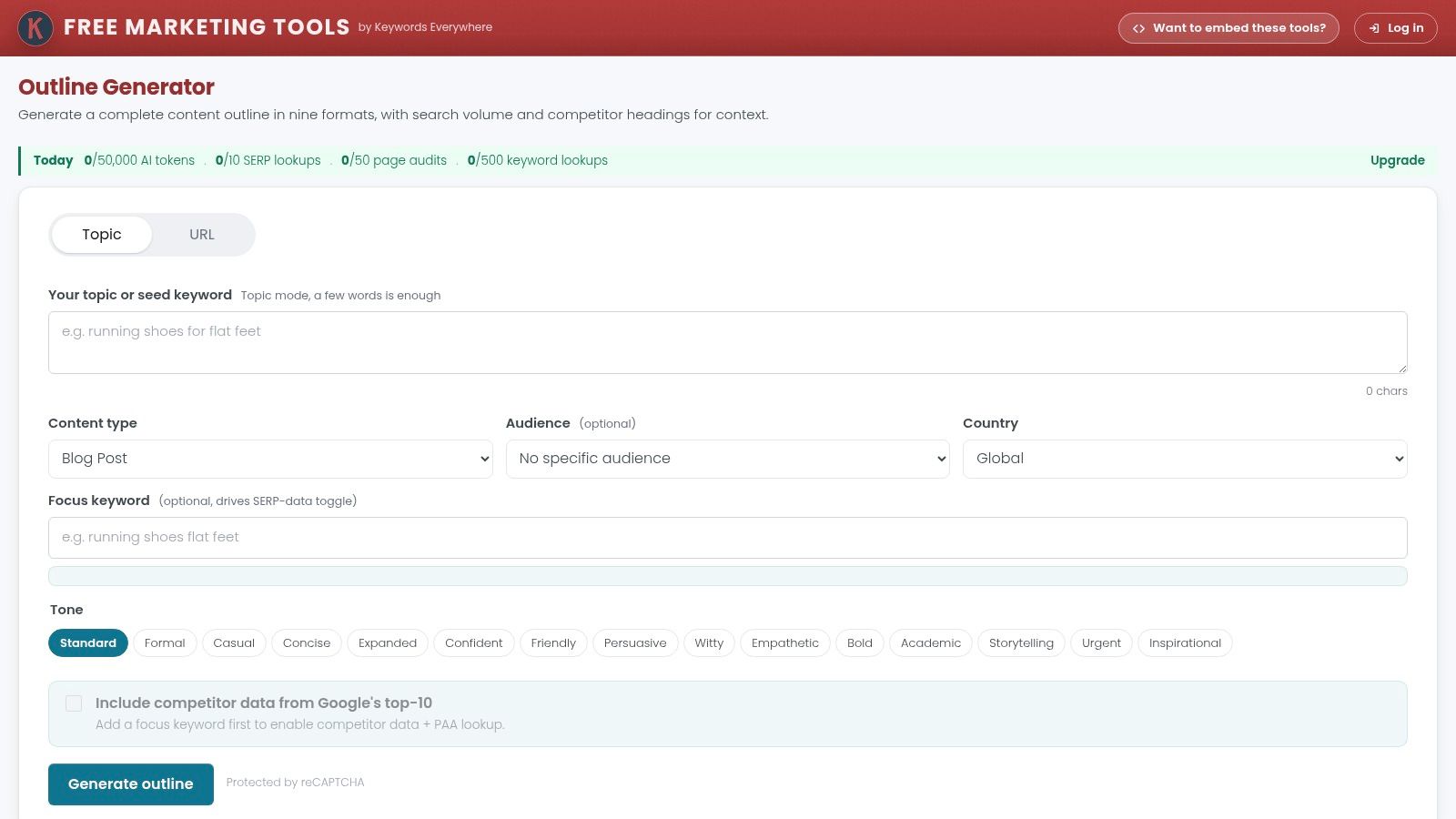
Some AI writing tools generate outlines from thin air. That's usually where the quality falls apart. Keywords Everywhere's Free AI Outline Generator is more useful because it starts with visible SERP structure and then uses AI to turn that structure into something workable.
That approach makes it a better briefing tool than a blind drafting tool.
Best use case
This is a strong option when you already know the target topic and need a rough but practical content framework quickly. Because it pulls headings from top-ranking pages, the output usually reflects actual SERP patterns rather than generic “ultimate guide” filler.
What I like about it:
SERP-informed outlines: It starts from ranking-page headings.
Demand-aware sections: Search volume context helps you spot which angles may deserve emphasis.
Fast brief generation: It's efficient for turning a keyword into a draft structure.
A good outline generator shouldn't replace editorial thinking. It should give your editor a smarter starting point.
Where it can mislead you
Any tool that leans on top-page heading extraction can reinforce sameness if you use it lazily. That's fine for orientation, but weak if you're trying to publish something superior to what already exists.
Its free usage is also quota-based, so it's best treated as a tactical tool for selective pages, not a full production environment.
Visit the Keywords Everywhere Free AI Outline Generator.
9. AnswerThePublic
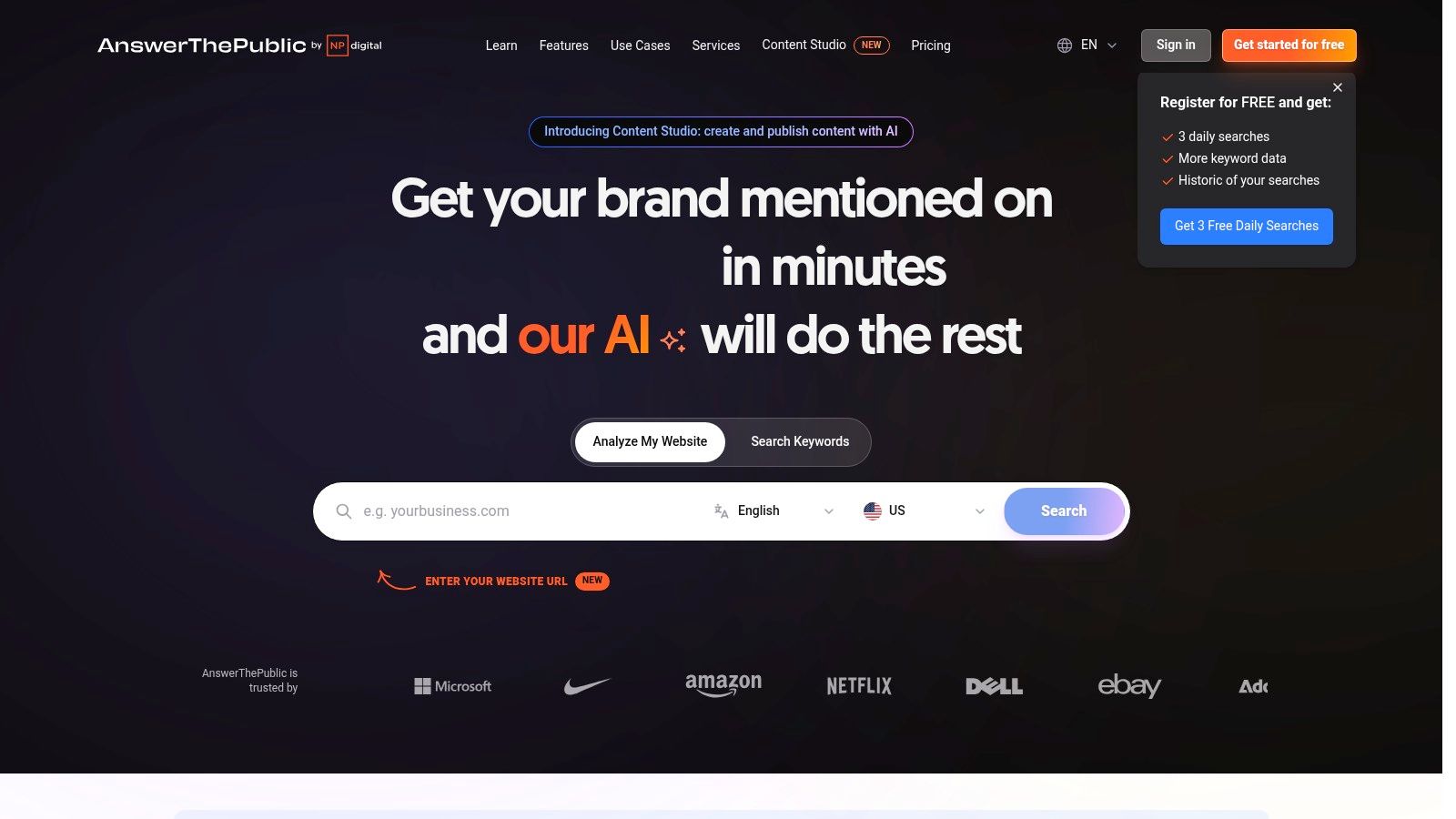
AnswerThePublic is still one of the best tools for question mining. When a topic needs long-tail angles, FAQ sections, supporting articles, or user-language research, it gives you a broader view than a standard keyword list.
Its usefulness gets better when you stop treating it as a blog topic generator and start treating it as audience language research.
Where it shines
The platform aggregates autosuggest topics from multiple sources, which helps when search behavior differs by channel. That matters for ecommerce, creator brands, and businesses that rely on discovery outside classic web search.
Use it for:
FAQ extraction: Useful for support content and People Also Ask style sections.
Long-tail ideation: Good for subtopics and lower-competition angles.
Cross-platform language: Helpful when your audience also searches on YouTube, TikTok, Amazon, or Instagram.
The caution for niche SEO
Free AI-assisted discovery sounds attractive, but niche markets expose weak data fast. A YouTube discussion on free AI SEO tool limits in niche gap analysis cites claims that free AI tools misidentify content gaps in 40% of low-volume niches, that 85% of users unknowingly publish content AI deems redundant, and that 62% of “free” AI SEO tools now involve hidden data monetization or API key requirements. Whether you agree with every conclusion or not, the underlying warning is valid: in tight niches, don't let free ideation tools make strategic decisions for you.
AnswerThePublic is excellent for surfacing questions. It's weaker as a final judge of market opportunity.
Visit AnswerThePublic.
10. Detailed SEO Extension
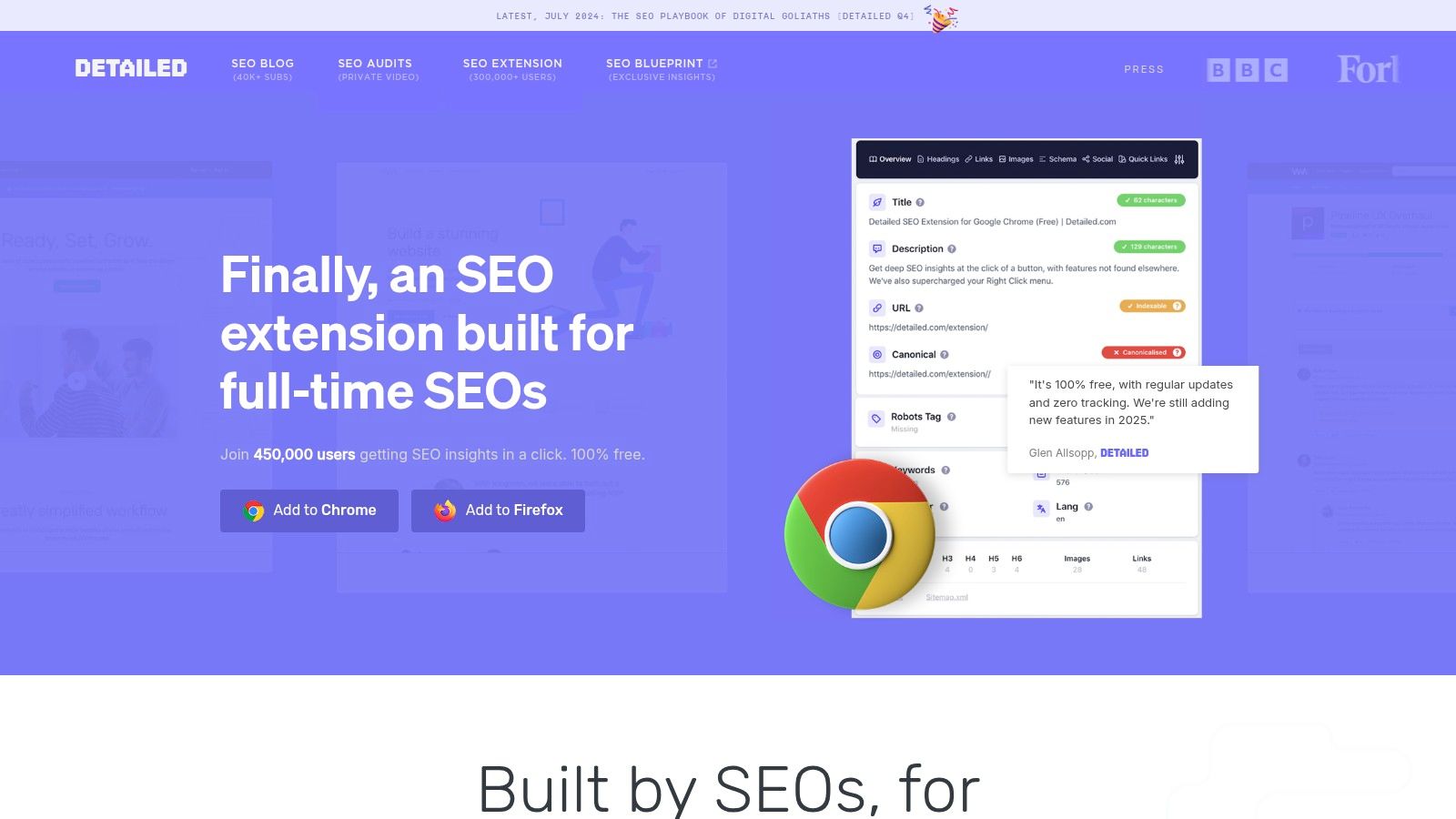
A common SEO workflow problem looks like this: a page is already live, traffic is underperforming, and you need answers in two minutes, not after a full crawl finishes. Detailed SEO Extension is built for that moment. Open the page, run the extension, and verify the on-page basics before you change a title, rewrite copy, or send recommendations to a developer.
Why it earns a place in the stack
Detailed is a page inspector. It surfaces the elements SEOs check constantly: title tags, meta descriptions, headings, canonicals, internal and external links, schema, robots directives, and other indexability signals. That speed matters because many free AI SEO tools help with ideas and drafting, but they do not confirm whether the live page is technically aligned with the plan.
I use it as the validation layer in a broader workflow. Research and prioritization happen in the main platform. Drafting or rewrites happen in ChatGPT, Claude, or Gemini. Detailed handles the fast QA step on the live URL so obvious implementation issues do not slip through.
That role is narrow, but useful.
Where it fits best
This extension is strongest during spot checks:
Pre-publish reviews: Confirm the page has the right title structure, heading hierarchy, canonical, and schema before launch.
Post-update QA: Check whether recommended changes were implemented on the live page.
Competitor page reviews: Inspect how another page is structured without opening multiple tools.
Triage work: Diagnose a single page issue quickly before deciding whether it needs a deeper audit.
For teams building an SEO stack by function, this is the technical inspection layer, not the research or optimization layer.
The trade-off
Detailed does not replace a crawler, rank tracker, or content optimization platform. It will not surface sitewide keyword gaps, track performance over time, or tell you which pages deserve attention first. It helps you inspect one URL at a time and make cleaner decisions on that page.
That limitation is exactly why it works well next next to a central SEO platform and AI writing tools. Use the platform to choose the page. Use AI to improve the content. Use Detailed to verify the page the user and Google see.
Visit the Detailed SEO Extension.
Top 10 Free SEO AI Tools, Feature Comparison
A tool list gets messy fast unless each product has a clear job. I group free SEO AI tools by function first, then compare where they help: research, drafting, on-page improvement, or page-level QA. That makes the trade-offs easier to spot and keeps overlap under control if you already use a central platform to set priorities.
The table below is not a winner-take-all ranking. It is a working comparison for building a stack that fits together.
Tool | Core features | Quality (★) | Value (💰) | Target audience (👥) | Unique edge (✨) |
|---|---|---|---|---|---|
🏆 Keyword Kick | Rank tracking, GA4 and GSC sync, audits, backlinks, K² AI recommendations | ★★★★☆ | 💰 Free Forever. Paid from $49/mo | 👥 Agencies, in-house teams, ecommerce teams, freelancers | ✨ Prioritized, step-by-step SEO actions and native cannibalization detection |
Perplexity | Real-time web research, cited answers, shareable Pages | ★★★★ | 💰 Free plus Pro limits | 👥 Content researchers, brief writers, SEOs who need citations | ✨ Citation-backed research and shareable research Pages |
ChatGPT (OpenAI) | Prompt-based drafting, rewrites, brainstorming, file and image analysis | ★★★★ | 💰 Free tier. Paid plans for higher throughput | 👥 Writers, consultants, generalist SEOs | ✨ Flexible prompt workflows and a large prompt library from the community |
Claude (Anthropic) | Long-form reasoning, detailed briefs, tone refinement | ★★★★ | 💰 Free tier. Paid for higher usage | 👥 Teams focused on long-form content and outlines | ✨ Strong long-form outlines and cleaner synthesis across large inputs |
Gemini (Google) | SERP summarization, outlines, Google integrations | ★★★★ | 💰 Free tier. Some paid Google AI features | 👥 SEOs working inside the Google ecosystem | ✨ Fast summaries and reusable Gems workflows |
MarketMuse | Topic modeling, content scoring, Research and Optimize modules | ★★★★ | 💰 Free credits. Paid for full access | 👥 Content strategists, editors, enterprise SEOs | ✨ Deep topical gap analysis and page-level scoring |
Keyword Surfer (Surfer ext.) | SERP overlay with volumes, related terms, on-page hints | ★★★★ | 💰 Free Chrome extension | 👥 SEOs doing quick in-SERP research | ✨ Keyword context inside Google results without opening another tool |
Keywords Everywhere, Outline Gen | Scrapes top headings, AI outlines, section-level volume hints | ★★★★ | 💰 Free tool with daily allotment | 👥 Writers who need data-backed outlines quickly | ✨ Combines heading extraction with search-demand clues for sections |
AnswerThePublic | Aggregates autosuggest across platforms, topic questions | ★★★★ | 💰 Free limited searches. Paid upgrades available | 👥 Idea generators, content planners, FAQ builders | ✨ Question-based research across multiple search surfaces |
Detailed SEO Extension | One-click on-page and technical checks, including titles, schema, and canonicals | ★★★★ | 💰 100% Free | 👥 SEOs who need fast page spot-checks | ✨ Fast technical inspection for single-page reviews |
A few patterns matter more than the star ratings.
Research tools such as Perplexity and AnswerThePublic are strong at idea discovery, but they do not prioritize which page or keyword deserves work first. Drafting tools such as ChatGPT, Claude, and Gemini speed up production, but output quality still depends on the brief, the source material, and the editor. Optimization tools such as MarketMuse and the Keywords Everywhere outline generator help shape coverage and structure, but they work best after the target topic is already chosen.
That is why I prefer a stack with a center of gravity. Use one platform to decide what matters now. Add AI tools around it for the tasks they handle well. That setup cuts duplicate work and makes testing cleaner, because you can judge each tool against a single function instead of expecting every product to do everything well.
From Free Tools to a Focused Strategy
Monday morning usually exposes the problem fast. One tab has keyword ideas, another has an AI draft, another has a Chrome extension report, and none of them answer the only question that matters. What should the team work on first?
That is the gap free SEO AI tools can help close, if each tool has a defined job in the workflow. Research tools help surface topics and questions. Writing tools help turn briefs into workable drafts. optimization and QA tools help improve structure, coverage, and page-level execution. The stack works when those roles are clear and weakens when every tool is expected to do everything.
I group these tools by core SEO function, then build around a single source of prioritization. A central platform can set the order of operations. Perplexity and AnswerThePublic can widen the topic set. ChatGPT, Claude, and Gemini can speed up outlining, rewriting, and summary work. MarketMuse and the Keywords Everywhere outline generator can tighten coverage once a target page is chosen. Keyword Surfer can give a quick search reality check. Detailed SEO Extension can catch obvious on-page issues before a page goes live or goes back into revision.
That setup matters more now because AI is no longer a side experiment for SEO teams. Analysts covering the AI-powered SEO software market describe a market growing quickly as marketers use AI to reduce manual work and improve on-page execution. The practical takeaway is simple. Teams need a system for deciding where AI saves time and where human review still carries the result.
I have seen the same trade-off play out across content teams of every size. Free tools are excellent for speed, idea expansion, and first-pass analysis. They are weaker at prioritization, consistency, and cross-page decision-making. If nobody defines the handoff between research, drafting, and optimization, the stack creates more output without creating more rankings.
A better test is to assign one tool to one function and judge it on a live workflow. Does it reduce research time on real topics? Does it improve briefs enough to help writers produce stronger first drafts? Does it catch structural or technical issues before publication? If the answer is no, remove it.
Free tools can absolutely build momentum. A focused workflow is what turns that momentum into publishable work, cleaner decisions, and a stack your team will keep using.