The largest SEO platform isn't automatically the best technical SEO choice. A desktop crawler answers, “What's broken in this page set?” A log analyzer answers, “What are search engine bots fetching?” A JavaScript renderer reveals whether important content appears only after scripts run. A monitoring platform catches changes between scheduled audits. Those are different jobs, and buying one oversized suite won't make the others disappear.
The useful comparison starts with the failure you need to find. Site size affects crawl method and infrastructure. Technical depth determines whether you need custom extraction, rendered HTML comparisons, or log-level evidence. Collaboration affects how findings reach developers and stakeholders. Monitoring needs determine whether periodic audits are enough. Pricing models range from transparent self-serve plans to sales-assisted enterprise contracts. The tool must help your team turn findings into verified fixes rather than another disconnected issue list.
This roundup organizes technical SEO tools by the problems they solve, then shows how to combine their evidence and feed prioritized work into Keyword Kick. It also connects technical diagnosis with broader mobile optimisation best practices, because a crawl issue that affects mobile users deserves a different response from an isolated metadata warning.
1. Keyword Kick
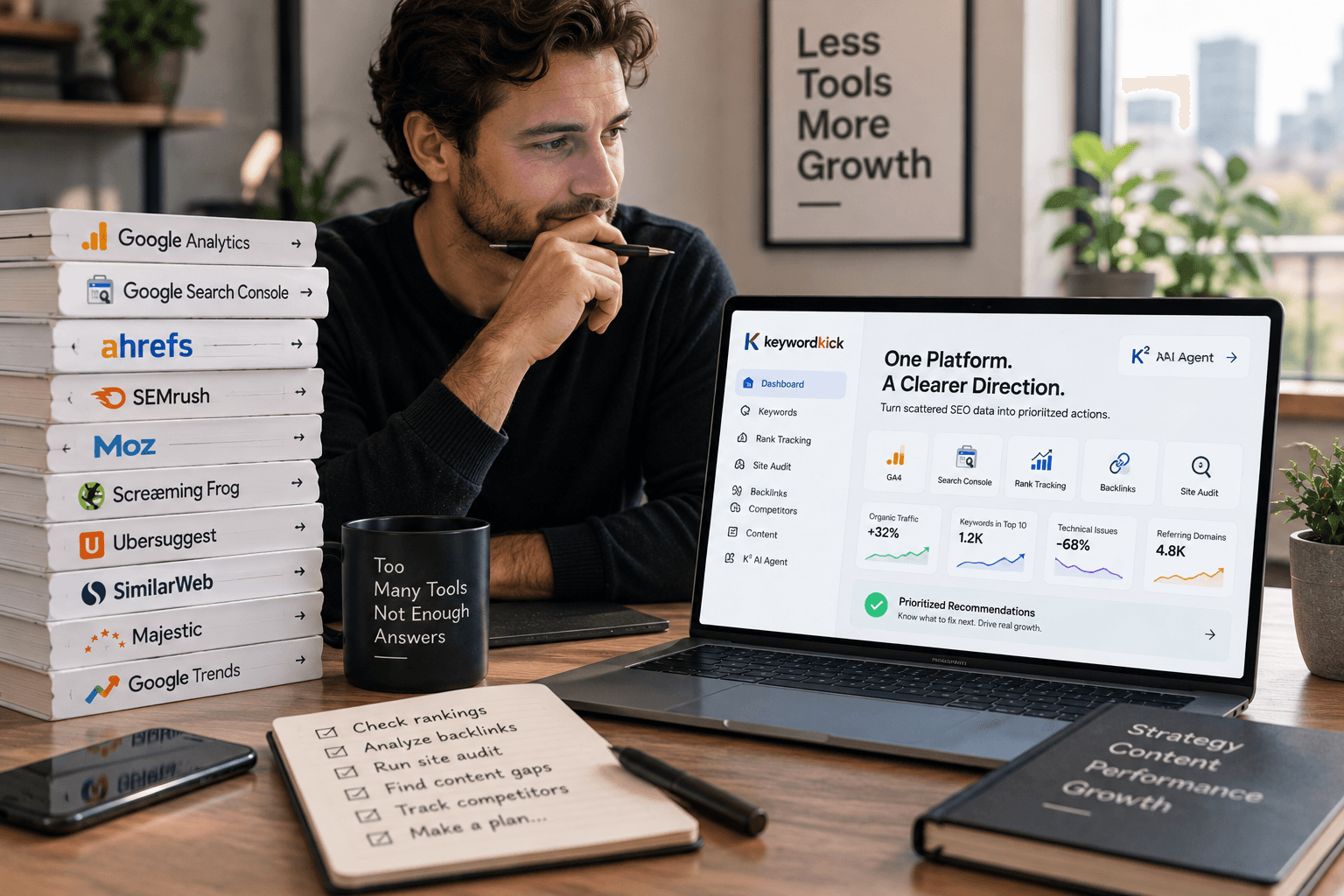
Keyword Kick is the strongest choice here when the technical audit is only one part of the decision. Its K² AI Agent works at the project level, combining rankings, Google Search Console, GA4, backlinks, site audits, and technical signals so the team can ask what changed and what deserves attention first.
That distinction matters. A crawler can tell you that pages have canonical conflicts, slow templates, or internal-link problems. K² is designed to connect those findings with visibility and business context, then produce step-by-step actions. Questions such as “Why did traffic drop last week?” and “Which pages should I optimize first?” are more useful than a dashboard full of unresolved warnings.
The platform brings rank tracking, backlink analysis, keyword research, competitor intelligence, SERP feature tracking, site audits, and cannibalization detection into one workspace. It also supports daily updates, historical trends, competitive context, merchant-feed validation, built-in support tickets, and multi-language workflows. JavaScript rendering is available at higher tiers, which makes the plan level important for modern sites.
Where Keyword Kick earns its place
Keyword Kick's technical audit capability includes 100+ checks, including crawlability and Core Web Vitals, with AI-prioritized recommendations. It also supports automated crawls, scheduled audits, historical trend tracking, and alerts for newly detected problems. The value isn't the existence of another health score. The value is reducing the distance between evidence and an assigned action.
Useful strengths include:
Action-first analysis: K² combines technical data with Search Console, GA4, rankings, and backlinks instead of treating each signal as a separate report.
Unified project management: Agencies and in-house teams can manage audits, competitors, keywords, SERP features, links, and cannibalization in one place.
Accessible entry point: A Free Forever plan requires no credit card, while paid plans begin at $49 per month, with listed Pro, Business, and Enterprise tiers at $119, $249, and $599 per month respectively. These plan details are provided by Keyword Kick.
Transparent trade-offs: Lower tiers have limits on tracked keywords, audits, JavaScript-rendered pages, and backlink rows. Public customer proof and independent awards are also limited on the product pages.
Keyword Kick works best as the action layer, not as a reason to stop validating technical evidence. Use a specialist crawler or log platform when the question requires raw bot behavior, unusual extraction, or enterprise-scale crawl analysis. Then bring the result back into Keyword Kick, connect it to affected pages and performance, assign the fix, and verify whether the change improved the right trend.
2. Screaming Frog SEO Spider
Screaming Frog SEO Spider remains the practical workhorse for page-level diagnostics. It runs on Windows, macOS, and Linux, and its strength is control. You can crawl a site, upload a URL list, compare two crawls, inspect rendered pages, extract custom elements, and filter a large dataset down to the exact template or issue you're investigating.
That makes it particularly effective for migrations, template launches, internal-link reviews, redirect analysis, metadata inventories, and targeted QA. Its integrations with Google Analytics 4, Google Search Console, PageSpeed Insights, and Looker Studio help add performance and search data to the crawl, although the tool still feels like a technical workstation rather than a collaborative project hub.
Why specialists keep it installed
The paid license supports unlimited URL crawling, while the free tier is capped at 500 URLs, as documented in the independent technical audit guidance at Key-G's review of SEO tool usage. That free limit is useful for small sites and quick checks, but it won't cover a large ecommerce catalogue or a substantial migration inventory.
Screaming Frog is especially strong when you need:
Custom extraction: Pull structured elements, page content, or implementation details that aren't covered by a default report.
JavaScript rendering: Compare what the crawler receives before and after rendering.
Crawl comparison: Identify what changed after a deployment instead of relying on memory.
Precise filtering: Segment findings by folder, template, status code, indexability, or content pattern.
The cost is operational. It's desktop-based, so crawl performance depends on the machine and setup. Sharing findings usually means exporting data or connecting the output to a reporting layer. It can also overwhelm less technical stakeholders because the interface exposes the evidence rather than translating everything into a short priority list.
Use Screaming Frog for controlled diagnostics, then send only validated, business-relevant findings into your technical SEO audit workflow. Don't ask it to become your full collaboration system.
3. Sitebulb
Sitebulb is the better crawler when the technical finding must survive a stakeholder meeting. Its visual-first interface turns crawl data into charts, diagrams, and prioritized Hints, giving non-SEOs a clearer explanation of why an issue matters and which pages are involved.
The platform performs more than a surface scan. It supports JavaScript rendering, structured technical analysis, integrations with GA4 and Google Search Console, and education inside the product. That built-in explanation is useful for agencies presenting audits to clients or marketing teams that need to understand why a developer ticket has priority.
Desktop control or cloud collaboration
Sitebulb offers desktop and cloud modes. Desktop is a sensible fit when an analyst wants cost-efficient control over a project and has the hardware to support the crawl. Cloud is more appropriate when teams need scheduling, shared access, real-time collaboration, and large-scale processing without tying the audit to one person's computer.
The trade-off is less about whether Sitebulb can find issues and more about deployment complexity. Cloud pricing and limits vary by plan, and the cost can become harder to evaluate for large teams. Buyers should map the number of projects, users, crawl frequency, and expected URL volume before comparing plans.
A good Sitebulb workflow looks like this:
Start with the Hints: Use prioritization to separate structural risks from low-impact cleanup.
Open the visual evidence: Show link graphs, page groups, and affected templates to people who won't read raw exports.
Validate before assigning: Confirm the issue in the source page, rendered output, or Search Console before creating development work.
Track the fix elsewhere: Use Keyword Kick's site audit software comparison as a planning reference, then connect the confirmed action to performance and ownership in your operating workspace.
Sitebulb works when communication is the bottleneck. Screaming Frog is often better for forensic control. Many agencies can justify both because they answer different questions.
4. Lumar
Lumar, formerly Deepcrawl, fits organizations that need continuous website intelligence rather than occasional audits. Its platform covers technical SEO, site speed, accessibility, JavaScript rendering, monitoring, protection, and AI search visibility through modules packaged around Analyze, Monitor, Protect, and Impact.
That packaging is useful for large teams because technical SEO rarely belongs to one department. A development group may need crawl and rendering evidence. Accessibility teams may need quality checks. Marketing leaders may want visibility trends. Lumar gives those groups a shared cloud environment instead of forcing each one to interpret a separate desktop export.
Strengths for complex web estates
Lumar supports custom analytics, alerting, integrations, enterprise security, and compliance capabilities. Its cloud delivery also avoids the machine-dependent constraints of a desktop crawler. For multi-team programs, that can reduce friction around scheduling, access, and recurring audits.
The platform's enterprise orientation is also its main limitation. Pricing is quote-based and sales-assisted, so small site owners may spend more time evaluating the commercial fit than the technical feature set deserves. A modest site with a clear, occasional audit requirement probably doesn't need Lumar's broader operating model.
Lumar is a strong choice when:
Teams need recurring monitoring: The question is not only what's broken today, but whether a release creates new problems.
JavaScript matters: Rendered content and client-side behavior require deeper inspection than a raw HTML fetch.
Departments share ownership: SEO, engineering, accessibility, and digital operations need common evidence.
Security and compliance are procurement requirements: Enterprise buyers need more than a crawler login.
Lumar won't replace a prioritization system by itself. A high-volume platform can still produce a long queue. The team must connect each finding with affected templates, business importance, implementation ownership, and post-release verification.
5. Botify
Botify is built around a problem many enterprise audits miss: the difference between what your site makes available and what search engine bots spend time fetching. Its stack combines SiteCrawler, LogAnalyzer, Engagement Analytics, RealKeywords, intelligence modules, and activation features in one enterprise platform.
That combination makes Botify particularly relevant for large, JavaScript-heavy sites, publishers, marketplaces, and ecommerce properties with substantial crawl inventories. A crawler shows what it can discover. Log analysis shows which URLs bots requested, how often they returned, and where crawl behavior differs from the site's intended architecture.
From diagnosis to activation
Botify's ActionBoard and AlertPanel are designed to turn analysis into operational work. Activation modules such as SmartIndex, PageWorkers, and SpeedWorkers extend the platform beyond reporting into implementation and delivery workflows. Sitemaps, IndexNow, pre-rendering, and CDN-related capabilities can matter when passive discovery isn't enough.
The platform also offers tiered data-retention options, with logs and keywords retained across periods that can extend into multi-year analysis. That historical depth is useful for trend diagnosis, but buyers should confirm which modules and retention windows are included rather than assuming every capability sits in the base package.
Practical rule: Use logs to answer bot-behavior questions, crawlers to test site structure, and Search Console to validate Google's reported search and indexing signals. They're complementary evidence, not interchangeable reports.
Botify's weaknesses are commercial and architectural. Pricing isn't publicly listed, sales involvement is expected, and advanced activation features may require add-ons. Smaller teams may also find the platform too specialized if they need content planning, lightweight keyword research, and broad SEO reporting in the same subscription.
6. Oncrawl
Oncrawl is designed for teams that want to cross-analyze crawling, log files, and performance data at enterprise scale. That cross-analysis is its central advantage. Instead of reviewing a crawler report, a server-log dashboard, and a performance export as separate artifacts, an analyst can investigate how technical architecture relates to bot visits and organic outcomes.
The platform also supports role-based access, full history, APIs, AI-assisted analysis, and Lenses for rendered-versus-raw comparisons. Those capabilities make it a serious option for organizations where JavaScript rendering and log evidence are part of regular SEO operations rather than occasional troubleshooting.
The value is in the join
Oncrawl becomes more useful when the team connects the datasets properly. For example, an analyst might segment pages by template, compare raw HTML with rendered output, inspect bot activity, and then relate the affected group to organic performance. That is much more actionable than saying a site has a rendering problem in the abstract.
Its Lenses functionality is useful for detecting changes between raw and rendered versions. That helps answer whether important links, content, metadata, or structured elements appear only after JavaScript executes. It also supports a more disciplined conversation with engineering because the team can show what changed and where.
The trade-off is onboarding. Oncrawl's full value depends on clean data connections, meaningful segmentation, and a team that understands how to interpret cross-dataset evidence. Pricing is sales-assisted and not public, so smaller sites should test whether their operational questions justify the investment.
Choose Oncrawl when:
Logs are central to the investigation: You need evidence of actual bot fetching.
Rendering changes are frequent: Raw and rendered comparisons can expose release regressions.
Several teams need access: Role-based collaboration matters.
Custom workflows are important: The API can support internal reporting and automation.
Feed the resulting issues into Keyword Kick only after confirming the affected page group and business impact. Otherwise, the action layer becomes another place to store unverified technical noise.
7. JetOctopus
JetOctopus combines a high-speed cloud crawler with real-time log analysis and integrations for Google Search Console, GA4, and Ahrefs. It's a good fit for agencies and technical teams that want crawl-budget insights without committing immediately to a traditional enterprise platform.
The product's appeal is practical. Teams can connect crawler data, logs, and search performance in one workspace, then investigate whether bots are wasting attention on redirects, duplicate URLs, parameter variations, or low-value sections. AI integrations with Claude and ChatGPT can help users query the connected data, though the quality of the answer still depends on configuration and the clarity of the question.
Flexible usage, technical focus
JetOctopus offers usage-based pricing, top-up options, and trials for modules, while enterprise plans are positioned around broad URL and user access with alerting and business-intelligence connectivity. That flexibility can work well for agencies with uneven audit demand. A team may need a large crawl for a migration, then a lighter monitoring pattern afterward.
The platform is strongest when logs and first-party performance data are connected. Without those inputs, it becomes primarily a crawler, and the deeper crawl-budget value is reduced. It also has fewer nontechnical features than broad all-in-one SEO suites, so content planning and general marketing workflows may need another system.
Use JetOctopus for:
Crawl-budget investigations: Identify where bots spend time and whether that behavior matches strategic page priorities.
Agency operations: Manage many properties with usage that varies by client.
Fast technical reviews: Cloud crawling removes the need to maintain a local audit machine.
Connected analysis: Join logs, Search Console, GA4, and crawl output before deciding what to fix.
Don't buy it just for another health score. Buy it when the question involves crawl behavior, log evidence, or high-volume technical investigation.
8. Ahrefs Site Audit
Ahrefs Site Audit makes the most sense when Ahrefs already sits at the center of your backlink, keyword, and competitor workflow. Its cloud crawler covers technical and on-page issues, visualizes Lighthouse and CrUX metrics, and retains crawl history so teams can compare site health over time.
That ecosystem connection is the main advantage. An SEO can move from a technical issue to the affected keywords, competing pages, backlinks, and content opportunities without exporting everything into separate tools. The workflow is less fragmented for teams already paying for Ahrefs.
A capable audit inside a broader suite
Ahrefs supports scheduled audits, charts for status codes and duplicate content, performance reporting, and a free access route through Ahrefs Free Webmaster Tools for verified sites. That makes it approachable for smaller teams that want a meaningful starting point without immediately purchasing a specialist crawler.
It's less flexible than Screaming Frog for custom extraction, unusual crawl configurations, and forensic page-level work. Crawl credits and paid-plan limits also matter, particularly for large sites or teams that need frequent recrawls. The platform is better at integrated visibility than at replacing every specialist diagnostic.
Choose Ahrefs Site Audit when:
Backlink and competitor research already happen in Ahrefs: Technical findings can be interpreted alongside authority and ranking context.
Stakeholders want cloud reporting: Scheduled audits and visual charts are easier to share than desktop exports.
You're starting with a verified site: The webmaster access path can provide useful baseline diagnostics.
You don't need deep custom extraction: Standard checks cover the questions your team asks most often.
For a technical migration, pair Ahrefs with a more configurable crawler. For ongoing prioritization, connect its findings with Keyword Kick so the team can distinguish a widespread warning from an issue affecting pages that already earn impressions, links, or conversions.
9. Semrush Site Audit
Semrush Site Audit is a sensible choice for mixed-skill marketing teams that want technical findings next to keyword tracking, content workflows, and competitor research. Its guided audits and fix suggestions reduce the learning burden for marketers who aren't comfortable configuring a specialist crawler.
The platform integrates with Google Analytics and Google Search Console and supports scheduled audits and practical reporting. That makes it useful for recurring team reviews, especially when the same subscription already powers position tracking and campaign reporting.
Good adoption, limited forensic control
Semrush's strength is workflow accessibility. A content lead can understand an issue, a marketing manager can see its category, and an SEO can connect it to broader campaign data. The guided format also helps agencies produce client-friendly reports without building every explanation from scratch.
The trade-off is crawl depth and configuration. Credits and crawl capacity depend on the subscription, while low-level controls are less extensive than those in specialist tools such as Screaming Frog. Teams investigating complex JavaScript behavior, custom extraction requirements, or detailed crawl-budget questions may need a companion platform.
Semrush is a good fit when:
Adoption matters more than forensic detail: The team needs people across marketing to use the findings.
Keyword and content data already live in Semrush: Technical issues can be discussed in the same planning environment.
Scheduled reporting is enough: You don't need always-on change detection.
The site is moderate in complexity: Specialist enterprise crawl and log infrastructure may be unnecessary.
It shouldn't be treated as proof that every warning deserves development time. Validate the issue, identify the affected template, check whether valuable pages are involved, and then prioritize the fix with performance and competitive context.
10. Conductor Monitoring
Conductor Monitoring, formerly ContentKing, solves the problem scheduled crawls leave behind. It watches for changes continuously and alerts teams when indexability, canonicals, robots directives, links, or important content changes.
That makes it valuable for brands with frequent deployments, large publishing teams, critical ecommerce templates, or strict change-control requirements. A weekly or monthly audit can confirm that a problem exists after the fact. Always-on monitoring can tell the team that a risky change happened before the next reporting cycle.
An alarm system, not a complete strategy
Conductor Monitoring sends alerts through email, Slack, and Teams, and it prioritizes issues by business impact. Its heuristics and trend history help reduce the need to inspect every change manually. A monitoring-first platform is particularly useful when a release can alter thousands of pages through one template or configuration change.
The limitation is scope. This is no longer positioned as a low-cost standalone product. It sits within Conductor's enterprise platform, with usage-based access and sales-managed pricing. It also shouldn't replace a full crawler, a log analyzer, keyword research, or a prioritization workspace.
A strong use case is a site where the technical risk comes from change velocity. A release changes canonicals, a product template removes internal links, or a robots directive reaches production. Monitoring catches the event. A crawler validates the page set. Search Console and analytics reveal whether visibility or behavior changed. Keyword Kick can then help connect the incident to the next action. Teams comparing that operating model with other platforms can use this Conductor alternative comparison as additional planning context.
Top 10 Technical SEO Tools Comparison
Product | Core features | UX & Quality (★) | Unique selling points (✨) | Target audience (👥) | Pricing & value (💰) |
|---|---|---|---|---|---|
🏆 Keyword Kick | K² AI agent, GA4/GSC/rank/backlinks audits, SERP & cannibalization | ★★★★★ Action-first, daily updates | ✨ Prioritized step-by-step fixes, native cannibalization detection, 22+ AI tools | 👥 Agencies, in-house growth, consultants, solo creators | 💰 Free Forever + paid from $49/mo, 7‑day trials |
Screaming Frog SEO Spider | Desktop crawler, JS rendering, custom extraction, exports | ★★★★☆ Extremely fast & precise (machine-dependent) | ✨ Deep page-level diagnostics, custom extraction & exports | 👥 Technical SEOs, auditors, agencies | 💰 Free ≤500 URLs, paid desktop license for larger crawls |
Sitebulb | Visual crawler, 300+ checks, desktop & cloud, JS rendering | ★★★★☆ Visual-first, clear 'Hints' for stakeholders | ✨ Stakeholder-friendly visuals, cloud mode up to ~10M URLs | 👥 Agencies, teams needing visual reports & training | 💰 Desktop affordable; Cloud plans scale (can be costly) |
Lumar (formerly Deepcrawl) | Enterprise cloud, Analyze/Monitor/Protect/Impact modules, JS render | ★★★★☆ Enterprise-grade monitoring & compliance | ✨ AEO/GEO metrics, SOC 2, modular packaging for use-cases | 👥 Large enterprises, multi-team orgs | 💰 Sales-assisted, quote-based (enterprise) |
Botify | Site crawler + log analysis + activation modules, retention windows | ★★★★☆ Mature activation-focused platform | ✨ ActionBoard & Activation modules (SmartIndex, PageWorkers) | 👥 Enterprise SEO teams, large e‑commerce | 💰 Sales-assisted, tiered plans; add-ons possible |
Oncrawl | Cloud crawl + logs + performance, API, AI "Lenses" | ★★★★☆ Robust cross-dataset analysis | ✨ Lenses for raw vs rendered comparison, AI assistant | 👥 Enterprises needing data-driven SEO workflows | 💰 Sales-assisted, custom pricing |
JetOctopus | High-speed cloud crawler, real-time logs, GSC/GA4 integration | ★★★★☆ Very fast, strong crawl-budget insights | ✨ Usage-based pricing, real-time logs, AI agent integrations | 👥 Agencies managing many sites, enterprises needing speed | 💰 Usage-based with top-ups, transparent trials |
Ahrefs Site Audit | Cloud crawler, 170+ checks, Lighthouse/CrUX visualization | ★★★★☆ Smooth if you use Ahrefs suite | ✨ Integrated with Ahrefs backlinks/keywords, free Webmaster path | 👥 Teams already in Ahrefs ecosystem | 💰 Included in Ahrefs tiers; free limited path for verified sites |
Semrush Site Audit | Guided audits, fix suggestions, GA & GSC integrations | ★★★★☆ Approachable, workflow-oriented | ✨ Paired with Semrush keyword/content/competitive tools | 👥 Marketing teams, mixed-skill SEO groups | 💰 Included in Semrush subscriptions; plan limits apply |
Conductor Monitoring (ContentKing) | 24/7 real-time auditing, alerts, change detection | ★★★★☆ Real-time protection between crawls | ✨ Always-on alerts, business-impact prioritization | 👥 Brands where uptime/change control is critical | 💰 Now part of Conductor enterprise platform; sales-assisted pricing |
Turn Technical Findings Into the Next Best Fix
The right technical SEO tool depends on the failure mode. Choose Screaming Frog when an analyst needs controlled, configurable diagnostics. Choose Sitebulb when visual explanations and stakeholder adoption matter. Choose Lumar for enterprise website intelligence and cross-team monitoring. Choose Botify or Oncrawl when logs, crawl behavior, and JavaScript rendering need to be analyzed together. Choose JetOctopus when high-speed cloud crawling and flexible usage fit an agency workflow. Choose Ahrefs Site Audit or Semrush Site Audit when technical work needs to sit beside broader keyword and competitor programs. Choose Conductor Monitoring when a change-sensitive site needs alerts between scheduled crawls.
Google Search Console remains a foundational diagnostic layer. One industry summary reports that more than 75% of websites receiving organic traffic from Google use it, while 92% of SEO agencies worldwide used it in 2025. The same summary reports that 61% of small business owners with a website had accessed it at least once, and that more than 1.8 billion websites are eligible to use it. Those figures help explain why Search Console is a default source for indexing, performance, and crawl visibility, but it isn't a replacement for a full crawler or server-log analysis. See the industry summary of Google Search Console usage for that context.
A repeatable workflow should look like this:
Find the signal: Crawl the site, inspect rendered output, analyze logs, or review a monitoring alert.
Validate the issue: Confirm the behavior in the source HTML, rendered page, server response, Search Console, or affected template.
Measure the exposure: Identify the pages, folders, keywords, links, impressions, conversions, and business processes involved.
Assign the fix: Give engineering, content, merchandising, or platform owners a specific action with acceptance criteria.
Verify the result: Recrawl the affected group, inspect bot behavior where relevant, and compare performance trends after implementation.
Historical data makes the final step more credible. Modern SEO platforms evolved from point-in-time audits into longitudinal monitoring. One documented platform provides monthly historical SEO data back to January 2012 for selected databases, daily keyword changes for the last 28 days, and weekly position tracking for up to 140 weeks. Its coverage includes 9 core markets, 15 additional regional databases, and 89 newer regional databases, with different historical starting points. These details are documented in the historical SEO data overview. The practical lesson is simple: a fix should be judged against a before-and-after trend, not only against a green audit status.
Teams also need to accept that no platform closes every visibility loop. Current comparisons note that technical tools can diagnose crawlability, indexation, schema, and performance while still failing to measure AI citation rates or explain why a brand is skipped in ChatGPT-style recommendations. Traditional audits remain useful, but they don't prove that a technical fix translated into AI mentionability. The technical SEO and AI visibility comparison describes that gap directly.
Keyword Kick fits after evidence collection and before implementation. Its K² AI Agent can combine GA4, Search Console, rankings, backlinks, audits, and competitive context so a team can decide which issue deserves attention first. That matters because the most widespread issue isn't always the most valuable one. A canonical warning on an abandoned page may wait, while a rendering problem affecting a high-value template may need immediate action.
Start with one defined workflow, not an oversized stack. Select a representative group of pages, run the crawler or log analysis, validate the findings, send the prioritized actions into Keyword Kick, and verify the next crawl and performance trend. Expand tool coverage only after that process reliably produces fixes your team can ship and measure.
Keyword Kick combines technical audits, JavaScript rendering, Core Web Vitals monitoring, Search Console, GA4, rankings, backlinks, and competitive context in one action-focused workspace. Visit Keyword Kick to test a defined audit workflow and turn technical findings into prioritized fixes.