Your team has just spent three weeks rewriting category pages, tightening titles, and adding internal links. Traffic hasn't moved. Then someone opens Search Console and finds a leftover staging rule in robots.txt blocking half the site from crawling. All that content work was polishing pages Google couldn't reach.
That's why order beats length. A useful SEO audit checklist isn't a flat list where every issue looks equal. It's a dependency chain. Crawling gates indexing, indexing gates ranking, and ranking gates clicks, engagement, and revenue. Fix a downstream item while an upstream gate is closed and you've wasted the sprint.
Google's own guidance makes that chain explicit. Important pages must be crawlable, indexable, and rendered consistently on mobile and desktop, and a page should be accessible to Google in nearly the same way it is to an ordinary user, as Google's SEO starter guide on crawlable and indexable pages explains. If robots rules, blocked resources, or a mobile-only noindex stop that access, nothing later in this list can compensate.
Work through the ten checks below in order. Each one states what it unblocks and what breaks if you skip it. When time is short, start at the first failing gate, and use website health checks for stronger SEO to confirm you haven't missed the basics before you chase refinements.
1. Crawlability and Robots.txt Configuration

A retailer migrating from staging left a site-wide Disallow rule live. Product pages looked perfect to shoppers. Googlebot never fetched them. The team only noticed when indexed pages dropped sharply in Search Console, which is the worst way to learn about a six-line text file.
Fix order rationale. This is gate one. If a crawler can't access a page or the CSS and JavaScript it needs to render it, indexing, canonicals, and performance work are irrelevant. Check that money pages, category hubs, and new content aren't blocked, while low-value areas like internal search results are managed on purpose.
What to Test Before You Edit
- Compare blocked lists: Match your crawler's blocked URLs against Search Console's blocked by robots.txt data to catch mismatches.
- Check rendering resources: A publisher blocking /wp-content/ also blocked the CSS and JS needed for rendering. URL Inspection exposed it.
- Test first: Use the robots.txt report in Search Console before publishing any change.
Practical rule: Never use robots.txt to deindex a page. Use noindex and allow crawling so Google can actually see the directive.
Keep the file short, documented, and versioned in source control. One undocumented line added during a release can undo months of SEO work overnight.
2. Indexation Status and Index Coverage
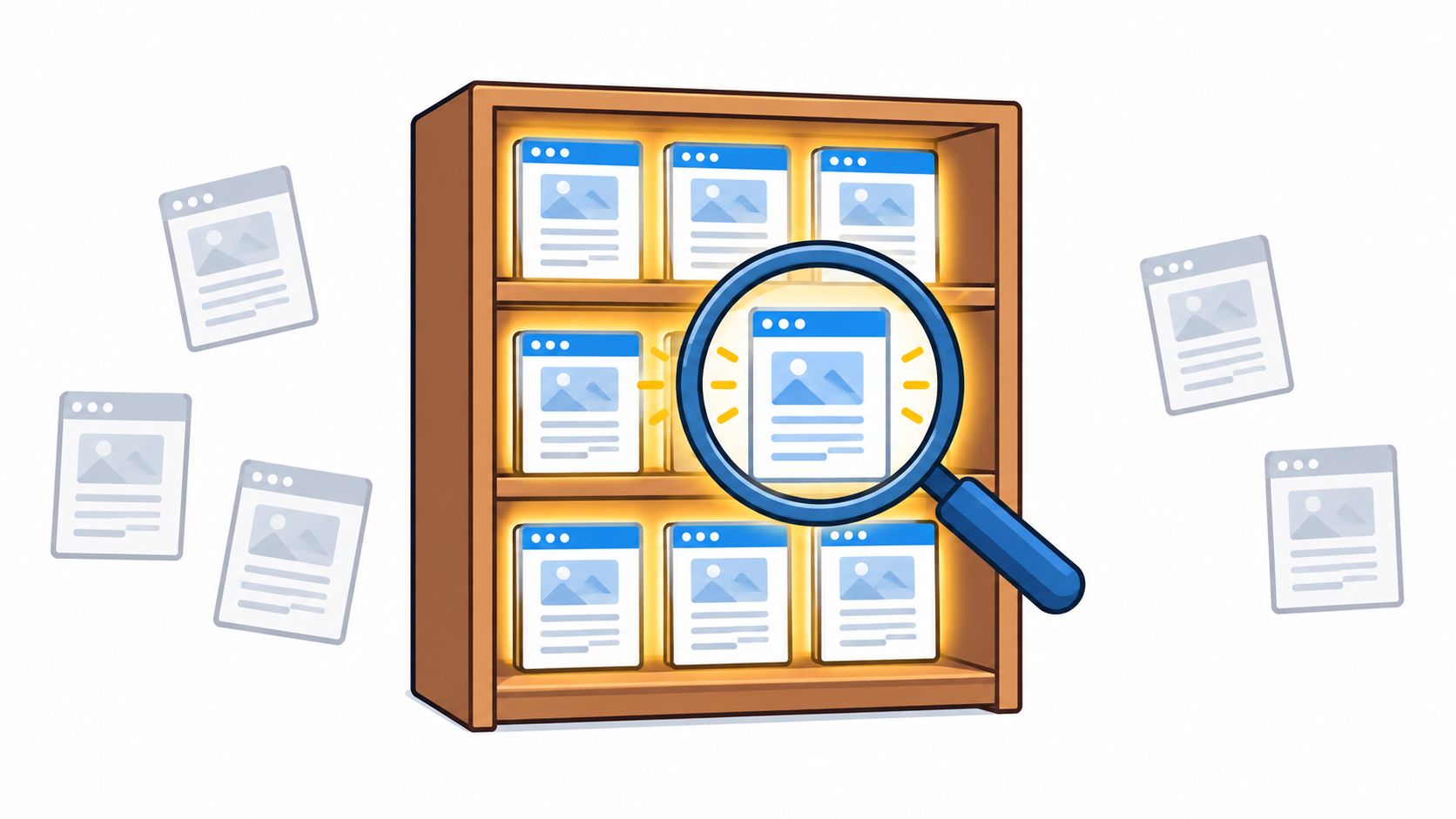
A SaaS blog can pass every crawl test and still disappear from search. A plugin update adds noindex to every post template, and the pages keep loading for readers while becoming ineligible to rank.
Fix order rationale. Indexation is gate two. First confirm that intended pages can enter Google's index. Otherwise, keyword, traffic, and conversion analysis covers only part of the site. Search Console's Page indexing report lists why URLs are excluded, giving the audit a clear starting point.
Compare URLs you want indexed, using your sitemap and CMS, with excluded URLs. Check Crawled, currently not indexed, Duplicate without user-selected canonical, Excluded by noindex tag, and soft 404s. An e-commerce audit may find filtered variants drawing attention while core product pages remain excluded because of a canonical error. Fix the issue affecting core templates first, since it can suppress many valuable pages and distort analysis downstream.
Treat Crawled, currently not indexed as a separate diagnosis. It can point to weak content or internal linking rather than a technical fault. Check page depth, uniqueness, and inbound links before sending a developer ticket. Prioritize templates tied to revenue, then schedule recurring checks so new indexing drops are caught promptly.
3. XML Sitemap Validation
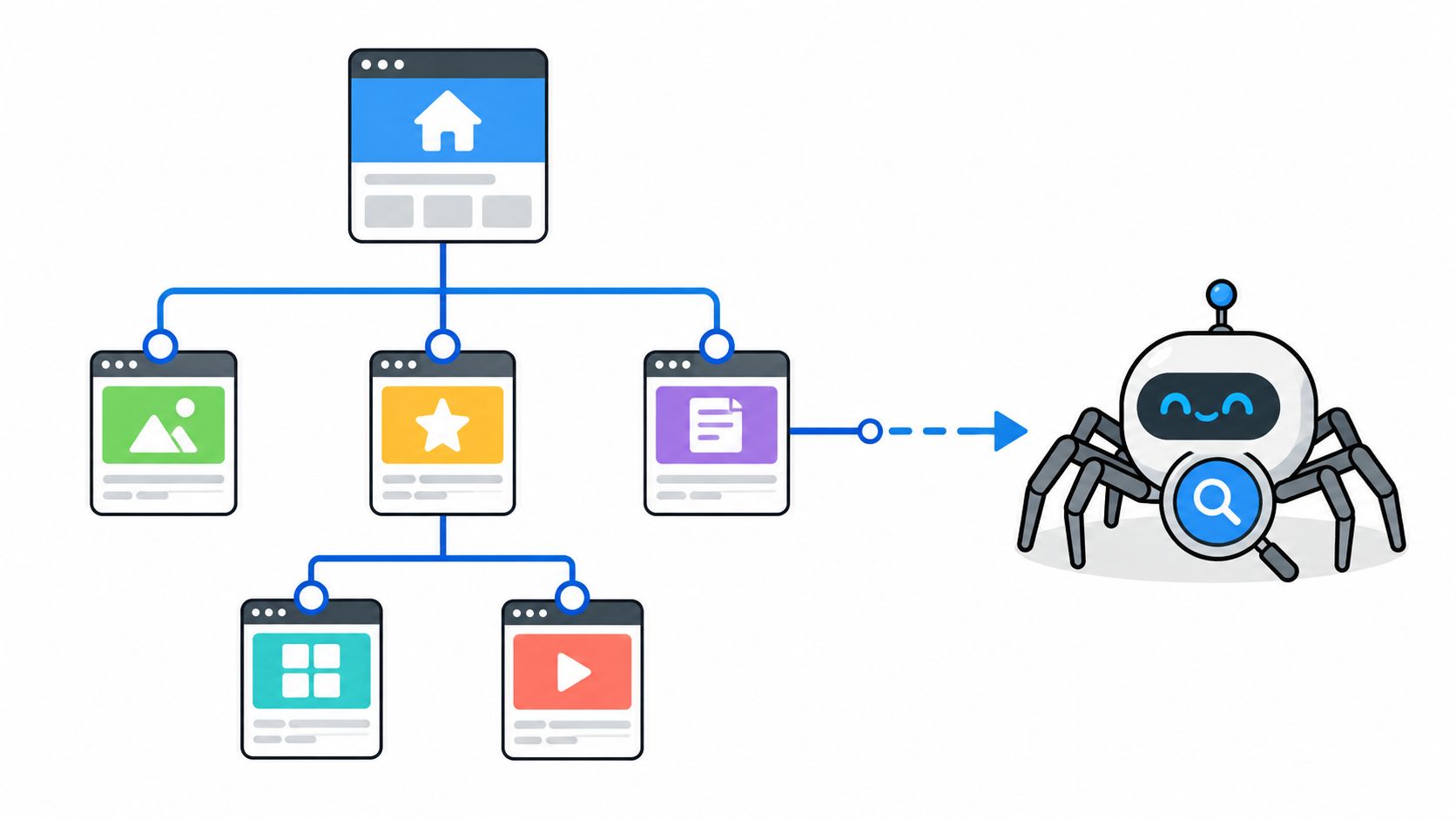
A sitemap full of redirected URLs tells Google two conflicting stories. The travel site in a typical audit changed its URL structure, left the old URLs in the sitemap, and wondered why submitted pages weren't indexing cleanly. Cleaning the file fixed the signal.
Fix order rationale. Sitemaps sit after crawl and index checks because they should reflect decisions you've already made. A sitemap can't rescue a blocked or noindexed page. It can, however, speed discovery of new and updated canonical URLs once those gates are open, which is why teams should improve URL discovery with sitemaps rather than treating the file as an auto-generated afterthought.
Keep the File Honest
- Canonical only: Include only indexable URLs that return a successful status.
- Accurate lastmod: Change the date only when content meaningfully updates, not on every rebuild.
- Split by type: Separate articles, products, video, and images so errors are easier to isolate.
- Reference it: Submit it in Search Console and Bing Webmaster Tools, and list it in robots.txt.
A news publisher splitting sitemaps by content type can spot a broken video sitemap without trawling thousands of article URLs. That segmentation pays for itself during incidents.
4. Canonical Tags and Duplicate Content Management
Duplicates don't usually look like copy-paste theft. They look like sort parameters, trailing slashes, HTTP and HTTPS versions, www and non-www hosts, session IDs, and printer-friendly pages. Each variant splits signals that should consolidate on one URL.
Fix order rationale. Canonicals come after indexation because you need to know which version Google chose before you try to correct it. Get this wrong and you can canonicalize away pages you wanted to rank. A publisher that pointed every paginated page to page one learned that the hard way. Deeper content disappeared behind a single canonical, so review how to fix pagination indexing issues before applying blanket rules to paginated series.
An online store, by contrast, should usually canonicalize filtered category URLs to the main category when the filter doesn't create a distinct search demand. The trade-off is real. Some faceted pages, like size or brand combinations people search for, deserve their own indexable URL.
Check Duplicate without user-selected canonical and Alternate page with proper canonical tag in Search Console. Every indexable page should carry a self-referencing canonical unless it intentionally points elsewhere. That target must be live, indexable, and consistent with your sitemap, internal links, redirects, host, and trailing-slash convention.
5. Core Web Vitals and Page Speed
A product page can load quickly in a test and still frustrate shoppers on mid-range phones. Only 48% of mobile sites achieved a good result across all Core Web Vitals, according to the HTTP Archive 2024 Web Almanac Core Web Vitals results, based on Chrome User Experience Report data. Poor results are common, so start with pages that affect important user journeys.
Fix order rationale. Check performance after crawlability, indexation, and canonicals. Speed work cannot help a page search engines cannot access or index. Once those prerequisites are met, performance can affect whether visitors stay and convert. Google defines good results as LCP of 2.5 seconds or less, INP of 200 milliseconds or less, and CLS of 0.1 or less, measured at the 75th percentile in Google's Core Web Vitals documentation.
Start with field data in Search Console, split by device, then group affected URLs by template. Fixing a slow product-page template can improve many URLs at once. Use Lighthouse to diagnose likely causes, not as a pass-or-fail SEO score. Lab results help isolate issues, while field data shows how real visitors experience the site.
Then preload the LCP image, set image and embed dimensions to prevent layout shifts, and reduce long JavaScript tasks. Review third-party tags quarterly, since removing a tag may improve speed but can also disrupt measurement or marketing tools. Missing field data is not a passing result. It means you do not yet have enough user data to assess performance.
6. Mobile Usability and Mobile-First Readiness
A trimmed mobile product page is a silent ranking problem. One site hid detailed specifications on mobile to keep the layout clean. Desktop ranked for technical queries. Mobile couldn't, because the content Google indexed wasn't there.
Fix order rationale. Under mobile-first indexing, Google uses the mobile version for indexing and ranking. That makes parity a gate, not a design preference. Your mobile pages need the same primary content, internal links, metadata, robots directives, and structured data as desktop. Content that only appears after a tap, swipe, or click is risky because Google may not trigger that interaction.
Don't Forget Who Else Is Crawling
Googlebot rendering your JavaScript doesn't guarantee other systems see the same page. Research summarized in Sitebulb's JavaScript SEO survey on LLM crawler rendering found 29.8% of surveyed SEOs had no idea which LLM crawlers render JavaScript. Compare server-rendered HTML with post-render HTML on high-value templates. Check that titles, links, canonicals, and primary text survive hydration and client-side navigation.
Use URL Inspection and the Rich Results Test to view the mobile render. Keep tap targets comfortably spaced, text readable without zooming, and full-screen interstitials off initial load. A newsletter pop-up that blocks the article costs you engagement before it earns a signup.
Pair this with basic accessibility checks. Semantic headings, labelled forms, keyboard navigation, and crawlable text help real users and make page structure clearer. Don't promise rankings from an accessibility fix alone. Do prioritize fixes that also improve comprehension, interaction success, and conversion paths, the overlap highlighted in Whitehat SEO's analysis linking accessibility with organic visibility.
7. HTTP Status Codes, Redirects, and Broken Links
Redirects are normal. Chains are waste. Ahrefs found 95.2% of analyzed domains had at least one 3XX redirect in its Ahrefs site audit study of redirect prevalence, so the question isn't whether you have redirects. It's whether they resolve in one clean hop.
Fix order rationale. Status codes underpin everything above them. A canonical pointing to a redirect, a sitemap listing a 404, or internal links routing through three hops all leak crawl time and confuse signals. When an e-commerce brand collapsed an old campaign chain into a single 301, it removed needless latency for users and crawlers at the same time. You can check redirect chains in bulk before a migration or after one, rather than clicking links by hand.
Live pages should return 200. Permanent moves should use 301, temporary moves 302 or 307, and genuinely gone content a true 404 or 410. A news site that mapped legacy CMS URLs to equivalent articles preserved years of backlink value. A generic redirect to the homepage would've wasted most of it.
Fix the internal link at source instead of relying on the redirect forever. Prioritize broken URLs with external backlinks, then recrawl to confirm chains and loops are gone.
8. Title Tags and Meta Descriptions
Many audits start here, and they shouldn't. Rewriting titles on pages that aren't indexed, or that canonicalize elsewhere, produces a tidy spreadsheet and no traffic.
Fix order rationale. Titles and descriptions only pay off once a page can be crawled, indexed, and ranked. Then they become your click-through lever. A software company replacing generic titles like Products | Brand on hundreds of feature pages with specific, intent-matched titles gives searchers a reason to choose its result over an identical-looking competitor.
Titles remain a strong on-page relevance signal and usually form the clickable headline. Meta descriptions don't directly move rankings, but a specific description that answers the query earns the click. A recipe site rewriting duplicate category descriptions to name ingredients and cook times does better than one repeating a brand slogan everywhere.
Rewrite in Impact Order
- Start with Search Console: Find high-impression, low-CTR pages in the Performance report.
- Lead with the topic: Put the primary subject first and the brand at the end.
- Check rendering: Watch pixel width and truncation, not just character counts.
- Kill duplicates: Every indexable page gets a unique title and description.
Don't keyword-stuff. Searchers can tell, and so can Google, which may rewrite your title anyway.
9. Internal Linking Structure and Orphan Pages
A strong comparison guide buried six clicks deep is effectively unpublished. One B2B team moved its guide to two clicks by linking from high-traffic posts and navigation. Same content. Different discoverability.
Fix order rationale. Internal links depend on knowing which pages are indexable and canonical. Link generously to a page you've canonicalized away and you send contradictory signals. Once the target set is clean, internal linking distributes authority, shows topical relationships, and gives crawlers efficient paths to new content.
Measure click depth from the homepage and keep important pages within three clicks where practical. Find orphan pages with no internal links by comparing your crawl against sitemap and CMS exports. A large publisher with hundreds of unlinked older articles doesn't need more content first. It needs topic hubs connecting existing coverage.
Use descriptive, natural anchor text. Rotate phrasing instead of repeating one exact-match anchor everywhere, which looks engineered. Contextual links inside body copy carry clearer relevance than footer blocks repeated site-wide, so build pillar pages that link to supporting articles and receive links back.
While you map depth and orphans, also find and fix broken internal links so those new paths don't route readers and crawlers into dead ends.
10. Structured Data and Schema Markup Validation
Structured data doesn't rescue a page that fails earlier gates. That's why it's last. Perfect Product schema on a noindexed template earns no rich result.
Fix order rationale. Schema is an enhancement layer. It clarifies entities, prices, availability, breadcrumbs, and article details once the page is crawlable, indexable, fast, and well linked. Then it can support eligibility for rich results and help systems extract accurate facts.
Markup must match what users can see. Mark up hidden reviews or prices that differ on the page and you risk losing eligibility.
A retailer generating Product markup from its product database keeps price and availability synchronized across thousands of SKUs. Hand-written markup drifts. A recipe publisher adding cook time and ratings that match the visible recipe can earn enhanced listings without extra content work.
Use JSON-LD, validate with Google's Rich Results Test and the Schema Markup Validator, and check required properties against current documentation because Google has retired rich result types over time. After deployment, monitor Search Console Enhancement reports for new errors. Treat warnings by template, not by URL, so one CMS fix clears the whole group instead of creating a ticket per page.
How the 10 SEO audit checks compare at a glance
| Item | Question It Answers | Main Data Source | Typical Fix Owner | Priority Tier |
|---|---|---|---|---|
| Crawlability and Robots.txt Configuration | Can search bots access the pages and resources that should be crawled? | robots.txt, site crawl, Google Search Console | Technical SEO and engineering | Critical |
| Indexation Status and Index Coverage | Are intended pages indexed, and why are others excluded? | Google Search Console Page indexing report | Technical SEO and content teams | Critical |
| XML Sitemap Validation | Does the sitemap list valid canonical pages intended for discovery? | XML sitemap, Google Search Console, Bing Webmaster Tools | Technical SEO and engineering | High |
| Canonical Tags and Duplicate Content Management | Do pages consistently identify the preferred URL version? | Page HTML, HTTP headers, sitemap, Google Search Console | Technical SEO and engineering | High |
| Core Web Vitals and Page Speed | Do pages meet real-user loading, responsiveness, and stability needs? | Chrome UX Report, PageSpeed Insights, Lighthouse | Engineering and performance teams | High |
| Mobile Usability and Mobile-First Readiness | Does the mobile experience provide usable, equivalent content? | Mobile page rendering, Google Search Console, Rich Results Test | Engineering and design teams | High |
| HTTP Status Codes, Redirects, and Broken Links | Do pages and links return the right status without broken paths or redirect issues? | Site crawl and HTTP response checks | Engineering and technical SEO | High |
| Title Tags and Meta Descriptions | Are page titles and descriptions unique, relevant, and compelling? | Page HTML and Google Search Console Performance report | SEO and content teams | Medium |
| Internal Linking Structure and Orphan Pages | Can users and crawlers discover priority pages through relevant links? | Site crawl, CMS, internal link graph | SEO and content teams | High |
| Structured Data and Schema Markup Validation | Is structured data valid, accurate, and eligible for supported rich results? | Page markup, Rich Results Test, Schema Markup Validator | Engineering and SEO | Medium |
Turn the Checklist Into a Recurring Audit Routine
A one-time audit starts decaying the day you publish it. A plugin updates, a developer ships a template change, marketing adds a tracking script, and someone edits robots.txt during a release. None of those people think they're doing SEO damage. That's exactly why the damage happens.
Run the chain in order every time. Don't start with titles because they're easy to see in a spreadsheet. Start with crawling. If gate one is closed, fix it, recrawl, and only then trust the indexation numbers. If indexation is clean, check sitemaps and canonicals before you spend a sprint on speed or schema. This discipline is unfashionable and it works.
A Cadence Teams Can Actually Keep
- Monthly: Run crawl, robots.txt, index coverage, status code, and redirect checks. These catch regressions before they become traffic losses you have to explain in a quarterly review.
- Quarterly: Review Core Web Vitals by template, mobile parity, titles with weak click-through, internal linking depth, and structured data errors.
- After every release: Recheck the first three gates on staging and production. Migrations, redesigns, and CMS changes are where staging blocks and stray noindex tags slip through.
Prioritization matters more than issue counts. A missing canonical on one forgotten page is noise. The same defect across your product template is a revenue problem. For every finding, record affected URLs, whether they drive clicks or conversions, how often the template repeats, and who owns the fix. That turns a 400-line audit export into a short, defensible backlog your developers will ship.
Keep field performance separate from lab scores. Record mobile and desktop results at the template level so you can prove a fix worked, rather than celebrating a Lighthouse improvement no visitor experienced. Do the same with rendering checks. Save rendered snapshots for your most valuable templates and compare them after JavaScript changes. Teams that skip this step discover hydration failures only when rankings or answer visibility slip.
You can audit your content site's health as a quick external check, but the routine itself has to live inside your workflow. Connect Search Console, GA4, and rank data in one place so a clicks drop can be matched against an indexation change on the same screen. Keyword Kick is one option for that, combining site audits with its K² AI Agent so teams can ask why traffic dropped and get a sequenced fix list instead of raw exports. Whatever stack you choose, insist on history. Without a previous crawl to diff against, you can't tell a new regression from an old, accepted flaw.
Assign an owner to each gate. Developers own rendering, status codes, and performance budgets. SEO owns indexation intent, canonical logic, and internal linking priorities. Content owns titles and on-page parity. When nobody owns robots.txt, everybody edits it. That's how the staging rule from the opening of this article survives a launch.
Finally, close the loop. After fixes ship, recrawl, validate in Search Console, and annotate your analytics with what changed and when. Note which gate the fix addressed. Over a few quarters you'll see a pattern in where your site breaks, and you can add pre-release checks there. That's the lasting value of an SEO Audit Checklist. Not a PDF. A shorter distance between something breaking and someone noticing.
Start your next audit at gate one and let Keyword Kick sequence the rest, with site audits, Search Console and GA4 data, rank tracking, and the K² AI Agent in one workspace so you can see which fix unblocks the most traffic first. Visit Keyword Kick to run your crawl, indexation, and performance checks in dependency order instead of working from disconnected exports.