Your team has rankings, audit exports, backlink reports, and dashboards open in separate tabs. A client asks why organic traffic fell, or a developer asks which technical issue to fix first, and the answer still takes hours of manual comparison. The data is there. The decision isn't.
That's the problem an SEO software platform should solve. The right system connects evidence, context, and action, instead of giving your team another place to collect reports. Choose for the decisions you need to make repeatedly, not for the longest feature list.
Why Your SEO Tools Create More Work
A familiar Monday begins with a rank-tracking alert, a site audit full of warnings, and a spreadsheet someone updated before the latest release. The analytics dashboard shows fewer organic visits, but the rank tracker shows little movement. One tool says a page has a technical issue; another suggests the page is gaining visibility. Nobody can tell which signal matters most, so the team starts exporting data.
Specialist tools can be useful. A dedicated crawler may expose technical details an all-in-one suite misses, and a backlink database may offer better competitive context. But each additional tool brings its own definitions, update schedule, coverage limits, and reporting format. Someone has to reconcile them before the team can decide what to do.
That reconciliation is work, but it isn't SEO progress. More reports don't automatically produce better decisions. When a ranking change, a technical finding, and a business result sit in separate systems, the team has to build the connection by hand. That slows prioritization and makes it harder to explain why a task deserves developer time.
The category is also too substantial to dismiss as a collection of niche utilities. The global SEO software market was valued at approximately USD 68.3 billion in 2023 and is projected to reach about USD 154.6 billion by 2030, with an estimated compound annual growth rate of 13.5% from 2024 through 2030; North America accounted for 35.9% of global revenue in 2023, according to Grand View Research's SEO software market analysis. That scale reflects demand for systems that combine search research, monitoring, technical diagnosis, and reporting.
A useful platform should answer practical questions: What changed? Which pages or query groups are affected? Is the change meaningful to the business? Who owns the next action? The rest of your evaluation should come back to those questions. If a product only creates another dashboard, it's adding volume, not clarity.
Understanding What an SEO Software Platform Does
Think of an SEO platform as an air-traffic control tower for search work. A tower doesn't just display aircraft locations. It combines signals, shows what's changing, and helps controllers decide what needs attention. An SEO platform should do the same with rankings, site health, competitors, and business performance.
That distinction matters because individual tools often answer only one question. A rank tracker tells you where selected keywords appear. A crawler identifies technical conditions on a site. An analytics dashboard describes visits and engagement, while a spreadsheet can organize work if someone continually maintains it. Those tools have a place, but none automatically connects its findings to the team's next priority.
Google's search systems make that context important. Its documentation describes automated ranking systems evaluating signals across hundreds of billions of pages and other content, with results returned in a fraction of a second. Search has also changed through major system updates: Panda was announced in 2011 and joined Google's core systems in 2015; Penguin was announced in 2012 and integrated into core systems in 2016; and the Helpful Content system, introduced in 2022, evolved into Google's core ranking systems in March 2024. Google makes broad core changes several times each year, as explained in its Search documentation and updates. Industry reporting counted 4,725 Google Search changes in 2022, including ranking changes, interface updates, and experiments, in its review of Google's search changes.
A platform that stores only the latest position loses the context needed to separate routine movement from a meaningful shift. Historical trends, consistent metric definitions, and annotations for releases or campaigns help teams interpret what changed before they react.
Practical rule: Buy a platform for the decisions it helps your team make, not the number of charts it can display.
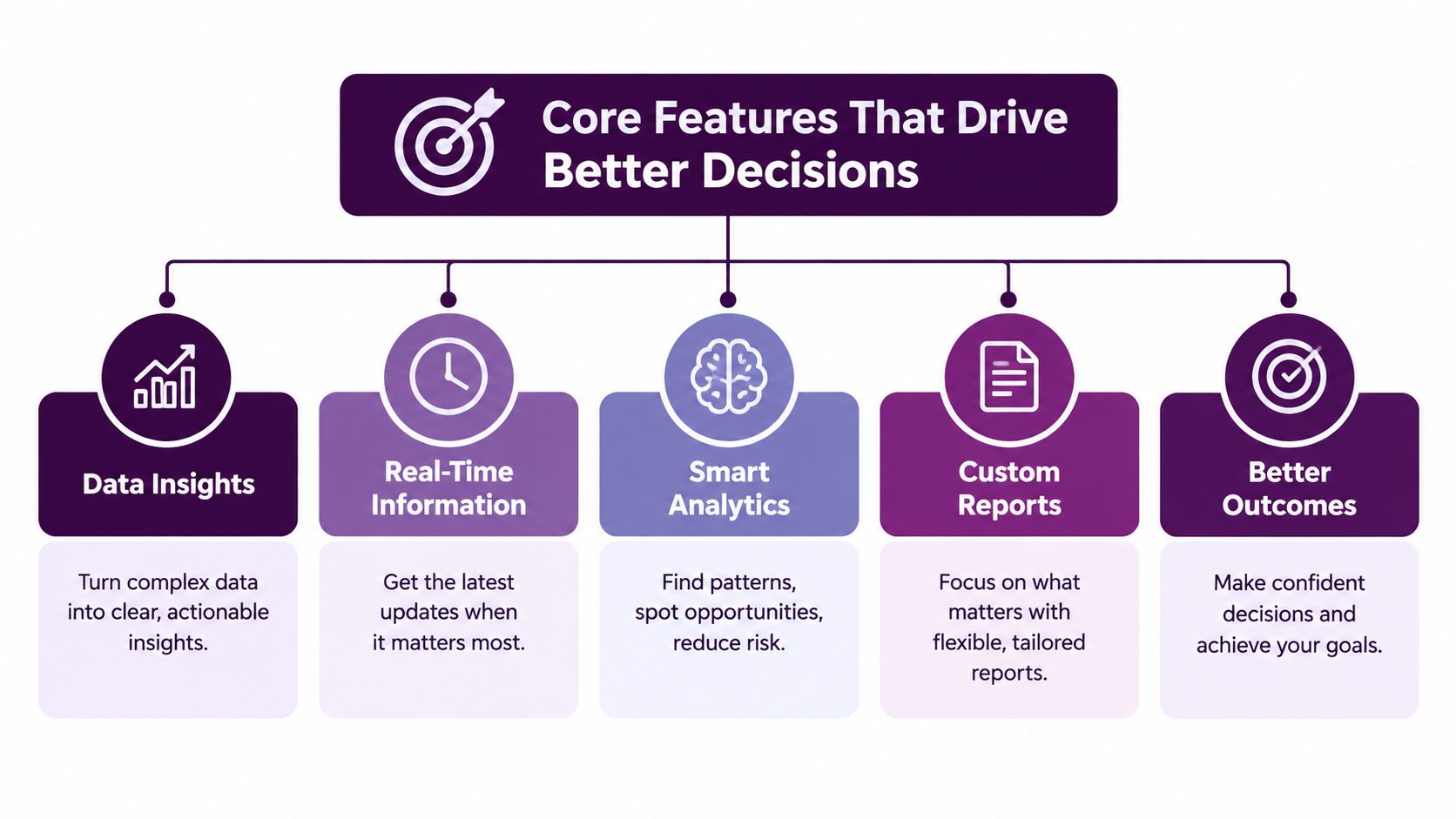
Core Features That Drive Better Decisions
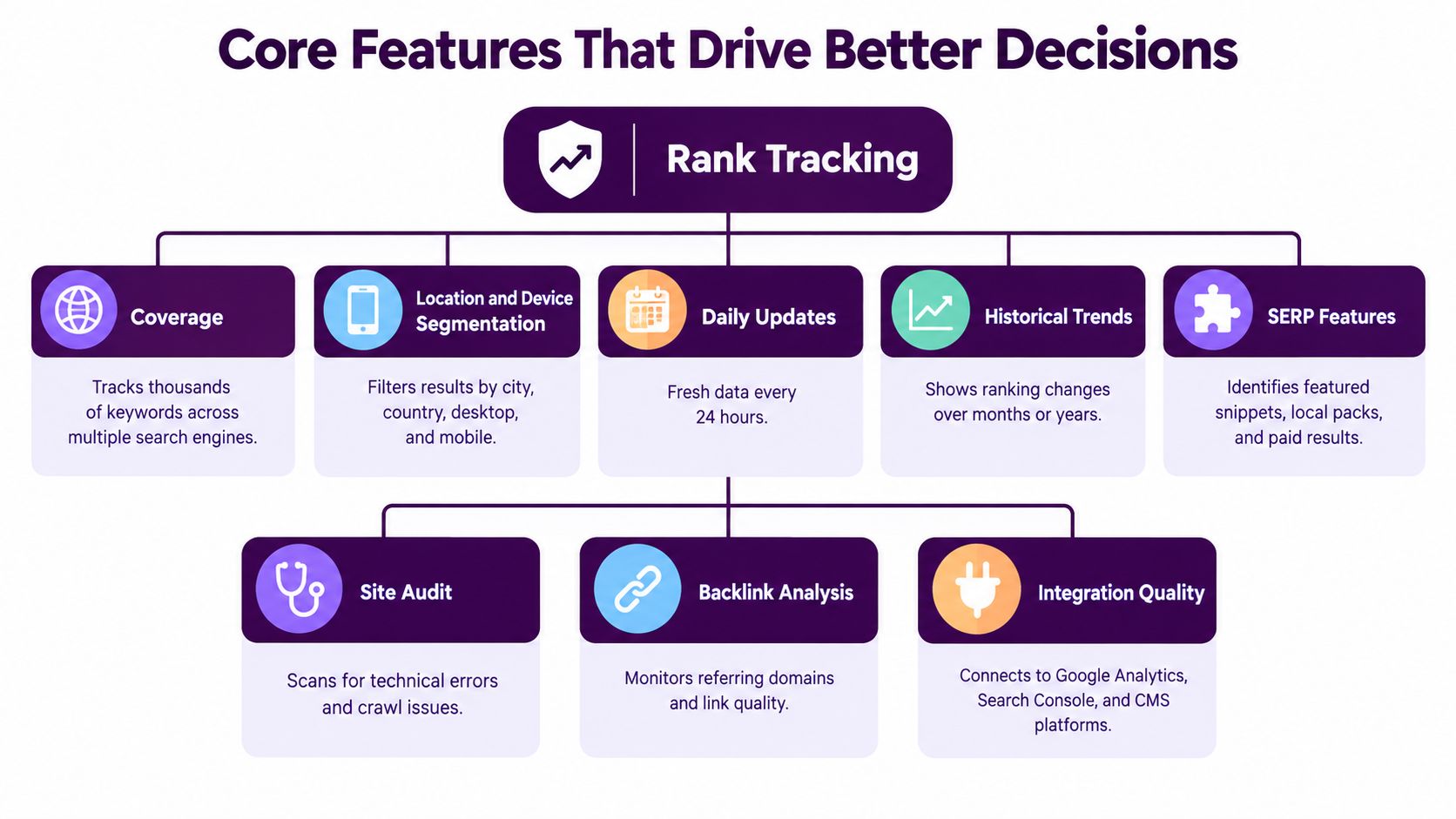
A strong platform doesn't need to be the deepest tool in every category. It does need to bring the right evidence together and make it possible to investigate a change without rebuilding the story from disconnected exports.
Rank tracking should explain movement
Ask whether rankings can be segmented by location, device, search engine, keyword group, and SERP feature. The platform should show useful history, configurable alerts, and enough coverage to reflect the markets you serve. A position change without location or device context can disguise a local problem or a mobile-only issue.
Connect those rankings to Google Search Console and analytics. If a page loses visibility but continues to attract qualified visits, the response may differ from a page that has both declining impressions and weakening conversions. For client-facing teams, a focused SEO reporting tool should make that context understandable, not just more presentable.
Audits should distinguish warnings from barriers
An audit has value when it helps diagnose a problem and assign an owner. A long list of warnings is not a priority queue. Check whether the software groups issues by page template, explains how to validate findings, and helps you identify which affected pages matter to your business.
For JavaScript-heavy sites, check whether the platform models crawling, rendering, and indexing as separate stages. Googlebot first retrieves HTML, parses links, and queues eligible pages for rendering. A headless Chromium process then executes JavaScript, parses the rendered HTML, discovers additional links, and uses the rendered output for indexing, as described in Google's JavaScript SEO guidance. A useful diagnostic compares initial HTML with the rendered DOM and checks status codes, robots directives, canonicals, structured data, and internal links. Test templates, not only individual URLs, because a shared implementation problem can affect many pages.
Performance and authority need context
Core Web Vitals shouldn't be judged from a single lab run. Google's Search Console report evaluates groups using the 75th percentile of real visits over a rolling 28-day period. A group is classified as Good when LCP is at most 2.5 seconds, INP at most 200 milliseconds, and CLS at most 0.1; it's Poor when LCP exceeds 4 seconds, INP exceeds 500 milliseconds, or CLS exceeds 0.25, according to Google's Core Web Vitals report guidance. Segment performance by template and device, then connect issues to affected pages and outcomes.
Backlink tools should help assess relevance and competitive context, not invite teams to chase a raw link count. Competitor data should reveal differences worth investigating, such as pages or query groups where rivals appear and your site doesn't. Automation can surface those patterns, but a human should decide whether the suggested work fits the audience, the brand, and the available engineering or content capacity.
Match SEO Software Capabilities to Your Team
The same platform can support very different working styles. An agency needs to manage a portfolio of clients and produce consistent reporting. An ecommerce team needs to connect technical findings to templates, products, and business priorities. A freelancer may care more about fast, portable client delivery than elaborate permissions. A solo publisher needs useful guidance without spending time configuring a miniature enterprise system.
The right question isn't “Which platform has the most features?” It's “Which recurring decisions does my team need to make, and what evidence will help us make them?” That may lead an agency to prioritize client separation and reporting controls, while an in-house team focuses on integrations and technical ownership. A consultant managing a few projects may choose a simpler workflow and add a specialist crawler only when a project demands it.
| User type | Primary job | Priority capabilities | Main trade-off |
|---|---|---|---|
| Agency | Compare client performance and deliver clear updates | Multi-client views, reusable reports, competitor context, permissions | Broad coverage can add setup and administrative work |
| In-house brand or ecommerce team | Direct work across content, engineering, and marketing | Analytics connections, template-level monitoring, shared priorities, ownership | Deeper workflows may need alignment with existing project systems |
| Consultant or freelancer | Deliver useful analysis without slowing client work | Portable reporting, efficient tracking, exports, clear prioritization | A large suite may cost more to manage than it saves |
| Solo publisher | Find and fix the issues most likely to matter | Accessible keyword research, essential tracking, clear audit findings | Some enterprise features will go unused |
Don't buy for a team you hope to become before you've solved the workflow you have now. If the main pain is client reporting, compare accuranker alternatives based on the actual reports and handoffs you need, rather than assuming a bigger suite will automatically improve delivery. If the main pain is technical diagnosis, prioritize crawl and rendering capabilities instead.
Complexity is a cost. Every feature requires configuration, interpretation, or maintenance. A product earns its place when it supports a decision your team makes often enough to justify that effort.
Evaluate Platforms With a Buyer Checklist
A polished demo proves the vendor can present. It proves nothing about whether the platform improves the decisions your team makes each week. Show up with a real property, a recurring SEO problem, and the people who would use the output, then make the vendor walk from evidence to a specific action in front of you.
Verify the data and the workflow
Build your checklist around the decisions you need to make, not around the feature list you were shown:
- Coverage and history: Confirm which search engines, countries, locations, devices, and SERP features are included. Check how far ranking history goes and whether you can export it. A platform that resets your historical context on day one is a downgrade, whatever else it does well.
- Update cadence: Ask how often rankings, audits, backlinks, and integrations refresh. Then check whether alerts can be configured around meaningful changes, because a tool that flags every small fluctuation trains your team to ignore it.
- Integration quality: Connect Google Analytics 4 and Search Console during the trial, then verify that the platform maps the right properties and useful conversion events. A page of integration logos tells you nothing about whether the connection works for your reporting.
- Audit depth: Review how the tool explains findings, separates templates, and supports validation. Ask which crawl settings and JavaScript rendering options exist before you need them.
- Competitor and backlink context: Check whether you can define the competitors that matter to you and pull out useful link evidence from a large undifferentiated total.
- Reporting and access: Test filters, report controls, permissions, exports, and API access. Different users should see what they need without gaining access to everything.
- Support and commercial terms: Get direct answers on onboarding, migration assistance, trial limits, renewal conditions, and what happens to pricing when your tracked properties or data needs grow.
For a JavaScript-heavy site, make the vendor show a representative page in both its initial HTML and its rendered output. Check the status code, robots directives, canonical URL, structured data, and internal links, then repeat the test across templates like category, product, and article pages. A single URL can look healthy while a shared template carries a defect that affects hundreds of pages.
Then test whether the platform connects technical findings to performance data. A rendering discrepancy on a page with strong impressions and weak clicks deserves priority over the same warning on a URL nobody visits. A platform that surfaces findings without that context is generating a work queue, not a decision system. Apply the same standard when comparing Semrush vs SE Ranking: run both against your own workflow instead of treating a published feature comparison as a decision.
Run a representative pilot
Pick a property, market, competitor set, and workflow that look like normal work. Skip the tidy demo scenario the vendor prefers. Hand the platform to the people who will interpret reports and carry out recommendations, and record where they need manual work, where definitions differ from your existing tools, and which questions they can answer confidently from the output alone.
Two weeks of honest pilot data beats two months of sales calls.
Buyer's test: If the platform can't help your team answer a real recurring question with less reconciliation, a polished demo is proof of marketing, not fit.
Implement and Migrate Without Losing Search History
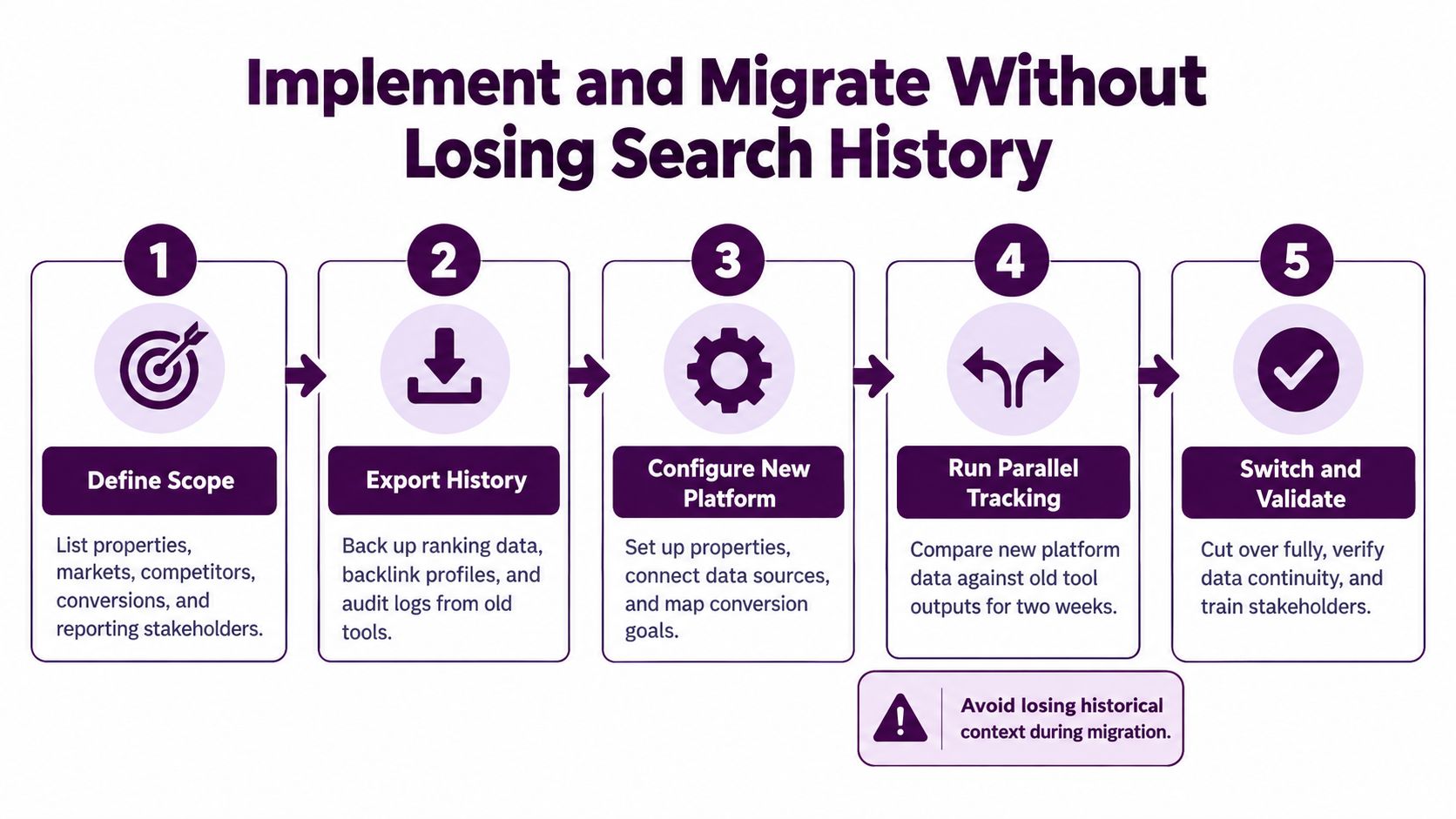
A new platform can disrupt the very workflow it's supposed to improve. Prevent that by setting a clear scope before you connect data or retire existing tools. List the properties, markets, competitors, conversion goals, and stakeholders that need to be represented. Decide which current reports and work queues are essential, then preserve the information that helps explain past performance.
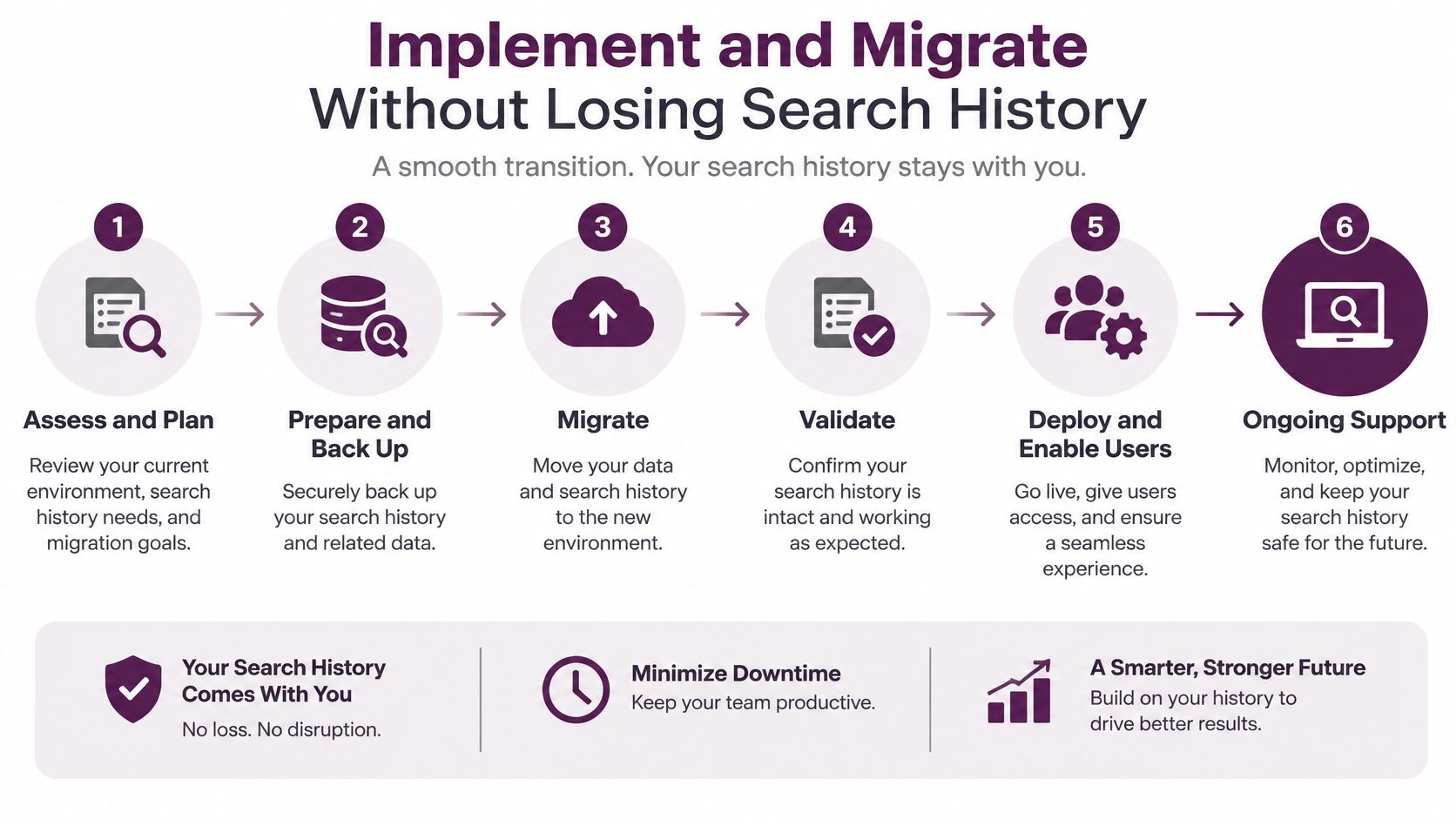
Start by exporting available ranking history, backlink information, and audit records from the tools you plan to replace. Then configure the new platform and connect analytics and Search Console. Validate properties, conversion goals, keyword sets, competitor definitions, and location and device settings before users rely on the data.
Next, establish shared operating rules. Decide how the team names projects, assigns owners, defines priority, and escalates alerts. If a ranking decline triggers a task, the task should contain enough context for the person receiving it to investigate, not just a URL and a warning label.
Run old and new tools in parallel while the team compares their results. Reconcile differences in dates, coverage, metrics, and refresh timing before changing stakeholder dashboards. Keep annotations for releases, migrations, and significant content changes so the team can interpret later movements without guessing what happened.
Plan permissions and data retention early. Give users access based on their responsibilities, and keep a rollback option until the replacement workflow has been validated. Don't shut off familiar reports just because the new platform is available. Change them when the people relying on them can consistently find, interpret, and act on equivalent information.
A migration is complete when the connected data supports a repeatable workflow: the team sees a meaningful change, understands the context, assigns the work, and checks what happened after implementation. Until then, keep the old source available as a reference rather than forcing an unverified cutover.
Measure ROI Through Decisions and Business Outcomes
A platform does not deserve credit for every ranking improvement after launch. Search performance shifts for many reasons, and buying software never guarantees the team will act on its recommendations. Measure whether the system produces better, completed decisions first. Then assess business outcomes without mistaking correlation for proof.
Set a baseline before rollout. Document how the team finds issues, evaluates them, assigns work, and reports results, and note where hours go to reconciling exports or chasing ownership. After implementation, track whether people rely on the platform, whether its recommendations become completed tasks, and whether every flagged issue ends up with a named owner and a follow-up check. If recommendation-to-completion stays flat, the platform added dashboards, not decisions.
Then connect the work to performance: rankings, impressions, organic visits, qualified leads, conversions, or revenue where those measures apply. Segment by page type and intent so a shift in one group does not disappear inside a site-wide average. Annotate releases and major content changes, and give each outcome enough time to register before judging it.
Search visibility alone no longer tells the story. Pew Research found that U.S. users clicked a traditional result in 8% of visits when an AI Overview appeared, compared with 15% without one; links inside the summary received clicks in 1% of visits, according to the Pew Research Center's analysis of AI Overviews and user clicks. A separate analysis of 3,119 informational queries across 42 organizations reported a 61% decline in organic click-through rate and a 68% decline in paid click-through rate on queries showing AI Overviews between June 2024 and September 2025, as covered in CMSWire's examination of marketing dashboards and search traffic.
Track visibility, clicks, and business value as three separate lines. A page can earn an AI citation or branded attention without matching the click pattern of a traditional result, and a stable ranking can deliver less value when the query or result layout changes. Teams reporting only positions to stakeholders will miss that gap entirely.
Take a content team publishing ten updates a quarter as an example. If the platform helped pick those ten pages, record why each was chosen, who approved it, when it shipped, and what happened to clicks and leads afterward. That record is what separates platform-driven gains from ordinary publishing noise.
Keyword counts, alert volume, and dashboard activity are not ROI. The honest chain is short: data becomes available, someone decides, the work ships, and the result is checked against a business goal. Count hours saved alongside traffic gained, and resist turning a plausible connection into a causal claim your evidence cannot support.
Choose Your Next SEO Platform Action
Begin with the recurring SEO problem that costs your team the most time or blocks important work. It might be reconciling client reports, finding technical issues across templates, or deciding which pages deserve content updates. Shortlist platforms against that problem, then test the same workflow in each one.
Use a real property and involve the people who will act on the recommendations. Verify integrations, historical context, exports, support, onboarding, and commercial terms before committing. Agencies should test client separation and repeatable reporting. In-house teams should test ownership and connections to engineering workflows. Consultants and solo publishers should be especially wary of paying for complexity they won't use.
Keyword Kick is one option for teams looking to bring Google Analytics 4, Google Search Console, rank tracking, backlink analysis, technical SEO signals, competitor analysis, SERP features, and AI-assisted recommendations into one workspace. Its K² AI Agent is designed to help interpret connected search data and surface prioritized next actions. Evaluate it by the same standard as any other platform: can it make your next decision clearer and help the people responsible carry it out?
The best SEO software platform isn't the one with the most impressive feature catalogue. It's the one that fits your recurring decisions, preserves the context behind search changes, and helps your team act with confidence.
Keyword Kick connects analytics, search performance, technical SEO, backlink, and competitor signals with AI-assisted recommendations in one workspace. If you're comparing platforms, visit Keyword Kick to assess whether its workflow fits your team's next SEO decision.