You're editing a page in WordPress or Drupal when you notice an old field labeled Meta Keywords. It's empty, but the label makes you wonder whether leaving it blank could hurt visibility, or whether adding a careful list might give the page an SEO advantage.
That uncertainty is understandable. Meta keywords were once part of how early search engines interpreted a page, but their role changed as search systems became better at analyzing visible content and detecting manipulation. In 2026, the useful question isn't “Which keywords should I add?” It's “Should this legacy field still exist in my site's workflow?”
What Meta Keywords Are in Plain English
Meta keywords are an HTML metadata element created to tell search engines which topics a page covers. The tag sits inside the page's <head> section with other metadata, so visitors do not see it as page text.
A typical example uses the name="keywords" attribute:
<meta name="keywords" content="technical SEO, site audits, internal linking">
The content value is generally a comma-separated list of words or phrases. In plain English, it is a hidden note in the source code that says, “This page covers these subjects.”
That purpose differs from other metadata marketers manage:
Title tags provide the page title shown in browser tabs and search results.
Meta descriptions summarize the page and may affect the wording of its search result snippet.
Meta robots tags give crawlers instructions about indexing and following links.
Meta keywords were meant to list a page's target topics, but Google's documentation says the tag is not used by Google Search and has no effect on indexing or ranking. See the official Google documentation on special tags.
The simplest mental model
Meta keywords work more like a sticker on a box than text printed on the document itself. The sticker sits in the source code, while the page's actual content remains visible to visitors. Early search engines sometimes used that hidden clue because they had fewer ways to interpret the document.
Modern search engines can assess the title, headings, copy, links, images, and surrounding context. A hidden phrase list therefore gives Google no useful SEO advantage.
Practical rule: Meta keywords describe what a page claims to cover. They do not show that the page covers those topics well.
A CMS may still display this field because its theme, plugin, or database structure comes from older SEO practices. It can look like an unfinished task even when the search engine ignores its output. For a current site, treat it as legacy markup. During a redesign, migration, or CMS cleanup, standardize or remove the field if it creates workflow confusion, but do not add keywords expecting better rankings.
How Meta Keywords Went From Useful to Useless
The story begins in 1995, when early search engines such as AltaVista and Infoseek used the meta keywords tag as a ranking signal. At that point, web search was primitive and algorithmic analysis of page content was limited, so a hidden list of topics offered a convenient clue. The historical background and Google's later position are documented in Google's announcement about the meta keywords tag.
For a short period, adding a relevant list could help a search engine classify a page. The weakness was obvious once publishers noticed it: the field was controlled by the site owner and wasn't necessarily supported by the visible page.
Some publishers filled the tag with repeated phrases, unrelated queries, or competitor brand names. A page about affordable clothing might include terms associated with luxury designers because those searches attracted attention. The tag stopped representing the page and became an invitation to manipulate rankings.
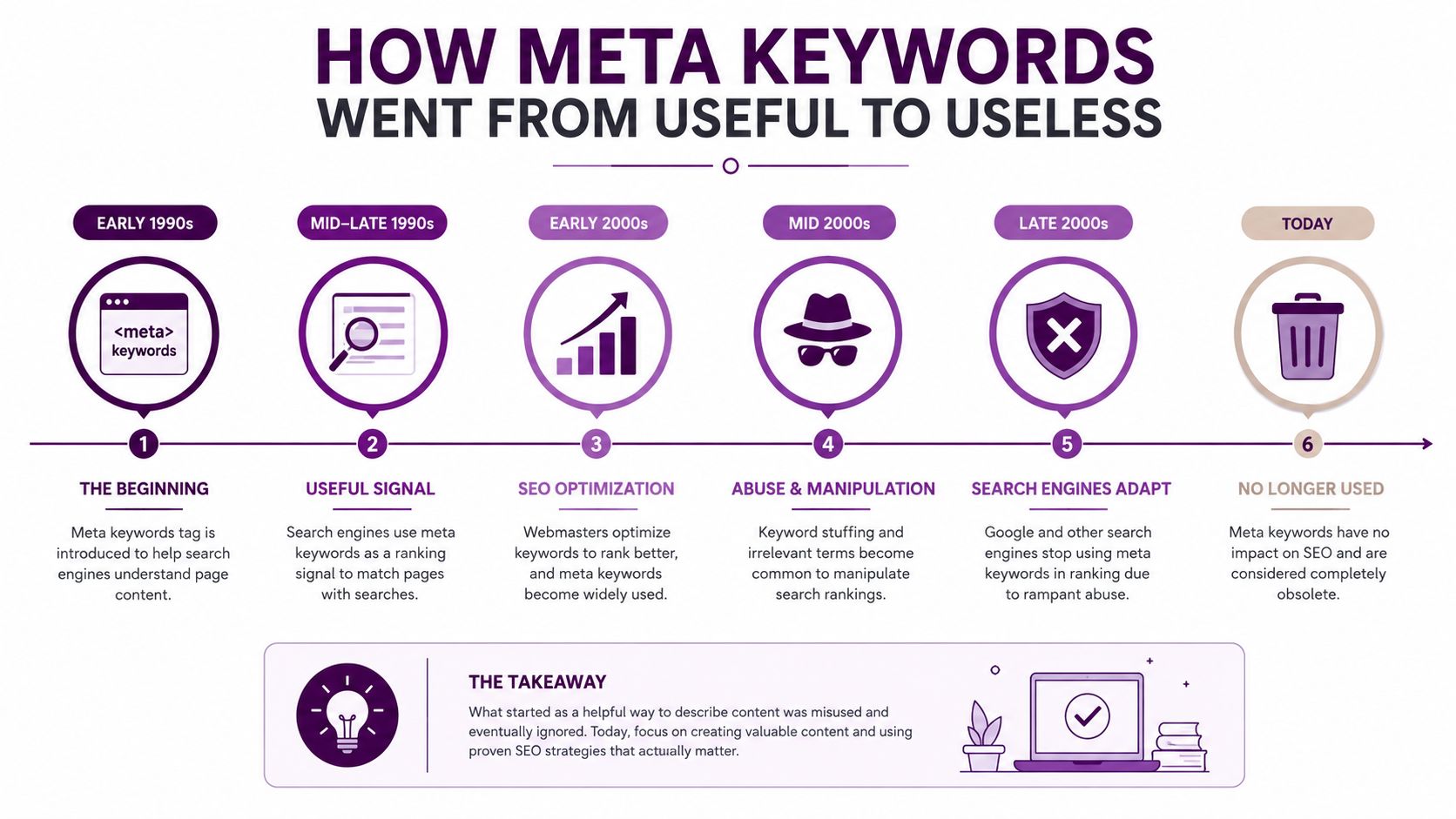
Google publicly confirmed in 2009 that it completely ignored the tag for web ranking, stating that it had no effect on search results at that time. That announcement formalized a shift that had already been developing through years of abuse and declining trust.
The lesson is broader than this one HTML element. A signal can begin as a useful shortcut, become easy to manipulate, and eventually lose its value when search engines find more reliable evidence elsewhere. Meta keywords moved from a meaningful hint to a deprecated element, which is why modern teams should treat them as a housekeeping concern.
The HTML Behind the Meta Keywords Tag
You can recognize the tag by opening a page's source code and searching for meta name="keywords". It belongs in the document head, not in the visible body content.
The examples below show the difference between a tidy legacy tag and an obvious stuffing pattern:
<head>
  <!-- Clean legacy markup. Valid HTML, but no Google SEO value. -->
  <meta name="keywords" content="technical SEO, site audits, internal linking">

  <!-- Stuffing pattern. Repeated and irrelevant terms don't create ranking value. -->
  <meta name="keywords" content="cheap shoes, cheap footwear, discount shoes,
  buy shoes online, luxury brands, competitor name, cheap shoes, shoes">
</head>
The first example is structurally understandable. It lists topics that might match a page about technical SEO, but adding it won't improve the page's Google visibility. The second example illustrates why the tag became unreliable. It repeats phrases, mixes broad commercial terms with unrelated topics, and treats the metadata field as a place to collect every possible query.
Neither version changes what visitors see. The tag is read from the source code, while the page's actual text, headings, links, and interface remain unchanged.
Finding legacy output in a CMS
Older WordPress plugins, Joomla extensions, Drupal modules, and third-party themes may have generated the tag automatically from a backend field. A page can therefore continue emitting meta keywords even when the current marketing team never adds them manually.
A source inspection tool such as this meta tags analyzer can help you identify whether a page still outputs the element. You can also use the browser's View Source function and search for name="keywords".
The operational distinction matters:
Harmless artifact: The tag exists, contains a small relevant list, and comes from a legacy template.
Cleanup candidate: The tag is generated inconsistently, contains stale terms, exposes internal taxonomy, or appears across templates without a documented purpose.
The code may be valid, but validity isn't the same as SEO usefulness. In a migration, the important question is whether the tag serves a current business or technical requirement.
Why Google and Other Search Engines Ignore Them Now
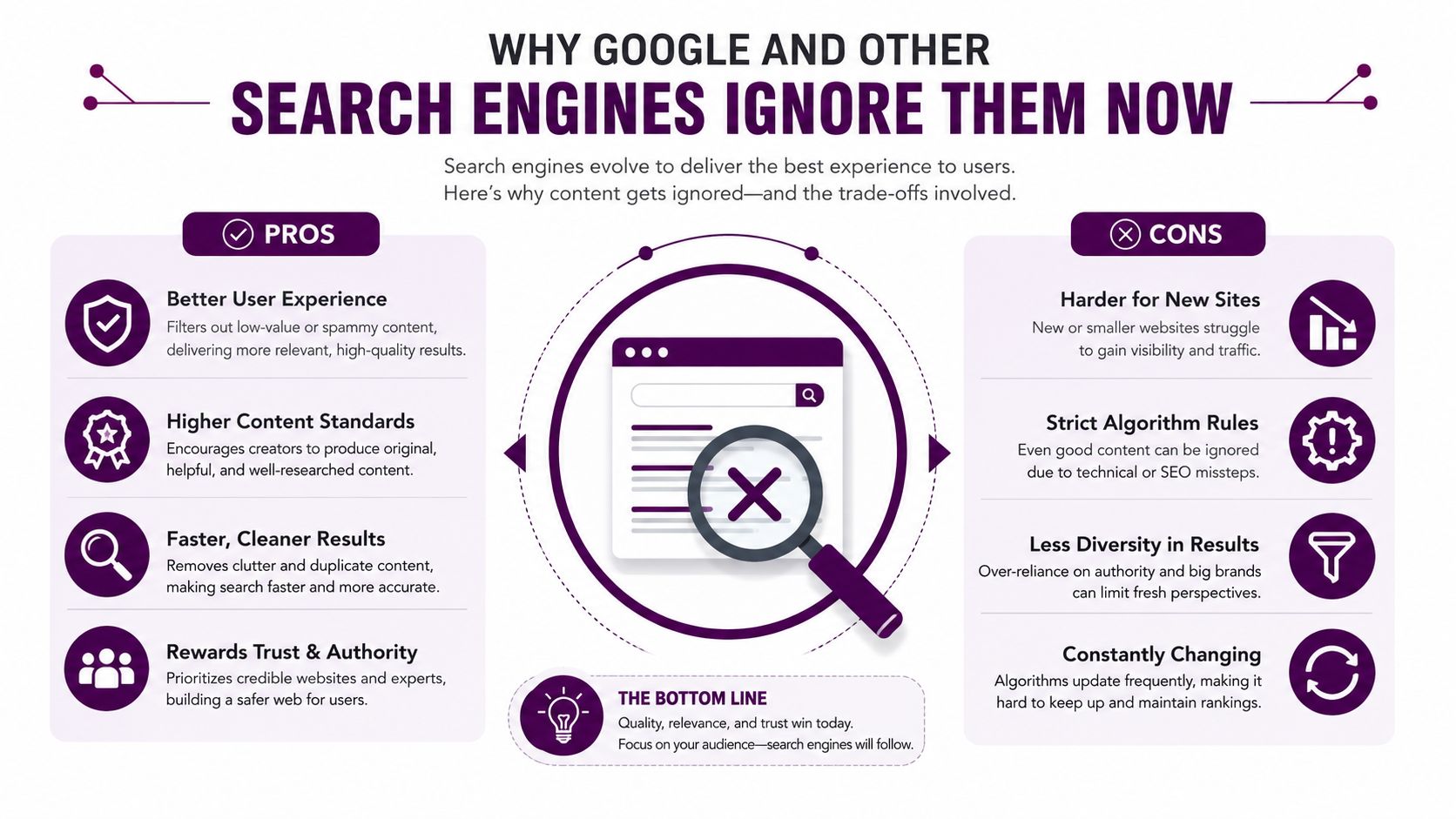
Search engines ignore meta keywords because the field provides weak evidence about a page. Four problems explain the decline.
First, publishers could manipulate it easily. A site owner could add a long sequence such as “cheap shoes, cheap footwear, discount shoes, buy shoes online” without improving the page for visitors. Repetition made the field less descriptive and more adversarial.
Second, stronger evidence already exists on the page. A useful title, clear headings, relevant copy, descriptive links, and coherent page structure communicate topic and intent without relying on a hidden declaration. Search engines can compare those signals with the page experience rather than trusting a list supplied by the publisher.
Third, the field creates little protection against misleading input. If a CMS or template exposes the value carelessly, the tag can contain stale, irrelevant, or copied terms. A hidden list doesn't establish that the page satisfies a searcher's need.
Fourth, Google made its position public. Its 2009 announcement says the meta keywords tag doesn't affect web search ranking. The current Google documentation likewise says the tag isn't used by Google Search and has no effect on indexing or ranking.
Ignore doesn't mean penalize
Many marketers confuse “Google ignores this tag” with “Google penalizes every page that contains it.” Those are different outcomes.
A leftover meta keywords tag generally doesn't create ranking value, and its presence alone isn't a reason to expect a visibility loss. The practical SEO result is still zero. Removing it won't erase a positive signal because Google doesn't use the tag as a positive ranking input.
The absence of ranking value is the reason to stop optimizing the field, not a reason to keep perfecting it.
That distinction helps teams prioritize work. You don't need to rewrite every old value as an SEO project. You need a sensible policy for whether the markup should remain in the system, especially when a redesign, migration, or template audit gives you a natural cleanup point.
What to Optimize Instead for Real SEO Results
Meta keywords compete for attention with elements that serve users and provide search engines with stronger context. A useful comparison looks like this:
Element | SEO Impact in 2026 | Primary Purpose | Action Priority |
|---|---|---|---|
Title tag | High practical importance | Describe the page and support search-result relevance | Review important pages first |
Meta description | Supports search-result presentation and clicks, rather than acting as a direct ranking lever | Explain the value of the page | Write a distinct, useful summary |
H1 and headings | Helps organize page meaning and user navigation | Make the topic and subtopics clear | Align headings with page intent |
Main content | Central source of relevance and usefulness | Answer the searcher's need thoroughly | Improve accuracy, coverage, and clarity |
Structured data | Can support eligibility for enhanced search features | Clarify entities and page type | Add only markup the page genuinely supports |
Internal links | Help users and crawlers discover related pages | Distribute context and navigation | Link related pages with descriptive anchors |
Image alt text | Describes meaningful images for accessibility and understanding | Explain image purpose | Write concise, accurate descriptions |
Canonical tags | Help communicate preferred URL versions | Reduce duplication confusion | Validate canonical targets |
Page performance signals | Support a usable experience | Reduce technical friction | Test and resolve practical issues |
Start with the page's visible promise
The title tag deserves attention before hidden keyword fields. It should describe the page accurately and make sense beside competing results. This week, review titles on priority pages for duplication, vague wording, and a mismatch between the title and the actual content.
Meta descriptions work differently. They can help persuade a searcher to choose your result, but they aren't a substitute for useful content. For practical writing guidance, use this guide to generating meta descriptions that earn clicks.
Improve the page, not just its labels
Headings should make the content easier to scan. The main copy should answer the intended question rather than repeat a phrase mechanically. Structured data can clarify whether a page represents an article, product, FAQ, or organization, but it must describe information that users can find on the page.
Internal linking deserves similar care. Link from relevant pages to important destinations, use anchor text that explains the relationship, and remove links that lead to obsolete or confusing pages. A content planning resource such as the Lead Printer content library can help teams organize topics and supporting material around genuine reader needs.
For a launch or optimization cycle, prioritize the elements that improve relevance, comprehension, discovery, and user choice. A hidden list of phrases contributes none of those outcomes for Google.
What to Do With Meta Keywords Already on Your Site
Treat existing meta keywords as a site-management issue. You don't need to make a page-by-page SEO campaign out of them, but you should know where they appear and whether your systems still depend on the field.
Build an inventory before changing templates
Start with a crawl or source audit that exports URLs and identifies pages emitting meta name="keywords". Keep the URL list and the detected value so you can distinguish a shared template from an isolated legacy page.
Then choose a policy:
Remove the tag entirely when it has no internal use.
Leave it temporarily when a migration needs a controlled transition and removal can wait for a scheduled release.
Retain the information internally by moving it into documented editorial or taxonomy data that isn't exported into public HTML.
A crawler such as an on-page SEO checker can support the verification stage, but the CMS configuration remains the source of truth.
Clean the publishing system
Check the SEO plugin, theme, head template, and custom fields. Hide the authoring input if editors no longer need it, remove any requirement that forces a value, and stop rendering the tag in the shared template.
For a large catalog or multilingual site, use a controlled bulk change rather than manual editing. Depending on your stack, that might involve a database update, a template regex, or a deployment script. Test the change on a representative set of product, category, language, and editorial templates before releasing it globally.
After deployment, run a second crawl and inspect several pages with View Source. Check that the tag has disappeared from rendered HTML, that important title and description tags still work, and that no plugin has recreated the field.
Migration rule: Remove obsolete output from the template, then remove the obsolete workflow from the CMS. Doing only one leaves the problem ready to return.
Document the decision in your technical SEO notes. Third-party themes, inherited templates, and future redesigns can reintroduce legacy markup. A brief rule stating that meta keywords aren't maintained or exported prevents the next team from interpreting the empty field as unfinished SEO work.
Common Myths About Meta Keywords in 2026
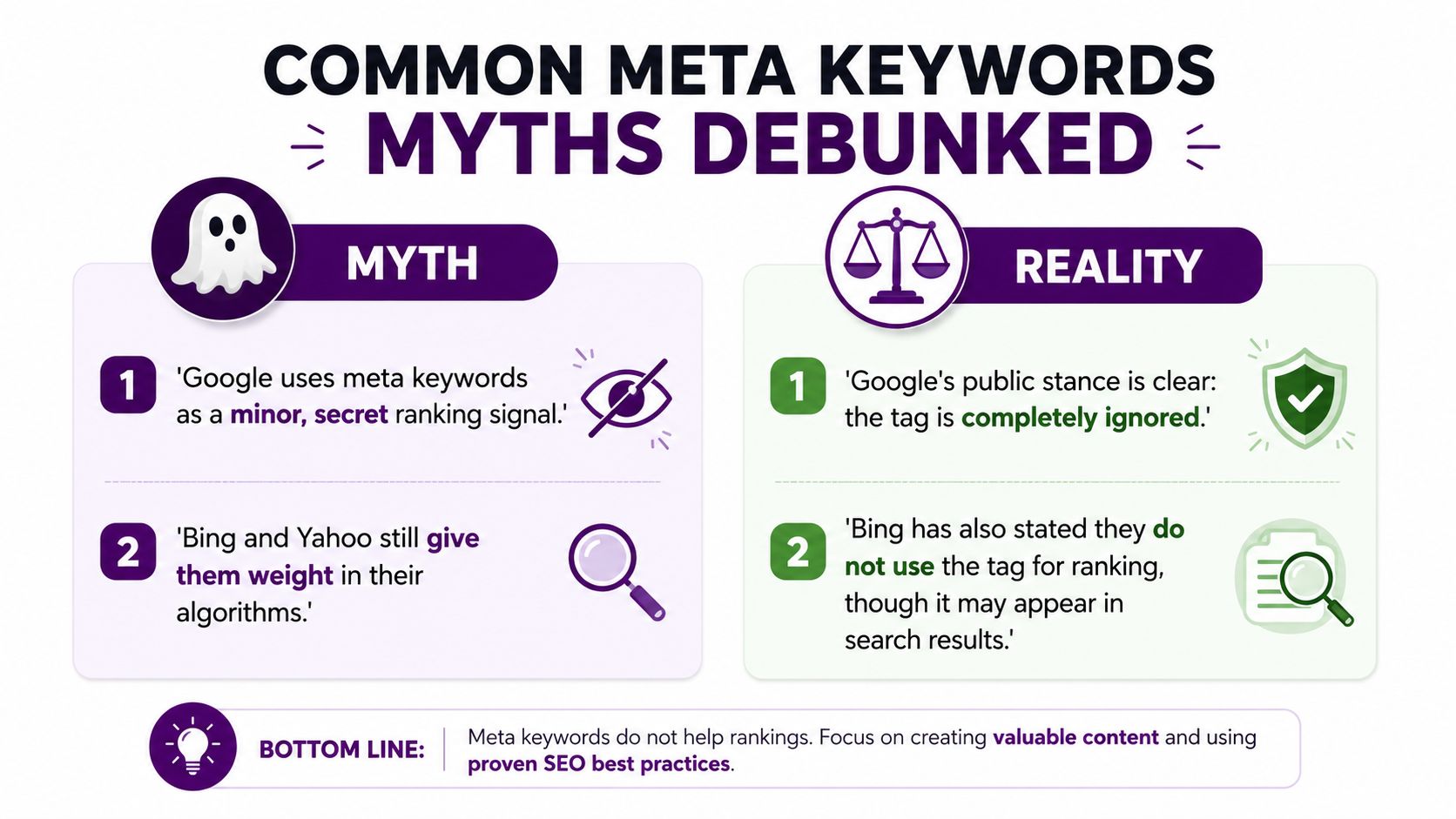
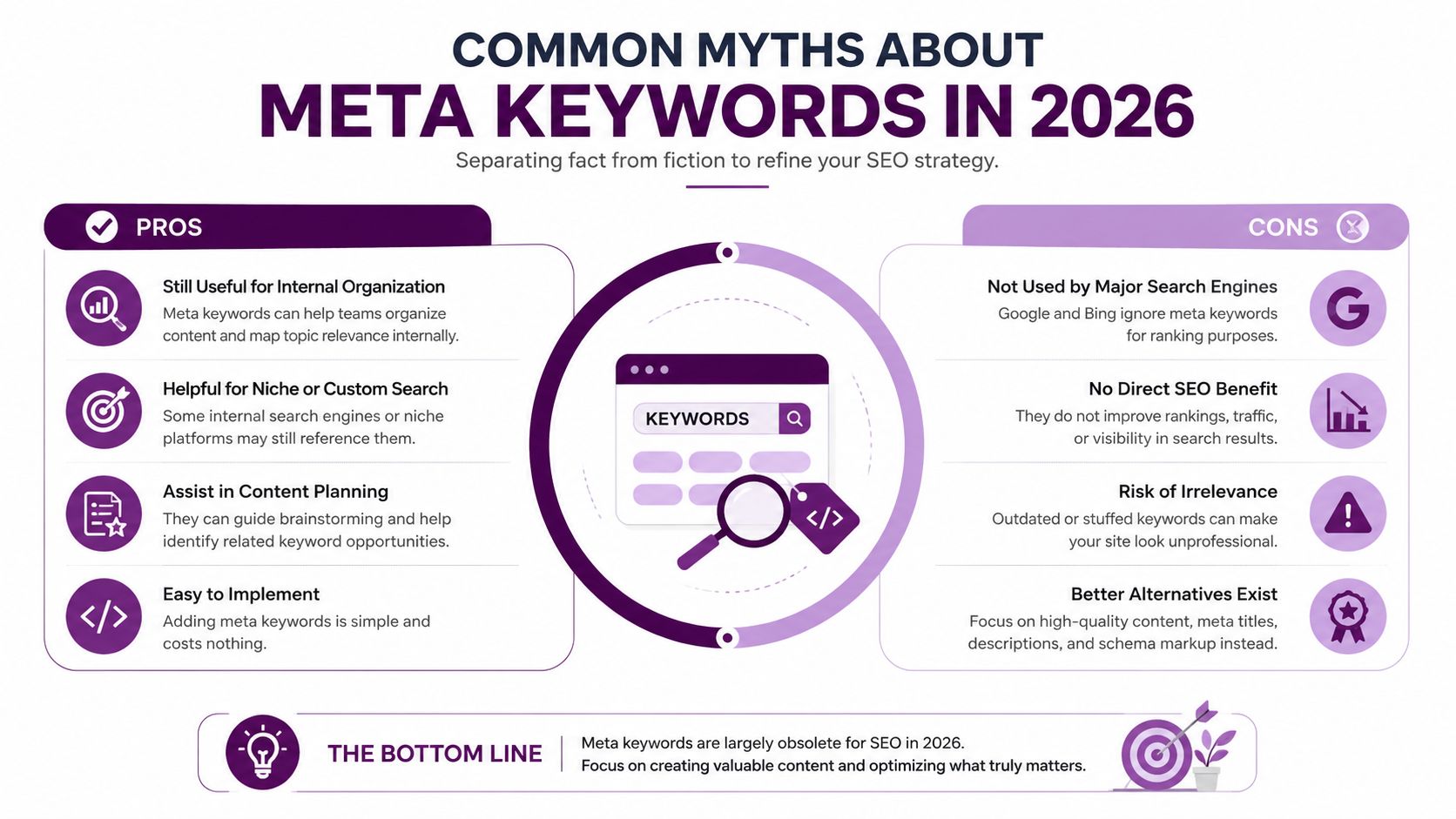
Myth one, Google uses meta keywords as a minor secret signal. Google's public documentation says the tag isn't used by Google Search and has no effect on indexing or ranking. There's no practical reason to optimize it in the hope of an undisclosed benefit.
Myth two, Bing or Yahoo still gives the tag meaningful weight. Search-engine policies can differ, but the tag remains a poor investment for mainstream SEO. Don't build a sitewide editorial process around an unsupported legacy field.
Myth three, adding more terms can only help. More terms don't improve a tag that the relevant search engine ignores. A long list can also expose stale strategy, irrelevant targeting, or weak governance.
Myth four, removing the tag will damage rankings. Removing an ignored element doesn't remove a ranking advantage. Validate the template after cleanup, but don't treat deletion as a visibility risk.
Myth five, the tag matters in non-English markets. Language doesn't turn an obsolete Google signal into a useful one. The relevant question is which specific system consumes the metadata, not which language the page uses.
Some edge cases can justify keeping the information in a controlled internal field. An older site search system, an on-premise enterprise platform, or a specialized directory may use custom metadata for its own indexing. That's a housekeeping requirement, not evidence that meta keywords help Google rankings.
Your Meta Keywords Action Plan
Use three buckets to decide what happens next.
Ignore
Stop adding meta keywords to new pages. Remove the field from routine SEO briefs, content checklists, and client reports unless a documented internal system requires it. Don't spend review time debating the wording of a tag that Google doesn't use.
Fix
Run a crawl to identify every URL that still emits the tag. Trace the output to its plugin, theme, template, or CMS field, then remove or disable the source. If the metadata supports an internal search tool, preserve it in a documented internal-only field instead of exporting it as public SEO markup.
Verify the release in rendered HTML, not only in the CMS interface. A field can be hidden from editors while the old template continues to print its contents.
Optimize instead
Redirect the recovered time toward title tags, compelling meta descriptions, clear headings, useful page content, structured data, internal links, and technical quality. Measure the work through appropriate outcomes, such as organic visibility, search-result clicks, page engagement, and improved crawl or template consistency.
A simple sentence to remember is: meta keywords are legacy metadata to manage, not a ranking factor to optimize. Bookmark this checklist and use it during your next site audit or redesign.
Keyword Kick can help teams audit technical SEO signals, review on-page elements, track rankings, and turn search data into prioritized actions through its K² AI Agent. Visit Keyword Kick to assess your site's legacy metadata and focus your next SEO tasks on signals that matter.