A website audit is a structured examination of how your site is built, found, and experienced, designed to uncover problems that harm visibility and revenue. The clearest definition is a repeatable, evidence-based quality assessment that compares a site with technical standards and user-centered thresholds, then turns the findings into prioritized remediation.
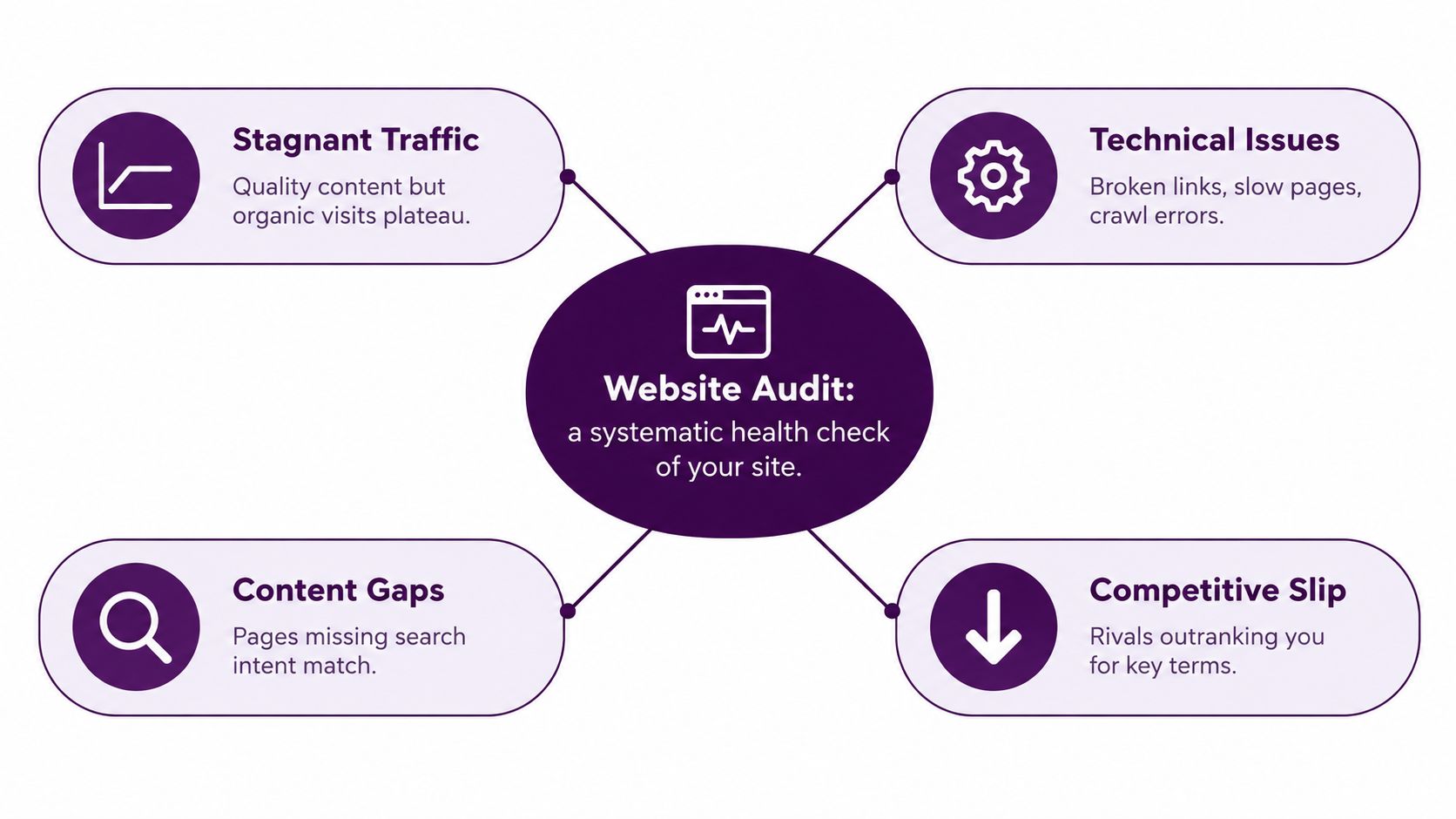
You may be in the familiar position of having published strong content, improved your design, and still seeing organic traffic plateau. The problem may not be one dramatic SEO failure. It may be a collection of hidden issues: important pages aren't discoverable, JavaScript delivers incomplete content to search engines, mobile pages load under unnecessary weight, or a shared form component creates an accessibility barrier across an entire template.
A useful audit replaces guesswork with evidence. It connects technical defects, content weaknesses, user friction, and business priorities so your team can fix what matters instead of chasing every warning a crawler produces.
Why Your Site Needs a Health Check
A website audit isn't just a broken-link scan or a report full of red icons. It examines how pages are crawled, rendered, indexed, and experienced by users. A thorough review can include page weight, loading behavior, HTTPS usage, crawlability, metadata, structured data, broken links, mobile rendering, and accessibility barriers. The HTTP Archive's 2025 Web Almanac describes a large-scale measurement approach using WebPageTest and Lighthouse, with data from a July 2025 crawl containing metadata from more than 16 million websites.
The practical output shouldn't be a single health score. It should be an inventory showing:
- The affected URLs: Identify whether the problem affects one page, a content group, or a shared template.
- The likely cause: Separate a blocked script from a missing canonical, a slow image, or a weak internal-link structure.
- The business consequence: Connect the issue with discovery, product research, lead generation, checkout, or account access.
- The next action: Give a developer, editor, or marketer a clear fix they can own.
That distinction matters because a warning's size doesn't tell you its importance. Fifty isolated title issues may matter less than one rendering failure that hides every product description from crawlers. Likewise, an automated accessibility scan can identify detectable defects, but it can't confirm that a person using a keyboard or screen reader can complete a critical journey.
Practical rule: Treat the audit as a prioritization system, not a certificate that says the site is healthy.
Different audits answer different questions. A technical audit asks whether search engines can access and understand the site. A content audit asks whether pages satisfy search intent and support the buyer journey. A performance and UX review examines speed, interaction, navigation, and friction. An accessibility review tests whether diverse users can use the site, while a security review checks trust and protection fundamentals.
For the commercial side of an audit, traffic data isn't the whole picture. A resource such as Captiwate's take on visitor ID can help teams think about the difference between anonymous visits and identifiable buying interest. For a practical pre-publish workflow, use this SEO site audit checklist, then add checks for templates, rendering, accessibility, and conversion paths.
Understanding the Four Main Audit Types
Most audits overlap, but separating their jobs prevents teams from asking one tool to answer every question.
Technical SEO audit
A technical SEO audit examines whether search engines can discover, crawl, render, and index the URLs that deserve visibility. It checks status codes, robots.txt, meta robots directives, canonical tags, XML sitemaps, internal links, structured data, redirects, and duplicate URL paths.
JavaScript-heavy sites need an extra comparison. Googlebot may crawl a URL first, then queue it for rendering in a headless Chromium environment, execute permitted JavaScript, parse newly discovered links, and send eligible content for indexing, as documented in Google's JavaScript SEO basics. Compare the server-delivered HTML with the rendered DOM. If a product description, navigation link, or canonical tag appears only after a blocked script runs, the browser experience can look correct while search visibility suffers.
Content and SEO audit
A content audit evaluates whether each important page has a clear purpose, matches the searcher's intent, and contributes something useful. Review titles, headings, descriptions, topical coverage, duplication, outdated information, internal links, and the relationship between informational and commercial pages.
The common mistake is to treat missing metadata as the whole content problem. A page can have a title and still fail because it answers the wrong question, buries the main answer, or lacks a logical next step. Compare pages that compete for the same intent, then decide whether to improve, consolidate, redirect, or retire them.
UX and performance audit
A UX review follows real journeys rather than isolated URLs. Test finding a product, completing a form, comparing services, reading supporting content, and reaching a clear conversion action. Check navigation labels, focus states, mobile layouts, error handling, intrusive elements, and the clarity of calls to action.
Performance testing belongs here because speed affects those journeys. Synthetic testing helps diagnose causes, while field data shows what visitors experience across devices and connections. For teams exploring faster ways to identify interface friction, these AI UX testing insights provide useful context, but automated testing should complement, not replace, human usability review.
Security and trust audit
A security audit checks HTTPS implementation, certificate validity, unsafe mixed content, exposed administrative paths, outdated dependencies, and privacy-sensitive behavior. It also reviews trust signals from a user's perspective. A visitor who sees browser warnings, broken payment states, or unclear data handling may abandon a journey before marketing gets a chance to work.
These four types should feed one backlog. A slow checkout page is a performance issue, a UX issue, and a revenue risk. A blocked JavaScript route is a technical issue that can also remove content and internal links from search discovery. The best audits preserve those connections instead of filing each symptom in a separate spreadsheet.
Why Audits Matter More Than Ever
Websites accumulate weight as teams add analytics, personalization, video, chat widgets, design libraries, consent tools, and visual effects. Each addition may look reasonable in isolation. Together, they can increase download, processing, and rendering work, especially for mobile visitors on slower connections.
The historical trend is clear. The median mobile homepage grew from 845 KB in July 2015 to 2,362 KB in July 2025, an increase of approximately 202.8% over ten years, according to the 2025 Web Almanac coverage.
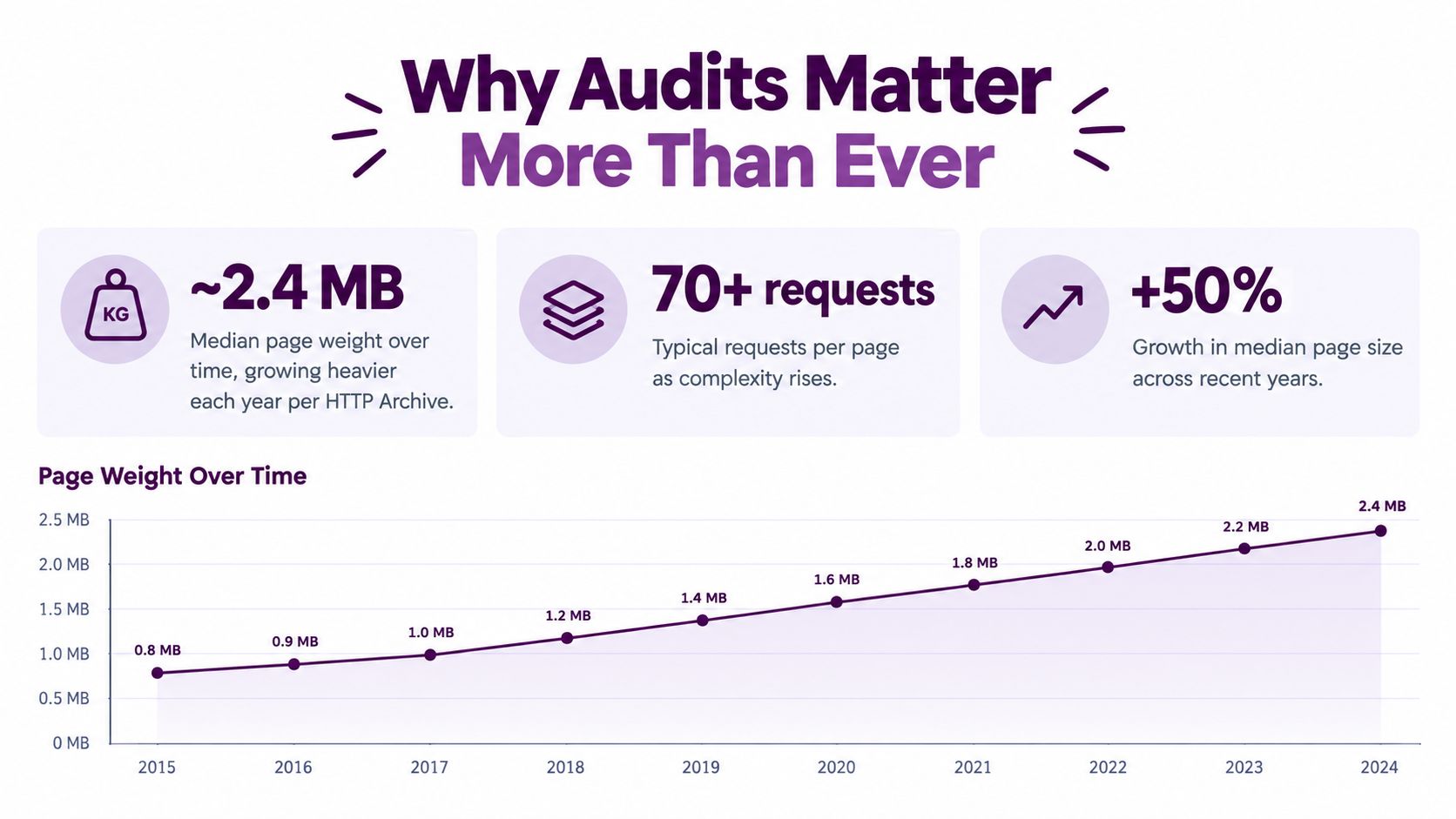
That growth changes what an audit must investigate. Don't stop at a lab score. Identify which images are oversized, which scripts block rendering, which fonts delay visible content, and which third-party resources load on pages that don't need them. A useful recommendation names the asset, template, owner, and expected trade-off.
Device segmentation is equally important. The same Web Almanac reporting found good Interaction to Next Paint, defined as 200 milliseconds or less, on 97% of desktop websites, compared with 77% on mobile. The gap is a reminder that a desktop pass can conceal a mobile problem. Teams should test representative templates on the devices and connections their audiences use.
Accessibility adds another reason to keep auditing. WebAIM's 2026 evaluation found detectable WCAG failures on 95.9% of home pages among the top one million websites, with an average of 56.1 errors per page. Those figures come from automated detection, not a complete usability or conformance judgment. Keyboard testing, screen-reader testing, user research, and review by people with disabilities remain necessary.
An audit that reports errors without validating user journeys creates administrative work, not confidence.
Complexity is the underlying risk. More components, scripts, routes, and content relationships create more opportunities for defects to repeat. A one-time report becomes outdated as soon as releases alter shared code, templates, or page composition. Regular measurement is how teams detect regressions before they become invisible business problems.
The High-Level Audit Process
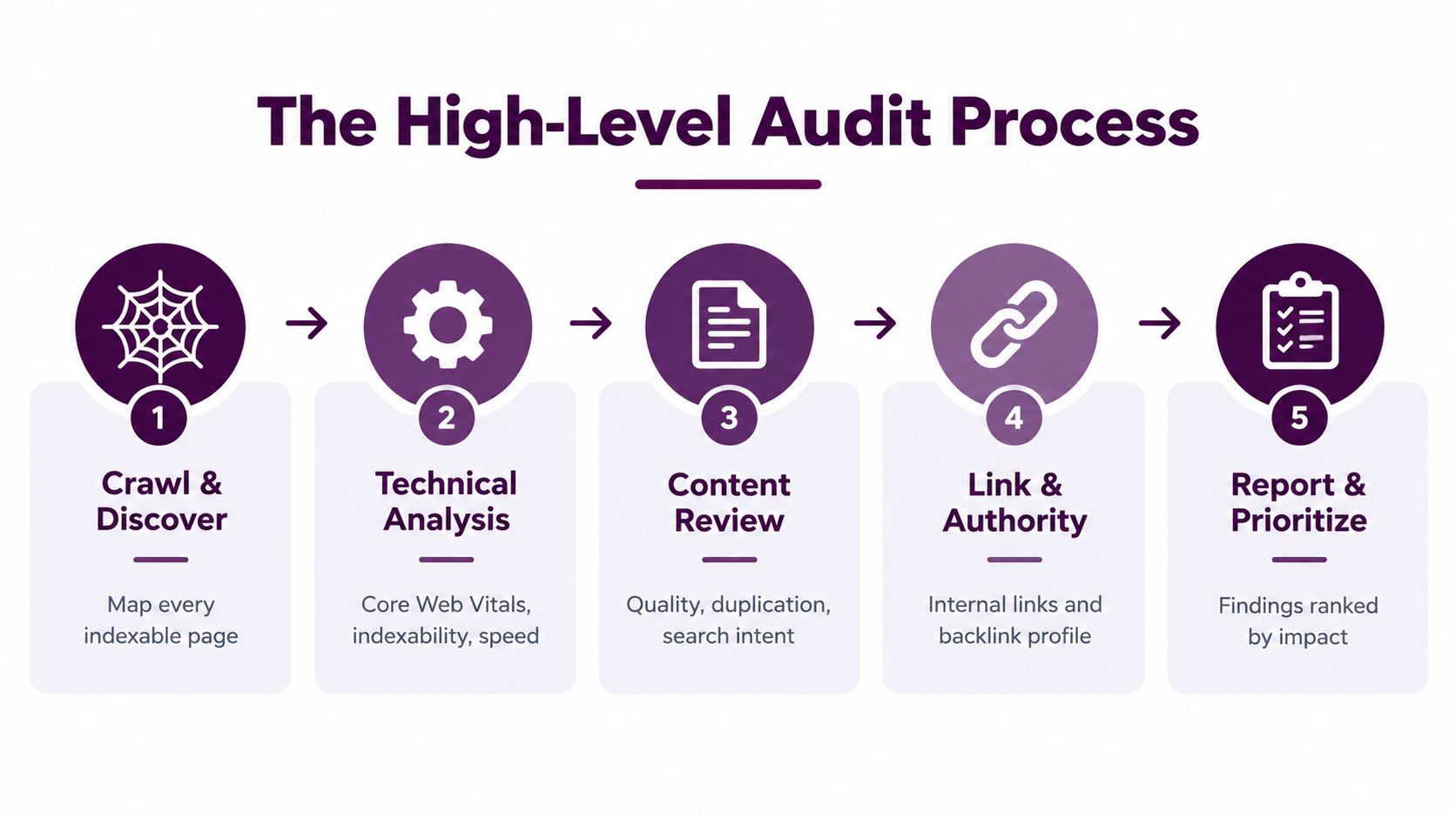
A reliable audit follows the path a search engine and a visitor take through the site. Start with discovery, then test technical delivery, evaluate content and journeys, and finish with decisions that someone can implement.
Start with crawl and discovery
Crawl the site using a representative configuration and collect every URL the crawler can find. Compare discovered URLs with XML sitemaps, analytics landing pages, Search Console data, and important pages supplied by stakeholders. Look for orphaned content, crawl traps, redirect chains, duplicate paths, soft errors, and important URLs that lack internal links.
Don't assume a 200 response means a page is ready for search. Check indexability directives, canonical signals, rendered content, structured data, and whether the page's main links exist in the delivered or rendered output.
Test technical delivery
For each major template, review server response behavior, rendering, mobile layout, media, scripts, fonts, and third-party requests. Core Web Vitals should use field data where available, not just one synthetic run. Google evaluates these metrics at the 75th percentile of page visits, with good targets of LCP at or below 2.5 seconds, INP at or below 200 milliseconds, and CLS at or below 0.1, as specified in Google's Core Web Vitals guidance.
Use the metric to investigate a cause. Slow LCP can point to server response time, render-blocking resources, or oversized media. High INP often involves long JavaScript tasks. CLS commonly comes from missing dimensions, late advertisements, or content inserted after the page begins rendering.
Review content and journeys
Map each page to an intent, audience, business role, and next action. Check whether the page answers the question quickly, demonstrates appropriate expertise, links to useful supporting pages, and leads visitors toward a relevant conversion path.
Then test the journey manually. Search for a product, submit a form, move through the site with a keyboard, resize the viewport, and recover from an error. A crawler can tell you that a link exists. It can't tell you whether the link is visible, understandable, or useful.
Prioritize before reporting
Store findings in a backlog with fields for URL or template, issue type, evidence, severity, affected journey, owner, effort, and status. Group repeated symptoms under root causes. A missing label in a shared form component should appear as one systemic issue with its affected templates, not as a long list of disconnected page warnings.
For a fuller operational walkthrough, this website audit guide can supplement the process. The important discipline is to re-crawl after meaningful releases and compare trends by template and device, rather than celebrating an isolated score.
Tools and Workflows for Efficient Auditing
Tools are useful only when they answer a defined question. A crawler can expose status codes and metadata at scale, but it won't explain why qualified visitors abandon a form. PageSpeed Insights can diagnose performance conditions, but one test doesn't replace field data. Analytics can reveal landing-page behavior, but it won't show that a canonical points to the wrong URL.
A fragmented workflow typically looks like this:
| Workflow | Useful strength | Common limitation |
|---|---|---|
| Crawler plus manual review | Strong URL-level technical detail | Findings can sit apart from traffic and revenue context |
| Performance tools in isolation | Clear diagnostics for speed and interaction | Synthetic results may not represent every visitor segment |
| Analytics and Search Console separately | Valuable demand and query evidence | Teams must manually connect performance with technical causes |
| Integrated SEO workspace | Joins visibility, technical signals, links, and trends | Still requires human validation and implementation ownership |
The choice depends on site complexity, release frequency, and team capacity. A small site may get far with a crawler, browser testing, Search Console, analytics, and a disciplined spreadsheet. A large site needs reusable segments, scheduled crawls, rendered-page checks, historical comparisons, and a way to assign work without copying findings between systems.
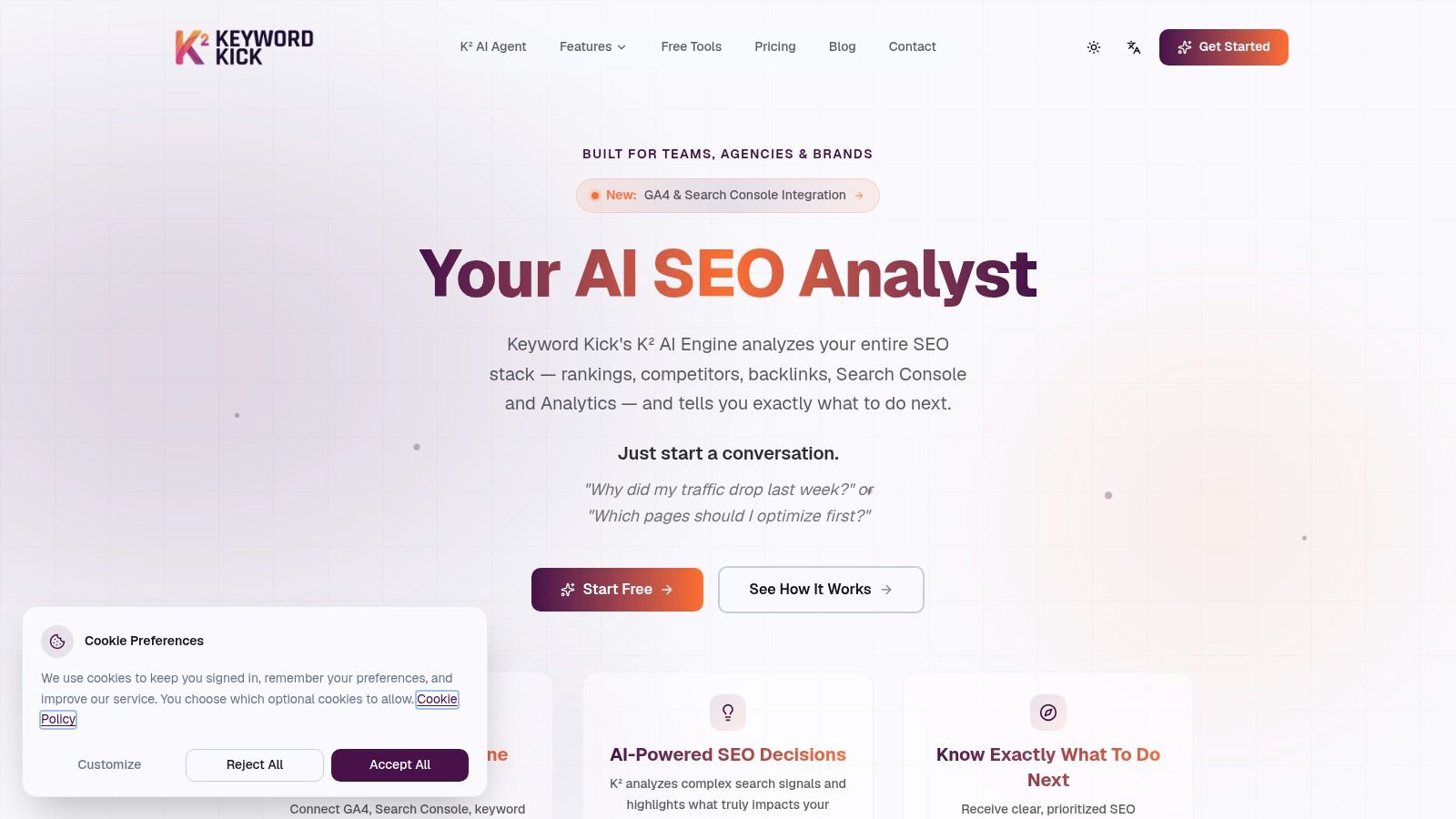
An integrated platform can reduce context switching by connecting Google Analytics 4, Google Search Console, rank tracking, backlinks, and technical signals in one workspace. Keyword Kick, for example, provides a Keyword Kick site audit that crawls sites for technical SEO issues and presents affected URLs with recommendations. It can be useful when an agency or in-house team needs to move from a detection list to a shared action queue.
The trade-off is important. Integration doesn't make an automated finding correct by default. Validate canonical conflicts, thin pages, accessibility barriers, and performance causes against the rendered site and real user journeys. Use automation for scale and repeatability, then reserve expert attention for interpretation, prioritization, and quality assurance.
Turning Findings into Action
A report with hundreds of findings can still produce no improvement. Prioritize each issue by impact, reach, effort, urgency, and regression risk, then assign it to a named owner with a validation method.
Suppose an audit finds individual spelling errors on content pages and an unlabeled form control in a shared component. The content edits may be easy, but the component issue deserves attention first if it blocks users across multiple templates. WebAIM reported that the average evaluated home page contained 1,437 elements in 2026, a 22.5% year-over-year increase, while average detected accessibility errors reached 56.1, according to State of Accessibility research. Growing page complexity makes root-cause grouping more valuable than counting warnings.
Use a simple action record:
- Issue: State the defect in plain language.
- Reach: List affected templates, URLs, devices, and journeys.
- Impact: Explain the visibility, usability, accessibility, or business consequence.
- Owner: Name the developer, editor, designer, or product lead.
- Validation: Define the crawl, field metric, manual test, or journey that will confirm the fix.
Fix template-level blockers first, then high-value page issues, then low-risk cleanup. Re-crawl after deployment, compare the same segments, and watch for regressions. A recommendation workflow can help close the gap between audit and execution by keeping findings connected to concrete next steps.
A website audit earns its value when the backlog gets smaller, critical journeys work better, and the site becomes easier to measure after every release. Start with the problems that can multiply, validate them with users and search data, and make the next audit part of the delivery process.
Keyword Kick brings Google Analytics 4, Google Search Console, rankings, backlinks, technical SEO signals, and prioritized recommendations into one workspace for ongoing website auditing. Visit Keyword Kick to turn scattered findings into an actionable workflow for your site or client portfolio.