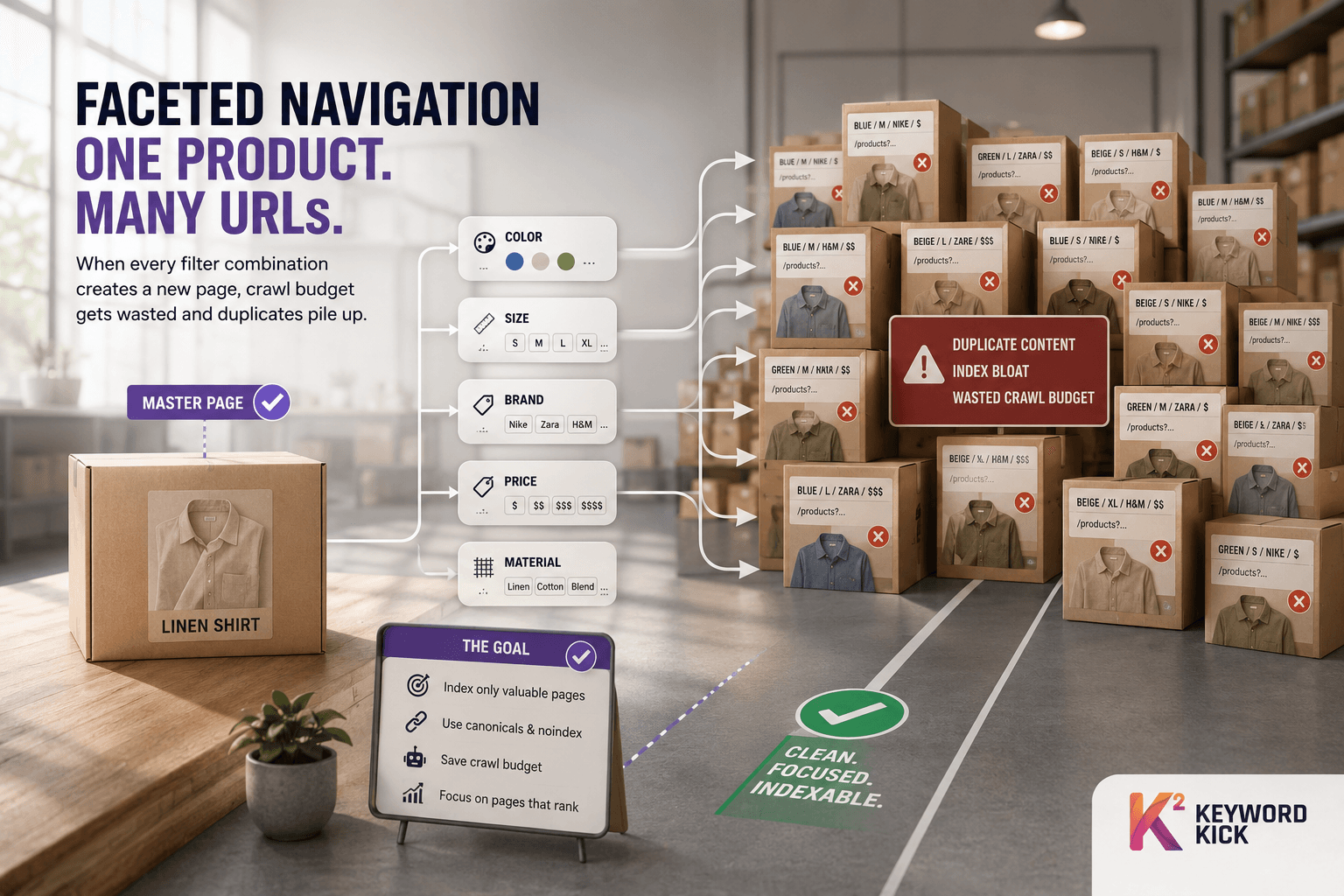
Faceted navigation lets users combine filters across a large catalog, and if you let every combination stay crawlable, each one can become a new URL. That's how a tidy product grid turns into crawl bloat, duplicate variants, and wasted attention from Googlebot.
You've probably seen this already. A category page starts clean, then product filters stack up, the URL keeps changing, and suddenly Search Console is full of pages that look useful to a shopper but add almost nothing to search.
What Faceted Navigation Means
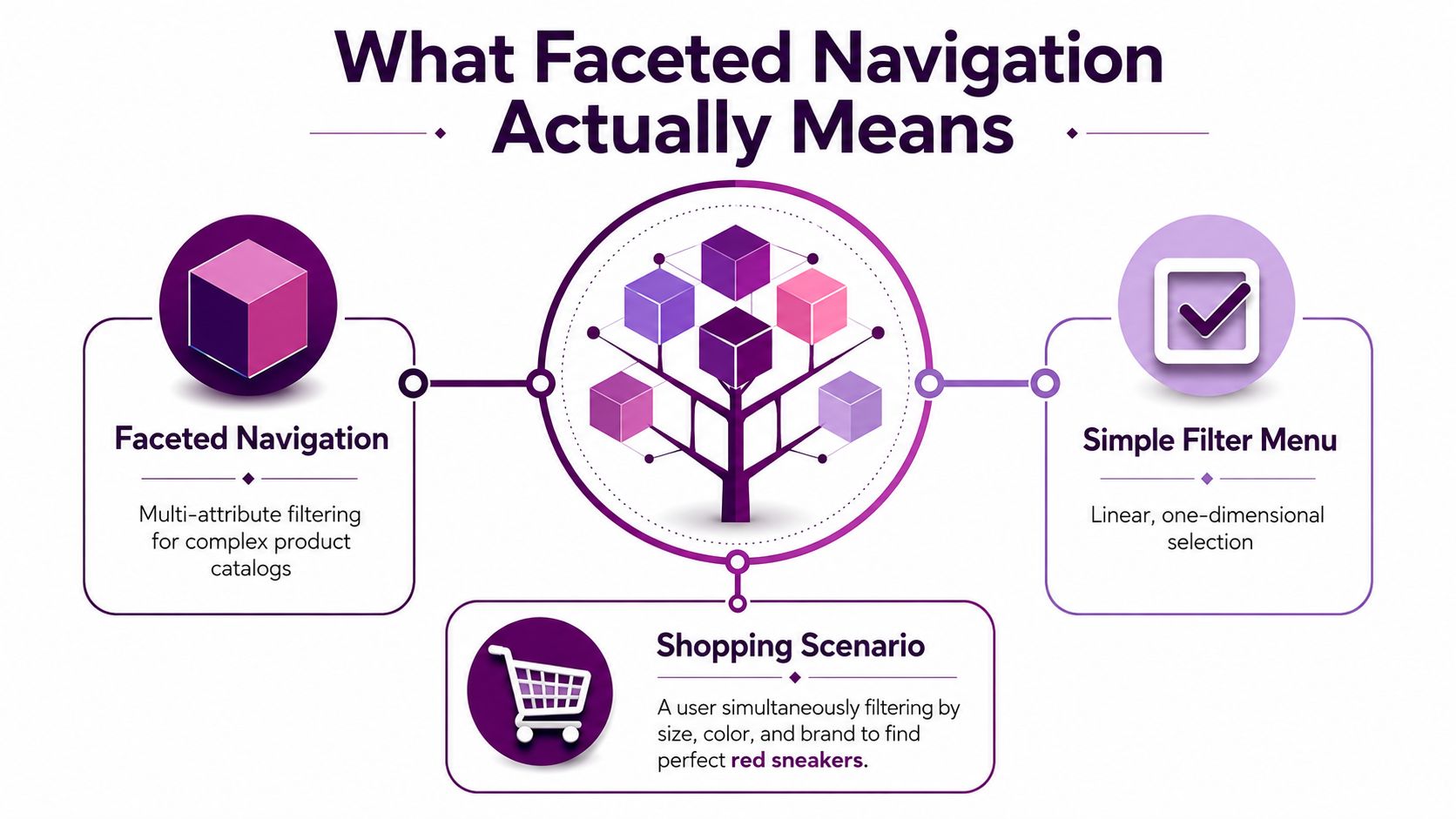
Faceted navigation is a multi-attribute filtering system for large catalogs. Users do not move through one fixed path. They start with a broad result set and narrow it by applying filters such as color, size, brand, price, or material. In production SEO work, the problem is less about the filters themselves and more about what the site does with every resulting URL state. If those combinations stay crawlable, they can multiply into index bloat, waste crawl budget, and create duplicate or near-duplicate pages that search engines have to sort through.
A simple shopping flow makes it obvious
A shopper lands on “red shoes.” Then they click size 10, then Nike, then a price range that fits the budget. Each choice refines the result set, and each state can be represented by a different URL if the system is built that way. That flexibility helps users, but it also creates the SEO risk, because every extra crawlable combination is another page search engines may need to evaluate.
Faceted navigation is a retrieval model that lets people combine orthogonal attributes. That is why it works well in e-commerce, travel, and jobs, where inventory is broad and users need to narrow quickly. The upside is discovery. The trade-off is control. The same product set can surface through many combinations, and that makes it easy for a site to drift into URL sprawl if the controls are loose.
Why the URL changes matter
If a filter state can be linked, crawled, and indexed, search engines may treat it like a separate page. That creates duplicate paths to the same or nearly the same content, and the site starts paying for it in crawl attention it does not need. A clean faceted system can still serve users well, but a messy one turns browsing into a pile of extra URLs that compete with the pages you want indexed.
Practical rule: if a filter state does not add unique search value, it should not behave like a separate crawlable page.
For the broader URL handling concept, canonical URL usage is the reference point I keep in mind when deciding which facet states deserve indexing and which ones should fold back to a stable version.
Faceted Navigation vs Hierarchical Categories
Hierarchical navigation gives you one path, while faceted navigation gives you many. A bookstore can place a thriller set in Tokyo under Fiction, Mystery, Asian Setting, or Staff Picks in a faceted system, but a strict hierarchy forces it into one branch and makes the other classifications harder to reach. That difference is why faceted systems feel more forgiving to shoppers, they're less likely to hit a dead end because each filter narrows what remains instead of forcing a single taxonomy.
The catalog example that exposes the trade-off
Think about an apparel store with a shirt that belongs in Men's Clothing, Linen, Summer, and Bestsellers. In a hierarchy, the merchandiser has to choose a primary home. In a faceted system, the product can be discovered from several angles without the store pretending there's only one correct classification.
That flexibility improves browsing, but it also means the same item can sit inside multiple attribute combinations. A shopper might reach the same product through “linen shirts,” “blue shirts,” or “summer workwear,” and each route can create its own URL state if the site allows it. The site becomes easier to browse and harder to govern.
When hierarchy still matters
A hierarchy still works well as the backbone. Category pages anchor the site, and they're the pages you usually want to stabilize, canonicalize, and keep discoverable. Facets then act like a refinement layer on top of that structure.
Practical rule: use hierarchy to define the site's core structure, then use facets to refine that structure without multiplying crawlable versions of every branch.
If you're choosing between the two patterns, don't treat it as an either-or decision. The strongest setups use a stable category tree for orientation and faceted filters for exploration. That balance keeps navigation understandable for users and far less chaotic for search engines.
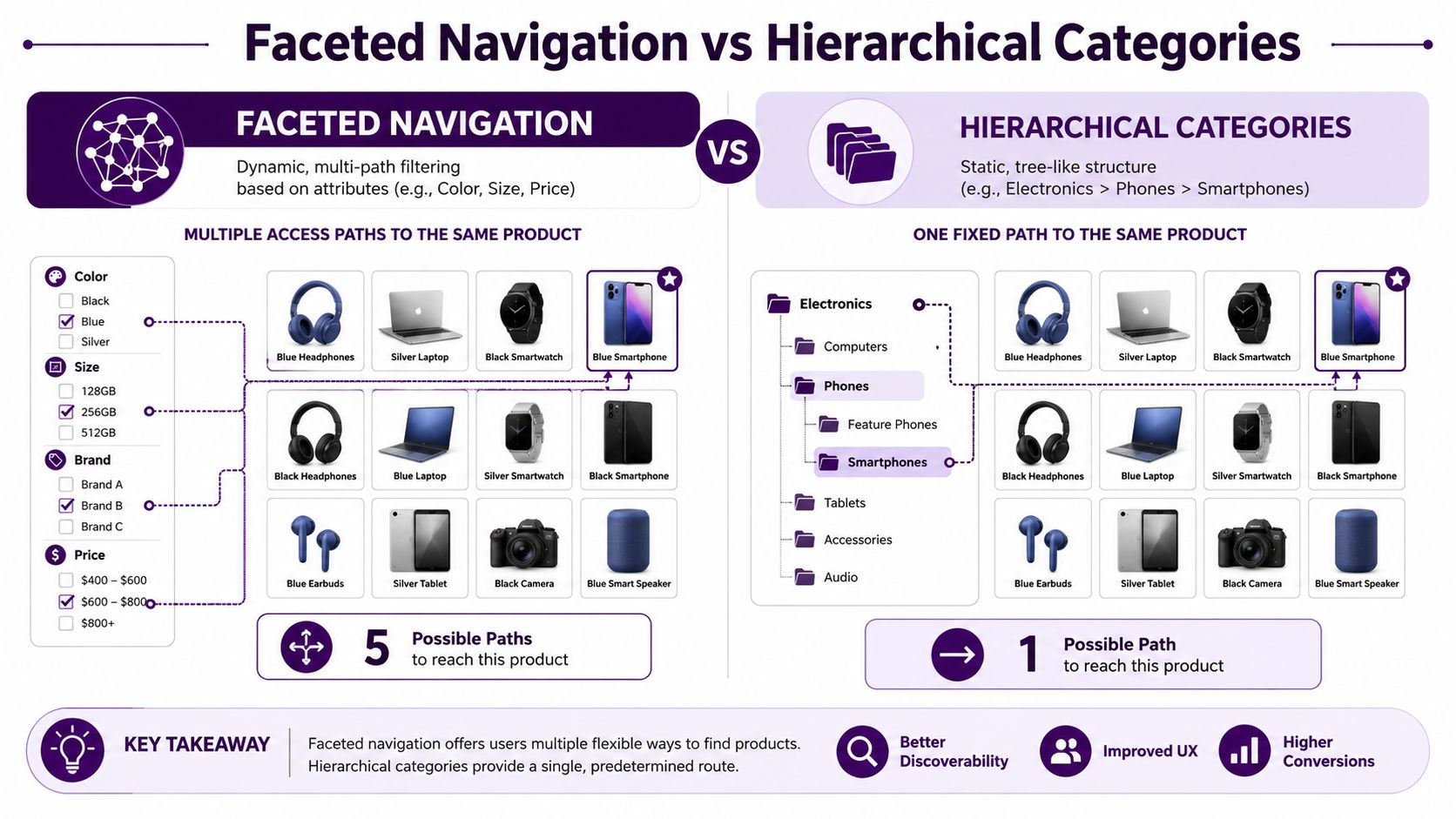
The practical difference shows up fast in audits. Hierarchy limits paths, while facets multiply them, and the right choice depends on whether you need orientation, refinement, or both.
Why Faceted Navigation Breaks SEO at Scale
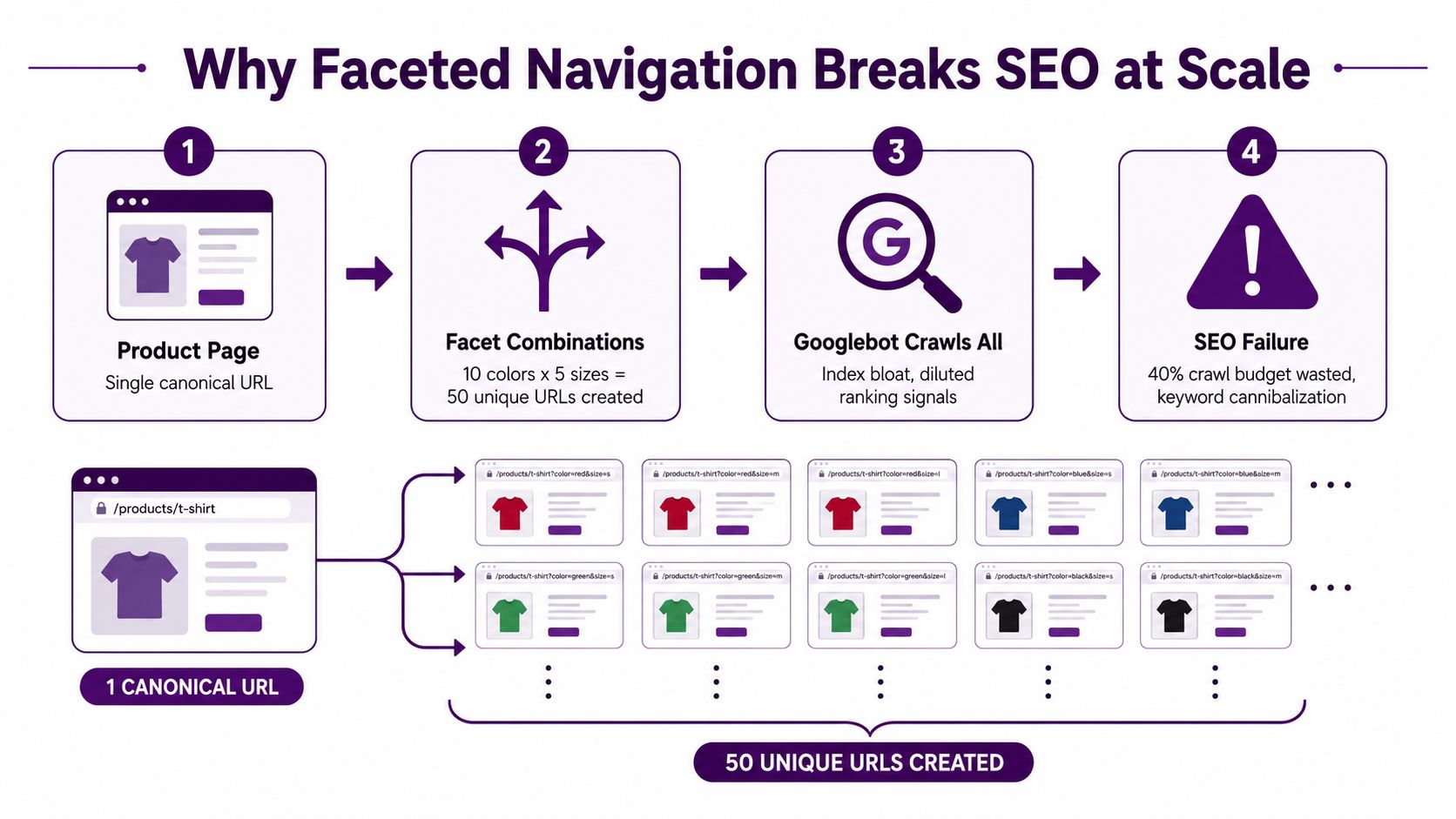
A catalog can look healthy in the browser and still be wasting crawl capacity. The break point usually comes when every filter combination becomes a crawlable URL, because the same products can be reached through many near-duplicate states. That creates combinatorial URL growth, which inflates index bloat and makes the site harder to control. Ahrefs' faceted navigation guidance
The crawl budget issue nobody notices early
Google does not know a filter URL is low value until it spends time crawling it. If a catalog generates a large set of near-duplicate variants, Googlebot can spend crawl budget on pages that only differ by a size, brand, or color parameter. That leaves less crawl capacity for new products, updated category pages, and the URLs you want indexed.
The problem shows up fastest in layered catalogs. One category page can fan out into many URL variants, and each one looks legitimate enough to get discovered. Over time, that adds noise to Search Console, weakens internal signals, and makes duplicate states harder to separate from pages that deserve attention.
Why this becomes production damage
The failure mode I see most often is a site that works fine for shoppers while generating thousands of low-value URLs in the background. Googlebot crawls them, then decides many are too similar to matter. The site has not broken in the browser, but the index starts filling with pages that never needed to exist as crawl targets.
Googlebot usually does not punish faceted navigation on sight. It just spends time on it, and that is the part teams miss.
If you want a practitioner view of crawl waste and the trade-offs around technical SEO controls, you can learn from Nerdify SEO experts and compare that with your own logs and indexing reports.
Why scale changes the math
At small scale, filter URLs can look harmless. At catalog scale, they behave like a crawl trap because each added attribute multiplies the number of possible combinations. A site with lots of inventory, lots of facets, and weak controls can end up with more crawlable variants than useful pages.
That is where indexing gets messy. The search engine has to spend more effort sorting signal from noise, and the site team has to decide which facet states deserve indexing at all. The best facet set is the one aligned with real search demand and sustainable inventory, not the largest possible filter menu.
Three Real Examples of Faceted URL Problems
A dangerous setup is easy to spot once you know what to look for. A shopper filters a category by color, size, and brand, and each click appends a query string that Google can crawl. The URL might look different every time, but the page content barely changes, so the site keeps generating fresh variants that don't deserve fresh indexing.
A controlled setup looks better on the surface. The site still lets users filter, but the filtered states either point back to the parent category through canonical tags or get blocked from discovery in a way that keeps crawl demand under control. That doesn't make the filters disappear for shoppers, it just stops every state from behaving like a standalone SEO page.
A safe setup usually avoids crawlable links for filter states altogether. The page updates through JavaScript or AJAX, the browser can still show the filtered results, and search engines don't discover a new indexable URL every time someone clicks a facet. That's the cleanest outcome when the filtered state doesn't have unique search demand.
What these three setups look like in practice
Dangerous: every filter combination gets a crawlable URL, often because filter states are encoded as standard links.
Controlled: filtered URLs exist, but canonicalization or selective indexing keeps the main category page dominant.
Safe: filter interactions stay functional for users without creating a crawlable URL trail for search engines.
The key difference is not whether filters exist. It's whether the site lets bots discover endless new states that offer no real value. Once that happens, the crawl pattern becomes noisy and the index starts carrying pages you never meant to promote.
Practical rule: if a filtered page would never deserve its own title, copy, and internal links, it probably shouldn't be treated like a real page.
This is why production audits feel different from theory. The markup might look fine, but the URL behavior tells the story.
Technical Mitigations You Can Implement Today
The right control depends on what you're trying to stop. If the main problem is crawl waste, robots.txt disallow is the direct tool because it prevents Googlebot from requesting the URL in the first place. If the problem is index pollution but you still want crawling, noindex can remove pages from search results, although it doesn't save crawl budget the way robots.txt does.
Pick the control based on the job
Canonical tags help when filtered variants should point back to the unfiltered category page. They consolidate signals, but they don't stop crawling, so they're a clean-up mechanism, not a crawl-budget fix. AJAX-driven filtering goes a step further by reducing URL discovery in the first place, which is useful when you don't want filter states to behave like linkable pages.
URL parameter handling in Google Search Console can help you understand how Google sees query-based facets, but it's not a substitute for fixing the site's structure. If your filters are link-discoverable, and the combinations don't deserve indexation, the safest move is usually to reduce discovery first, then canonicalize what remains.
Choosing the right faceted navigation control
Facet Page Type | Recommended Control | Indexable? | Best For |
|---|---|---|---|
Parent category page | Keep crawlable, canonicalize if needed | Yes | Core category landing pages |
Low-value filtered state | robots.txt disallow | No | Crawl-budget protection |
Filtered page that should vanish from results | noindex, then block future crawling | Usually no | Removing index bloat |
High-value facet landing page | Canonical to itself, keep unique metadata | Yes | Pages with real search demand |
JS-updated filter state | AJAX or button-based interaction | Usually no | Browsing without crawl traps |
The common mistake is using every tool at once without a decision rule. That creates conflicting signals and makes audits harder later.
Practical rule: block crawl when the page has no search value, noindex when it should disappear from results, canonicalize when variants need consolidation.
You can also use a platform like Keyword Kick to pull crawl signals, rank data, and technical issues into one place while you review facet behavior. For a broader technical audit workflow, boost website rankings effectively with a structured crawl review before changing your settings.
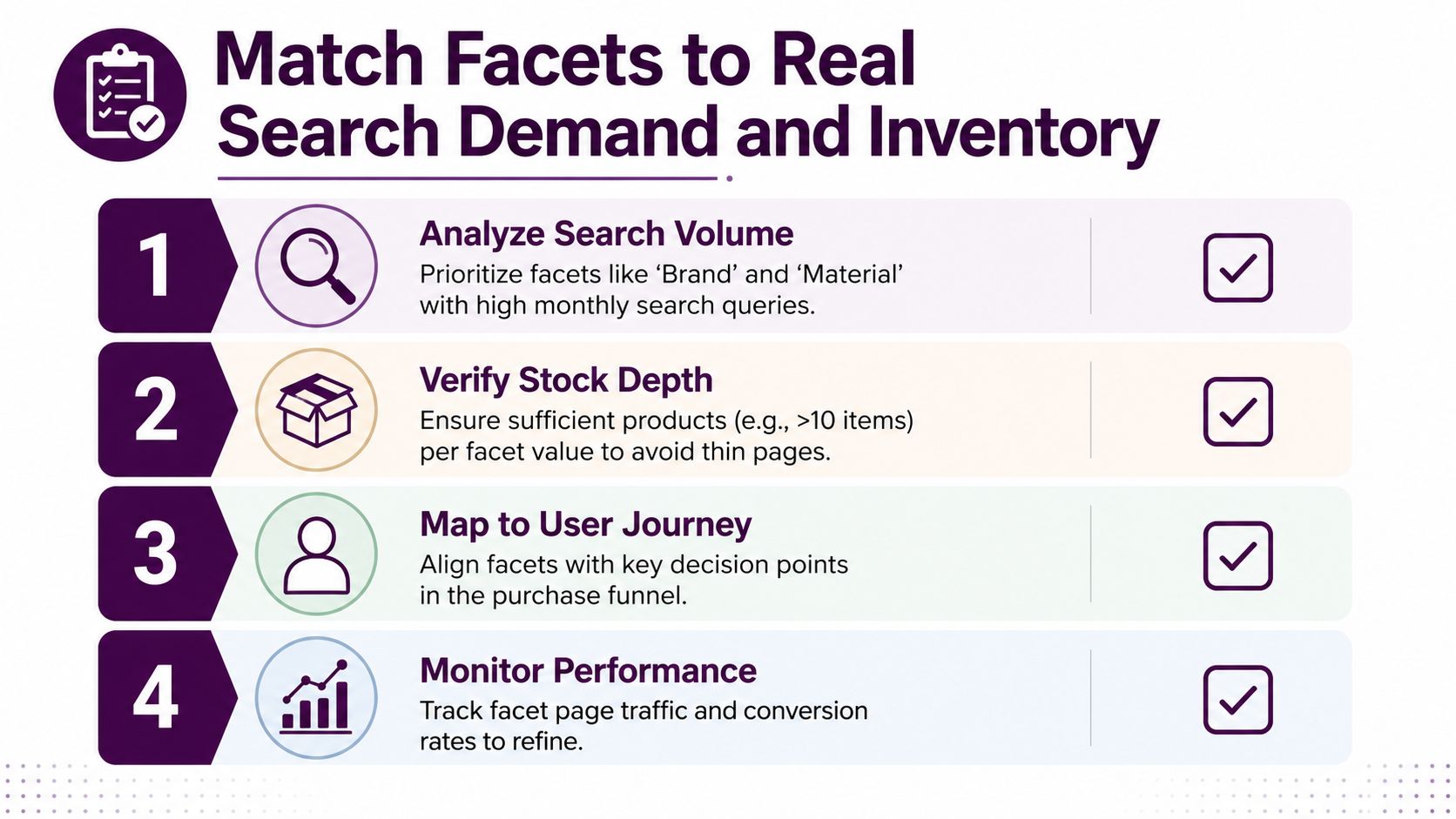
Match Facets to Real Search Demand and Inventory
The best facet set is not the biggest one. It's the set that matches real query demand and inventory depth without creating empty or thin pages that add nothing to the business. Recent SEO guidance on faceted navigation emphasizes checking whether a facet page has enough demand and whether the catalog can sustain it, because oversized facet systems often create index bloat with little payoff. Botify's faceted navigation SEO guidance
What deserves a facet and what doesn't
Start with queries people use. Brand and material often make sense because shoppers search those terms directly, while obscure internal attributes usually don't deserve crawlable pages. If a facet combination can't hold enough inventory over time, it's a poor candidate for indexation even if the UX team likes it.
That's the strategic mistake many sites make. They assume more filters always means better browsing, but more filters can also mean more thin pages, more duplicated templates, and more URLs that never earn traffic. The stronger approach is selective.
The decision test I use on audits
Search demand exists, the facet is worth considering as a landing page.
Inventory is stable, the page can stay useful instead of going thin.
The query intent is clear, the page maps to how people shop.
The page can be differentiated, with unique metadata and content if it's meant to rank.
If a page fails two or more of those checks, I usually treat it as a browsing control rather than an SEO asset. That keeps the site focused on pages that can carry organic demand.
This is also where a tool helps. Keyword Kick can combine keyword research, Search Console data, and technical signals so teams can decide which facet combinations deserve attention and which ones should stay out of the index. That matters because the right facet strategy is part content strategy, part crawl strategy, and part merchandising reality.
Your Faceted Navigation Audit Checklist
Start with Search Console, because it shows what Google is already doing. Check the Pages report for “Crawled, currently not indexed” and look for query-string URLs, repeated filter states, or faceted paths that shouldn't be in play. If those URLs are being crawled in volume, the site is probably leaking crawl budget into low-value combinations.
Next, inspect your logs. Server log analysis shows whether Googlebot keeps returning to filter URLs instead of spending time on category and product pages. If you don't have a dedicated log tool, even a basic review of recent bot hits can reveal whether the crawler is chasing parameters that don't matter.
Then check the signals on the pages themselves. Canonical tags should point where you expect, robots rules should match your intent, and filtered pages should not be slipping into the XML sitemap. If the sitemap includes faceted URLs, it's sending mixed signals that undermine the rest of the setup.
Finally, test the business case. Compare the faceted pages you'd like to index against real demand and inventory depth. That's where the internal guidance in Keyword Kick's ecommerce SEO checklist can help you run the review without missing the boring but important checks.
A fast hour-long audit sequence
Inspect Search Console first. Look for filter URLs in indexing reports and note which patterns repeat.
Review log hits next. Confirm whether Googlebot is spending time on faceted states.
Verify canonical behavior. Make sure variants point where they should.
Check the sitemap. Remove faceted URLs that don't deserve discovery.
Audit demand and stock. Keep only facet pages that have both search value and sustainable inventory.
If you follow that sequence, you'll catch most of the damage before it compounds. The goal is not to remove faceted navigation, it's to keep it from turning your catalog into a crawl trap.
Keyword Kick helps teams connect Search Console, rank tracking, keyword research, and technical SEO signals so faceted navigation decisions don't happen in a vacuum. If you're deciding which filter pages should rank and which ones should stay out of the index, visit Keyword Kick and see how the platform can turn crawl data and keyword demand into a cleaner action plan.