You're probably in one of three situations right now. You're vetting a site for outreach, reviewing a domain before a purchase, or trying to understand why one site keeps attracting rankings and links while another feels shaky no matter how much content you publish.
That's when people start searching for ways to check domain trust. The problem is that the phrase is overloaded. Different industries use it to mean very different things, and a lot of articles muddle them together so badly that the advice becomes useless.
For SEO, domain trust isn't a single Google score. It's a working assessment of whether a site looks credible, safe, editorially legitimate, and worth associating with. You build that assessment from technical signals, backlink quality, content quality, and the overall behavior of the site over time. That's the lens that matters for rankings, partnerships, and risk control.
What Domain Trust Means for SEO in 2026
If you search the phrase “check domain trust,” you'll quickly run into a common confusion. In IT and cybersecurity, Domain Trust Discovery refers to a Windows and Active Directory concept where adversaries enumerate trust relationships between domains using tools like Nltest, as documented by MITRE ATT&CK Technique T1482. That has nothing to do with whether a website is reputable enough to earn links, rank well, or pass a quality sniff test.
For SEO, domain trust is shorthand for a broader judgment call. Does this site look like a real brand or publication? Does it publish useful material? Does it attract links for the right reasons? Does it create confidence for users and for search engines?
That distinction matters because the audit process changes completely depending on which “trust” you mean. A sysadmin checks domain relationships in a network. An SEO checks whether a website deserves visibility and whether associating your brand with it is smart. If you're working on outreach, digital PR, acquisitions, or improving your website's Google visibility, you need the second meaning only.
Practical rule: If the conversation includes backlinks, rankings, brand safety, content quality, or outreach prospects, you're talking about SEO trust, not Active Directory trust.
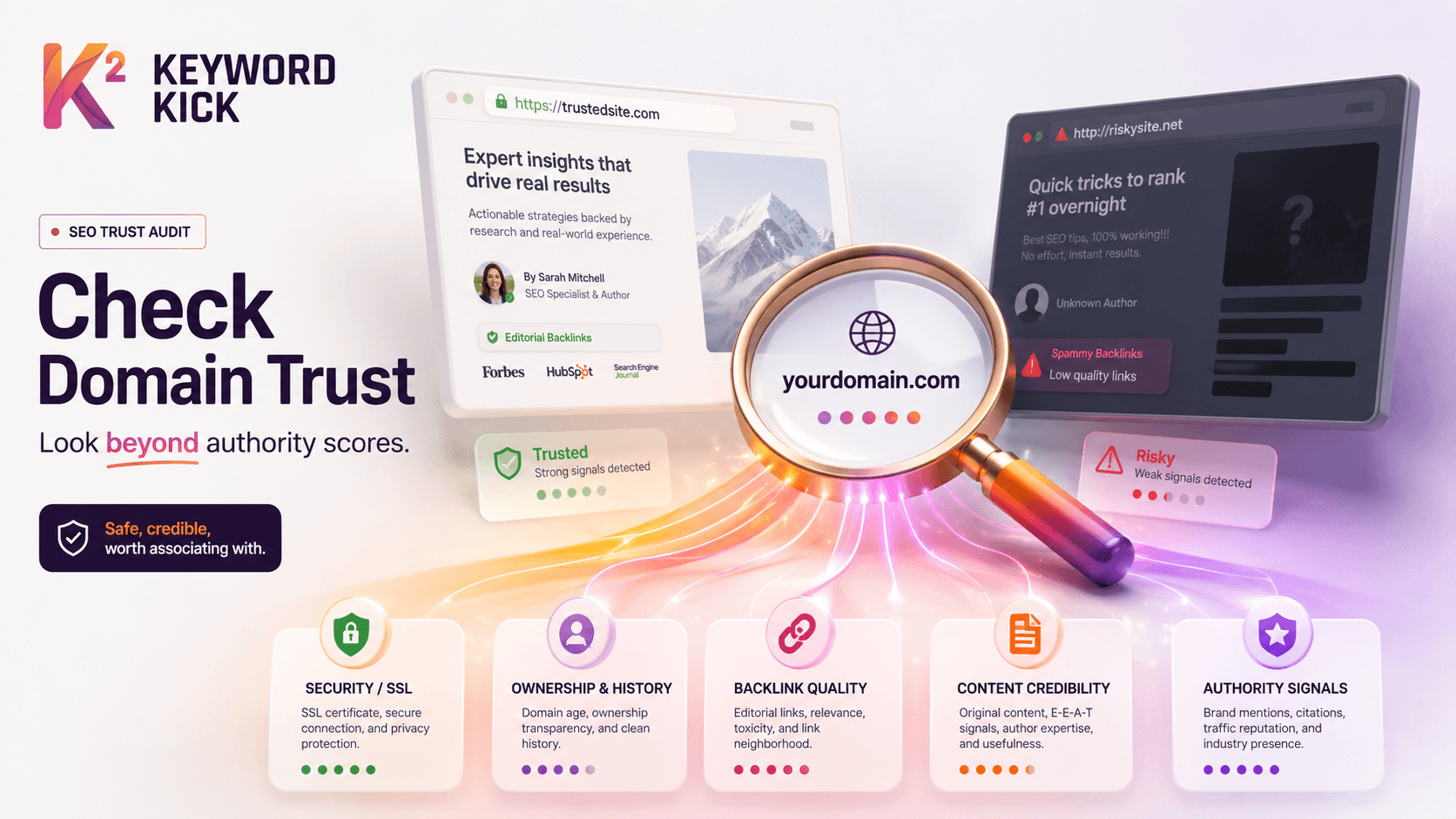
A solid SEO trust review usually answers five questions:
Is the site technically safe and stable
Does the backlink profile look earned rather than manufactured
Is the content useful, original, and attributable
Does the site feel credible to a human visitor
Do third-party metrics support the story, or contradict it
Junior marketers often jump straight to authority metrics because they're easy to screenshot. That's the wrong order. Metrics are supporting evidence. Trust starts with what the site is, how it behaves, and who links to it.
The Foundational Trust and Safety Checks
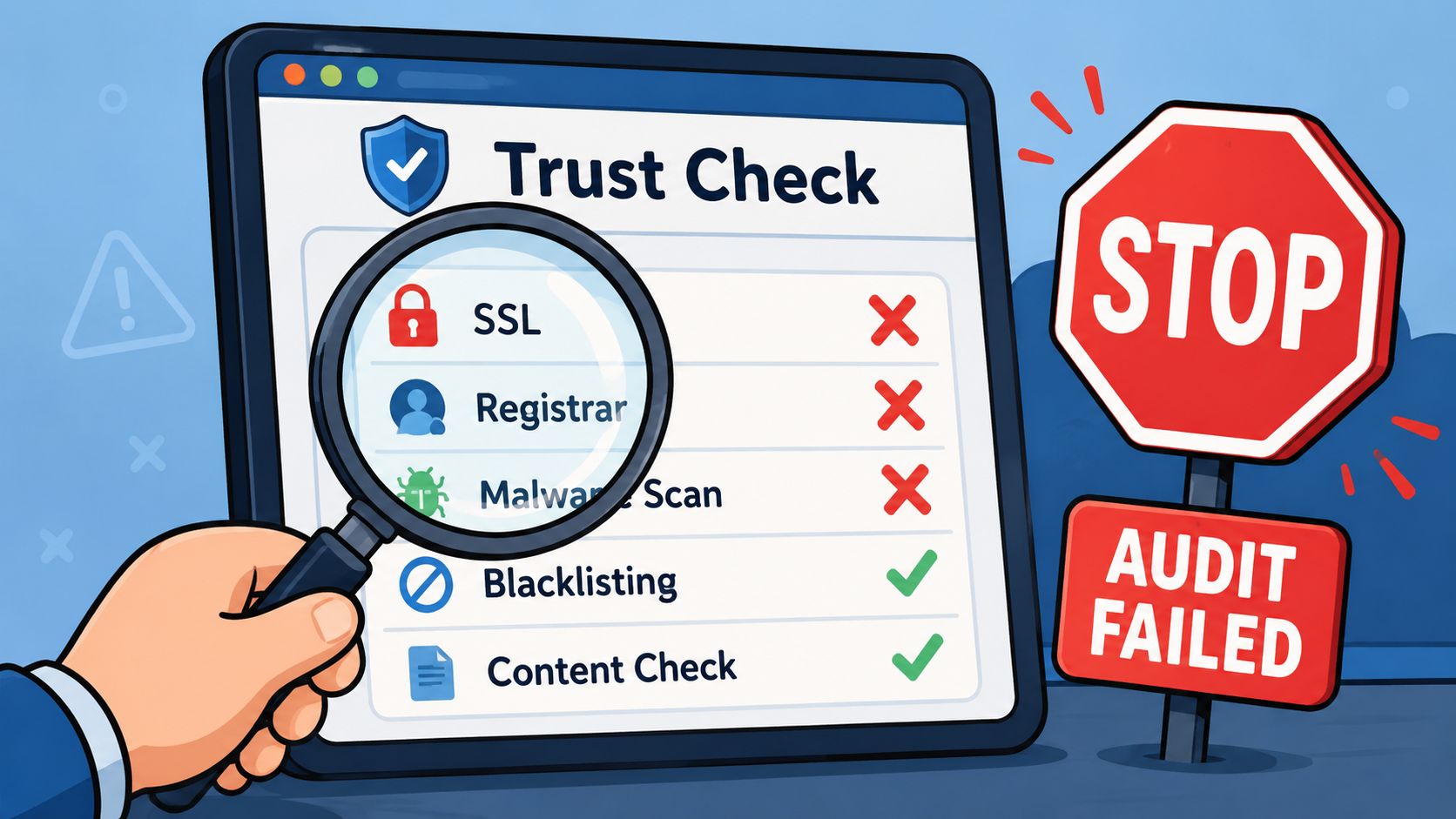
Before you dig into links or content, run the fast filters. These checks won't tell you everything, but they will tell you when to stop wasting time.
Check the SSL and browser experience
Open the site in a browser. Don't overcomplicate this part. You're looking for basic signs of care.
A trustworthy site should load securely, avoid browser warnings, and present a coherent experience across the homepage and key internal pages. If pages break, redirect oddly, or trigger security concerns, that's not a small technical issue. It's a trust signal.
Use the browser padlock, inspect the certificate details if needed, and test a few key URLs. Then ask the practical question: would you feel comfortable sending a client, editor, or customer here?
Look for these patterns:
Clean secure loading: The site opens without certificate warnings or mixed-content problems.
Consistent protocol behavior: Important pages don't bounce between secure and non-secure versions.
No obvious compromise signals: You don't see spam pages, hacked redirects, fake casino content, or malware-style prompts.
Review WHOIS and ownership clues
WHOIS privacy by itself isn't a problem. Plenty of legitimate site owners use privacy services. What matters is whether the domain shows a larger pattern of opacity, inconsistency, or churn.
If WHOIS data is visible, compare it with what the site says publicly. Does the brand name match? Does the business appear real? If WHOIS is private, that's fine, but compensate with stronger checks elsewhere: contact pages, legal pages, team pages, and visible business information.
A hidden WHOIS record doesn't make a site risky. A hidden WHOIS record plus vague authorship, no contact details, and manipulative backlinks usually does.
This is the same trust logic product teams use in regulated industries. If you want a good example of how design choices affect credibility, the fintech UX design guide is useful because it frames trust as the result of many small signals working together.
Check age, history, and prior use
A new domain isn't automatically low trust. A recycled domain with a messy past can be much worse.
Use the Wayback Machine and search the indexed history of the domain. You're trying to answer three questions:
What did this site used to be
Has the topic changed sharply
Does the current version look like a rebuild on expired authority
If a domain used to host a real business and now hosts unrelated affiliate content, treat it carefully. If it changed languages, niches, or ownership style overnight, that often explains suspicious links and unstable rankings.
A quick first-pass checklist helps:
Check | Healthy signal | Warning sign |
|---|---|---|
SSL | Loads securely without warnings | Browser trust issues or odd redirects |
WHOIS | Ownership details align with public brand signals | Heavy opacity plus weak business identity |
History | Consistent topic and real archive footprint | Abrupt niche shifts or expired-domain repurposing |
These early checks don't replace the deeper audit. They just keep you from spending an hour analyzing a site that already failed basic credibility.
Auditing the Backlink Profile for Quality
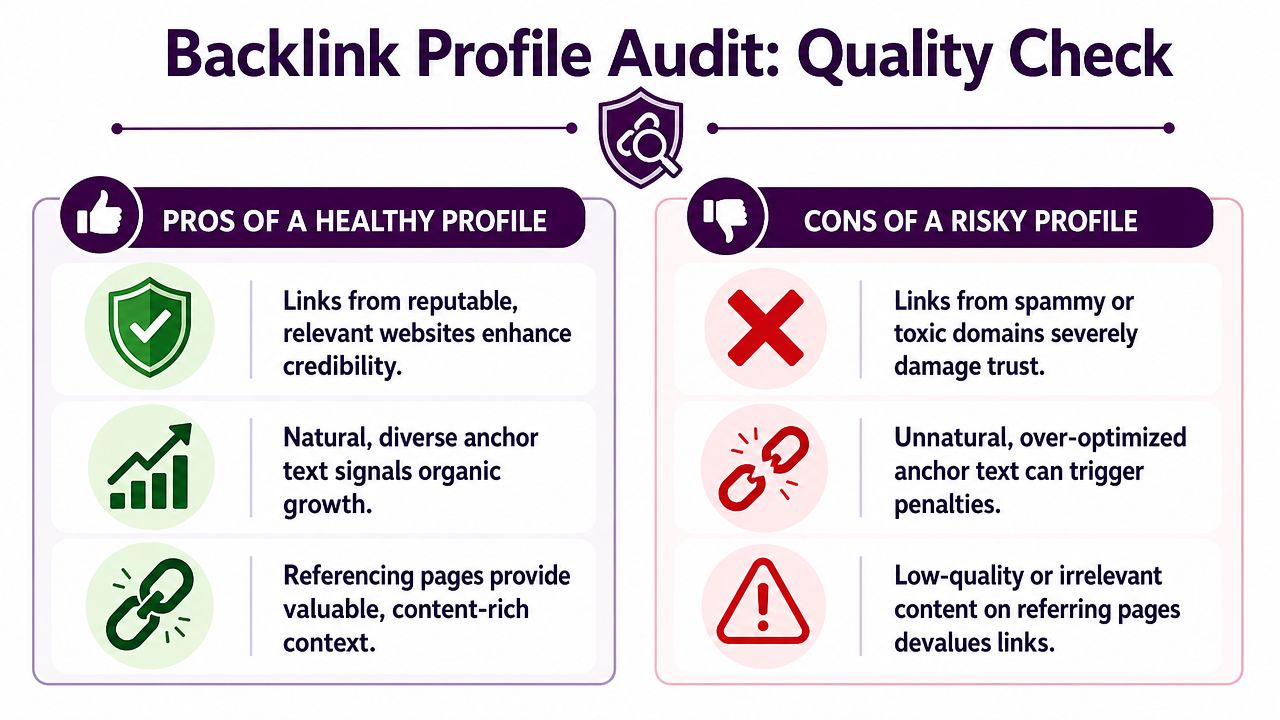
Most trust assessments are won or lost when evaluating the true nature of a domain. A domain can look polished on the surface and still carry a toxic off-page history. When you check domain trust seriously, you're really asking whether the site earned its reputation or manufactured it.
Look past raw counts
Junior SEOs often get distracted by volume. Hundreds or thousands of linking domains can look impressive until you open the list and see scraper sites, junk directories, coupon pages, and stitched-together blogs.
Start with a sample, not just the summary dashboard. Review real linking pages. Click through. Read them. Ask whether the link makes editorial sense.
Healthy profiles usually show:
Relevant referring sites: The linking domain publishes in a related topic area or serves a related audience.
Contextual placement: The link appears inside real content, not in boilerplate widgets or author-box farms.
Editorial intent: The page exists for readers first, not for inserting outbound links.
Risky profiles tend to show the opposite. The pages feel templated, the articles are thin, and the outbound links look sprayed across unrelated industries.
Inspect anchor text like an investigator
Anchor text tells you how a link profile was built. Natural link profiles contain a mix of brand mentions, naked URLs, topical phrases, and messy human variation. Manipulated profiles usually lean too hard on commercial terms.
You don't need a perfect ratio. You need pattern recognition.
Watch for these red flags:
Commercial repetition: The same money phrase appears again and again across many domains.
Irrelevant anchors: The site gets links with terms that don't match its content or audience.
Foreign-language noise: Links come from unrelated language environments with no clear market reason.
Sitewide footprint: The same anchor appears across footers, blogrolls, or network-style templates.
When anchor text looks like it was planned in a spreadsheet, assume someone pushed it too hard.
A helpful process reference is this guide on how to do a backlink audit in 30 minutes. The value isn't the speed itself. It's the discipline of checking patterns before getting hypnotized by vanity metrics.
Evaluate link neighborhoods and intent
Not every weak site is toxic. Some are just small. What you're trying to separate is “low authority but real” from “built for manipulation.”
A real small site might have modest design, light traffic, and uneven publishing. That's fine. If it serves a real niche and links naturally, it can still be trustworthy.
A manipulative site usually leaves a wider footprint:
It covers too many unrelated verticals.
It publishes generic listicles at scale.
It has thin category pages and little brand identity.
Its outbound links feel commercially stacked.
Its internal pages exist mainly to support ranking schemes.
Check velocity and timing qualitatively
Link growth should make narrative sense. A site that suddenly gains many low-quality links after a domain repurpose or content pivot deserves scrutiny. You don't need precise numbers to notice an unnatural pattern. Timeline views in Ahrefs, Semrush, Majestic, or similar tools usually make the shape visible.
A simple backlink judgment model
Instead of asking “Is this profile strong?” ask four narrower questions:
Question | Good answer | Bad answer |
|---|---|---|
Who links to it | Real sites with recognizable purpose | Link farms, junk blogs, churned directories |
Why they link | Citation, reference, partnership, editorial mention | Paid placement footprints or random insertions |
How they link | Varied anchors and contextual placement | Repetitive commercial anchors |
What the pattern says | Gradual, believable growth | Obvious manipulation or repurposed authority |
If the answers trend right, the link profile likely supports trust. If two or more areas look wrong, don't let a high authority score talk you into ignoring the evidence.
Evaluating On-Page Content and User Experience
Some domains have decent links and still feel unreliable the moment you land on them. That reaction usually comes from on-page quality. Search engines assess it one way. Users assess it another. The strongest sites satisfy both.
Audit for E-E-A-T signals in real terms
E-E-A-T is often discussed too abstractly. In practice, you're checking whether a site demonstrates real-world credibility.
Start with obvious questions. Who writes the content? Is there a visible business, editor, or organization behind it? Can you find contact information, policies, and signs of accountability?
Good signals include:
Named authors or clear editorial ownership
About, contact, and policy pages that look real
Content that reflects direct experience or subject familiarity
Consistent tone and scope across the site
Weak signals include anonymous articles, generic bios, stock advice with no demonstrated experience, and pages that look mass-produced.
Check whether the content sounds generated or assembled
You don't need a detector to notice weak content. Read three pages in sequence. If each page says the same thing in slightly different words, trust drops fast.
Look for:
Thin topic coverage: The page answers the headline but not the actual user need.
Template repetition: Multiple articles reuse the same subheadings and filler transitions.
No original contribution: There's no example, no opinion, no process detail, and no evidence of hands-on experience.
Mismatch between title and substance: The page promises depth and delivers surface-level summary.
A domain earns trust when its pages help someone make a decision, solve a problem, or learn something specific. Pages that only exist to catch a keyword rarely pass that test for long.
Review UX as a trust signal
User experience is part of trust because it reveals intent. Publishers who care about users make different choices than publishers who care only about monetizing a visit.
Check the site on desktop and mobile. Then pay attention to friction.
A trust-supporting UX usually has:
Readable layout: Text isn't cramped, cluttered, or broken up by aggressive ad blocks.
Clear navigation: Users can understand what the site covers and where to go next.
Reasonable ad behavior: Monetization exists, but it doesn't dominate the page.
Mobile competence: Pages are usable, scrollable, and readable on a phone.
If you're auditing your own site's content and page quality, this on-page SEO resource is a useful framework for tightening the basics systematically.
Use first-party checks when you control the domain
If it's your site, open Google Search Console. Check for security issues, manual actions, and indexation anomalies. Those aren't abstract trust discussions. They're direct diagnostics.
If it's a third-party domain, you won't have that access, so use external footprints instead. Search the domain with branded queries. Review cached snippets, indexed pages, and any obvious signs of spam contamination. If brand search results look messy, the domain usually has a broader quality problem.
A site can survive one weak article. It usually can't hide a weak operating model.
Interpreting Authority Metrics and Spam Scores
Third-party authority metrics are useful. They're also one of the easiest ways to make bad decisions if you trust them too much.

What these scores are good for
Metrics like Ahrefs Domain Rating, Moz Domain Authority, and Majestic Trust Flow help you compare domains quickly. They're especially useful for triage when you're screening many prospects at once.
But they're estimates built from each provider's own crawl, model, and assumptions. None of them is “Google trust.” Treat them like expert opinions, not court rulings.
Here's a practical comparison.
Comparing Domain Authority Metrics
Metric | Provider | Focus | Interpretation Tip |
|---|---|---|---|
Domain Rating | Ahrefs | Link strength at the domain level | Useful for rough comparison, but inspect the actual referring domains |
Domain Authority | Moz | Predicted ranking potential | Good for screening, weak as a standalone trust verdict |
Trust Flow | Majestic | Link quality and trust proximity | More helpful when reviewed alongside Citation Flow |
Citation Flow | Majestic | Link influence and volume tendencies | A stronger number here doesn't always mean a cleaner profile |
Spam Score | Various providers | Pattern-based risk estimate | Use as a warning light, not a final decision |
How to combine them without fooling yourself
The best use of metrics is comparative. If one tool says a site is strong and another says it looks risky, that tension is useful. It tells you to inspect manually.
A few common mistakes show up repeatedly:
Overweighting one score: Teams reject good sites because one metric is modest, or approve bad ones because one metric is high.
Ignoring topical relevance: A powerful score doesn't fix an irrelevant or manipulative link environment.
Skipping page-level review: Domain-level metrics can hide weak sections, parasite pages, or sponsored clutter.
Majestic's relationship between Trust Flow and Citation Flow can be especially helpful directionally. If trust-oriented quality appears stronger relative to sheer citation volume, that's often healthier than a domain driven mostly by raw link accumulation. It's still not proof. It's just a clue.
Metrics should confirm what you already suspect from the audit. If they're trying to convince you a bad site is good, trust your manual review first.
Use metrics as filters, not verdicts
When I train junior teams, I tell them to sort prospects with metrics and decide with evidence. That keeps the workflow efficient without outsourcing judgment to a dashboard.
If you want a quick side-by-side benchmark tool during prospect review, a domain authority checker can help surface the initial spread. Then you still need to verify the story by checking the links, the content, and the site itself.
A trustworthy domain usually creates consistency across the board. The site feels real. The links make sense. The content has substance. The metrics support that picture instead of compensating for its absence.
From Audit to Action Plan and Monitoring
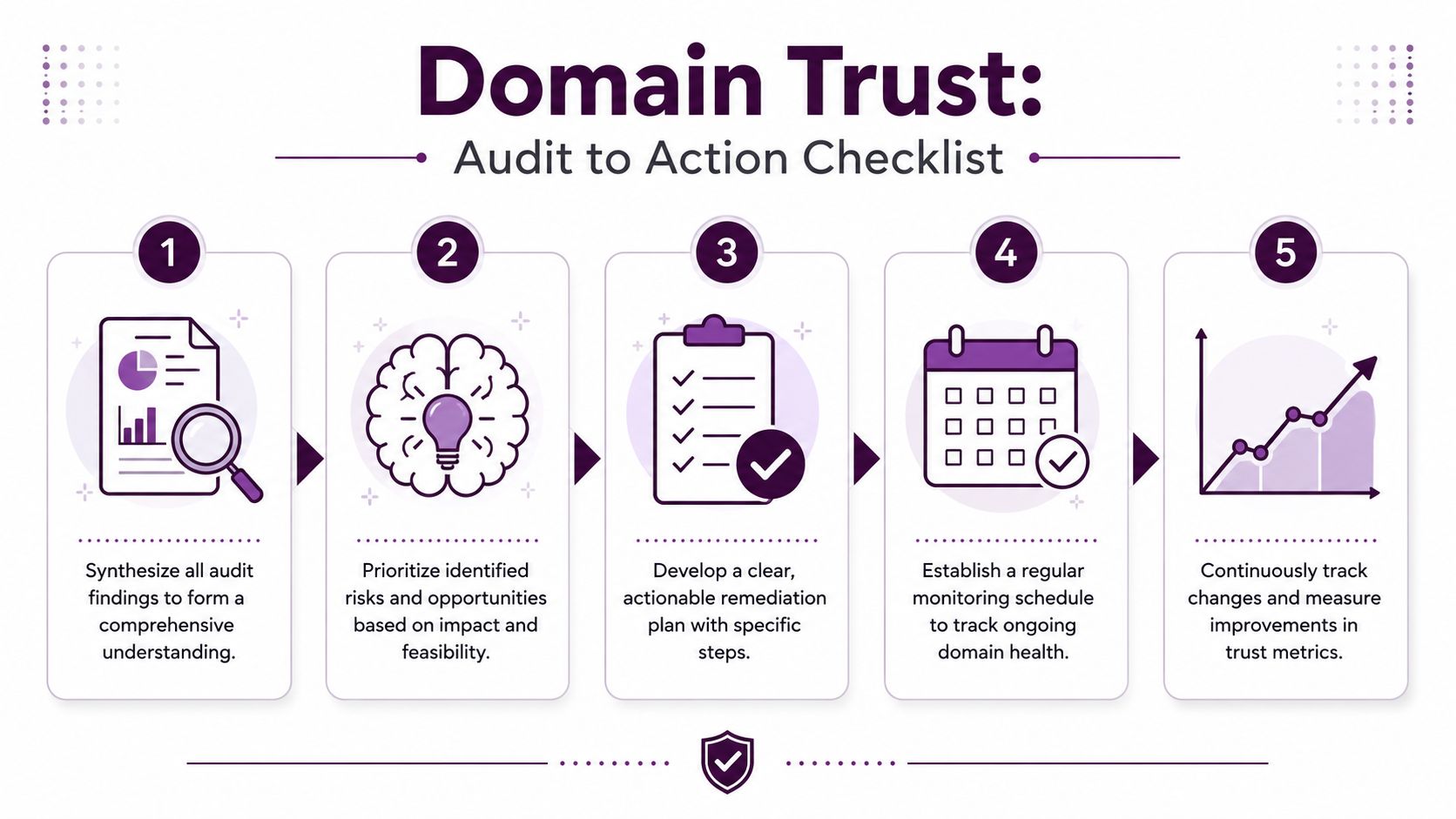
At this point you should have a messy set of observations. That's normal. Real audits rarely end with one neat answer. The useful step is turning mixed evidence into a decision you can defend.
Build a simple scorecard
Don't try to make the scorecard scientific. Make it practical. Use categories that reflect actual SEO risk and value.
A workable model:
Area | What you're judging | Typical outcome |
|---|---|---|
Technical trust | Secure loading, clean behavior, stable site setup | Pass, caution, fail |
Backlink quality | Relevance, editorial integrity, anchor patterns | Strong, mixed, risky |
Content credibility | Depth, originality, authorship, usefulness | Strong, thin, weak |
UX and business legitimacy | Contact details, design care, ad behavior, user confidence | Reliable, mixed, dubious |
Metrics support | Whether third-party scores reinforce or contradict your audit | Supportive, noisy, misleading |
You can label each area green, yellow, or red if you want simplicity. The key is consistency. Use the same rubric every time.
Make the decision based on use case
The right threshold changes depending on what you're doing.
If you're evaluating a link prospect, ask whether a link from this site would improve your profile or introduce risk. A site can be imperfect and still worth earning a mention from. It just can't be obviously manipulative.
If you're auditing your own domain, look for the biggest trust leaks first. Those are usually backlink cleanup, weak sections of content, or poor user experience patterns that undermine confidence.
If you're assessing a domain acquisition, be stricter. You're not just borrowing reputation. You're inheriting history.
Prioritize fixes in the right order
Teams often waste effort polishing cosmetic issues while the actual risks sit untouched. Start with the factors that can contaminate the whole domain.
A sensible order looks like this:
Neutralize obvious risk Remove or address hacked pages, deceptive redirects, and low-quality sections that damage trust immediately.
Deal with backlink liabilities Review toxic patterns, paid-link footprints, and irrelevant legacy links. For your own site, document what should be removed, updated, or disavowed based on your judgment and risk tolerance.
Upgrade weak content Rewrite thin pages, consolidate duplicates, and cut content that exists only to target keywords without offering value.
Improve legitimacy signals Tighten author pages, contact details, editorial transparency, and trust-supporting UX elements.
Track the result Watch whether visibility, branded search appearance, crawl health, and link quality trend in the right direction.
The best remediation plans are boring. They name the issue, assign an owner, define the fix, and set a review date.
Set up ongoing monitoring
Domain trust isn't static. Good sites decline when they stop maintaining standards. Weak sites can improve if they clean up consistently.
For your own domain, create a recurring review rhythm around:
New backlinks: Watch for suspicious growth, irrelevant placements, and odd anchor patterns.
Content drift: Review whether new pages match your quality standard.
Site changes: Check that redesigns, migrations, and monetization changes don't erode trust signals.
Brand SERP health: Search your brand and monitor what users see first.
For third-party domains you work with regularly, keep lightweight watchlists. A site that looked solid during outreach can change ownership, pivot into sponsored content, or gradually decay.
A practical go or no-go framework
When the audit is done, force a plain-English conclusion.
Go: Technical basics are clean, links look earned, content is credible, and metrics broadly support the picture.
Proceed carefully: One area is mixed, but the domain still looks legitimate overall.
No-go: Multiple warning signs stack together, especially manipulative backlinks plus weak content plus credibility gaps.
That final call matters more than any individual metric. People don't lose judgment because they lack tools. They lose judgment because they keep searching for one more number that lets them avoid a clear decision.
If you need to check domain trust regularly across prospects or properties, build the habit of documenting what you saw, why it matters, and what action follows. That's what turns a one-off audit into an operating system.
If you want a faster way to turn scattered SEO signals into an actionable domain review workflow, Keyword Kick is worth a look. It brings together backlinks, rankings, Search Console, analytics, and technical findings so you can move from “something feels off” to a prioritized next step without stitching the audit together manually.