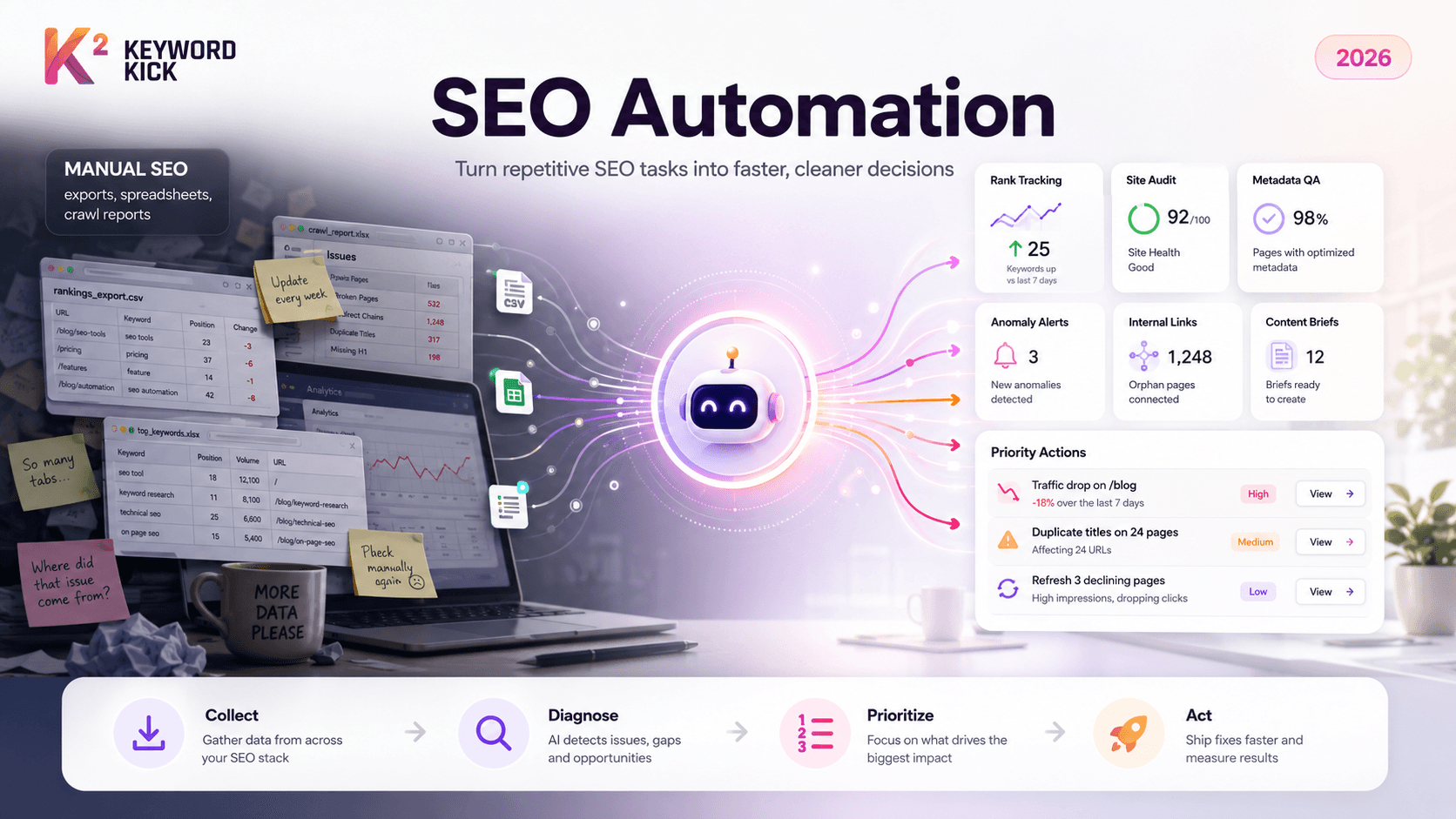
You're probably dealing with some version of the same mess most SEO teams hit eventually. Rankings live in one tool. Search Console exports live in another folder. Technical issues sit in a crawl report nobody reopened after the kickoff meeting. Content ideas are trapped in spreadsheets with six tabs and no owner. Then someone asks a reasonable question like, “Why did traffic drop on these pages?” and the room goes quiet while everyone starts pulling data manually.
That's the point where seo automation stops sounding like a nice-to-have and starts looking like basic operational hygiene.
Done well, automation doesn't replace SEO work. It removes the repetitive parts that slow good teams down. Instead of spending hours collecting ranking changes, crawl issues, metadata gaps, and page-level performance, you let software gather and structure the signals so people can decide what matters.
The End of Manual SEO
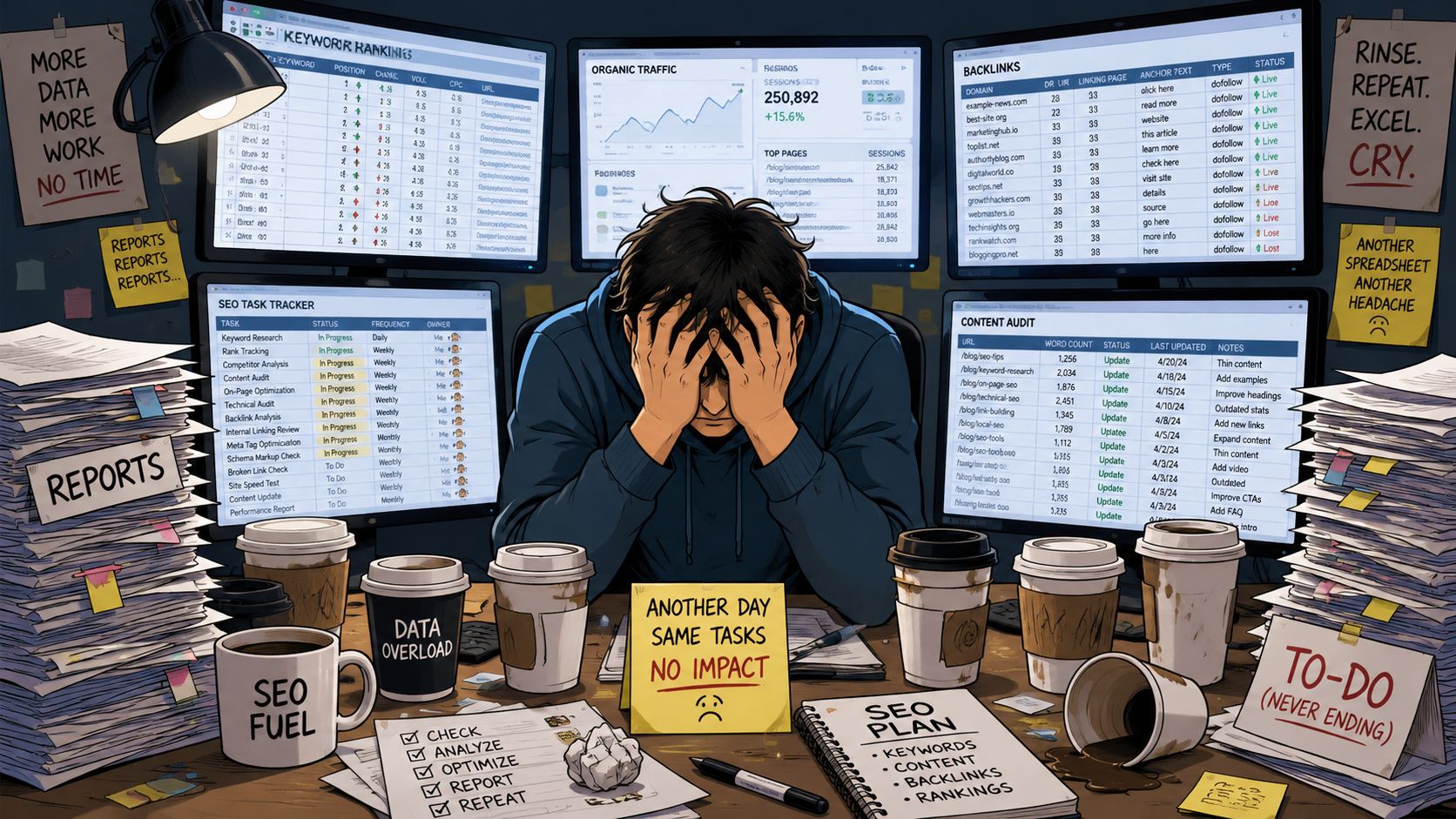
The old manual workflow breaks in predictable ways. A specialist exports keyword data on Monday, matches it with landing pages on Tuesday, checks crawl issues on Wednesday, and builds a client or stakeholder report on Thursday. By Friday, some of the data is already stale.
That model might have worked when search programs were smaller. It doesn't hold up now. Google was projected to handle more than 8.5 billion searches per day by 2026, while the top three organic results captured 68.7% of all clicks according to AIOSEO's search statistics roundup. In a market that concentrated, teams can't afford slow loops between finding an issue and acting on it.
Where manual work starts failing
Manual SEO usually creates three problems:
Delayed decisions because teams spend more time assembling reports than reviewing them
Inconsistent QA because title tags, canonicals, schema, and internal links get checked only when someone remembers
Shallow prioritization because analysts run out of time before they can connect SEO signals to business impact
I've seen teams confuse activity with progress here. A giant spreadsheet feels productive. It usually isn't.
Practical rule: If a task happens on a schedule, follows the same logic each time, and produces the same type of output, it should probably be automated.
The shift is mental. SEO teams shouldn't behave like human data pipelines. They should behave like decision-makers. Automation is what makes that possible.
What SEO Automation Really Means
SEO automation is often defined too narrowly. This narrow view considers it to be merely using a tool to write meta descriptions, run a crawl, or send a ranking alert. That's part of it, but it misses the bigger point.
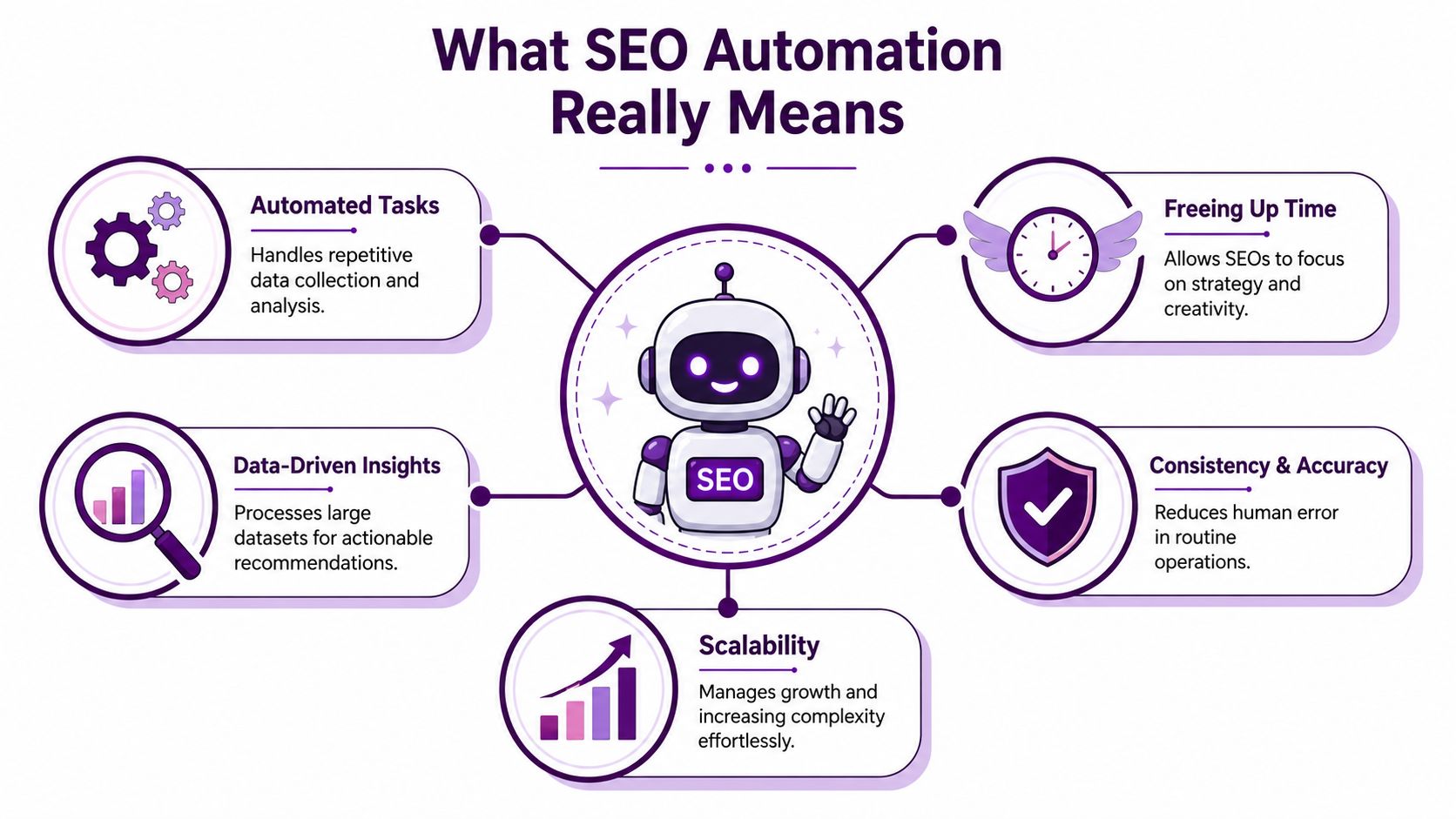
SEO automation is an operating model. You hand repeatable, data-heavy tasks to systems so your team can spend more time on judgment, prioritization, and execution. Picture it as a robot assistant. It doesn't replace the strategist; it handles the repetitive chores the strategist shouldn't be doing in the first place.
Scale and diagnosis are different jobs
A useful way to think about automation is to separate it into scale and diagnosis.
According to Numerous.ai's discussion of SEO marketing automation, most coverage talks about what to automate but doesn't clearly distinguish between automation for scale and automation for diagnosis. The teams that get the most from automation build both.
Here's the difference:
Automation mode | What it does | Typical examples |
|---|---|---|
Scale | Repeats tasks across many pages, queries, or markets | rank tracking, scheduled crawls, keyword clustering, metadata generation |
Diagnosis | Helps identify why something changed or where the real problem sits | traffic drop analysis, cannibalization checks, anomaly alerts, issue prioritization |
Scale automation is about throughput. Diagnosis automation is about clarity.
A lot of teams invest only in scale. They automate reports, briefs, and keyword grouping, then still struggle when performance shifts because nobody built a workflow for root-cause analysis. That's why a strong process for mastering automated keyword research matters. Keyword collection at scale is useful, but it gets much better when the output feeds decisions instead of another backlog.
What the robot should and shouldn't do
Good automation handles pattern recognition and routine checks. Humans handle context.
Use the system to:
Collect data from crawls, rankings, impressions, clicks, and backlink tools
Normalize inputs so page, query, and issue data can be compared
Surface candidates for action, such as pages with declining visibility or missing metadata
Trigger workflows when thresholds are met
Keep human review for:
Keyword prioritization based on business value
Content tone and angle so pages don't sound generic
Final technical decisions when fixes affect templates, rendering, or indexation
Trade-off calls when multiple issues compete for limited development time
If you want a useful framing for how AI-driven workflows change the strategist's role, this guide to agent SEO and AI automation is worth reading.
The right question isn't “Can this be automated?” It's “Should the system execute this, recommend it, or just monitor it?”
That distinction keeps your automation useful instead of reckless.
Where Automation Delivers the Most Value
Automation pays off fastest in workflows that are repetitive, high-volume, and easy to validate. That's why the most effective use cases tend to cluster around technical SEO, content operations, and reporting. Straight North's overview of what can and can't be automated in SEO makes that point clearly. The software handles data collection and routine checks, while analysts decide what to fix next.
Here's a practical map.
Common SEO automation use cases
SEO Area | Automated Task | Primary Benefit |
|---|---|---|
Technical SEO | Scheduled site crawls | Finds issues before they pile up |
Technical SEO | Broken-link detection | Prevents wasted crawl paths and poor UX |
Technical SEO | Metadata checks | Flags missing or duplicated title tags and descriptions |
Technical SEO | Structured data validation | Catches schema regressions at scale |
Content SEO | Keyword clustering | Groups topics faster than manual sorting |
Content SEO | Content brief generation | Standardizes inputs for writers |
Content SEO | Internal link suggestions | Surfaces linking gaps across related pages |
Reporting | Rank tracking | Keeps visibility changes visible without manual pulls |
Reporting | Dashboard refreshes | Gives stakeholders current performance views |
Reporting | Anomaly alerts | Speeds up response when traffic or rankings shift |
Technical SEO is where automation earns trust first
Technical workflows are usually the safest starting point because they're consistent and measurable. A crawler doesn't get bored checking redirects, broken links, indexability, or duplicate tags across large sites.
One especially valuable layer is automated validation. Applitools' piece on automated SEO data testing describes using automated tests to confirm that critical on-page signals like title tags, meta descriptions, and JSON-LD are present, formatted correctly, and internally consistent. That matters when template changes or CMS releases inadvertently break signals across many URLs.
In practice, this means you can set tests to catch problems such as:
Missing title tags on newly generated pages
Schema mismatches where the headline in structured data doesn't match the visible page title
Template regressions that wipe metadata fields after a release
Rendering issues that prevent important content from appearing correctly
This is the difference between a crawl report and a QA system. One tells you what broke. The other helps stop broken things from shipping.
Content workflows benefit when inputs are standardized
Content automation works best upstream. Use it to cluster keywords, identify topic gaps, generate first-pass briefs, and suggest internal links. Don't use it to outsource judgment about brand voice or final positioning.
A solid brief automation workflow usually includes the target page, supporting topics, likely internal link candidates, and notes on search intent. That gives writers a clean starting point without making the machine the author.
Useful filter: Automate the research package. Don't automate the editorial opinion.
Internal linking is another strong use case. Tools can scan your site for semantically related pages and linking opportunities much faster than a person can. But the final decisions still need context. Not every relevant page should link. Some pages have conversion jobs, legal constraints, or messaging priorities that pure SEO logic misses.
Reporting should trigger action, not just produce charts
Reporting automation often gets treated like a cosmetic win. It's more important than that when done right.
The goal isn't prettier dashboards. The goal is shorter time between signal and response. A useful reporting system combines ranking changes, page performance, crawl findings, and indexation issues so teams can spot patterns quickly. Better still, it turns those patterns into alerts.
Good reporting automation tells you:
Which pages need review now
Which changes are likely noise
Which issue groups affect important templates or revenue-driving sections
Which stakeholders need to know
Bad reporting automation sends a PDF nobody opens.
How to Choose Your Automation Tools
Tool selection gets messy when teams shop by feature list instead of workflow fit. Most platforms can crawl, track rankings, and surface some optimization ideas. That doesn't mean they solve the same problem.
The first reality to accept is scale. The tooling market itself shows why manual analysis doesn't hold up anymore. Siteimprove's landscape review of SEO automation tools notes that Ahrefs is described as indexing over 16 trillion links and Semrush tracks 20 billion keywords. Those datasets are why selection matters. You need software that can process and prioritize large volumes of information, not just display them.
Start with the bottleneck, not the demo
Before you compare vendors, write down the workflow that wastes the most time today. Be blunt.
Is your problem:
Technical sprawl across a large site with too many recurring QA issues?
Content production drag because keyword research and briefs take too long?
Reporting overload because analysts rebuild the same views every week?
Diagnosis delays because nobody can quickly connect traffic changes to likely causes?
Once you know the bottleneck, evaluate tools against that job.
Four criteria that matter more than shiny features
Workflow fit matters first. A tool should match how your team works. If your technical team lives in Jira, your automation should feed tickets or alerts there. If your writers work from content briefs, the outputs need to be usable without cleanup.
Integration capability is the hidden deal-breaker. APIs, exports, dashboards, and alerting matter because automation fails when data lives in silos. If a platform can't connect with the systems your team already uses, you'll create another dashboard instead of a workflow.
Prioritization quality matters more than data volume. Large indexes are useful only if the system helps sort signal from noise. The best setups don't just list issues. They help teams decide what deserves attention first.
Scalability matters if you manage multiple sites, markets, or templates. A point solution may work at first, but complexity grows fast when every new use case needs another login and another manual handoff.
If you're comparing stacks, this roundup on how to find the best SEO automation software is a useful market scan.
Platform or point solution
There isn't one right answer here. It depends on the maturity of the team.
Option | Best for | Watch-outs |
|---|---|---|
All-in-one platform | teams that need shared visibility across technical, content, and reporting work | can include features you won't use |
Point solutions | teams solving one urgent problem well | can create fragmented workflows |
Hybrid stack | teams with an established core platform and a few specialized needs | needs stronger process discipline |
One practical option in the platform category is Keyword Kick's guide to SEO platforms, especially if you're evaluating how consolidated data changes prioritization. Keyword Kick itself fits this category by combining GA4, Search Console, rank tracking, backlink analysis, technical signals, and AI-driven recommendations in one workspace. That's useful for teams that want analysis and action in the same place rather than separate tools for each step.
A Phased Roadmap to Implementation
The fastest way to kill a seo automation project is to automate too much at once. Teams buy a stack, turn on every alert, generate a flood of reports, and then discover nobody trusts the outputs.
A phased rollout works better because it builds confidence before complexity.
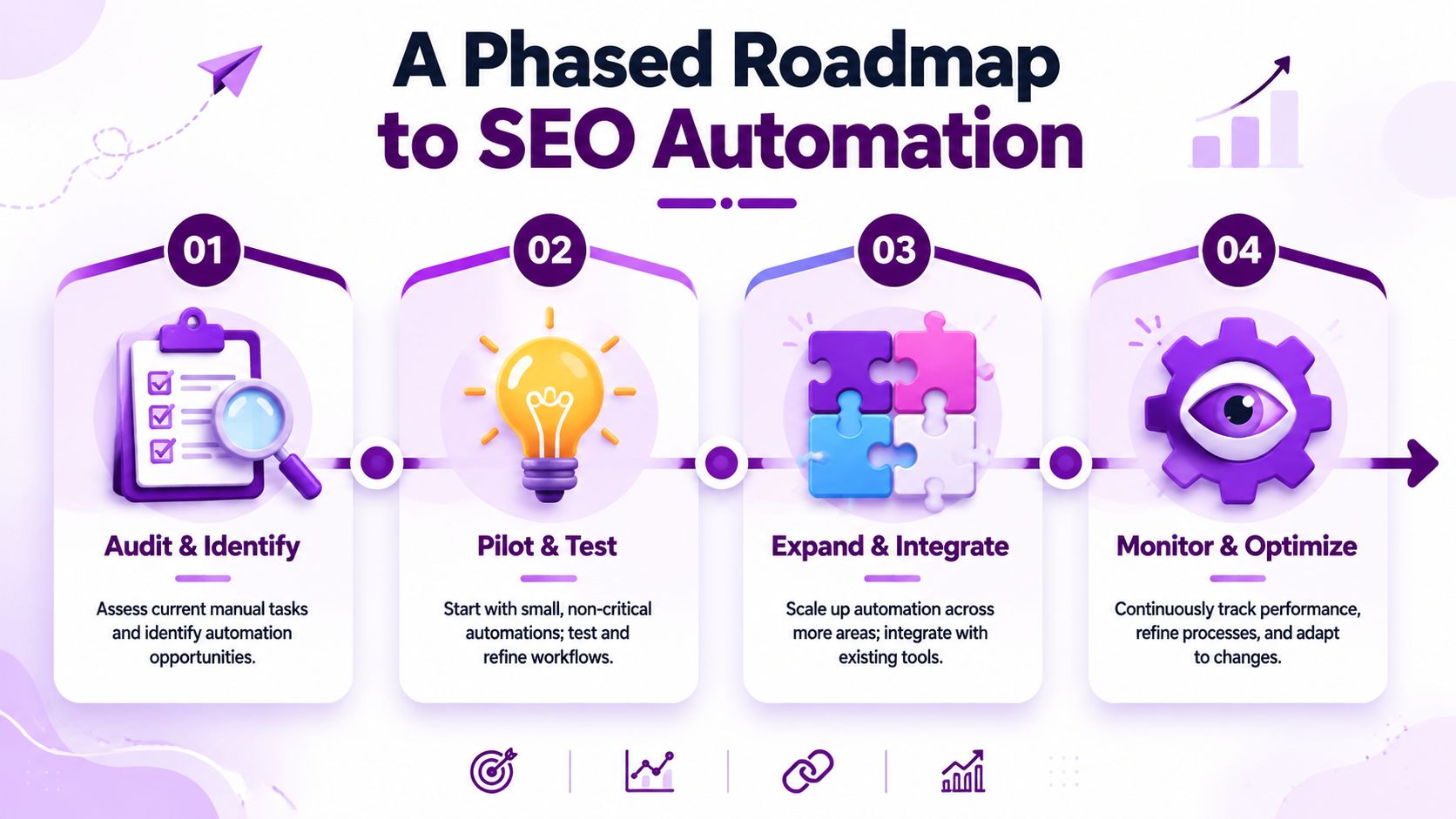
Phase 1 with quick wins
Start where the risk is low and the time savings are obvious.
Good first candidates include:
Automated reporting for rankings, page performance, and technical summaries
Scheduled rank tracking for priority keywords and page groups
Recurring site crawls that flag major breakages without needing manual setup each week
These workflows are easy to validate. People can compare them against existing reports and build trust quickly.
Phase 2 with connected workflows
Once the team trusts the data, connect automation to the places work happens.
This usually means:
routing technical issues into project management systems
setting alerts for meaningful changes in page performance or indexation
linking content research outputs to editorial planning
At this stage, automation stops being a reporting layer and starts becoming operational infrastructure.
A simple example is a scheduled crawl that pushes new critical issues into the development backlog with clear page lists and severity notes. Another is a performance alert that flags a page group for review when impressions and rankings shift together, so the team investigates faster.
Phase 3 with strategic support
AI-powered workflows start helping with planning, not just monitoring.
Use automation to:
cluster keywords into topic groups
draft first-pass content briefs
surface internal link opportunities
identify pages that likely deserve refreshes before they become obvious problems
Content teams often find this phase useful when they need to turn one strong asset into multiple search-friendly formats. If you're thinking about how automation supports broader editorial efficiency, these content repurposing strategies offer a helpful adjacent view.
Don't automate a decision until you've manually made that decision enough times to define the rule.
Phase 4 with refinement
The last phase never really ends. You review what the automation catches, what it misses, and where it creates noise.
Use regular reviews to ask:
Which alerts led to action
Which reports nobody used
Which recommendations were repeatedly ignored
Which workflows still need human validation at the end
That's how an automation program matures. Not by adding more systems, but by tightening the gap between signal and action.
Governance and Measuring Success
Automation without governance creates fast mistakes. Automation with weak measurement creates expensive confusion. You need both guardrails and clear success criteria.
A useful governance model starts with one question raised in broader industry discussion: when should automation recommend an action, and when should it execute one? The Jerusalem Post's article on SEO automation trends and risks highlights this gap clearly. AI can lower the cost of repetitive SEO work, but it doesn't replace human judgment.
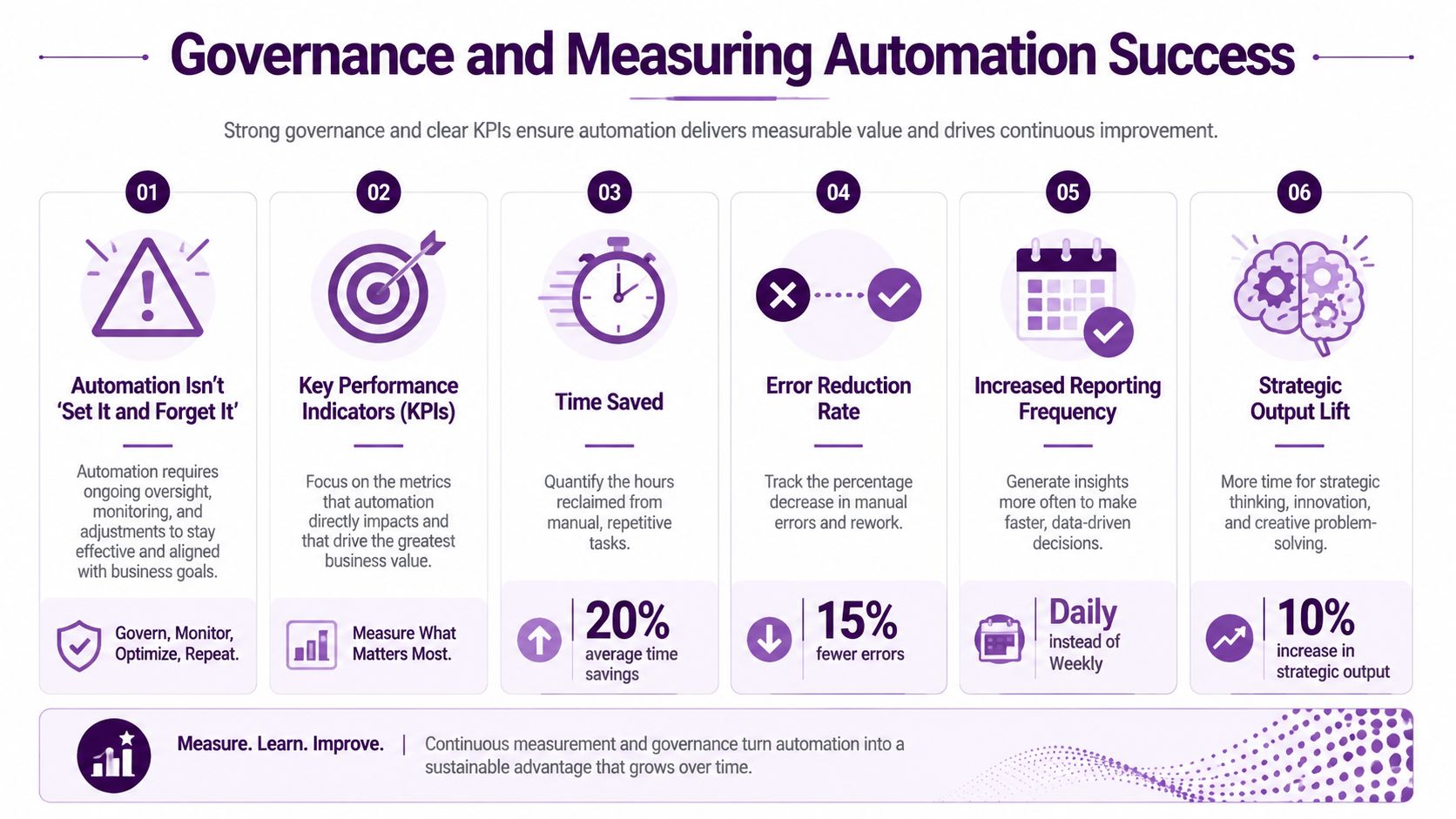
Measure outcomes, not tool activity
A team doesn't win because it ran more automations. It wins because the automations changed how quickly and accurately work gets done.
The most useful KPIs are usually operational and outcome-based:
Time-to-detection for technical issues or ranking anomalies
Time-to-fix for recurring SEO defects
Content production speed when research and briefs are automated
Coverage consistency across titles, descriptions, schema, and internal links
Action rate on alerts and recommendations
Performance movement on pages that were prioritized and updated
That's also why reporting quality matters. If your reporting layer doesn't separate signal from noise, teams stop trusting the whole system. For agencies especially, a clean framework for stakeholder views matters as much as the analysis itself. This piece on what to include and what to skip in SEO reporting for clients aligns well with that problem.
Use a recommendation and execution ladder
Not every automation deserves the same level of autonomy. A simple ladder helps.
Automation type | Default mode | Human review needed |
|---|---|---|
Reporting refreshes | Execute automatically | No |
Rank tracking and crawl scheduling | Execute automatically | No |
Issue prioritization suggestions | Recommend | Yes |
Internal link suggestions | Recommend | Yes |
Metadata generation | Draft or recommend | Yes |
Template changes, canonical logic, indexation controls | Never auto-execute by default | Yes |
This model keeps low-risk work fast and high-risk work controlled.
Teams get into trouble when they automate the edit, not the detection.
Governance doesn't have to be bureaucratic. It just has to be explicit.
Common Automation Traps and How to Avoid Them
The biggest automation failures usually come from bad judgment, not bad software.
One trap is the data graveyard. Teams automate dashboards and alerts, then drown in outputs nobody reviews. The fix is simple. Kill any report that doesn't lead to a decision, owner, or recurring action.
Another trap is blind trust in AI recommendations. Suggestions for keyword clusters, internal links, or content updates can be useful. They can also be strategically wrong. The problem isn't that the machine made a bad suggestion. The problem is when nobody reviews whether the suggestion fits the page's job, the brand voice, or the business priority.
A third trap is automating the wrong layer. Automation is excellent for repetitive collection, validation, and monitoring. It's much weaker at final strategy, nuanced messaging, and trade-off decisions between competing initiatives.
Use these guardrails:
Automate collection first before automating recommendations
Require review for changes that affect templates, indexation, or messaging
Assign owners to alerts so signals don't die in shared inboxes
Audit your automations on a schedule to remove noisy rules and stale workflows
The practical standard is straightforward. If a workflow lowers manual overhead and improves response speed, keep it. If it just creates more output, it's not helping.
If your team is tired of jumping between exports, dashboards, and disconnected SEO tools, Keyword Kick is built for exactly that problem. It brings together GA4, Search Console, rank tracking, backlink data, technical SEO signals, and AI-guided recommendations so agencies and in-house teams can move from raw data to prioritized action faster.