You've probably seen this happen. A site redesign looks clean, the pages load, the content is still there, and then search traffic starts slipping for reasons nobody can pin down. By the time the team notices, the issue is often hiding in the URLs, not the copy, not the design, and not the keywords.
That's why URL and SEO is never just a housekeeping topic. Search visibility is concentrated in Google, which holds about 90.39% of global search engine market share across devices and processes roughly 8.5 billion searches per day, or about 99,000 searches every second (Ahrefs SEO statistics). In the same dataset, 68% of online experiences begin with a search engine, and 96.55% of all pages get zero search traffic from Google (Ahrefs SEO statistics). In that environment, a URL isn't just an address. It's part routing system, part identity signal, and part click trigger.
Why URLs Matter More Than Most Teams Realize
A mid-sized e-commerce team can do everything else right during a migration and still lose traffic if URL handling slips. The design team approves the new templates, the content team checks the product copy, and the platform team flips the switch. Then the rankings wobble, the landing pages don't behave like they used to, and the post-mortem lands on redirect mapping, parameter handling, or a messy canonicals setup.
That's the reason URL work belongs on the technical SEO roadmap. Search engines have to discover a URL, crawl it, index it, decide whether it should rank, and then present it in a way that earns the click. A URL can help at every stage, or it can create friction at every stage.
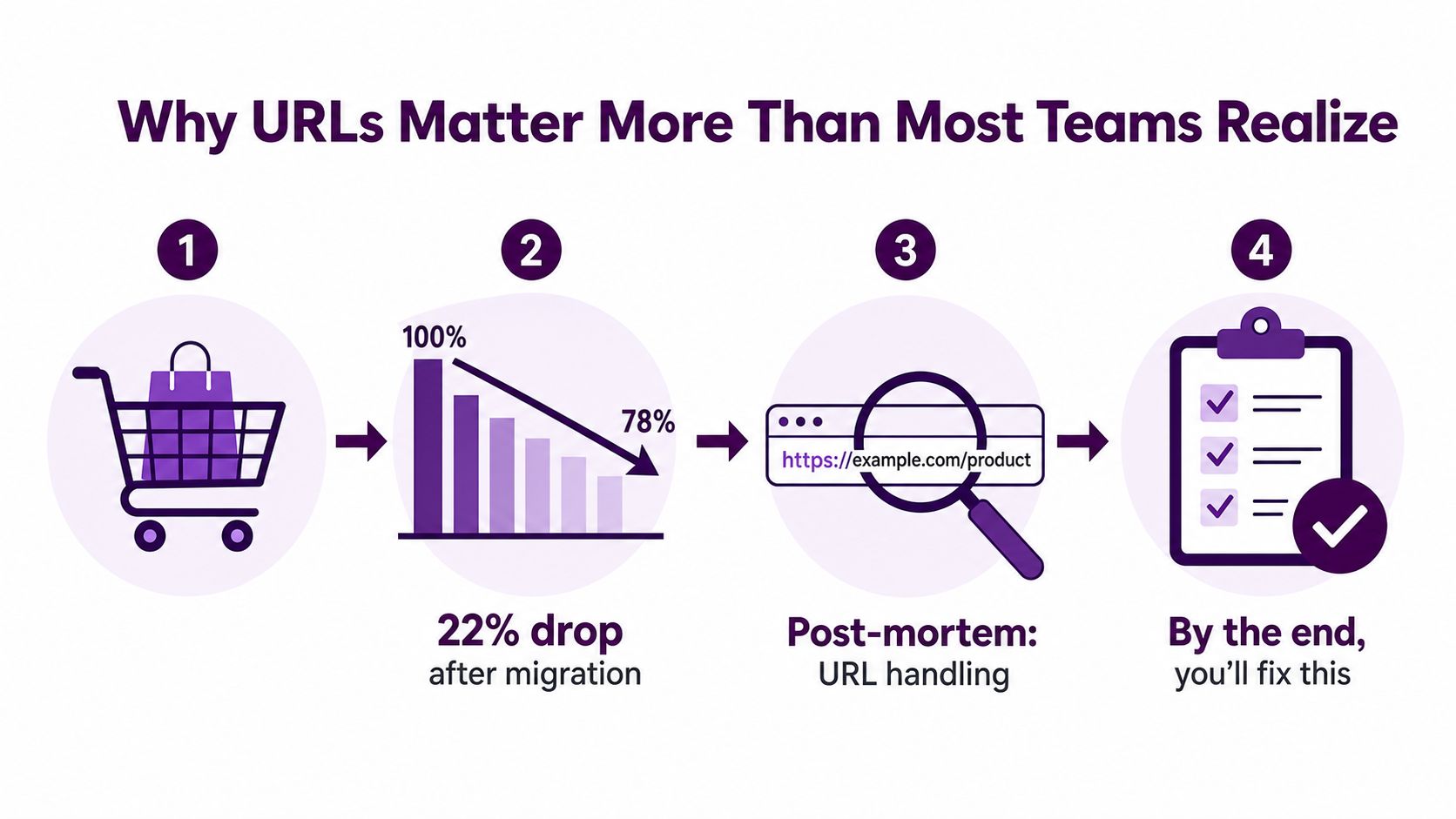
The image above captures the pattern many teams recognize too late, a migration, a traffic dip, then a scramble to understand which URL decisions caused it. That's why clean URL decisions matter before launch, not after the drop.
Practical rule: treat every URL change like a site move, even if the page content barely changed.
A helpful way to think about this is simple. Crawlability is whether Google can fetch the page. Indexability is whether Google keeps it. Rankability is whether the page sends clear enough signals to compete. Clickability is whether the visible URL helps a user trust what they're about to open.
Once you use that vocabulary, the trade-offs stop feeling abstract. A URL isn't a cosmetic detail. It's part of the infrastructure that determines whether search engines can do their job cleanly.
Anatomy of a URL and the Four Jobs It Performs
Take a URL like https://www.example.com/shoes/running-shoes?color=blue#reviews. The scheme is https, the host is www.example.com, the path is /shoes/running-shoes, the parameter is ?color=blue, and the fragment is #reviews. Each part tells a different story, and search engines don't read all of them the same way.
The host is the building. The path is the room number. Parameters are the labels on boxes inside the room. Fragments are often a note to the browser, not a separate destination for search discovery.
Discoverable, indexable, rankable, clickable
A URL first has to be discoverable, which means crawlers can reach it without confusion. It then has to be indexable, which means Google thinks the page is worth storing and showing. After that comes rankable, where the URL can reinforce the topic by being clean, descriptive, and consistent with the content. Finally, it has to be clickable, which is where the visible structure helps users understand what they'll get before they click.
That is also why technical choices in the URL can have business consequences. A messy URL can fragment signals across duplicates, while a clear one can reduce ambiguity for both crawlers and humans. If you want a plain-English explanation of the security side of the URL conversation, why HTTPS matters for your business is a useful complement.
The key mistake mid-level teams make is treating the URL as something that gets “set once” and then ignored. In reality, every URL design choice affects one of those four jobs. If a path is inconsistent, discoverability suffers. If parameters create duplicate variants, indexability gets noisy. If the wording is opaque, rankability weakens. If the structure looks spammy, click-through can take a hit.
Search engines don't need pretty URLs, they need predictable ones.
That distinction matters. Predictable URLs are easier to crawl, easier to canonicalize, and easier to explain internally when someone asks why a migration needs SEO time.
URL Structure Best Practices Backed by Data
Strong URL rules are not cosmetic preferences. They help Google interpret a page with less ambiguity, and they help people judge relevance before they click. The evidence points in the same direction. Backlinko's analysis of 11.8 million Google search results found a slight ranking advantage for shorter URLs, and another industry summary says URLs on Google's first page average about 66 characters, with the #1 result typically 9.2 characters shorter than the #10 result. The same broad set of SEO sources reports that pages with relevant keywords in the URL can earn a 45% higher CTR (Backlinko search engine ranking analysis).
What to standardize
Keep the path concise, descriptive, and consistent. Put the important term early in the path, use hyphens between words, and avoid extra folders that do not help the user understand the page. Google's own guidance recommends descriptive, hyphen-separated URLs, standard key-value encoding with = and &, and avoiding fragments, long ID numbers, and underscores (Google URL structure guidance).
If your CMS makes permalink settings part of the publishing workflow, a resource like the Divimode guide for permalinks can help teams align the setup with SEO conventions instead of fixing URLs after content goes live.
Short URLs help for a simple reason. They give crawlers fewer moving parts to parse, and they give users a cleaner signal about what sits behind the link. That does not mean every path should be stripped to the bone. It means every segment should earn its place, because extra words, stray folders, and mixed conventions make the URL harder to read and easier to misclassify.
Where the rules bend
Some pages need exceptions. Translations often need language or region markers. Faceted navigation may require parameters, but not all combinations should index. Legal pages can be longer or less elegant because the structure is serving governance, not discovery. The goal is to fit the URL to the job, not force every page into the same mold.
Good URL design removes ambiguity, it doesn't chase perfect aesthetics.
For larger sites, subfolders are usually easier to consolidate than subdomains when the goal is to build one coherent content base, because they keep the hierarchy obvious and the maintenance surface smaller. Trailing slashes also need a single convention. Pick one, enforce it, and redirect the other form consistently so you do not split signals across near-duplicates. HTTPS should be the default, not a later cleanup project.
The rule of thumb is simple. Short, readable, and consistent usually wins. The edge cases exist, but they should be intentional, not accidental.
Parameters, Canonicalization, and Pagination Done Right
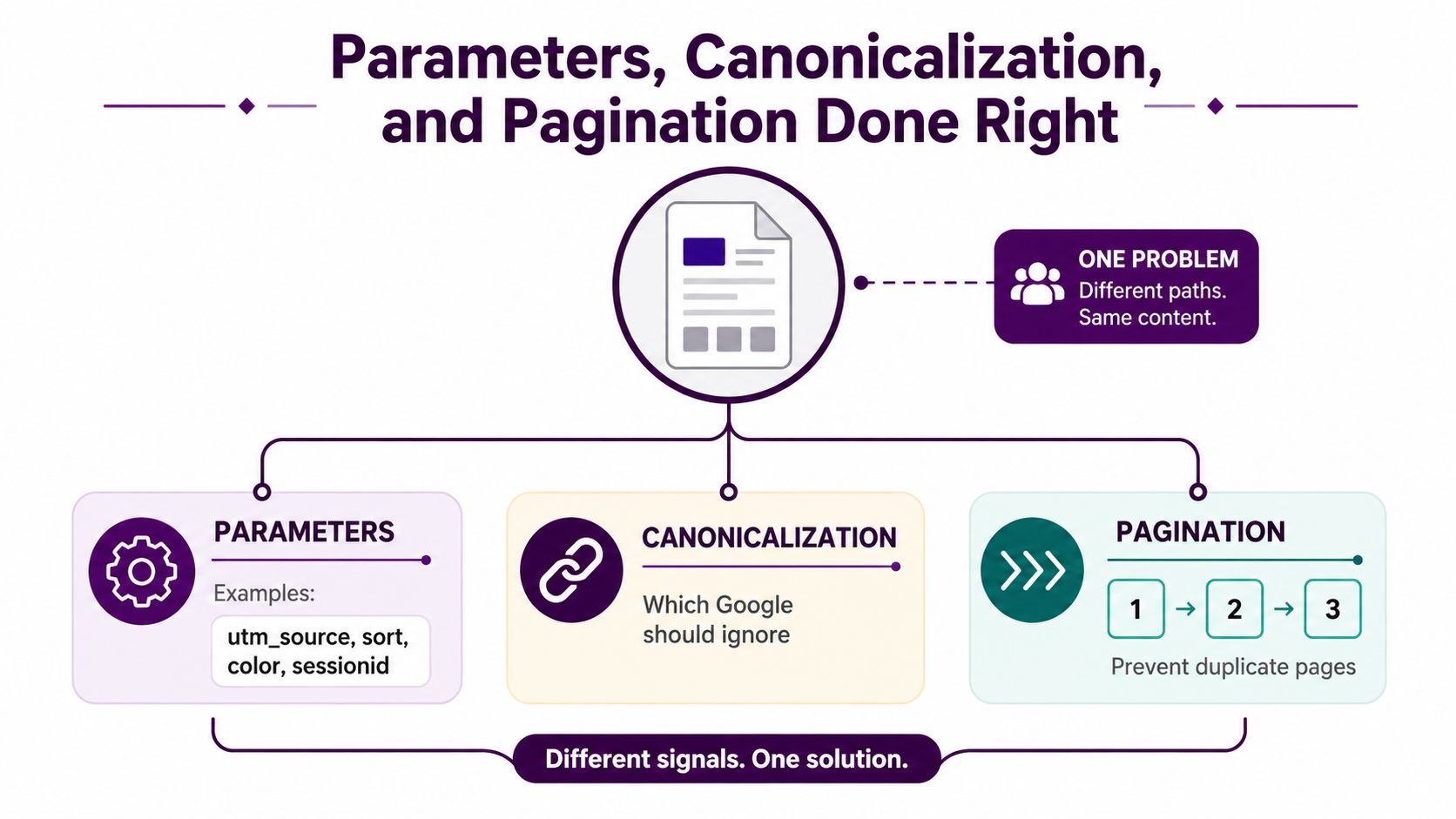
Duplicate URLs usually do not arrive one at a time. They show up as a pattern. A tracking tag creates one version, a sort order creates another, a color filter creates a third, and soon the same page content exists in many URL forms that compete for attention.
Separate signal from noise
Parameters such as utm_source, sort, color, and sessionid have different jobs. Tracking parameters can support analytics, but they should not turn into separate indexable pages. Sorting and filtering parameters can help users, yet they also create endless combinations that spread crawl attention thin. Session IDs are especially risky because they generate unnecessary URL proliferation without adding search value.
The cleanest response is to decide which variants deserve their own identity and which ones should fold back to a preferred version. Canonicalization handles that choice. A canonical tag is a hint, not a command, so it works best when the rest of the URL signals already point in the same direction. A self-referential canonical helps the preferred page stand on its own, while a cross-page canonical tells Google which near-duplicate should carry the main signal. For a simple reference point, the canonical URL glossary entry gives teams a shared definition they can use when the rules get messy.
Pagination needs consistency
Pagination creates another common trap. Page 1, page 2, and page 3 may each be valid, but they should not all look like interchangeable duplicates. A view-all page can solve that in some content setups if it loads well and serves users. Google's older rel="prev" and rel="next" pattern still appears in audits, but the bigger question today is whether the paginated set has clear internal linking and the right canonical logic.
Canonicals work best when they point to the preferred version of a page while the underlying architecture supports that choice.
Parameter handling is operational, not just conceptual. If a team cannot tell which URLs are being generated, it cannot control duplication. Search Console parameter tools, crawl exports, and server logs show which combinations exist in practice, not just which ones the CMS team intended to create.
The final goal is straightforward. Keep useful variants available for users, but reduce the number of URLs Google has to evaluate when they all mean the same thing.
Redirects, Redirect Chains, and Preserving Link Equity
Redirects are where a lot of migrations go wrong. The URL changes on the front end look tidy, but the old paths still need to send search engines and users to the right destination. If the wrong redirect type is used, or the chain gets too long, the site starts leaking efficiency.
Pick the redirect type on purpose
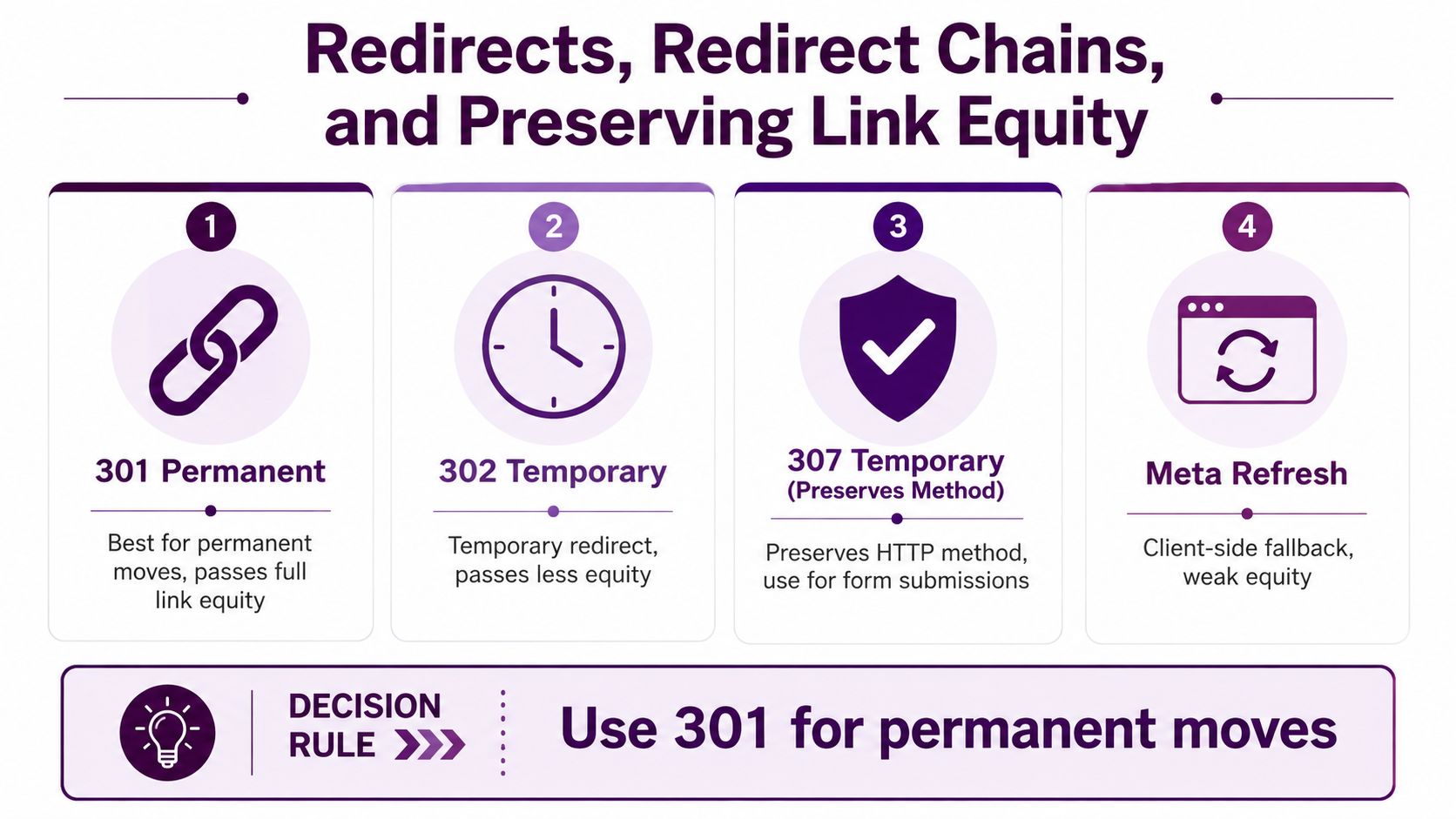
A 301 is the default for permanent moves. Use it when the old URL is no longer the canonical destination and you intend that change to stick. A 302 is for temporary situations, when you expect the original URL to return. A 307 is also temporary, and it preserves the HTTP method, which matters for certain form and transaction flows. A meta refresh is a client-side fallback, and it's the weakest of the group for SEO reliability.
Here's the decision rule that prevents most mistakes. If the content has moved for good, use a 301. If the move is short-term and reversible, use a temporary redirect. If you're handling a form submission or similar method-sensitive flow, use 307.
Chains waste time and signals
Redirect chains happen when A points to B, B points to C, and C points to D. Each extra hop adds delay and creates another place for something to break. Chains also make migrations harder to debug because the final destination may be correct while the path to get there is still inefficient.
More hops usually mean more trouble, especially when redirects stack across multiple releases.
Legacy 302s are a common problem because teams leave them in place for years. At that point, a “temporary” redirect has become permanent in practice, but without the clarity that comes with a proper move. Server logs and crawl tools are the right way to catch these patterns because they show the path the request took.
If you need a practical utility while cleaning up a move, the redirect checker tool can help surface where chains or misdirected hops still exist.
The workflow is simple. Map the old URL to the final destination, replace interim hops, and test the full path before launch. That preserves more of the site's history and makes crawl behavior easier to predict.
Hreflang and International URL Patterns
International sites add a second layer of URL decisions. The structure has to tell users where they are, and it also has to tell Google which version belongs to which audience. That's why the choice between ccTLDs, subfolders, subdomains, and parameters matters before translation work even starts.
Choosing the URL pattern
A country-code top-level domain, like example.de, sends a strong regional signal, but it also separates authority and maintenance across properties. A subfolder, like example.com/de/, keeps everything under one domain and usually makes shared governance easier. A subdomain, like de.example.com, sits in the middle. Parameters, like example.com?lang=de, are usually the least elegant for long-term SEO clarity because they can create ambiguity around duplication and indexing.
The right choice depends on the business model. If teams need tight country-level branding, ccTLDs can fit that need. If the site wants centralized authority and a simpler operating model, subfolders often make more sense. Either way, the URL pattern should match the commercial structure, not just the translation workflow.
Hreflang ties the cluster together
Hreflang is the annotation that tells Google which language or regional variant to show to which user. It's not a substitute for localization, and it doesn't fix bad canonicals. It works when the cluster is complete and each alternate points back correctly.
The three errors that cause the most pain are easy to name. Missing return tags break the relationship. Wrong language codes make the annotation unreliable. Hreflang pointing to non-indexable URLs wastes the whole cluster because Google can't use what it can't index.
If the English page canonicalizes to itself and the German page canonicalizes to English, the cluster is already broken.
Validation should happen before launch, not after. Check that every alternate is indexable, every language code is correct, and every page in the set references its counterparts consistently. Once the cluster is live, one broken locale can distort how the whole international set is interpreted.
The cleanest international setup is the one that reduces uncertainty. Users see the right language, and Google sees a stable mapping between versions.
Three Real URL Problems and How They Were Fixed
An e-commerce team with a large faceted catalog ran into a familiar problem. Color, size, and sort parameters generated thousands of duplicate URLs, and the index collapsed toward a handful of thin pages. The fix was not one tactic. The team tightened canonical rules, controlled parameter handling, and added a view-all category page where it made sense so Google had one clearer version to evaluate.
A publisher hit a different failure mode after a CMS migration. The site lost 40% of organic traffic because redirect chains piled up and some legacy URLs had no proper 301 at all. The repair work was mechanical but necessary, every old URL got mapped to its final destination, and the chains were collapsed so crawlers weren't forced through extra hops.
A SaaS company running English, German, and French pages had a localization bug that confused both users and search engines. The hreflang cluster was mismatched, and each locale pointed its self-canonical at the English version. Once the team deployed proper hreflang relationships and locale-specific canonicals, Google could separate the variants instead of treating them like duplicates.
These aren't rare edge cases. They're the standard failure patterns.
Most URL problems look different in the CMS but identical in Search Console.
The e-commerce issue was about duplicate discovery. The publisher problem was about preserving signal during change. The multilingual issue was about audience targeting. If your site has any combination of filters, migrations, or translations, one of those patterns probably lives in your data right now.
The lesson is not that URLs are fragile in some abstract way. It's that small structural mistakes scale fast when search engines have to decide which version deserves the ranking.
Your URL Audit Checklist and How to Run It in K²
A URL audit works best as a working checklist, not a ceremonial review. Start with the pages most likely to leak value, then move to structural issues, then check migration-grade risks. If a team only has an afternoon, this order keeps attention on what affects crawl, indexation, and click behavior first.

A fast triage order
Begin with canonical self-reference, trailing-slash consistency, and any recent HTTPS changes. These are the quickest places to spot a mismatch between what the page claims to be and what the server is serving. Then review parameter handling, pagination, and faceted navigation for duplicate clusters that should not all be indexable.
After that, move to the migration layer. Look for redirect chains, orphaned legacy URLs, and hreflang clusters that no longer line up with the live site. If a page can be reached in several ways, confirm which version should win and whether every alternate points back properly.
Where K² fits into the workflow
In Keyword Kick, the Site Audit module is the place to start for crawl coverage and technical issue discovery. The dedicated Site Audit feature fits the kind of URL review that surfaces broken paths, duplicate forms, and redirect issues. Pair that with the URL Inspection view for indexability checks, the Parameter Analysis report for duplicate variants, the Hreflang Validator for international tags, and the Redirect Chain Explorer for chain depth.
Run the full review quarterly. Check the indexability dashboard weekly so drift does not pile up between releases. That cadence catches the slow leaks that usually get blamed on “the algorithm” when they are really URL hygiene problems.
The best URL fixes are the ones you catch before the rankings move.
If your team is about to ship a migration, a content expansion, or a new international section, audit the URLs before launch and again after indexing settles. It is faster to correct a pattern early than to reconstruct it from lost traffic later.
If your URL structure is carrying hidden duplicates, weak canonicals, or redirect waste, Keyword Kick gives you a single place to inspect those problems and turn them into a repair list. Visit Keyword Kick to review site audit signals, redirect paths, and indexability issues before the next migration or content launch makes the mess harder to unwind.